Channel Stats and Video Metadata From One Endpoint
Pull a YouTube channel's stats and every video's metadata in one run, with no Google Cloud project and no quota units. Here is how, and what it returns.

Copy this line to your agent to pull a YouTube channel's stats and every video's metadata.
set up https://monid.ai/SKILL.md and use apify to pull a YouTube channel's stats and video metadata in one run
You can pull a YouTube channel's subscriber count, total views, and the full metadata of every video it has published, in one run, with no Google Cloud project and no quota units to budget. The official YouTube Data API is free, and that is exactly why its real cost hides somewhere else: in the quota math. This post covers both, honestly.
Free, until you do the quota math
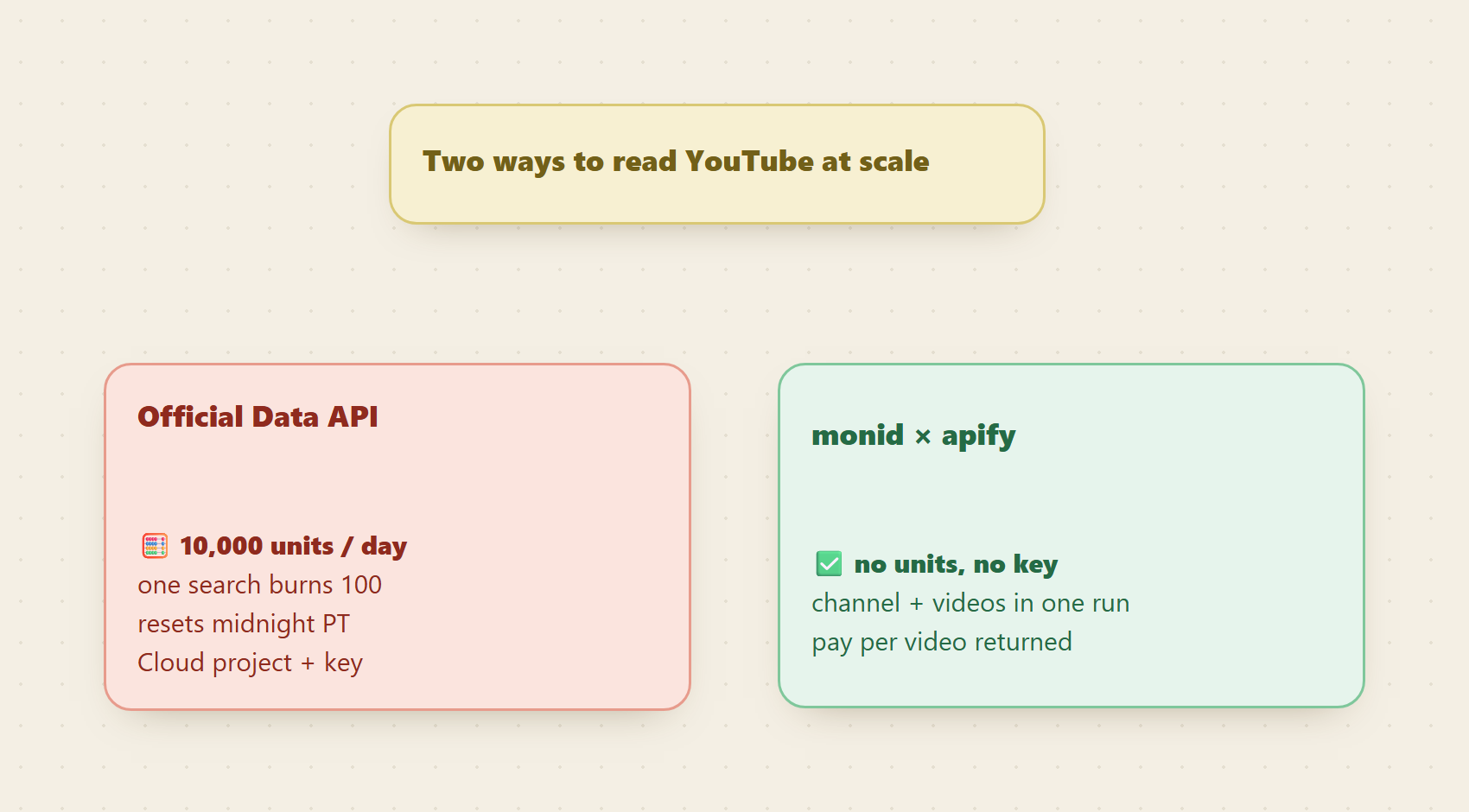
The YouTube Data API costs no money, and for light, steady workloads it is the right choice. Its currency is quota: every project gets 10,000 units per day, and every call has a unit price. Fetching a video's details is cheap at one unit. A search costs 100 units, and every additional page of results costs another 100.
Run the arithmetic on a real workload and the wall appears fast. One hundred searches, or a few dozen searches with pagination, and your day is over; the quota resets at midnight Pacific, not when you need it to. Teams end up building unit accounting, caching layers, and multi-key rotation schemes around an API whose data they only wanted to read. The API is free. The engineering around its ceiling is not.
One run, the whole channel
The streamers/youtube-scraper actor from Apify, reached through Monid, takes a channel URL, a search term, a playlist, or a hashtag, and returns structured records with no unit budget attached:
- Channel stats: subscribers, total videos, total views, location, and social links.
- Per-video metadata: title, description, duration, release date, and thumbnails.
- Engagement: views, likes, and comment counts per video.
- Extras the official API makes hard: monetization signals, hashtags, and downloadable subtitles in SRT, WEBVTT, XML, or plain text.
Filters do real work here: cap regular videos, shorts, and streams separately, sort a channel's catalog by newest, popular, or oldest, and cut by upload date. Billing is per video returned, at well under a cent per video; current prices are on the catalog page at monid.ai/tools.
📖 See also what the YouTube Data API will not give you
Set up once
For agents
Grab an API key at app.monid.ai, then paste this to your agent and hand it the key:
set up https://monid.ai/SKILL.md
It learns the whole discover, inspect, run workflow itself. More details in the agent quickstart.
For humans
npm install -g @monid-ai/cli
monid keys add --label main --key <your-api-key>
More details in the CLI quickstart.
From channel URL to dataset
Point the endpoint at a channel and cap the pull. These are the actor's real input fields:
monid run -p apify -e /streamers/youtube-scraper \
  -i '{"startUrls": [{"url": "https://www.youtube.com/@mkbhd"}], "maxResults": 200, "sortVideosBy": "NEWEST"}'
# -> Run ID: 01HXYZ...

monid runs get -r 01HXYZ... -o channel.json
# -> COMPLETED: channel stats + 200 videos with titles,
#    dates, durations, views, likes, comment counts
#    billed per video
Two hundred videos lands under a dollar, and the exact figure shows during the free inspect step before anything is billed. One cost note worth knowing: the per-result price applies per query in your input, so pass a single channel or search term per run to keep the bill predictable.
Keeping a channel tracker fresh
A channel's catalog only needs to be pulled once. After that, the oldestPostDate filter takes a relative value like "7 days", which turns the same endpoint into an incremental feed:
monid run -p apify -e /streamers/youtube-scraper \
  -i '{"startUrls": [{"url": "https://www.youtube.com/@mkbhd"}], "oldestPostDate": "7 days"}'
# -> only videos uploaded in the last week
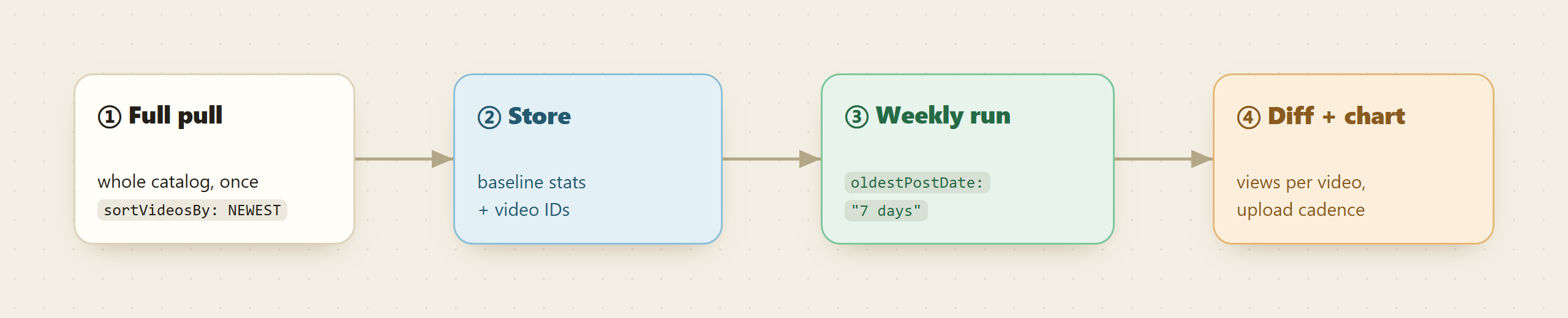
Run it weekly, diff against what you stored, and chart views per video over time. A whole competitor set tracked this way costs pennies a week, with no quota accounting anywhere. For very light checks, the catalog also carries cheap per-call endpoints like TikHub's get_channel_videos, and a free discover search shows you every option side by side.
When the official API is still the right call
If you poll a handful of known video IDs a few times a day, the Data API's one-unit lookups fit inside the free quota with room to spare, and nothing beats free and official. The same goes if you need OAuth-scoped data about your own channel, which no scraper returns. The endpoint above earns its keep when the job is shaped like bulk: whole catalogs, cross-channel sweeps, subtitle harvesting, or anything where 10,000 units stops being a budget and starts being the product constraint.
FAQ
Do I need a Google Cloud project or YouTube API key? No. One Monid account and a pay-as-you-go balance replaces the Cloud project, the key, and the quota dashboard.
Can it pull shorts and live streams too? Yes. Regular videos, shorts, and streams have separate limits in the input, so you choose exactly which formats to collect.
Does it return subtitles?
Yes, optionally, in SRT, WEBVTT, XML, or plain text, with a language picker. Turn on downloadSubtitles in the same run.
How is it priced? Per video returned, at well under a cent per video, always shown before you run. Current prices for every endpoint are listed at monid.ai/tools.
Try it
Run a free discover for "youtube channel videos", inspect the endpoint to see its schema and current price, and pull one channel you know well. If the numbers match what YouTube shows you on screen, wire in the weekly incremental run and stop counting units. Start at monid.ai.