How to Use a Valid Email Address Checker for Lists
Build an email review sheet that separates syntax and domain checks from mailbox verification, with clear actions for incomplete contact rows.
Check your email list without turning every green flag into permission to send. Paste this into your agent:
Set up https://monid.ai/SKILL.md, and then use Monid to inspect Strale email validation for my list. Explain the price before paid calls. Keep original row IDs, separate syntax and domain evidence from mailbox proof, and export a review sheet. Do not send messages or silently correct addresses.
1 min setup allowance · 0 hrs saved claimed; see the assumptions below.
Sales operations teams looking for a valid email address checker need an answer for every row, including blanks and duplicates. Take a 100-row import: even after checking addresses, you still need 100 traceable decisions before updating your contact system.
A format check answers one question. A domain check answers another. Treating either as proof that a person owns a working inbox turns a useful screening step into a misleading send list.
We'll build a review sheet through Monid, the OpenRouter for agent tools: one key and one balance for tools across providers. Strale covers syntax and domain signals; it does not confirm mailbox existence. Start by choosing the evidence you need, preserve it alongside each row, then route unresolved records for further review.
Worksheet preview, not returned data: these are the columns to create before checking anything. No sample address or verdict below represents a tested result.
| Worksheet column | What belongs there |
|---|---|
| Source row ID | Stable reference to the original contact row |
| Original email | Unmodified input, stored privately |
| Check evidence | Returned syntax, domain and risk information |
| Checked at | Your workflow's timestamp |
| Action and reason | Your decision, separate from provider evidence |
Why email validity needs more than one label
Email validity is a set of checks, and each check supports a different decision. Start by defining what “valid” means in your workflow before choosing a tool.
Separate address structure from mailbox evidence
Strale's email validation tool describes checks for syntax, mail-server records, disposable domains, role addresses and likely typos. Its description explicitly excludes confirmation that a mailbox exists. A row that clears these checks still needs a separate decision before sending.
Syntax concerns the address structure. Mail-server records concern the domain's mail setup. Neither observation identifies the person behind the address, proves that they control it, or establishes permission to contact them.
Keep the action separate from the evidence
Use actions such as review, request correction, and continue to deeper verification as your own worksheet labels. Do not present them as Strale's returned status values. A role-address flag, for example, is information for your policy, rather than a universal instruction to delete the row.
For the downstream distinction between checking an address and managing sending outcomes, read the email verification guide. Keep your contact history and suppression decisions alongside the new check rather than replacing them with a single validity label.
The 4 ways to check an email list
Choose the route by the evidence and interface you need. A marketer reviewing a spreadsheet and a developer validating an import have different requirements even when both search for an email checker.
| Route | Buying or operating model | Best fit | Limit |
|---|---|---|---|
| Monid with Strale | Per call through a shared balance | Checks inside an existing agent workflow | No mailbox-existence confirmation |
| Dedicated web checker | Vendor's own interface and account | Pasting addresses or uploading files | Workflow stays in that interface |
| Existing verification integration | Your established provider connection | Teams already storing verification evidence | Keep its verdict definitions explicit |
| Local script | Your own maintenance | Formatting and duplicate screening | Does not establish mailbox ownership |
Choose a web interface for a file-first job
Hunter's direct Email Verifier offers list upload and describes checks against mail servers. That is a concrete alternative when you want a verification interface instead of building a worksheet workflow. Keep its accept-all and unknown outcomes distinct from a definitive mailbox decision.
Choose an agent when the checks belong inside a process
Monid fits a process that already receives rows, selects tools and writes a review file. Discovery and inspection are free; execution is the paid step. You still define the acceptance policy and own the export rather than receiving a complete campaign management system.
The email validation integration guide expands the API route when your import needs verification evidence attached to every address.
A local script is enough for removing surrounding whitespace, identifying blank cells and locating duplicate strings. Use that pass before external checks, while preserving the original values for audit. Do not write a mail-server probing system just to avoid deciding which evidence your import needs.
How to use a valid email address checker with Monid
Use Monid to inspect the checker, approve a small scope and attach returned evidence to your own row IDs. The selected Strale capability is a screening step in that process.
Step 1. Install and add your key
For agents: get an API key at app.monid.ai, then give your agent the opening prompt and your key through its credential mechanism. The agent quickstart explains the setup.
For humans: install the CLI and save your key locally. Keep credentials out of spreadsheets and exported evidence files.
npm install -g @monid-ai/cli
monid keys add -k <your-api-key> -l main
Step 2. Define the input and the review policy
Give the agent the email column, stable row identifier and intended worksheet columns. Start with one address when authorizing a test, because this check accepts a single email string rather than an uploaded list.
Keep my original row ID and address. Check one approved address first. Preserve the full returned evidence separately from my action labels. Treat a suggested correction as review, and leave mailbox ownership unresolved. Ask for a call budget before processing the rest.
Step 3. Inspect the check before execution
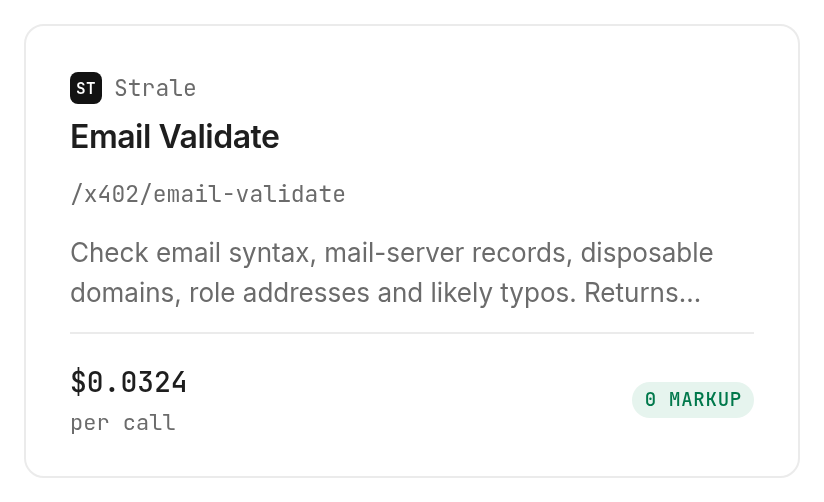
Read the Strale validation card and input definition before paying. An endpoint is one callable operation; this one uses GET with the required email query parameter.
Its listed price is $0.0324 per call, Verified 2026-11-13. This guide uses inspection only and makes no paid validation calls.
Step 4. Read the returned evidence and export your sheet
The catalog describes the following checks. These are capability descriptions, not measured results or exact JSON field names; the inspection response supplies an input schema but no formal response-field schema.
| Declared check | Question it addresses | What it does not establish |
|---|---|---|
| Syntax | Is the address structure acceptable? | Mailbox existence |
| Mail-server records | What mail setup does the domain expose? | A particular recipient's inbox |
| Disposable domain | Is the domain flagged as disposable? | The contact's intent |
| Role address | Is the address identified as a role account? | Whether it suits your process |
| Likely typo | Is there a suspected spelling issue? | Permission to replace the input |
After a completed call, map the actual returned fields to your sheet and retain the raw response. Leave missing information empty with a review reason; never have the agent infer a passing result from an absent field.
Export the evidence sheet separately from any send list. This makes a reviewer able to trace an action to the original row without turning an import operation into an automatic outreach decision.
How to handle rows without an email address
Route missing addresses into discovery before validation. A checker consumes an address; it cannot validate an empty cell or identify a person from a company domain alone.
Step 5. Find a candidate for a known person
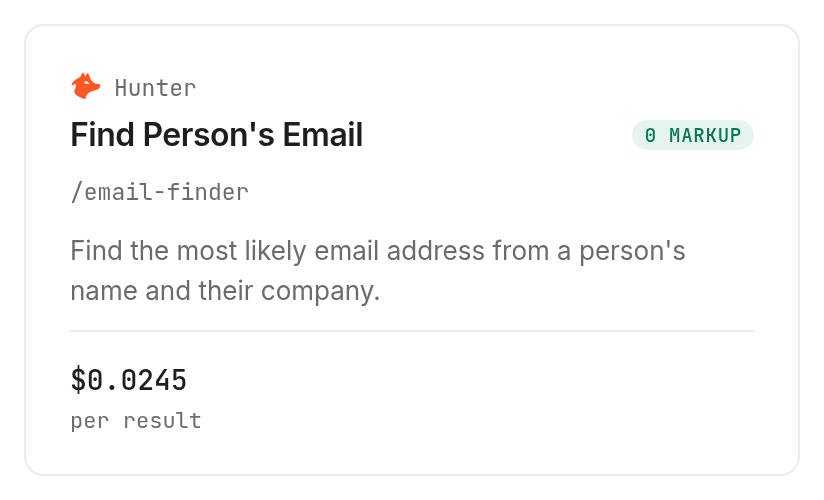
The Hunter email finder accepts person and company identifiers. Its inspected inputs include a domain or company name and name fields, with a LinkedIn-handle option; use a known domain when you have it to avoid an extra company-name resolution step.
Inspection describes a candidate address, confidence information, public sources and automatic verification information. Its listed billing is $0.0245 per result, Verified 2026-11-13; its pricing notes say charging occurs only when an address is found. This branch is also inspect-only.
Store a found candidate in a new column rather than overwriting a blank original field with an apparently established contact address. Preserve its sources and verification information so the reviewer can distinguish discovery from confirmation.
Step 6. Research company patterns without inventing a contact
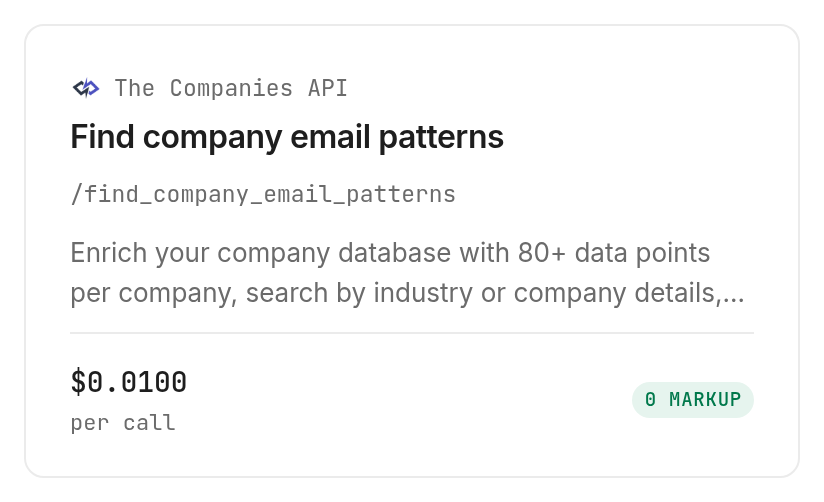
The company email pattern tool accepts a required domain. Its description explains pattern notation such as [F] for first name and [L] for last name; a pattern describes address construction, not an actual mailbox.
The listed price is $0.01 per call, Verified 2026-11-13. Its input definition also includes api_key, required beyond selected supported domains, so this branch does not provide universal access through the shared key alone.
Use this branch only when format research is your task and the credential requirement is satisfied. A domain-only row stays incomplete until you identify an intended contact; do not manufacture names or generate a send list from patterns.
How do you automate the review in your own code?
Automate the row bookkeeping around Monid, keeping provider evidence separate from your decisions. Define the worksheet policy before wiring it into a queue.
Map the query parameter correctly
These free commands reproduce catalog discovery and input inspection. Include unavailable entries during discovery so an outage does not disappear from your selection process.
monid discover -q "strale email validate" -l 5 --include-unavailable -j
monid inspect -p api.strale.io -e /x402/email-validate -j
The paid invocation uses --query, because email belongs to query parameters rather than a request body. The example is a reserved-domain placeholder for command shape, not a measured address result.
monid run -p api.strale.io -e /x402/email-validate \
  --query '{"email":"review@example.com"}' -w -o email-check.json
Preserve incomplete work without repeating successful calls
Record the source row ID, request identity, completion state and evidence location together. When an execution is interrupted, retrieve its existing run before submitting the address again; a retry is another execution rather than a continuation of your spreadsheet loop.
Keep transport failure, missing evidence and an address-related finding in different columns. An execution failure says nothing about mailbox validity. Stop the queue when the spending cap is reached and export the unfinished rows with their original identifiers.
Which check should you use for each job?
Choose the smallest operation that answers the row's actual question. All three entries below were inspected, and none was executed for this guide.
| Use case | Best endpoint | Why? |
|---|---|---|
| Screen an existing address | Strale address screening, inspect | Syntax and domain signals, without mailbox confirmation. PER_CALL $0.0324; Verified 2026-11-13 |
| Fill a known person's missing address | Hunter candidate lookup, inspect | Candidate discovery with source and verification information. PER_RESULT $0.0245; Verified 2026-11-13 |
| Research a company's address format | Company email patterns, inspect | Pattern research with an additional-key restriction beyond selected domains. PER_CALL $0.01; Verified 2026-11-13 |
Set a budget for each branch separately. A row with an existing address does not need a finder, and a company-pattern response does not complete a missing-person record.
When should you use something else?
Use Hunter's direct web verifier when your job is file upload and mailbox-level checking. You are reading the Monid blog, and the workflow here covers only part of the wider email-checking task.
Use a confirmation flow when you need proof that a visitor controls an address. A signup verification gate needs a separate confirmation step; syntax and domain checks alone do not provide ownership evidence.
Keep an existing dedicated provider connection when it already supplies the required checks and exports. Switching access layers adds no missing evidence by itself. The deciding question is whether the result answers your business question, not whether its label sounds more definitive.
Conclusion
You now have a repeatable review-sheet design that keeps original rows, check evidence and actions separate. Monid connects the selected tools, while your policy decides what advances to further verification and what needs correction. The setup minute is a planning allowance, and the opening claims zero saved hours because this inspection-only guide measures no execution or manual-work baseline. Choose syntax and domain screening for import hygiene, deeper checks for mailbox questions, and confirmation for ownership, so every contact decision rests on the evidence it actually needs.
FAQ
Is a valid email address checker free?
Local formatting checks need no paid tool. Monid discovery and inspection are free; Strale execution is billed per call at the listed tool price. Free inspection produces a schema and capability description, not an address verdict.
Does a valid address mean the mailbox exists?
No. Strale checks syntax and domain-related signals without confirming mailbox existence. Keep that distinction in your export so a clean screening result never becomes an invented mailbox guarantee.
Do I need to write code to check a list?
No. An agent can handle discovery, inspection and worksheet preparation from your instructions. You still supply the input, approve paid execution and define what each review action means.
How many addresses can I check at once?
The selected Strale input accepts one email string per call. A list requires orchestration across rows rather than a batch array, with a spending limit and a record of completed work.
Are failed or empty checks charged?
Strale's inspected price defines per-call billing without a special empty-result or failure rule. Keep execution state and wallet charges in your audit record; do not infer a refund rule from a missing verdict.
Can I schedule email checks?
You can schedule your own workflow to invoke the CLI and store results. Scheduling, deduplication and retry policy belong to that workflow; the inspected address checker does not expose a scheduling parameter.
How accurate is an email address validity checker?
This guide establishes no accuracy percentage. Match the claim to the check: syntax and domain evidence support screening, while mailbox existence and address ownership require different evidence. Regional rules vary; verify the requirements that apply to your use.
Published November 2026.