How to Use the MiniMax API in Your AI Agent
Connect your agent to MiniMax video and music tools, choose valid inputs, understand usage billing, and save generated media.

Give your agent a media brief and have it save the finished asset. Paste this into your agent:
Set up https://monid.ai/SKILL.md, and then use Monid to inspect the MiniMax video tools. Prepare one short video request, explain its billing, and ask for my generation budget before submitting. Save the completed media file and a record of the settings.
Plan a 1 min setup window; generation is separate. No hrs saved estimate is claimed.
Developers searching for the MiniMax API want a creative agent to produce a file that the next task can use. Copying prompts and download links between windows leaves a simple gap: one accepted request still needs completion tracking and a saved asset.
A prompt alone does not describe that whole job. Your script also needs an exact model, supported inputs, a usage budget, and a place to put the result. A generated link left in a chat transcript is an unfinished handoff.
This guide connects those pieces through Monid, the OpenRouter for agent tools: one key and one balance across tool providers. We'll choose a media route, prepare valid input, and map the declared output to a durable file. Generation is covered; downloading, reviewing, and assembling the assets remain your agent's work.
Here is the handoff to build. These are fields declared by the inspected tool definitions, not results from generated media.
| Declared field or behavior | What your integration does with it |
|---|---|
task.content.url for H3 video | Download the completed video promptly |
task.usage.output_seconds for H3-Max | Read generated duration for usage accounting |
task.usage.input_seconds for H3-Max | Keep reference-video usage separate |
task.usage.total_seconds for Turbo | Read the output-seconds billing selector |
| Music CDN URL with 24-hour expiry | Copy the audio into storage you control |
How to use the MiniMax API with Monid
Start with free discovery and inspection, then submit a generation request after choosing its budget. Monid supplies the tool connection; your application decides when a creative task is worth executing.
Step 1. Connect your agent
Get an API key at app.monid.ai, then give your agent the setup instruction below and configure the key through its secret-handling flow. Keep credentials out of prompts that become public examples.
set up https://monid.ai/SKILL.md
For humans working in a terminal, install the CLI and save your own key locally:
npm install -g @monid-ai/cli
monid keys add -k <your-api-key> -l main
Step 2. Find the media choices
Search before selecting a model so your script starts from the available catalog. An endpoint is a named operation with a defined input and billing rule.
monid discover -q "minimax api" -l 10 --include-unavailable -j
Discovery exposes status as well as price information. Prefer a suitable healthy or stable choice, exclude a listed outage, and distinguish unknown status from an observed failure.
Step 3. Read the complete definition
Inspect the H3-Max video operation before supplying media or choosing a resolution. Read its tier details rather than treating the top-level amount as the complete charge.
monid inspect -p minimax -e /v1/video/minimax-h3-max -j
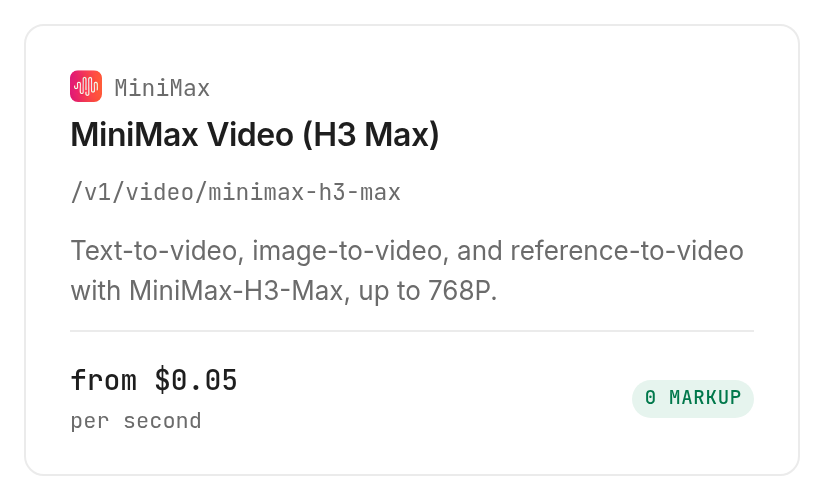
This guide uses inspect-only evidence. The video choices bill per second, and music is above this article's test-price limit, so no generation was submitted. The tables describe declared fields and billing, with no generated sample presented as a measured result.
Why save a media brief before generating anything?
Save the brief because the model cannot decide your intended deliverable from an attractive scene description alone. Specify where the clip will appear, its framing, the action, and the settings your pipeline accepts.
Choose the deliverable first
For a concrete starting job, prepare a five-second landscape clip showing an unbranded ceramic mug on a wooden table. Ask for one slow camera movement and a plain background so the review has a clear target.
Keep the content request distinct from the transport settings. “Slow camera movement” belongs in the text; duration, resolution, and ratio belong in their structured fields. That separation makes a retry understandable: you know whether you changed the scene or only its format.
Separate frames from references
H3-Max accepts starting and ending frame images, or reference media, but its definition says those input families cannot be mixed. A last frame must be paired with a first frame, while reference images describe a different generation mode.
The inspected H3-Max schema allows up to nine reference images, three reference videos, and three reference audio items, subject to its media limits. Reference audio cannot be the only reference. Begin with text alone; add a reference only when the visual requirement calls for it.
Set an acceptance rule
Write down what counts as usable before generating. For the mug clip, review object consistency, camera direction, framing, and the absence of unwanted text. These are editorial checks you apply to the file, not scores returned by the generation tool.
Your manifest should connect that review to the exact prompt revision. If the mug changes shape halfway through, record the rejection reason and revise the prompt deliberately. Repeated submission without a review rule spends the budget without producing a reusable decision.
The 3 ways to hand media work to your agent
Choose the route according to where the finished file must go and how much automation you need. This is the Monid blog; the useful choice is the one that completes your handoff with the fewest moving parts you need to maintain.
| Route | Billing or work model | Best fit | Limit |
|---|---|---|---|
| Monid tool connection | Shared balance; inspected tool billing | Agents that discover and call several tool providers | Your code still persists and reviews media |
| Existing dedicated integration | Keep its existing connection and accounting | A working agent already connected to the needed capability | Your workflow remains tied to that integration |
| Manual creation and file handoff | Human submission, download and transfer | Occasional creative tasks with close editorial review | Each handoff needs someone to move the asset |
Keep a working integration
Use an existing dedicated MiniMax connection when it already handles the task you need. Replacing a working adapter has an implementation cost, and a shared tool connection earns that cost only when it solves a concrete orchestration problem.
Automate repeated handoffs
Use discovery and inspection when your agent chooses tools across different jobs. Keep model choice explicit in your saved brief even when the agent makes the choice, so a later run has a reviewable record.
Separate integration from model comparison
First decide how your application submits and stores work; then compare creative outputs against the same brief. Keep the brief identical across trials so the review measures the result you need.
How to generate video from a precise brief
Prepare a complete text-to-video body with the exact model constant and an explicit aspect ratio. The following command is a schema-based submission example for the H3-Max tool, and it starts billable generation when executed.
Step 4. Submit one bounded request
Choose the shortest supported duration for the first creative test, and review the full price before submitting. H3-Max requires model, content, resolution, and duration; its text-to-video instructions also require a concrete ratio.
monid run -p minimax -e /v1/video/minimax-h3-max \
  -i '{"model":"MiniMax-H3-Max","content":[{"type":"text","text":"An unbranded ceramic mug on a wooden table, soft daylight, slow camera push forward, plain background, no text."}],"resolution":"480P","duration":5,"ratio":"16:9"}'
The inspected definition supports durations from five to fifteen seconds and resolutions of 480P or 768P. It requires exactly one nonempty text item, including when images or other media are supplied. Do not add unsupported keys from an older example.
Step 5. Choose Turbo for a frame-based brief
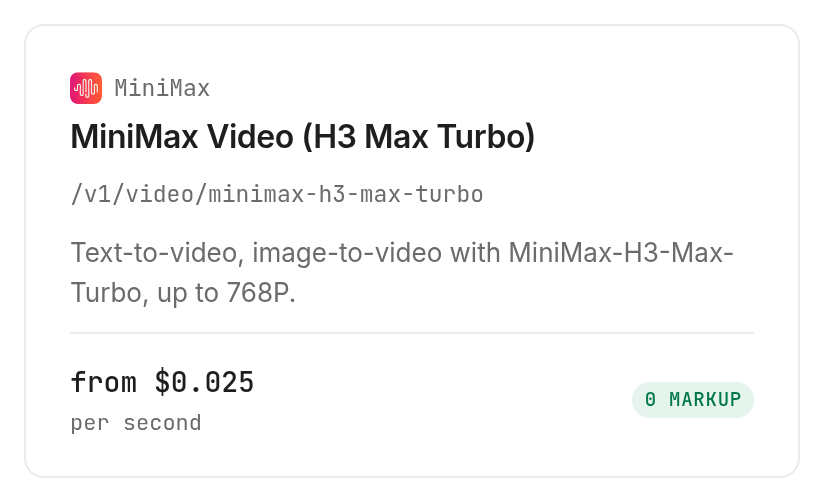
The H3-Max-Turbo tool accepts text and starting or ending frames, with the same declared duration range and resolution choices. Its schema excludes reference images, reference video, and reference audio; changing the model name alone does not make a reference-heavy body valid.
monid inspect -p minimax -e /v1/video/minimax-h3-max-turbo -j
Step 6. Read usage before scaling
The video price definitions list H3-Max at $0.05 per output second for 480P and $0.08 for 768P, Verified 2026-11-17. Reference-video input seconds bill separately at $0.0553 and $0.143 respectively; input images are not billed according to the inspection notes, Verified 2026-11-17.
Turbo lists $0.025 per output second for 480P and $0.04 for 768P, Verified 2026-11-17. These are tiered rates, so duration and resolution belong in the budget decision. A zero top-level tier amount is not a promise of free generation.
First decide how your application submits and stores work; then compare creative outputs against the same brief. The MiniMax vs Seedance video comparison addresses that model-choice question, while this guide concentrates on the request and file handoff.
How do you save and reuse the returned media?
Retrieve the finished task, download its media URL, and store the file alongside your own manifest. Monid provides access to the generation result; your storage layer makes that result durable.
Track completion separately from submission
Keep the run ID returned by submission and retrieve that same run until it finishes. A waiting command timing out does not establish that generation stopped, so resume tracking the existing task before submitting again.
monid runs get -r <run-id> -j
H3 video inspection notes name task.content.url as the completed media location and say the link expires. Download promptly after completion rather than scheduling the first download for a later reporting job.
Keep your manifest independent
Store your request label, model, prompt revision, requested duration, resolution, run ID, and local file path. These are application-owned manifest columns, not a claim that the provider returns a ready-made asset database.
Save the original response beside that manifest so later accounting uses the actual returned usage. If download fails after generation succeeds, retry the retrieval or download step first. Generating a second asset creates a different creative result and a separate spending decision.
Add music as a separate task
The music generation tool supports music-3.0 and music-2.6, with instrumental generation or lyrics-based songs. An instrumental request needs a prompt; a vocal request needs lyrics unless lyrics optimization is enabled.
monid inspect -p minimax -e /v1/music_generation -j
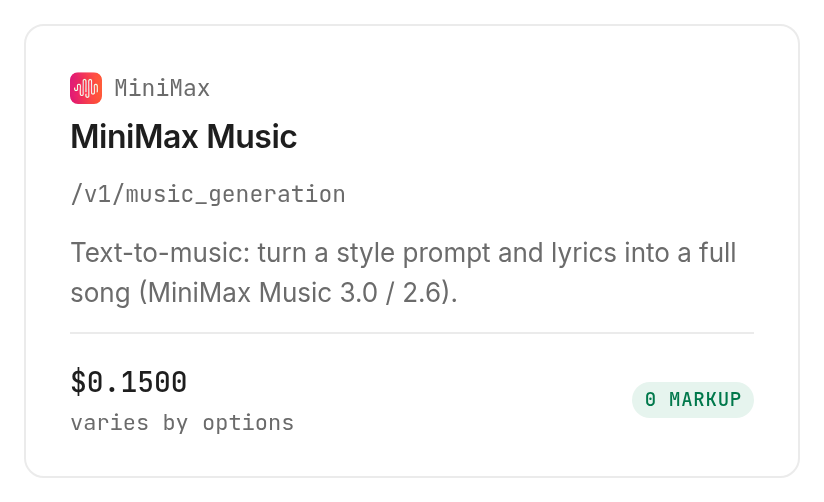
The inspected music definition fixes output_format to url and stream to false. Its notes declare a CDN audio URL with a 24-hour expiry. Download audio separately and assemble it with video in your editing pipeline; generating both assets does not synchronize them.
Which tool should you choose for each media job?
Choose by supported input before comparing creative output. The MiniMax tool definitions separate reference-guided video, text or frame video, and music into different operations; every row below is inspect-only.
| Use case | Best endpoint | Why? |
|---|---|---|
| Video guided by reference media | H3-Max /v1/video/minimax-h3-max | Accepts references; output seconds plus separate reference-video input seconds. From $0.05 per output second, Verified 2026-11-17 |
| Video from text or frame images | H3-Max-Turbo /v1/video/minimax-h3-max-turbo | Accepts text and frames, excludes reference media. From $0.025 per output second, Verified 2026-11-17 |
| Instrumental or vocal audio | Music /v1/music_generation | Creates a separate audio asset; either listed model costs $0.15 per song, Verified 2026-11-17 |
When should you use something else?
Use an editor when your end state is an assembled, timed sequence with cuts, captions, and a soundtrack. Monid connects generation tools, but the operations covered here do not deliver that finished timeline.
Use your existing MiniMax integration when it already provides the necessary generation and persistence flow. Use a human review stage before publishing creative assets whose details matter to a brand or product description.
For product work, distinguish a rendered picture from an editable three-dimensional asset before choosing a tool. The MiniMax vs Suzanne product-imagery comparison explores that deliverable split; a video clip is another distinct output, with its own review and storage requirements.
Conclusion
You now have a repeatable plan for choosing a MiniMax media tool, preparing supported input, budgeting generation, and saving the finished asset with its settings. Monid handles the tool connection while your agent tracks completion and persists the file; the setup window above is a planning allowance, with no measured time-saving claim. Choose the integration that gets a reviewed, reusable file into your next task.
FAQ
Is the MiniMax API free through Monid?
Discovery and inspection are free; generation follows the selected tool's billing. The MiniMax tools page lists the choices, and tiered video billing depends on the requested settings and metered seconds.
What do I need to install?
Install the Monid CLI for terminal use, or give your agent the setup instruction in this guide. Configure your API key locally and keep it out of checked-in scripts, public prompts, and shared run records.
Can I use MiniMax without writing code?
An agent can discover the tool, inspect it, and prepare a request from a natural-language brief. Tell it your budget, intended format, storage destination, and review requirements so it has a complete task rather than an isolated prompt.
How many seconds of video can one request create?
The inspected H3-Max and H3-Max-Turbo definitions accept five to fifteen seconds. Both list 480P and 768P output; choose duration and resolution explicitly instead of relying on settings copied from another model.
Are failed video tasks charged?
The inspected H3-Max and Turbo billing notes state that failed or cancelled tasks bill nothing. A terminal timeout is a separate event from a failed task: retrieve the existing run before deciding to submit another one.
Can I schedule MiniMax generation?
Your scheduler can invoke the same CLI workflow. Keep submission, completion tracking, and download as separate stages, and persist run IDs so a restarted worker resumes existing work instead of generating another asset.
Can I use the same references with every video model?
No, the inspected input definitions differ. H3-Max accepts reference media, while Turbo accepts text and starting or ending frame images. Validate the input against the selected model before handing it to an unattended worker.
Published November 2026.