How to Use an Instagram Profile Viewer Without Logging In
Look up public Instagram profiles by handle with no account: bio, follower counts, verified flag and recent posts, returned as one table by your agent.

Look up public Instagram profiles by handle, with no account, and get the facts in one table. Paste this into your agent:
Set up https://monid.ai/SKILL.md, and then use Monid to look up these public Instagram handles without logging in: nasa, natgeo, nike, spotify. Give me one table with a row per profile: followers, following, verified or not, what the bio is about, whether a profile picture link came back, and what each lookup cost.
One prompt turns a list of handles into a profile table. 1 min setup · 1-2 hrs saved.
If you are a marketer checking a brand's page, a researcher comparing a dozen accounts, or just someone curious about a profile, you probably search for an Instagram profile viewer so you can look without logging in. You open instagram.com, scroll a little, and hit the login wall. Or you paste one handle into a free viewer website, read it, and paste the next one. Ten profiles is ten rounds of that.
Both routes show you one profile at a time on a screen. Neither gives you the numbers side by side, in a sheet you can sort, and neither tells you what a lookup cost or what came back empty.
This guide gets you that sheet. It uses Monid, the OpenRouter for agent tools: one key, one balance, every tool priced per call, run from inside your agent. Below is a real sweep we ran on 2026-10-23 on four public accounts: NASA, National Geographic, Nike and Spotify. Here is the short version:
| Profile | Followers | Verified | Cost (Verified 2026-10-23) |
|---|---|---|---|
| NASA | 104,366,824 | Yes | $0.001 |
| National Geographic | 268,297,686 | Yes | $0.001 |
| Nike | 290,912,965 | Yes | $0.001 |
| Spotify | 14,606,234 | Yes | $0.001 |
It is not a viewer website with a search box, and it does not open private accounts. It returns public profile data, as a table, through your agent. You will:
- Give your agent a list of public handles.
- Get one table back: counts, verified flag, bio topic and a picture link flag, per profile.
- Know what each row means, including the fields that come back empty.
How to use an Instagram profile viewer without logging in, with Monid
Monid is a catalogue of data tools your agent can call, billed per call. Here the agent calls an Instagram profile lookup once per handle and keeps one row for each.
Step 1. Install and add your key
Get a key at app.monid.ai, then paste this to your agent and hand it the key:
set up https://monid.ai/SKILL.md
It learns the discover, inspect and run steps itself. More in the agent quickstart.
Or install the command line tool by hand:
npm install -g @monid-ai/cli
monid keys add -k <your-api-key> -l main
Setup takes about a minute once you have a key. Inspecting tools is free.
Step 2. Give your agent your handles
Paste the handles into the chat, one per line, without the @. Then use a prompt like this one:
Give this to your agent
Set up https://monid.ai/SKILL.md, and then use Monid to look up each of these public Instagram handles without logging in, and give me one table with followers, following, verified or not, what the bio is about, whether a profile picture link came back, and the cost of each lookup.A few choices are worth making on purpose:
- Use public accounts. A private account has no public profile to return, so the lookup has nothing to show.
- Use the handle, not the full link. The handle is the part after instagram.com/, and it names exactly one account.
- Test with a few handles first. Read the table, then send the rest.
- Ask for a row for every handle. Otherwise you can end up with only the hits and lose track of the misses.
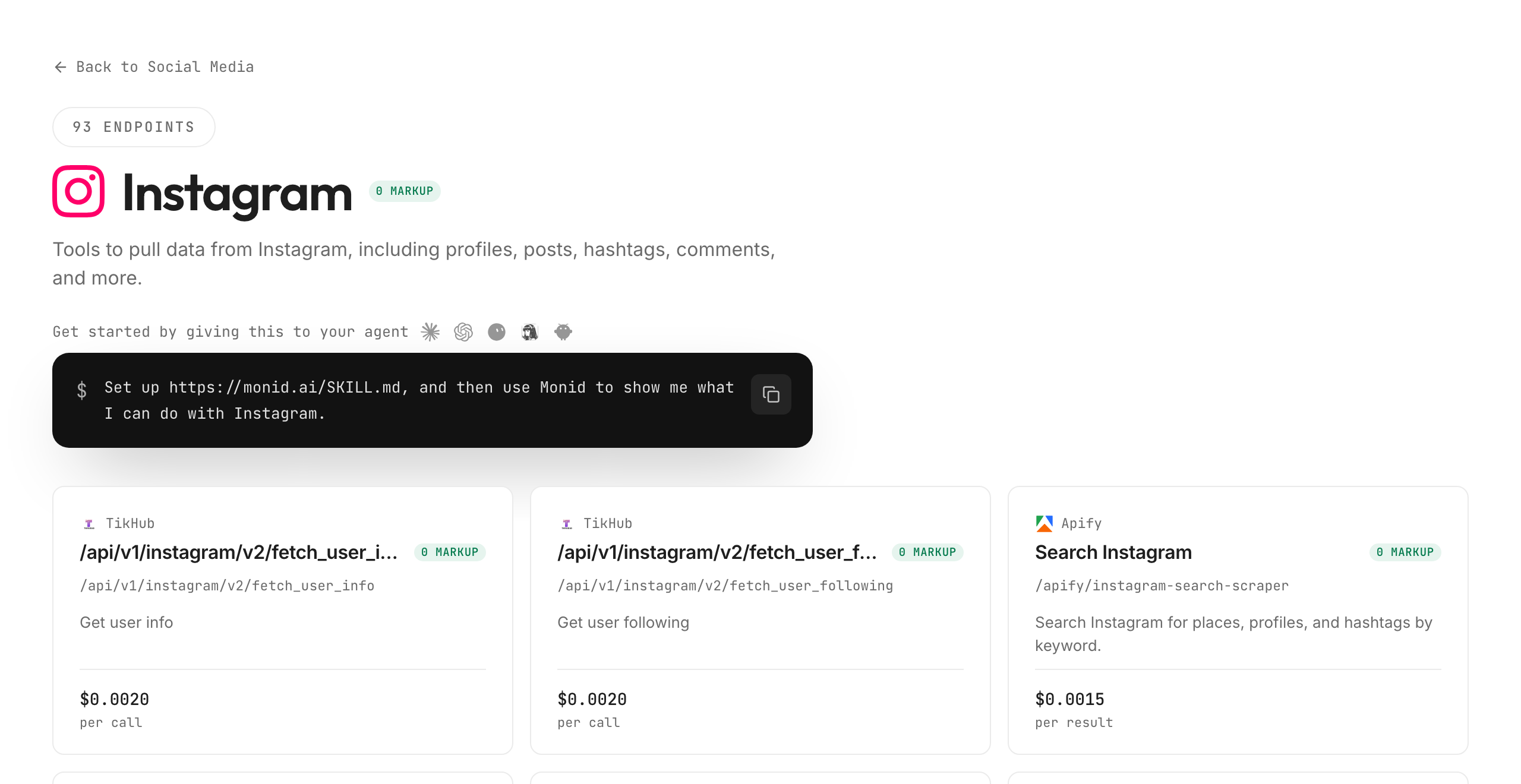
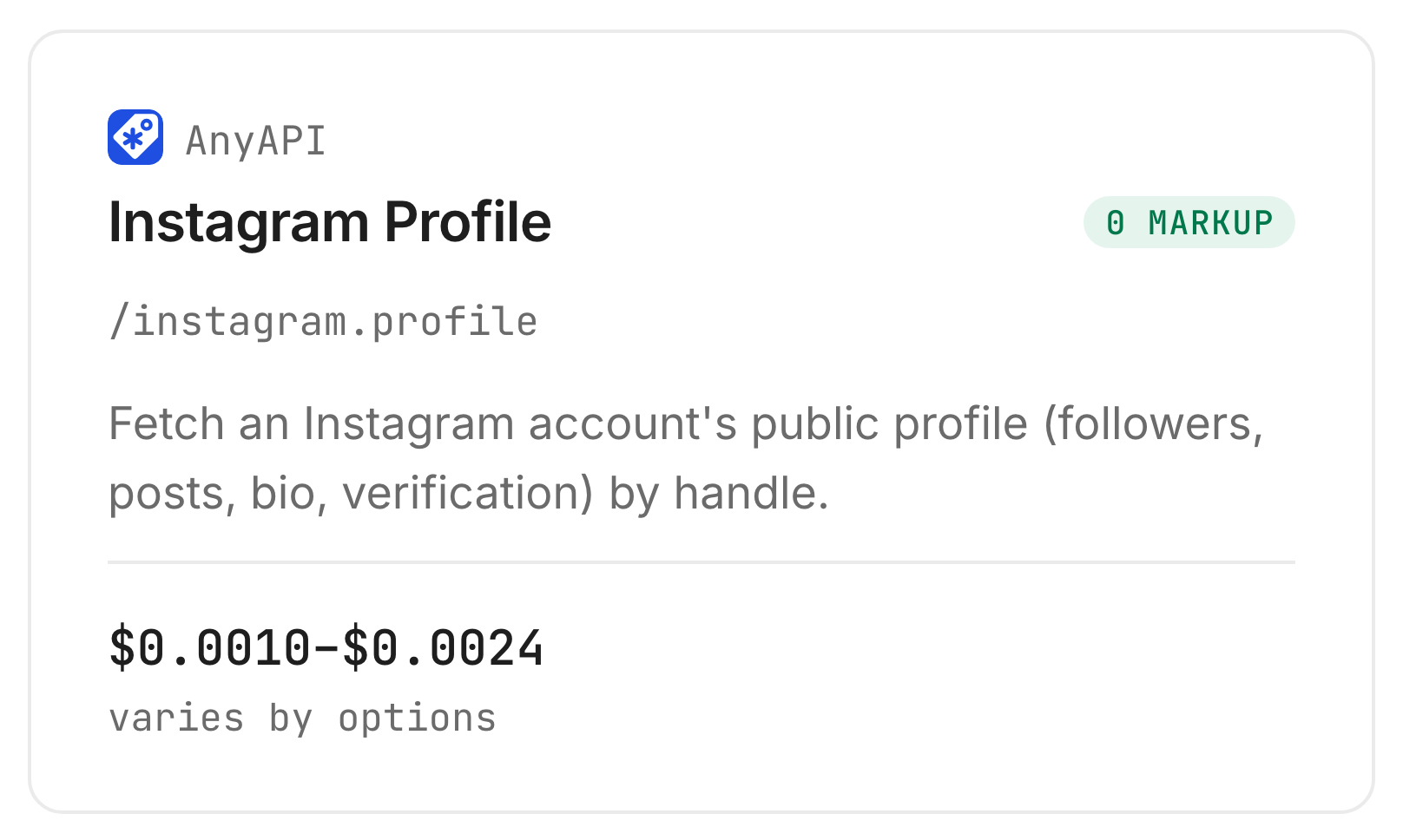
For this list the agent used the anyapi lookup called Instagram Profile. Its card on the Monid tool page shows the name, the path and the price. The card shows a range because the endpoint lets you choose an upstream source, and the default one costs $0.001 per call (Verified 2026-10-23):
Step 3. Run it
The agent looks the accounts up one at a time. Each of the four lookups took between 1.8 and 2.3 seconds, so the whole list came back in under ten seconds. All four were found, and each billed $0.001, $0.004 in total (Verified 2026-10-23).
Step 4. Read and export the table
Here is what the agent handed back. It describes the bio by topic and does not print the pictures:
| Handle | Followers | Following | Verified | Bio topic | Picture link returned | Cost (Verified 2026-10-23) |
|---|---|---|---|---|---|---|
| nasa | 104,366,824 | 90 | Yes | Space agency motto | Yes | $0.001 |
| natgeo | 268,297,686 | 195 | Yes | Exploration and nature | Yes | $0.001 |
| nike | 290,912,965 | 266 | Yes | Sport brand slogan | Yes | $0.001 |
| spotify | 14,606,234 | 2,348 | Yes | Music and listening | Yes | $0.001 |
The lookup also returned each account's website link, the links listed in the bio, a display name and a numeric account id. Ask for a CSV and you get a file for your spreadsheet.
One column came back empty. The lightweight lookup returned no post count for any of the four, so if you need that number, use the richer lookup in the next section.
How do you read the results?
Read the table row by row: who is verified, how the follower counts compare, and which fields are empty. The advice below is our editorial reading, not a measured effect.
Are the follower counts exact?
They are the counts at the moment of the lookup, and they move. For NASA and National Geographic we ran a second lookup with a different source, and the follower counts differed by a handful: 104,366,824 against 104,366,831 for NASA, and 268,297,686 against 268,297,683 for National Geographic. Two sources, two reads a few seconds apart, and an account with millions of followers is changing constantly. Round to the thousands when you compare accounts.
Can two sources disagree about the same profile?
Yes, and they did. The lightweight lookup said NASA and National Geographic are not business accounts. The richer lookup said both are, with NASA's business category as Government Agencies and National Geographic's as None. Each source reads the profile its own way. If a business flag matters to your decision, take it from one source and use the same one for every row, so the column stays comparable.
What does an empty cell tell you?
That this lookup did not return the field, not that the account has none. The lightweight lookup returned no post count and no highlights count on any of the four. The richer lookup returned a post count for NASA, 4,974, and none for National Geographic, whose recent posts also came back as an empty list. Keep the empty cells in the sheet, so you can see which accounts need another route, such as opening the profile in a browser.
What should you do with each row?
- A row with counts and a verified flag. Use it for comparison. This is the row the exercise was for.
- A row with an empty field you need. Run the same handle through the richer lookup, or open the profile by hand for that one field.
- A handle that returns nothing. Check the spelling, and check whether the account is private or has been renamed. A private account is not available through this route.
How much does an Instagram profile viewer cost, and is there a free one?
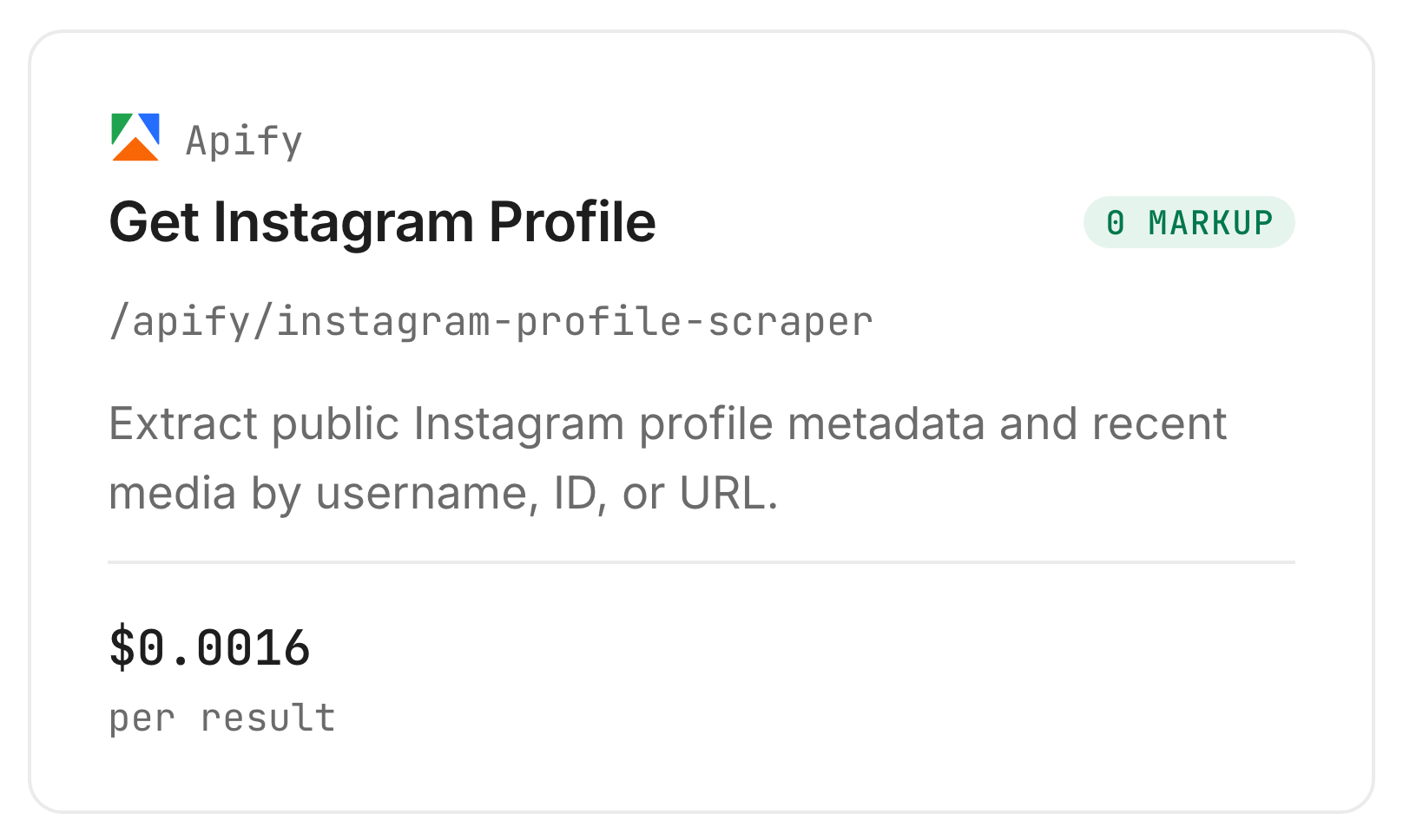
On the lookup we ran, a profile costs $0.001, so a list of 100 handles costs about $0.10 (Verified 2026-10-23). The richer lookup, from Apify, costs $0.0016 per result, billed per profile in the list (Verified 2026-10-23). There is no monthly plan and no minimum top-up. Four profiles is not a basis for budgeting, so run a handful first and read your own table.
Can you do it for free?
For one profile, yes. Open it in a browser, or paste the handle into a free viewer website. Those show a single profile on a page and do not take a list. The Monid route is for the case where you want several profiles in one table.
What does the richer lookup add?
It returns more of the record. For NASA it returned a post count of 4,974, six highlights, a business category, 12 recent posts and a list of 50 related profiles. It is slower: two profiles took 41 seconds in our run and billed $0.0032, which is two results at $0.0016 (Verified 2026-10-23). Use it when you need recent posts or the post count, and the lightweight lookup when you need a quick table of counts.
How do you do this in your own code?
Call the lookup once per handle, check found, and store one row per handle per run. The table above needs none of this.
Inspecting is free:
monid inspect -p anyapi -e /instagram.profile
The body takes a handle, and an optional route to choose the upstream source:
monid run -p anyapi -e /instagram.profile -i '{"handle":"nasa"}' -w
A hit comes back as {"found": true, "data": {...}} with followers, following, verified, bio, bioLinks, externalUrl and avatarUrl. For the richer record with recent posts, the Apify lookup takes a list:
monid run -p apify -e /apify/instagram-profile-scraper -i '{"usernames":["nasa","natgeo"]}' -w
It returns one result per username. Our guide to the Apify Instagram scraper covers its other modes.
Loop it over a file with one handle per line:
mkdir -p out
i=0
while read -r h; do
  i=$((i+1))
  monid run -p anyapi -e /instagram.profile -i "{\"handle\":\"$h\"}" -w > "out/$i.json"
done < handles.txt
Read each file in out/ with json.load (the run object has output.found, output.data and cost.value) and write every row to your CSV. Four things from our runs matter:
- Posts came back null. The lightweight lookup returned
postsandhighlightsCountas null on all four handles. Read each field with a default. - The picture link expires.
avatarUrlis a link to Instagram's image server with a signature in it, so download or store the image if you need it later. Do not treat the link as permanent. - The two sources name fields differently. One calls it
followers, the otherfollowersCount. Map them to one column name before you merge rows. - Counts differ by a few between sources. Two reads of a live count do not match to the unit.
Our Instagram API comparison lists every Instagram endpoint on Monid with its fields and billing. Once you have counts, the follower and engagement data guide is the next step.
Which endpoint for which job?
| Use case | Best endpoint | Why? (prices Verified 2026-10-23) |
|---|---|---|
| A table of counts for a list of handles | anyapi/instagram.profile | Takes a handle, returns followers, following, verified, bio and a picture link, ran in this guide in about 2 seconds a call. $0.001 on the default route |
| A profile with its post count and recent posts | apify/instagram-profile-scraper | Takes a list of usernames, one result each, returns a business category and up to 12 recent posts, ran in this guide in 41 seconds for two profiles. $0.0016 per result |
| Find handles from a bio keyword | anyapi/instagram.search_profiles | Searches public profiles by a bio or caption keyword, inspected only. $0.0012 |
All endpoints are listed at monid.ai/tools. The last row is inspected, not run.
When should you use something else?
You want one profile, once. Open it in a browser or use a free viewer website. It needs no key and no list.
The account is private. A private profile is not available through this route, and no viewer should be trusted that claims to open one.
You want stories, or to see who viewed your profile. This returns public profile data. It does not show stories, and it does not tell you who looked at your profile.
You want the full feed or the pictures. A profile table is not a download of every post. For posts and reels, use a scraper built for them.
You want a screen to click through. A viewer website gives you a page with pictures. Ours gives you a table and no pictures.
One limit of ours: this runs one handle per call on the lightweight lookup, so it is a loop, not a bulk upload. And the disclosure: we resell these endpoints. Whichever route you take, keep a row for every handle you asked for.
Conclusion
You now have a way to look up public Instagram profiles without logging in and get the numbers into one table: one lookup per handle through Monid, $0.001 each on the lightweight endpoint we ran and $0.0016 per profile on the richer one, one key for this and every other tool, about a minute to set up and ready inside your agent whenever you have a list (Verified 2026-10-23). In our four-account sweep all four came back, with follower counts, the verified flag and a picture link, and no post count on the lightweight route. How we estimated the time saved: checking a profile by hand means opening it, scrolling, copying the counts and noting the bio, about 2 to 3 minutes each, so 40 profiles is 80 to 120 minutes, or 1 to 2 hours, while the 1 minute is the install, key and first call. Keep a row for every handle, use public accounts, and you can compare a whole set of profiles in a sheet instead of one tab at a time.
FAQ
How do I view an Instagram profile without an account?
Open the public profile in a browser, or ask a lookup tool for it by handle. Through Monid, anyapi/instagram.profile takes a handle and returned followers, following, the verified flag, the bio and a picture link for all four public accounts we tried.
Is there a free Instagram profile viewer?
Free viewer websites cover one profile at a time. For a list, a lookup through Monid costs $0.001 per profile on the lightweight endpoint, with no monthly plan and no minimum top-up (Verified 2026-10-23).
Can I view a private Instagram account?
No. Private accounts are not available through this route, and a public lookup returns nothing for them. Only the account's owner decides who sees it.
Is an anonymous Instagram profile viewer really anonymous?
A lookup by handle through Monid uses no Instagram login of yours, so nothing in your own account is involved. It returns public profile data and does not message or follow anyone.
Can I see who viewed my Instagram profile?
No tool shows that. A profile viewer returns public profile data, not a list of visitors, so any site promising one is a different job.
Can I get a profile picture from a handle?
The lookup returns a link to the picture. In our sweep a picture link came back for all four handles, and the link is signed, so download the image if you need to keep it.
Do I need to write code?
No. Paste your handles and the prompt into your agent and it builds the table. The code section is for people who want the loop in their own script.
How many profiles can I look up at once?
The lightweight lookup takes one handle per call, so a list is a loop your agent runs for you. At about 2 seconds a lookup, 100 handles take a few minutes. The richer lookup takes a list in one call.
Is it legal to look up Instagram profiles this way?
Rules on collecting and using people's data differ by country and by how you use it. Check the rules where you work, and stay with public accounts.
Published October 2026.