How to Use an AI Overview Checker for SEO
Build a keyword check sheet with AI Overview presence, cited URLs, unique domains, and a clear next action from real search snapshots.
Check whether a keyword shows an AI Overview and save the sources it cites. Paste this into your agent:
Set up https://monid.ai/SKILL.md, and then use Monid to check "what is an api" and "email verification tool" for Google AI Overviews in US English on desktop. Return overview presence, reference count, unique cited URLs and unique cited domains. Keep the original response and check time. Do not infer traffic or ranking gains.
Estimated 1 min setup · 0.5-1 hrs saved per 30-keyword manual sweep.
SEO managers using an AI overview checker need a repeatable record, especially when a 30-keyword list becomes 60 checks across desktop and mobile. Opening Google tabs and copying source links leaves you with scattered observations instead of a sheet you can compare.
A screenshot preserves appearance but makes citation counting manual. A copied answer loses the settings that produced it, and counting every reference as a different source inflates the list when URLs repeat.
We'll build a check sheet through Monid, the tool layer for AI agents, using real keyword snapshots. The tools retrieve answers and citations; your agent builds the sheet, and your own storage keeps it. They do not provide historical monitoring or traffic attribution.
- Fix the keyword and search settings before checking.
- Separate reference rows from unique URLs and domains.
- Save an action beside each observation before repeating it.
Here is the finished sample from October 31, 2026. Each row represents one returned overview, including a second provider's observation of the same keyword.
| Keyword and source | Overview returned | Reference rows | Unique URLs | Unique domains |
|---|---|---|---|---|
| what is an api, Litescrape | Yes | 12 | 10 | 8 |
| email verification tool, Litescrape | Yes | 7 | 7 | 7 |
| what is an api, SerpApi expansion | Yes | 10 | 10 | 8 |
How to use an AI Overview checker with Monid
Start with a small keyword list and ask your agent to preserve the settings and source response. Monid supplies discovery, inspection and paid calls through one key and balance; an endpoint is simply the callable tool that performs one task.
Step 1. Install and add your key
Choose the agent setup for a plain-language workflow or the CLI setup for a terminal workflow. Both lead to the same search inputs.
For agents
Get a key at app.monid.ai, then give your agent the key through its credential setup and paste:
set up https://monid.ai/SKILL.md
For humans
Install the CLI and register your key using the CLI quickstart:
npm install -g @monid-ai/cli
monid keys add -k <your-api-key> -l main
Step 2. Give your agent the exact search settings
Ask for the two example keywords with gl=us, hl=en, and device=desktop, so each observation has a defined country, language and device. Set a small limit when testing: here that means two keywords, rather than submitting your entire content inventory.
Check only these two phrases. Use US English and desktop for both. Save the requested settings, returned settings, check timestamp and raw response. Count reference rows, exact unique reference URLs and unique hostnames separately. Do not replace a missing value with zero.
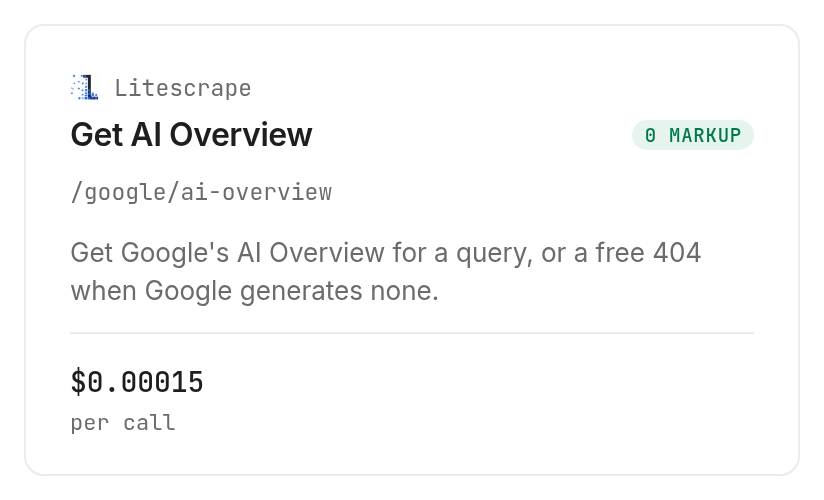
Use Litescrape's keyword check on Monid, documented by Litescrape, for the direct query route. Its returned search_parameters confirms the query and localization alongside the answer.
Step 3. Check and keep the answer
Request ai_overview.text_blocks and ai_overview.references without asking the agent to rewrite the answer first. Our two direct checks completed successfully in 6.950 and 8.460 seconds, measured from each run's creation to completion.
The first payload contained 16 top-level text blocks; the second contained seven. Blocks included paragraphs, headings and lists, so a block count is a structural measurement, not a sentence count or a quality score.
Step 4. Read and export the table
Export the sample columns above and add checked_at, country, language and device from the observation record. Add a separate target-domain column only after supplying the domain you actually want checked.
Keep the JSON beside the CSV rather than discarding it after export. That gives the person reviewing a source match somewhere to inspect the original URL, without asking for another paid observation.
How do you read the citation results?
Treat each row as evidence of what one request returned, then choose the next editorial action. The sample supports a concrete finding: reference counts and source counts are different measurements.
Step 5. Deduplicate before reporting visibility
For “what is an api,” Litescrape returned 12 reference entries but only 10 unique URL strings and eight unique domains. Two entries pointed to the same YouTube short, and another pair pointed to the same YouTube video.
A report that calls those 12 entries “12 websites” overstates source diversity. Keep three distinct columns: raw references for traceability, unique URLs for page coverage, and unique hostnames for publisher coverage.
For the email-verification query, all seven reference URLs and domains were distinct. That difference is the reason to compute the columns from each response instead of assuming one citation always equals one website.
Step 6. Match the domain and assign an action
Match a normalized hostname against the target domain, and decide explicitly whether subdomains count. A substring test against the complete URL also matches query parameters and unrelated path text, so it is the wrong comparison for publisher visibility.
Use these editorial rules: when your domain is cited, open the exact cited page and record its subject; when it is absent from an observed overview, review the sources that were cited. A failed request belongs in a retry queue, while a confirmed no-overview response belongs in an absence category.
Neither a citation nor its absence measures visits, conversions or the effect of a content edit. The sheet tells you where to investigate; your analytics and editorial review answer the business questions.
How much does a keyword check cost?
Budget by completed calls, including any prerequisite search, rather than by exported rows. Discovery and inspection through Monid are free; execution is the paid step, and the tool catalog lists current prices.
Litescrape's direct check is $0.00015 per call, Verified 2026-10-31. Each of our two successful calls reported that charge, despite their different reference counts.
SerpApi's search is $0.015 per call, and its overview expansion is $0.015 per call, Verified 2026-10-31. The expansion takes a token from the search response; do not budget for the expansion alone.
Our five successful calls cost $0.04530 in total, Verified 2026-10-31: two direct checks, two searches and one expansion. One search was repeated to obtain a fresh token before expansion; it remains part of the test spend even though it adds no row to the finished table.
Litescrape's inspected description specifies an uncharged 404 when no overview is generated. SerpApi's inspected billing notes specify charging successful searches with empty results and no charge for HTTP errors or failed searches. This sample contains successful responses only, so it establishes successful-call charges rather than a measured failure or absence refund.
How to turn a check into an AI Overview tracker
Turn the checker into a tracker by saving repeated observations with identical settings and comparing those records. Monid retrieves each snapshot; your scheduler, database and reporting layer perform the recurring monitoring.
Step 7. Preserve the comparison key
Use keyword, country, language, device and provider as the comparison key, with the timestamp identifying each observation. Changing devices and comparing the resulting citation counts as a time trend mixes two different experiments.
Preserve the provider too. Our two providers returned eight unique domains for “what is an api,” yet their reference totals differed, and equal domain counts do not establish identical domain sets.
For a broader keyword monitoring workflow, use the guide to keeping a recurring citation table. This article's sample is a spot check, not a historical benchmark or a measurement of how frequently an overview appears.
Step 8. Store absence separately from collection errors
Define separate worksheet states for overview returned, confirmed no overview, collection failure and incomplete response. Do not turn a timeout into an absence, or an absent references field into a claim of zero citations.
A weekly report needs a stable denominator: successful observations of the same keyword set under the same settings. Exclude failed collection attempts from a citation share calculation and show their count separately, so a broken collection job does not look like a visibility decline.
When the business question includes organic rankings, local results or other search features, extend the record using the whole results-page history workflow. Overview presence alone cannot describe everything else competing for attention on that page.
How do you repeat the check in your own code?
Use the same query parameters in a script and retain the returned JSON before extracting worksheet columns. This command is the direct Litescrape request used for the first sample row:
monid discover -q "ai overview checker" -l 6 -j --include-unavailable
monid inspect -p litescrape -e /google/ai-overview -j
monid run -p litescrape -e /google/ai-overview \
  --query '{"q":"what is an api","gl":"us","hl":"en","device":"desktop"}' \
  -w 150 -j
The request uses --query because inspection places the inputs in query parameters. Keep body input -i for tools whose schema declares a request body; moving these settings into a body changes the request contract.
Step 9. Expand a fresh search when needed
For SerpApi on Monid, inspect the search response's main ai_overview object before deciding whether another call is needed. Our search returned page_token; immediate expansion returned 13 text blocks and 10 references.
SerpApi's documentation specifies that the token expires within one minute. Pass it directly from the search result to the overview expansion tool; avoid an approval queue, spreadsheet handoff or overnight job between the two calls.
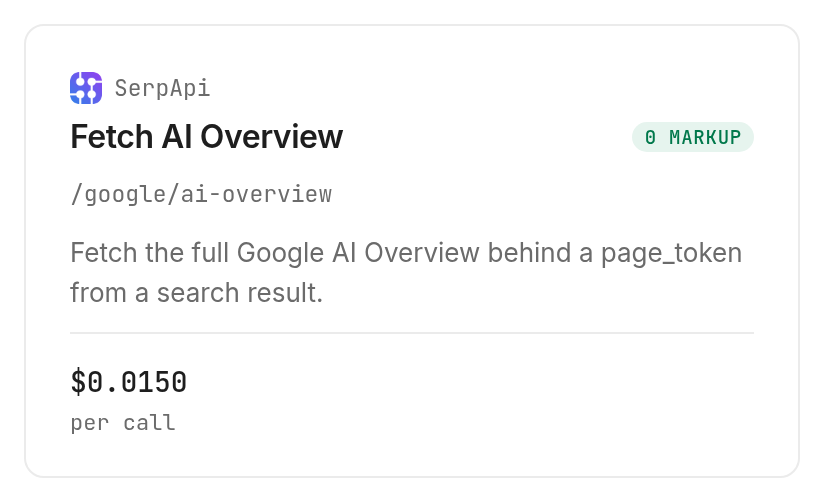
Search creation to completion took 0.838 seconds for the fresh request; expansion took 6.098 seconds. Their sum is 6.936 seconds of recorded execution time, excluding the CLI handoff, rather than a latency promise for future queries.
When should you use something else?
Use Google in a browser when you need to inspect the visible layout rather than collect structured citations. You are reading the Monid blog, and the examples use tools accessed through our service; that does not make a tool call the right choice for every review.
Step 10. Choose the route that fits the review
Choose a direct SerpApi integration when you already operate that provider's integration and want to keep the same system. Choose a separate dashboard workflow when the requirement is saved history, scheduled checks and shared reports without maintaining those pieces yourself.
The tools demonstrated here take one query or one expansion token at a time. They do not return your site's overview click totals, deliver a ready-made historical dashboard, or prove that a page edit caused a citation change.
Which tool should you use for each job?
Choose according to the input you have: a keyword, a whole-page search requirement, or a fresh expansion token. All three tools below completed successfully in this test through Monid.
| Use case | Best endpoint | Why? |
|---|---|---|
| Check a keyword directly | Litescrape /google/ai-overview | Query and settings in, overview and references out; per call $0.00015, Verified 2026-10-31 |
| Obtain the search response and its overview state | SerpApi /google/search | Our response supplied the main overview token; per call $0.015, Verified 2026-10-31 |
| Expand a fresh overview token | SerpApi /google/ai-overview | Returned text blocks and source references; per call $0.015, Verified 2026-10-31 |
Conclusion
You now have a repeatable check sheet that separates reference entries, cited pages and publishers, with search settings attached to every observation. Use Monid for fresh snapshots and save the results in your own worksheet; add scheduling only when you need a series. The pitch's setup minute is an estimate after obtaining a key, and the 0.5-1 hours saved assumes replacing 30 manual checks taking one to two minutes each, excluding source review. Your next content decision starts with a traceable source list instead of a pile of tabs.
FAQ
Is an AI overview checker free?
Discovery and inspection are free; the checks shown here are paid calls. The Litescrape tool page lists the direct check at $0.00015 per call, Verified 2026-10-31. Source review and worksheet storage are separate work.
Do I need to install anything?
The terminal workflow requires the Monid CLI and an API key. For the agent workflow, give your agent the setup instruction and configure its key; then describe the keywords and desired table in plain language.
Can I check AI Overviews without writing code?
Yes, ask your agent to perform the checks and export a table. Specify country, language, device and the columns you want so the agent preserves comparable observations rather than returning only a summary.
How many keywords can I check at once?
The demonstrated direct tool accepts one query per request. Give your agent a short list and have it make a separate request for each keyword, with a spending cap before it starts.
Does a missing AI Overview count as a failed check?
A confirmed absence and a collection failure are different worksheet states. Litescrape documents a free 404 for no overview; preserve that outcome separately from a timeout or incomplete response, and avoid reporting either as a missing domain citation.
Can an AI overview checker run on a schedule?
Yes, your own scheduler can repeat the calls and save each result. These tools supply snapshots, so your storage and comparison logic must retain the history rather than expecting a single request to reconstruct it.
Does a cited domain prove that my SEO is working?
A citation proves that the domain appeared among the returned sources for that observation. It does not establish traffic, conversions or causation; compare the cited page with your content goals and measure business outcomes separately.
Published October 2026.