How to Find a Keyword Gap Worth Writing About
Build a keyword gap review table, reject brand-only distractions, and turn competitor keywords into a focused content decision.
Find competitor keywords, then keep only the ones your readers need. Paste this into your agent:
Set up https://monid.ai/SKILL.md, and then use Monid to compare mailchimp.com with brevo.com in the US. Inspect pricing first, cap the comparison at two rows, separate brand searches from educational topics, and return keyword, search volume, difficulty, and an editorial decision. Keep ranking claims separate until the domain columns and comparison mode agree.
Planning allowance: 1 min setup · 0 hrs saved assumed.
An SEO manager looking for a keyword gap often starts with two domain exports and a spreadsheet. The numerical wall is simple: a keyword appearing in one list and disappearing from the other does not tell you whether to write an article.
Sorting by volume does not fix that. Brand searches, unrelated products, and pages outside your market all compete for the top rows, while a missing term still needs an audience and a useful answer.
We'll build a review table from a small comparison collected through Monid, the tool layer for AI agents. First define the gap, then filter the candidates, and finally decide whether to update a page, commission a brief, or reject the term.
| Candidate from the live sample | Search volume returned | Difficulty returned | Editorial decision |
|---|---|---|---|
| brevo | 40,500 | 58.00 | Exclude from generic educational backlog |
| sendinblue | 40,500 | 44.00 | Exclude from generic educational backlog |
These two rows came back on November 3, 2026. Both are brand queries; neither becomes a generic educational article just because its volume is large. This is a candidate review table, not a verified list of keywords missing from either domain.
What is a keyword gap?
A keyword gap is a difference between the search topics your site covers or ranks for and those covered by relevant competitors. A useful analysis distinguishes a ranking difference from a content opportunity.
Separate coverage from position
Coverage asks whether you already have a page answering the query. Position asks where a data source places a page for a particular market. A site can cover a subject without holding a visible position in the comparison you are reading.
Keep those judgments in separate columns. Otherwise, every absent ranking becomes an instruction to publish another page, including topics you already explain well.
Define the comparison boundary
Write down your domain, the competitor, the country, and the search channel before collecting records. A comparison without those boundaries mixes different questions into one sheet.
For a company selling email software, an educational guide and a competitor's login page serve different visitors. Treat them as different types of demand even when both appear in the same keyword portfolio.
A practical output has three layers: source metrics, your classification, and a next action. Preserve the first layer unchanged so another editor can challenge the decision without reconstructing the collection process.
Why does keyword gap analysis produce unusable ideas?
It produces unusable ideas when the comparison's biggest numbers are mistaken for your next editorial priorities. The live sample demonstrates this directly: two high-volume rows yielded zero selections for a generic educational backlog.
Remove brand searches from the wrong backlog
The sample returned brevo and sendinblue, each with search volume 40500. Their difficulty values differed, but both went into the same editorial exclusion bucket because the proposed backlog was educational.
That exclusion is a decision about the assignment. A comparison landing page has a different purpose and requires a separate brief with evidence about the products being compared.
Do not confuse absence with demand
An absent keyword does not measure lost customers. It also does not identify the article format, the expected answer, or the likelihood that visitors will need your product.
Use the row to ask a concrete question: what would a reader accomplish after landing on our page? If the answer is only “read about this keyword,” the brief is unfinished.
Three exclusion labels keep the review honest: wrong audience, wrong format, and existing coverage. Write the label beside the keyword rather than deleting the row; that prevents another reviewer from rediscovering and proposing the same weak idea.
How to prioritize gaps before choosing an article
Prioritize fit, existing coverage, and reader intent before comparing numerical scores. The following rules are editorial guidance, not a scoring model returned by a provider.
Match the query to a buyer task
For a tutorial, specify the input and the finished result. For a comparison, specify the choice the reader must make. For a troubleshooting page, specify the symptom and the successful state.
A content opportunity becomes concrete when you can finish this sentence: “After reading, you can…” If your product cannot help with that task, record the boundary instead of stretching its capabilities.
Choose between improving and creating
Search your own content inventory before assigning a new URL. A weak existing answer calls for an update; a distinct unanswered task calls for a new brief.
Check for keyword cannibalization when several of your pages already address the same query. A competitor gap does not justify making your own pages compete for one answer.
Keep comparable metrics together
Compare difficulty values from the same source and market. Preserve the source's original field values, then add your review labels beside them.
In the sample, difficulty 44.00 does not rescue the second brand term. Audience fit failed first. Treat numerical sorting as a way to order eligible ideas after screening, not as permission to skip screening.
How to complete a keyword gap analysis in five steps
Complete the analysis by joining a bounded competitor comparison to your own inventory and an editorial decision. The collection step supplies candidates; the remaining steps determine what deserves work.
Step 1. Choose a relevant competitor
Pick a domain competing for the same reader task and market, then record why it belongs in the comparison. Use the competitor keyword analysis guide for the broader research process before narrowing your list.
Step 2. Fix the market and comparison type
Keep the country consistent and decide whether you want shared subjects or absent subjects. Label that choice in the sheet so a later reviewer knows which question the data was collected to answer.
Step 3. Collect a small candidate set
Set a small limit when testing, inspect the billing shape first, and check the returned columns before increasing the sample. Do not treat an initial test as a complete inventory of either site.
Step 4. Join candidates to existing pages
Add an existing-page column and search your own inventory for each retained concept. Choose update, new brief, or reject, and attach a short reason that another editor can understand without a meeting.
Step 5. Write the acceptance condition
For every selected topic, specify the reader, the promised output, and the evidence needed before publication. Keep a collection date and market beside the decision so a later refresh compares like with like.
The acceptance condition is the bridge between keyword research and production. “Explain email automation” leaves the writer to invent the assignment; “show a marketer how to build and test a welcome sequence” names an outcome that a reviewer can assess.
How to collect a small comparison with Monid
Monid supplies comparison records through one key and one balance; it does not choose the correct brief or validate a ranking interpretation for you. An endpoint is a callable tool with a defined input and price.
For agents
Get a key at app.monid.ai, then give your agent the opening prompt and the key through its normal credential setup. Require a row cap and an editorial decision beside every returned term.
For humans
Install the CLI and register your key. The CLI quickstart explains the setup.
npm install -g @monid-ai/cli
monid keys add --label main --key <your-api-key>
Collect the same two-row sample
The Semrush comparison tool accepts the domains, market, comparison mode, and row cap as query parameters. These are the commands used for the sample:
monid discover -q 'keyword gap' -l 8 -j --include-unavailable
monid inspect -p semrush -e /domain_domains
monid run -p semrush -e /domain_domains \
  --query '{"domains":["mailchimp.com","brevo.com"],"mode":"untapped","database":"us","display_limit":2,"display_sort":"nq_desc"}' -w
The call returned two records and completed in 1.302 seconds from its recorded start to completion. It billed two results at $0.016 per result, for a measured total of $0.032, Verified 2026-11-03 on the comparison tools page.
The preview table preserves the returned keyword, search volume, and difficulty. Brand classification and rejection are editorial additions. No ranking conclusions are drawn from that table, and no content recommendation depends on the position columns.
Use a Google SERP check to examine current search results before accepting a ranking interpretation. Keep the original response beside your worksheet. Our sample also included cpc, competition, numberOfResults, and trends; none establishes commercial relevance on its own. Do not convert a numerical field into a sales forecast without the separate evidence that forecast needs.
Which comparison should you choose for each job?
Choose the comparison level that matches the decision: domains for overall coverage, pages for a specific brief, and a keyword list for difficulty screening. The following three DataForSEO tools were inspected only; they were not called for this article because their billing includes a flat fee plus returned results.
Compare two domains for overlap
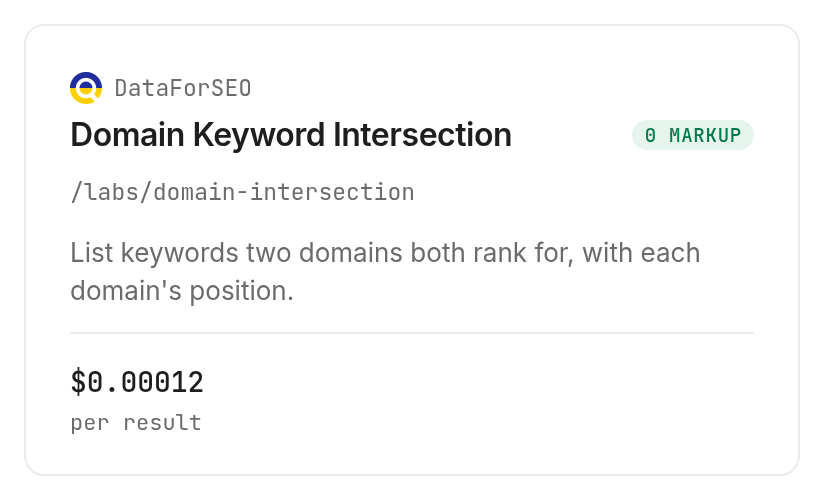
The domain intersection tool describes shared keywords with positions and related metrics. Its inspected input accepts target1, target2, location, language, an intersections switch, and a limit; use the provider's domain intersection documentation to understand that switch before choosing a gap filter.
Compare pages for a narrower brief
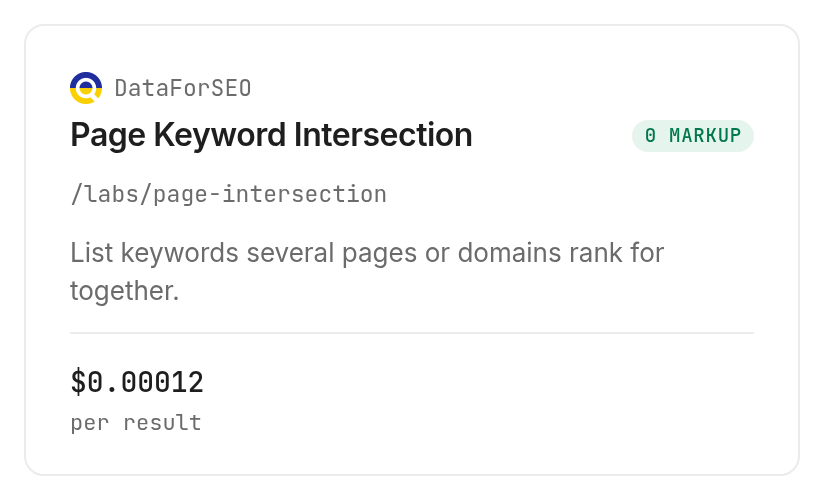
The page intersection tool accepts numbered page targets, exclusions, location, language, and a limit. Its inspected description lists per-keyword positions, URLs, volume, difficulty, and intent; these describe its documented output, not data measured in this guide.
Screen a retained keyword list
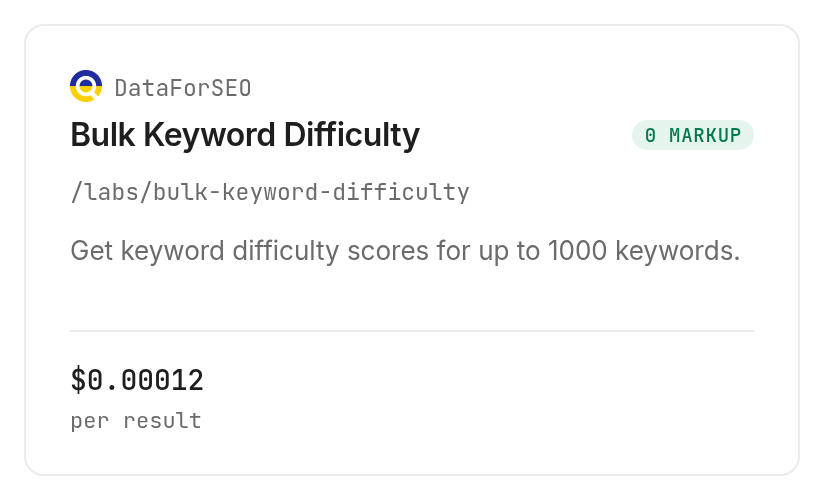
The bulk difficulty tool accepts between one and 1,000 keywords with location and language options. Its inspected description promises a difficulty score for each keyword; it does not select the right page or create a content brief.
| Use case | Best endpoint | Why? |
|---|---|---|
| Small domain candidate sample | Semrush /domain_domains, tested | Row-capped comparison; per returned result; Verified 2026-11-03: $0.016 |
| Two-domain overlap | DataForSEO /labs/domain-intersection, inspect only | Domain targets and overlap controls; Verified 2026-11-03: $0.012 flat plus $0.00012 per result |
| Page-level comparison | DataForSEO /labs/page-intersection, inspect only | Specific page targets and exclusions; Verified 2026-11-03: $0.012 flat plus $0.00012 per result |
| Difficulty screening | DataForSEO /labs/bulk-keyword-difficulty, inspect only | Scores a supplied list; Verified 2026-11-03: $0.012 flat plus $0.00012 per result |
The inspected domain and page tools also state that enabling clickstream data doubles the call price. Keep that option separate from an ordinary comparison budget. Discovery and inspection are free; running a tool incurs its stated billing.
When should you use something else?
Use Semrush's Keyword Gap interface when you want to explore comparisons visually rather than assemble a worksheet in an agent. Use your own Search Console exports and page inventory when the question is which existing page deserves improvement.
You're reading the Monid blog, and this workflow routes access to provider tools. Its useful contribution is collection inside your agent, not an independent guarantee that a keyword is accurate, valuable, or absent from your content.
The tested sample provides candidate metrics and a screening outcome. It does not provide a verified ranking gap, a completed brief, or evidence that publishing either candidate would generate customers. Keep those decisions in your editorial review, and choose the visual interface when that is where your team already makes them.
Conclusion
You now have a repeatable way to turn competitor keywords into a review table with explicit decisions. The small sample produced two brand-query exclusions, which is a useful outcome because it prevents volume alone from setting the brief. The setup line is a planning allowance, and zero hours saved is assumed because no manual baseline was timed. Collect a small sample, preserve its source fields, and expand only after the output supports your decision. Your next article should answer a reader's task, with a clear reason it deserves a place in the backlog.
FAQ
Is keyword gap analysis free?
Manual review of exports you already hold requires no additional tool call. Monid discovery and inspection are free; paid collection uses the billing shown in the tool catalog. The tested sample billed per returned result, while the inspected alternatives also carry a flat fee.
Do I need to write code to find a keyword gap?
You can ask an agent to collect and classify candidates with a natural-language prompt. You still need to choose the market, approve a budget, and review the editorial decisions. The CLI is an option for repeating the same request precisely.
How many domains can I compare at once?
The tested comparison's inspected schema accepts two to five root domains. Its row limit is a separate control from the domain count. Start with two domains and a small row cap before expanding either dimension.
Does every missing keyword need a new article?
A missing keyword does not automatically need an article. Check audience fit, existing coverage, and the expected page format first. Our two-row sample supplied brand terms that were excluded from the educational backlog.
Are keyword gap results accurate enough to publish from?
A candidate list needs review before it becomes a publishing brief. Preserve the original metrics, confirm the comparison's interpretation, and inspect your existing pages. Search volume and difficulty do not establish the correct answer or the expected business result.
Can I repeat the analysis on a schedule?
You can place the collection command in your own scheduled workflow. Keep the same domains, market, and filters, store each collection date, and cap each run's spend. Scheduling belongs to your workflow rather than the comparison response.
What rules apply to using competitor keyword data?
Rules vary by region; check the requirements that apply to your use. Keep the research focused on public business topics and document your source. This guide's result table contains keywords and metrics rather than personal data.
Published November 2026.