The 7 Best Email Inboxes for AI Agents in 2026
Seven ways to give an AI agent an email address it can send from and read, ranked by job, with plan limits and a live verification-code run.
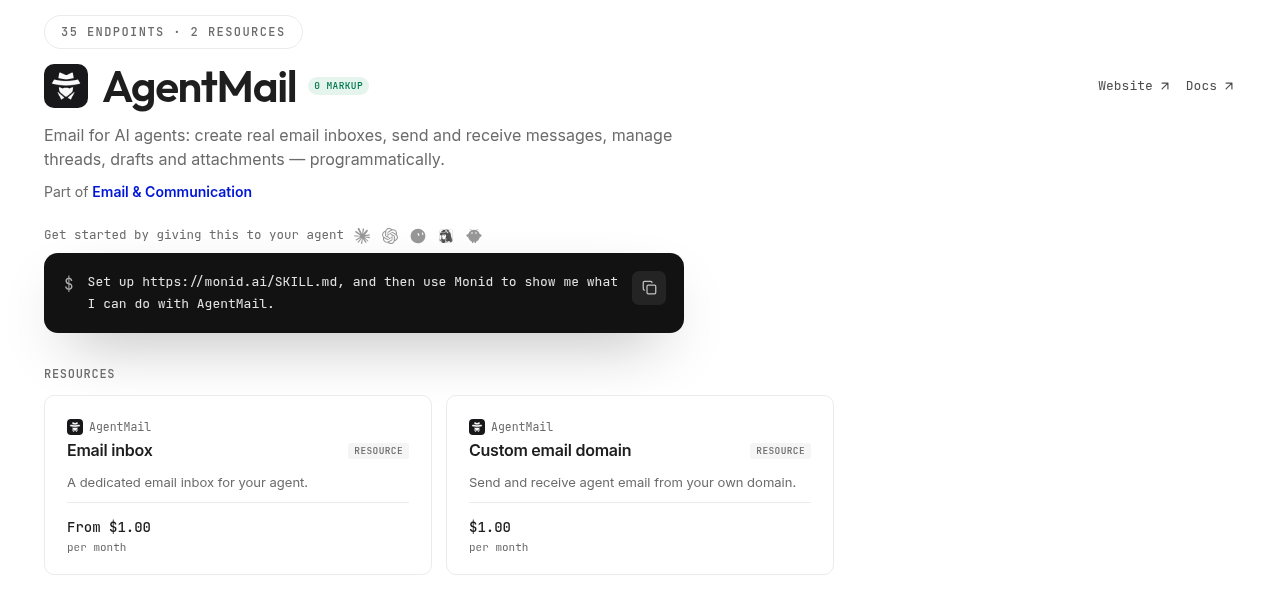
Give your agent an inbox, then have it catch a verification code on its own. Paste this into your agent:
Set up https://monid.ai/SKILL.md, and then use Monid to create an email inbox for yourself with agentmail /create-inboxes. Send a test message with a six-digit code from it to my address with /send-messages, then list the newest messages in your inbox with /list-messages and show me the from, subject, labels and authentication_results of each one. Tell me the inbox address, what it renews at, and what each call cost.
One prompt gives the agent a working mailbox. 1 min setup · 5-10 hrs saved.
If you are a developer building an agent, an ops lead who owns its accounts, or a QA engineer testing sign-up flows, you hit the same wall. The agent has to confirm a sign-up, read a receipt or answer a person, and it has no address. The usual fix is a human Gmail, which means one seat and one OAuth consent screen per agent. The free tiers of the products built for this stop at 3 inboxes.
The other shortcuts fail in quieter ways. A transactional email API sends cleanly and stores nothing, so the reply has nowhere to land. A forwarding rule gets the message to a person, and the person becomes part of the agent's runtime.
This list ranks seven inboxes by the job each one does best, with each vendor's published plan limits. Entry 3 runs through Monid, the OpenRouter for agent tools: one key, one balance, every tool priced per call. AgentMail takes first place and is a content partner on this guide; the measurements are ours. Here is where the list lands:
- Best overall: AgentMail, an inbox API built for agents.
- Best when the agent also needs a calendar: Nylas Agent Accounts.
- Best pay-per-inbox with no second account: AgentMail on Monid.
Here is the live run behind the hands-on section: a verification-code email between two inboxes we own.
| Measurement, Verified 2026-11-22 | Value |
|---|---|
| Send one message with a six-digit code | 2.2 s, $0.001 |
| Message listed in the recipient inbox | 2 s after the send returned, labels received, unread |
| Authentication on arrival | SPF pass, DKIM pass, DMARC pass |
Read the full message, code in extracted_text | 1.0 s, $0 |
| Reply in the same thread | 1.9 s, $0.001 |
| Spend for the whole run | $0.002 |
How did we pick these inboxes?
We judged every option on four things an agent needs from a mailbox, and left out anything that only sends.
- It receives. The agent can read a code, a receipt or a reply.
- Inboxes are created by an API call. No person clicking through a console for every new agent.
- Mail arrives as fields. Sender, subject, labels, thread id and body come back as JSON the agent can act on.
- The price fits a fleet. We looked at the free tier and at what the tenth inbox costs.
Two disclosures. AgentMail is a content partner on this guide and one of the providers you can call through Monid, and Monid is our product. Every plan limit below comes from the vendor's own pricing or docs page.
What are the 7 best email inboxes for AI agents in 2026?
Seven picks, one job each, ordered by how completely each covers the four criteria above. Every price in this section was read from the vendor's page and is Verified 2026-11-22.
1. AgentMail: best overall inbox for an agent
AgentMail is an email inbox API built for AI agents. One REST call creates an address the agent owns, on agentmail.to or on your own domain, and the same key sends, receives, threads, drafts and labels. Incoming mail reaches your code through webhooks or WebSockets. The quickstart lets an agent sign itself up and receive its own API key.
Pricing, Verified 2026-11-22: free plan with 3 inboxes, 1 custom domain and 3,000 emails a month, no card; Developer at $20 a month for 10 inboxes and 10,000 emails; extra inboxes $2 a month each.
Features:
- An MCP server on every tier, plus SDKs, a CLI, IMAP and SMTP.
- Agent Armor, which scans inbound mail for prompt injection before the agent reads it.
- Allow and block lists that control who an agent can write to or hear from.
- Custom domains with DKIM, SPF and DMARC.
Start on the AgentMail pricing page, or follow our step-by-step AgentMail tutorial.
2. Nylas Agent Accounts: best when the agent also needs a calendar
Nylas is known for one API across Gmail, Microsoft and IMAP mailboxes that belong to people. Its Agent Accounts go the other way: a single API call provisions an inbox and a calendar that belong to the agent. Mail events arrive as signed webhooks, and threading is automatic.
Pricing, Verified 2026-11-22: free plan with 3 Agent Accounts and 3,000 emails a month; Essentials at $15 a month for 10 Agent Accounts and 10,000 emails; Pro at $49 a month for 50.
Features:
- Inbox and calendar on one identity.
- The same API also reads the human mailboxes your users connect.
Limit to plan for: the free plan has no custom sending domain. See Nylas pricing.
3. AgentMail on Monid: best pay-per-inbox with no second account
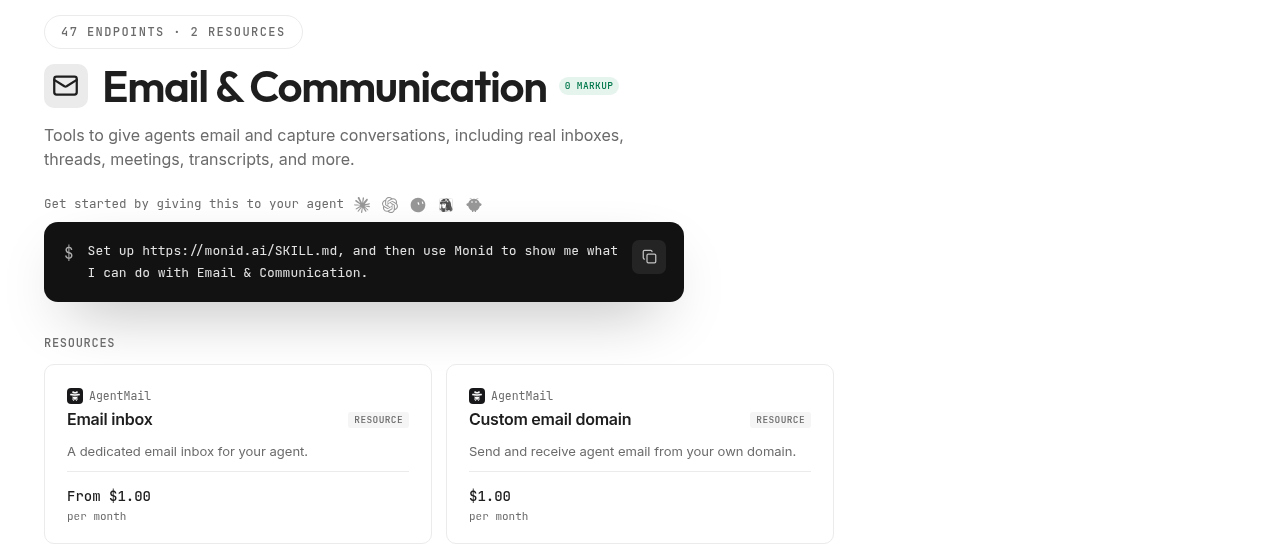
The same AgentMail inboxes sit in the email tools on Monid, under the key and balance your agent already uses for search, scraping and enrichment. The agent creates the inbox, sends, reads and replies without another signup, and releases it when the job ends. There is no plan to choose, so one inbox for one afternoon is a sensible purchase; the AgentMail × Monid launch page shows twenty-one minted and mailed in one call.
Pricing, Verified 2026-11-22: $1.00 per inbox created, renewing at $1 a month until released; $0.001 per recipient sent; listing, reading and searching are free.
Features:
- One key and one balance across every tool the agent calls.
- Each run returns its own cost, so the agent can report what it spent.
Limit to plan for: inboxes are on agentmail.to unless you register a domain, and webhooks and IMAP live on AgentMail's own account. The run is in the hands-on section below.
4. Resend: best if you already send transactional mail there
Resend started as a sending API and now receives too. Mail to a verified domain, or to a managed resend.app subdomain, is parsed and posted to your webhook, and a Receiving API and an MCP server let an agent list and read it. If your receipts already go out through Resend, the agent's inbox can share the domain and the bill.
Pricing, Verified 2026-11-22: every plan includes 3 inboxes; the free plan covers 3,000 emails a month at 100 a day; Pro is $20 a month for 50,000 emails, with extra inboxes at $1 a month each.
Features:
- Sending and receiving on one domain.
- Inbound delivered by webhook, API or MCP.
Limit to plan for: received mail counts against the same monthly quota as sent mail. See Resend pricing.
5. MailSlurp: best for test inboxes and verification codes
MailSlurp is a testing and automation platform for email and SMS. Inboxes are created on demand through the API, and the product pulls verification codes and links out of a message for you. That fits an agent, or a test suite, that signs up for something, waits for the code and moves on.
Pricing, Verified 2026-11-22: free plan with 250 received emails and 100 inboxes created a month; Starter at $19.99 a month for 2,500 received emails and 250 inboxes kept.
Features:
- Verification code and link extraction.
- Email and SMS under one API, with MCP access.
Limit to plan for: inboxes on the free plan are temporary, and custom domains start as a paid add-on. See MailSlurp.
6. Gmail API: best when the agent works inside a person's mailbox
The Gmail API reads and sends from mailboxes that already exist. Standard use carries no extra charge, new mail can be pushed to your code through Cloud Pub/Sub, and Google now runs a Gmail MCP server. It is the right choice when the agent acts for one named person. It does not create addresses, so a fleet of agents means a fleet of accounts.
Pricing, Verified 2026-11-22: no API fee for standard use; each mailbox is a Google account, and a Workspace Starter seat lists at $7 per user per month.
Features:
- Full access to an existing mailbox and its history.
- Push notifications when mail arrives.
Limit to plan for: an OAuth consent flow for every account, and a per-user quota of 6,000 units a minute, where one send costs 100 units. See the Gmail API guides.
7. Cloudflare Email Routing: best if you want your own domain and your own code
Cloudflare Email Routing hands incoming mail on your domain to a Worker. Your code receives the sender, the recipient, the headers and the raw message, and decides whether to forward, reply or reject. You get full control and no stored mailbox: threads, search and labels are yours to build.
Pricing, Verified 2026-11-22: included with Cloudflare Workers, free plan and paid.
Features:
- Every address on your domain, routed in code.
- Runs next to the rest of a Workers application.
Limit to plan for: there is no inbox to list, and a reply needs a valid DMARC result on the incoming message. See Cloudflare Email Routing.
Why does AgentMail come first?
AgentMail comes first because it meets all four criteria with nothing given up. Resend counts inbound against a sending quota, MailSlurp keeps free inboxes temporary, Gmail cannot create a mailbox, and Cloudflare stores nothing. Three things separate it in practice.
The mailbox is the product. Creation is one call, and mail comes back with labels and thread ids.
It was designed for an agent as the reader. Agent Armor checks inbound mail for prompt injection, lists limit who the agent can talk to, and the onboarding flow lets the agent get its own key. A mailbox read by a model is an attack surface, and AgentMail treats it as one.
Mail lands. In our run the message arrived with SPF, DKIM and DMARC passing, two seconds after the send returned.
How to give your agent an inbox with Monid
Three steps: install, create the inbox, then send a code and read it back. Monid supplies one key and one balance; the inbox calls are AgentMail's.
Step 1. Install and add your key
For agents. Get an API key at app.monid.ai, then give your agent the key and this setup line. The agent quickstart explains the workflow.
set up https://monid.ai/SKILL.md
For humans. Install the CLI and save your key locally. The CLI quickstart covers the rest.
npm install -g @monid-ai/cli
monid keys add -k <your-api-key> -l main
Step 2. Create the inbox
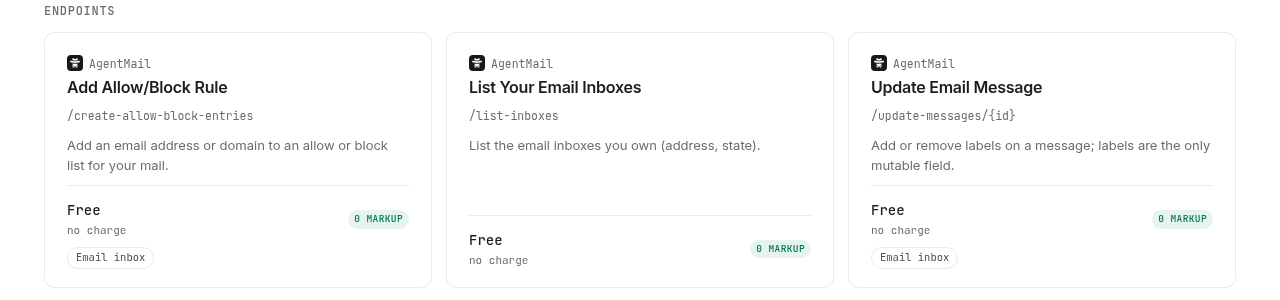
Pick a username or let AgentMail generate one. The address that comes back is the inboxId every other call takes.
monid run -p agentmail -e /create-inboxes \
  -i '{"username":"my-agent-ops","displayName":"Ops Agent"}' \
  -w -j
Give it a display name, because mail goes out under that name. We did not create a new inbox today; the free /list-inboxes call returned the 7 we already own, and two of them ran the next step.
Step 3. Send a code, then read it back
Send from one inbox to the other, then list the recipient with a small limit.
monid run -p agentmail -e /send-messages \
  -i '{"inboxId":"my-agent-ops@agentmail.to","to":["second-agent@agentmail.to"],"subject":"Your verification code","text":"Your verification code is 482913."}' \
  -w -j

monid run -p agentmail -e /list-messages \
  -i '{"inboxId":"second-agent@agentmail.to","limit":3}' \
  -w -j
The send took 2.2 seconds. The list call, two seconds later, returned the message as its newest row.
| Field | What came back |
|---|---|
subject | Your verification code |
labels | received, unread |
authentication_results | spf pass, dkim pass, dmarc pass |
preview | The first line of the body, code included |
size | 4,060 bytes |
thread_id, message_id | The ids the read and reply calls take |
Reading the full message with /messages/{id} took 1.0 second and added extracted_text, where the agent picks up the code. A reply with /reply-messages/{id} took 1.9 seconds and stayed in the thread.
How much does an agent inbox cost?
The seven picks bill in three shapes, and the shape matters more than the headline number. Every figure here is Verified 2026-11-22; live per-call prices are on monid.ai/tools.
Per plan. AgentMail, Nylas, Resend and MailSlurp sell monthly plans with an inbox allowance and an email allowance. All four have a free tier, and AgentMail, Nylas and Resend each cap it at 3 inboxes. Paid plans start between $15 and $20 a month, Verified 2026-11-22.
Per inbox and per message. Through Monid an inbox is $1 to create and $1 a month while you keep it, a sent message is $0.001 per recipient, and every read is free, Verified 2026-11-22. The whole verification-code run above cost $0.002.
Per seat or per platform. A Gmail mailbox is a Google account, and Cloudflare's routing comes with Workers. The real cost is the consent flow or the code you maintain.
Which inbox for which job?
| Use case | Best inbox | Why? (prices Verified 2026-11-22) |
|---|---|---|
| An agent whose main job is email | AgentMail | Built for agents, with injection scanning and lists; free for 3 inboxes, then $20 a month |
| An agent that books meetings too | Nylas Agent Accounts | Inbox and calendar on one identity; free for 3, then $15 a month |
| One inbox for one job, no new account | AgentMail on Monid | Same inbox under the agent's existing key; $1 per inbox per month, $0.001 per recipient |
| Replies to mail your product already sends | Resend | Receiving on the sending domain; 3 inboxes on every plan, Pro $20 a month |
| Sign-up tests and one-time codes | MailSlurp | Code extraction and SMS; free for 100 temporary inboxes a month, then $19.99 |
| Acting inside one person's mailbox | Gmail API | Full access to existing mail; no API fee, one Google seat per mailbox |
| Custom routing on your own domain | Cloudflare Email Routing | Mail handled in a Worker; included with Workers |
When is a plain email API enough?
A plain email API is enough when the agent only needs replies delivered to an endpoint and nothing stored. Postmark, Mailgun and Amazon SES all accept inbound mail and hand it to your code, as a JSON post to a webhook or as an object in a bucket.
It stops being enough when the agent has to look back: listing unread mail and searching last week's thread need a stored inbox. Our own limit belongs here too: on Monid the agent polls with a free list call, and push delivery through webhooks or WebSockets is something you set up on AgentMail directly.
Conclusion
You now have seven inboxes sorted by job, the plan limits behind each one, and a run that shows an agent catching a verification code in about four seconds for $0.002, Verified 2026-11-22. Start with AgentMail, or take the per-inbox route through Monid when the agent already holds a key. The 5 to 10 hours saved is our estimate for wiring Gmail OAuth plus a receive webhook for one agent and keeping it alive. What you keep is an agent that can finish a sign-up, read a receipt and answer a person without you in the loop.
FAQ
What is the best email inbox for an AI agent?
AgentMail. It creates inboxes by API, receives as well as sends, returns mail as fields, and adds injection scanning and allow lists made for a model reading mail. Its free plan covers 3 inboxes.
Can an AI agent have its own email address?
Yes. AgentMail, Nylas Agent Accounts, Resend and MailSlurp all create an address by API call that belongs to the agent. In our run the agent sent, received and replied from addresses on agentmail.to.
Is there a free email inbox for AI agents?
Yes. AgentMail, Nylas and Resend each include 3 inboxes on their free plan, and MailSlurp allows 100 temporary inboxes a month.
Can an agent read verification codes from email?
Yes. Our test code arrived two seconds after the send returned, and the agent read it from the extracted_text field with a free call. MailSlurp extracts codes and links for you.
How do I stop paying for an inbox?
On a plan, downgrade or delete the inbox in the vendor's console. On Monid, release it with monid resources release -r <resourceId> -y and the renewal stops that day.
This list is based on public information read on November 22, 2026 and is not an endorsement by any vendor named.
Published November 2026.