How to Check Google Maps API Fees for Your Agent
Get Google Maps listings into your agent, compare billing shapes, and match returned rows to the charge from a small search.
Get a small Maps listing sample and see exactly what the search billed. Paste this into your agent:
Set up https://monid.ai/SKILL.md, and then use Monid to inspect Google Maps listing searches. Use apify /damilo/google-maps-scraper for public libraries in Austin, TX, USA, with max_results 2. Return listing counts, ratings, billed units, and the completed run cost. Exclude personal data.
1 min setup target · hrs saved depend on your existing workflow.
Developers checking Google Maps API fees need to answer a practical question before connecting an agent: does one search purchase one record, one page, or every record returned? Copying a few listings by hand gets data onto the screen, but it leaves that billing question unanswered.
A headline unit price does not define the workload. A two-row test and a larger collection behave differently when the billing unit changes, and a search result is not a complete inventory of a city.
We'll use Monid, the OpenRouter for agent tools, to collect a small public-place sample and read its charge alongside its output. This guide covers listing searches through Monid, not Google's own API fees or account setup. You'll inspect the billing shape, execute a bounded query, and keep a reusable search ledger.
The finished preview below comes from two calls on October 26, 2026. Both searched for public libraries in Austin; the second repeated the first search with a smaller limit.
| Measurement | Two-result request | One-result request |
|---|---|---|
| Requested maximum | 2 | 1 |
| Returned listings | 2 | 1 |
| Billed units | 2 | 1 |
| Execution duration | 5.804 seconds | 5.521 seconds |
| Completion status | COMPLETED | COMPLETED |
How to check Google Maps API fees with Monid
Start with the specific data you need and inspect how that search bills. Monid supplies one key and one balance for tool calls; an endpoint is the individual operation you select, such as searching for places.
For this task, the deliverable is a listing sample plus a charge record. The Maps tools on monid.ai/tools cover that data retrieval step. They do not render an interactive map, quote Google's own fee schedule, or turn one small sample into complete geographic coverage.
Step 1. Find searches that match your output
Search the catalog before choosing a provider, then read the input and billing fields for the candidates that fit.
monid discover -q 'google maps api' -l 8 -j --include-unavailable
monid inspect -p apify -e /damilo/google-maps-scraper
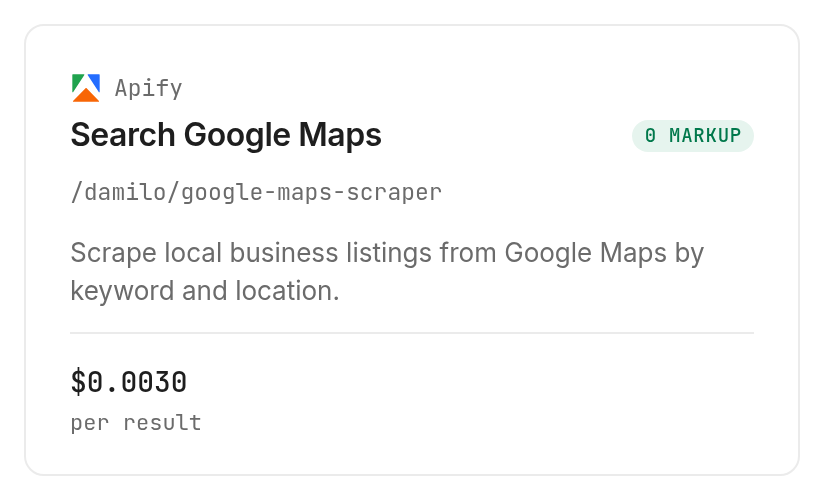
The tested Damilo listing search on Apify takes a query, a location, and max_results. Its listed rate is $0.003 per result, Verified 2026-10-26. Our two completed calls billed the number of returned listings.
For the next data-handling step, automating Maps business listings into a lead table shows how a query and location become listing rows with website, phone, rating, and business category. Validate the returned field names before adapting that workflow to your own search.
Step 2. Separate the price from its unit
Write down the billing type before copying the amount into a budget. A per-result price multiplies by returned records; a per-call price attaches to the request, while a page-billed search adds another boundary to track.
Keep those definitions beside the provider and operation in your configuration. An agent choosing a different search should revisit the billing rule instead of reusing the previous provider's calculation.
The 3 ways to budget a place search
Budget by returned rows, selected route, or collected pages according to the search you choose. These are different workload controls, even when all three start with the same phrase, such as “public library.”
| Approach | Billing basis | Fits | Limit to account for |
|---|---|---|---|
| Monid with the tested Damilo search | Returned results | Small listing samples with a clear maximum | Search output does not prove complete coverage |
| Normalized AnyAPI search through Monid | Selected route | A consistent place-search interface | Route and filters affect the price path |
| DataForSEO search through Monid | Collected result pages | Coordinate-scoped search and ranking work | Depth crosses billing page boundaries |
Budget by returned rows
Use the tested Apify search when your immediate question is how many listing rows a bounded request returns. Its live schema names the cap max_results, so start with one or two rather than an open-ended collection.
The first call returned two records and billed two units; the second returned one and billed one. That establishes the observed relationship for these successful calls, without extending it to failed or empty searches.
Budget by the selected route
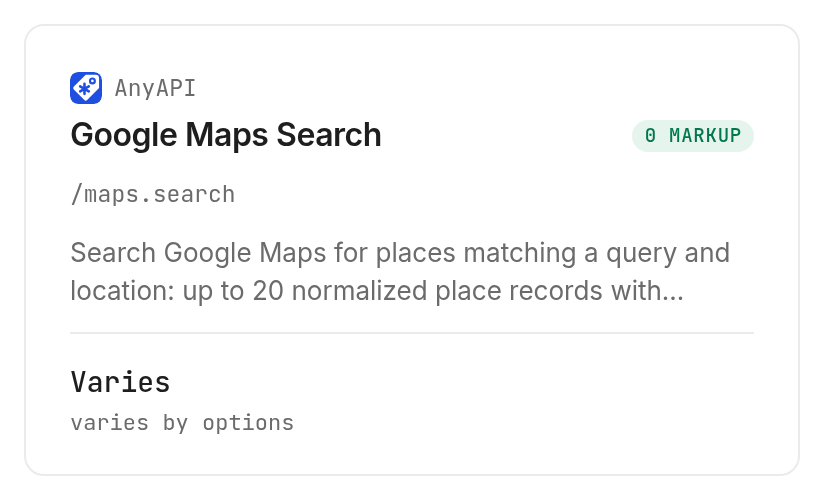
The inspected AnyAPI search, /maps.search, accepts query, location, and a limit from 1 to 20. Its matrix lists lynx at $0.00175 per call, chameleon at $0.00297 per call, and meerkat at $0.00325 per call; octopus combines $0.00006 with $0.00578 per result. Verified 2026-10-26.
This option is inspect-only here because the pricing structure includes a matrix and a flat-fee route. Its schema also says website, rating, and category filters route to a different source, so a filtered request needs its own pricing decision.
Budget by collected pages
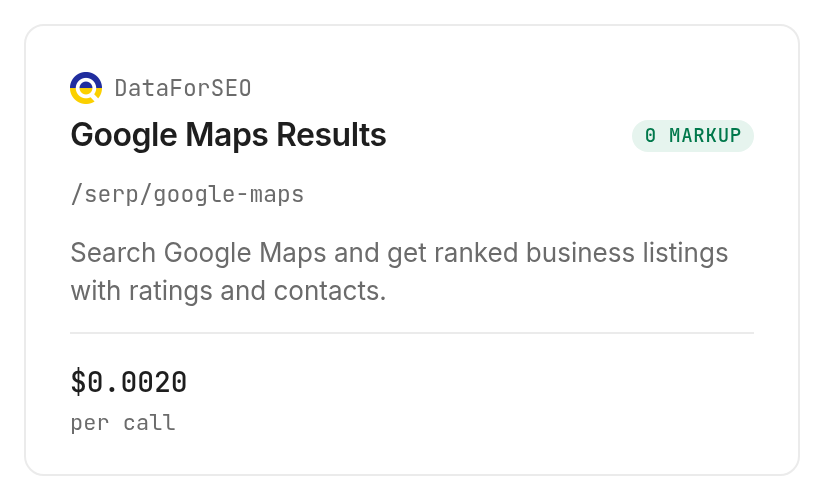
The inspected DataForSEO Maps search, /serp/google-maps, lists $0.002 per page of 100 results, Verified 2026-10-26. Its depth input accepts 1 to 700, and its pricing note adds the same charge for each further page.
This option is also inspect-only in this guide. Treat its coordinate targeting and depth controls as declared capabilities, rather than measured output from our library sample.
How to get a small place sample into your agent
Use one query, one location, and a small result cap for the first paid call. The example below uses the same body that produced the two-row result in this guide.
For agents
Get an API key at app.monid.ai, then give your agent the key and this setup instruction. The agent quickstart explains the workflow.
set up https://monid.ai/SKILL.md
For humans
Install the CLI and save your key locally. The CLI quickstart covers installation and authentication.
npm install -g @monid-ai/cli
monid keys add -k <your-api-key> -l main
Step 3. Send the bounded search
Use public library as the query, Austin, TX, USA to scope the location, en for the language, and max_results: 2 to keep the first sample small.
monid run -p apify -e /damilo/google-maps-scraper \
  -i '{"query":"public library","location":"Austin, TX, USA","language":"en","max_results":2}' \
  -w -j
The Apify operation through Monid completed with HTTP 200 and two output records. The -w flag waits for completion, while -j exposes the structured run record used for the measurements.
Step 4. Save the completed result
Retrieve the completed run and save it before transforming the output. This reads the existing run rather than launching another search.
monid runs get -r 01M5WFWQZSMXTMYTZGRYFR376B -o libraries.json
Keep the original record alongside your exported table. It contains the input, timestamps, result count, billed units, cost, and output needed to explain where each batch came from.
How to read the listings and the bill together
Read the output as a search sample and the run metadata as its accounting record. The two answer separate questions: what came back, and what did that collection cost?
Step 5. Check the returned fields
Both records included position, title, address, coordinates, rating, ratingCount, type, types, website, phoneNumber, openingHours, thumbnailUrl, cid, fid, and placeId. Only the first record included description.
The public table below retains counts and labels rather than names, addresses, contacts, identifiers, or photos. Record labels follow the first call's output order and are editorial labels, not returned fields.
| Sample record | Returned position | Type | Rating | Rating count | Description present |
|---|---|---|---|---|---|
| A | 1 | Public library | 4.7 | 1,800 | Yes |
| B | 2 | Public library | 4.6 | 156 | No |
The one-result call returned record A again. Across the two calls there were three returned rows but two distinct places, so adding result counts would overstate unique coverage.
Step 6. Reconcile units and cost
The two-result call cost $0.006 and the one-result call cost $0.003, for a combined $0.009, Verified 2026-10-26. Those amounts came from each completed run's cost.value, with two and one billedUnits respectively.
Execution duration means completedAt minus startedAt: 5.804 seconds and 5.521 seconds. Measured from creation instead, the durations were 5.934 and 5.670 seconds; neither measurement is a promise about future searches.
Both requests found results and completed successfully. There were no empty or failed calls in this sample, so the sample establishes neither empty-result billing nor failure billing.
The practical conclusion is to keep a row cap and a run ledger together. A lower requested maximum reduced returned rows and billed units in this test; it did not produce a proportional reduction in execution time.
For local business research, a listing table needs consistent columns for category, address, website, phone, rating, and review count. The Google Maps scraper alternatives guide follows that local lead-list workflow, including missing contact fields and pagination. Keep those completeness questions separate from this sample's charge calculation.
How to repeat searches in your own code
Preserve each search's input and completed run record before scheduling repeated work. A repeating job needs a stable definition of the query, location, and selected search, plus a separate record of each attempt.
Step 7. Keep collection separate from analysis
Accept output only after the status reaches COMPLETED, then read output as the listing array. Preserve placeId internally for identity checks and keep optional fields optional; our second record had no description.
Do not substitute one provider's field names for another's. For example, this tested response uses ratingCount; the inspected AnyAPI summary names reviewCount, and inspection alone does not establish the values that alternative would return.
Step 8. Add repetition deliberately
Schedule your own script or agent to submit the same bounded input, store the run ID, and retrieve its result. If waiting ends before completion, retrieve that run instead of immediately submitting another paid search.
As an editorial operating rule, set a batch budget before expanding to more locations. Log returned rows, distinct places, and charge separately so overlapping searches remain visible in both your dataset and your accounting.
Once that foundation works, persist the selected listing fields in your own table. Keep the original search metadata beside each batch so a new location or query remains distinguishable.
Which search should you choose for each job?
Choose the search whose input controls and billing unit match the work. The table distinguishes the tested operation from the two inspected alternatives.
| Use case | Best endpoint | Why? |
|---|---|---|
| Small listing sample with a returned-row ledger | apify /damilo/google-maps-scraper | Tested twice; explicit max_results; $0.003 per result, Verified 2026-10-26 |
| Normalized search with an explicit source choice | anyapi /maps.search | Inspect-only; limit 1 to 20; lynx route $0.00175 per call, Verified 2026-10-26 |
| Coordinate targeting and search depth | dataforseo /serp/google-maps | Inspect-only; geographic and depth controls; $0.002 per 100-result page, Verified 2026-10-26 |
When should you use something else?
Use your existing dedicated integration when it already returns the fields your application needs. You are reading the Monid blog, and Monid resells access to the tested provider operation; the test does not establish a quality or price advantage over accessing a provider directly.
Choose Apify's Damilo tool directly when that provider's own workflow is your intended working environment. Use DataForSEO's Maps documentation when evaluating its search-specific controls in detail.
If your job is interactive map rendering, these listing-search examples do not deliver it. If your job is exhaustive city coverage, two matching records do not deliver that either; define geographic coverage and deduplication requirements before scaling collection.
Conclusion
You now have a tested place-search body, a two-place sample, and a ledger connecting returned rows to billed units and charges. Repeat the same bounded process through Monid when adding locations or changing searches, and inspect the billing rule again when the route changes. The setup line is a planning target, not a measured duration; no hours-saved estimate is claimed. Choose by required fields, coverage, and billing unit so your agent produces usable data with a traceable cost.
FAQ
Is discovery free?
Yes. Discovery and inspection are free; execution is paid.
What must I install?
Install the Monid CLI and configure your API key.
Do I need code?
No. Your agent can submit the bounded search.
How many places came back?
The tested calls returned two and one places respectively.
Are failures billed?
These successful calls do not establish failed-search billing.
Can I schedule searches?
Yes. Use your scheduler and retain each run's charge.
Is collection legal?
Rules vary by region; check your applicable requirements.
Published October 2026.


