How to Do a Property Valuation Search Before Buying
Build a property evidence sheet that separates asking prices, automated estimates and assessment records before deciding what to investigate.
Organize property evidence before deciding which homes deserve closer review. Paste this into your agent:
Set up https://monid.ai/SKILL.md, and then use Monid to inspect property details from Homes.com and property details and estimates from Zillow. Prepare an evidence-sheet structure for my shortlist. Keep asking price, automated estimate and assessment separate. Show required inputs and prices, stop before paid calls, and never invent property values.
Inspect first, collect second. No min setup or hrs saved estimate is claimed.
Buyer's agents and acquisition analysts doing a property valuation search face a basic spreadsheet problem: ten shortlisted homes do not produce ten comparable values just because every row contains a price. That ten-home example is an illustrative workload, not a platform limit.
Copying numbers between listing tabs removes context. An asking price, an automated estimate and an assessment answer different questions, yet a single column called “value” makes them look interchangeable.
This guide gives you a source-labeled evidence sheet and a five-step review process. We'll define the numbers, choose useful evidence and then connect the collection step to the tools that support it.
Worksheet preview, structure only: these are proposed columns, not returned property records or API field names.
| Worksheet column | What you record |
|---|---|
| Property reference | Your local identifier for the home |
| Confirmed source URL or ID | The exact property record being reviewed |
| Asking price | The listing's stated price |
| Automated estimate | An existing model's estimate, separately labeled |
| Assessment record | The source's assessment information |
| Retrieved at | Your collection timestamp |
| Evidence gap and next action | What still needs checking and who handles it |
What is a property valuation search?
A property valuation search gathers evidence about a property's value; it does not turn every price found online into a valuation. Define your question before collecting numbers: shortlist screening, preparation for a conversation with an agent, or checking the facts behind an existing estimate.
Start with the decision you need to support
For shortlist screening, the useful output is a review queue. Each home needs an identity, labeled source information and a next action, rather than an unsupported recommendation to buy.
Write that purpose at the top of the sheet. A colleague receiving the export should understand whether the document organizes research or records a completed professional assessment.
Separate collection from interpretation
Collecting a listing description answers “what does this source say?” Interpreting condition, comparable transactions and the significance of differences is another task.
Keep those stages visible. A source value belongs beside its source; your explanation belongs in a review note with an owner. Do not rewrite the source number to make it agree with your conclusion.
Why do property prices need separate labels?
Separate labels preserve what each number measures and prevent a spreadsheet from converting different concepts into false agreement. A difference between two sources is a reason to investigate their inputs, dates and definitions.
Keep asking prices separate from estimates
An asking price is the amount stated in a listing. An automated estimate is a model's output. Neither label means that a transaction closed at that amount.
Zillow explains that a Zestimate is an estimate of market value and is not an appraisal. Keep that distinction in the exported column name, where it survives copying into another report.
Keep assessments attached to their context
Treat an assessment record as its own evidence category. Store the source description and any relevant period alongside it, rather than renaming it “current sale value.”
This is an editorial rule for organizing research: when the meaning or period is missing, assign a review task. Do not fill the gap by copying the asking price or calculating an average across unlike numbers.
How to choose evidence for a property comparison
Choose evidence according to the question it answers, then confirm that every source refers to the same property. More tabs do not improve a comparison if they mix a unit, a building and a neighboring parcel.
Use listing sources for listing facts
A listing page gives you the seller-facing record to inspect. Capture its URL and distinguish the text you found from observations made during a visit.
For a single property, opening the source directly is a straightforward starting point. For a repeatable sheet, decide which facts you intend to collect before choosing an automated collection method.
Use estimates for a separate research signal
An existing automated estimate belongs in a source-specific column. It does not replace the listing record, your condition notes or a review of relevant transactions.
The guide to using an automated valuation model for homes explains the distinction between a model, its estimate and the additional evidence a reviewer needs. Read it when your task shifts from finding numbers to interpreting an automated estimate.
Use original records to resolve conflicts
When a property fact matters to your review, retain the source that supports it. If two records disagree about identity or physical characteristics, keep both references and describe the conflict.
Do not silently select the version that supports your preferred outcome. An unresolved mismatch should remain visible to the next reviewer, especially when it changes which properties belong in the comparison.
How to organize a property review in five steps
Build the review around confirmed identities, separate evidence columns and explicit next actions. These five steps work whether you collect information manually or delegate the collection to an agent.
Step 1. Define the review boundary
Write down the shortlist and the decision the sheet supports. Start with one property to establish the recording format before applying it to the full list.
Step 2. Confirm the property identity
Match the address and unit to the source record and preserve its URL or platform identifier. Stop that row when the identifier points to a different property.
Step 3. Record each kind of evidence separately
Create distinct columns for asking price, automated estimate and assessment information. Leave a missing value blank and explain the missing evidence in a note.
Step 4. Assign the next investigation
Mark each row for identity correction, additional source collection or human interpretation. These labels are workflow choices, not a scoring system supplied by a data source.
Step 5. Export a traceable handoff
Save the sheet with source references, collection timestamps and review notes intact. Retain a prior version before refreshing it so that a changed value does not erase the record of what your team reviewed.
A practical handoff separates completed collection from completed analysis. “Collected” means the source information was stored; “reviewed” means someone resolved the questions assigned to that row. Those labels prevent a refreshed spreadsheet from appearing to contain a fresh human judgment.
How to collect property facts with Monid
Monid supplies the retrieval step: listing details and existing estimates. It does not independently value the home, inspect its condition, reconcile conflicting records or decide what you should offer.
Monid is the OpenRouter for agent tools: one key and one balance for tool access. An endpoint is a specific callable operation; choose one by its input and described output, rather than treating every property tool as an address search.
Step 1. Set up access
For agents: get an API key at app.monid.ai, then give your agent the key and the setup instruction.
set up https://monid.ai/SKILL.md
For humans: install the CLI and add your key with the documented commands.
npm install -g @monid-ai/cli
monid keys add -k <your-api-key> -l main
Step 2. Match your input to the source
Use Homes.com property details when you already have the full Homes.com property URL. Use the Zillow property tools when you have the home's zpid, Zillow's property identifier; a street address is not the input for these lookups.
monid discover -q "property valuation search" -l 5 -j --include-unavailable
monid inspect -p homes.com -e /get_property_details -j
monid inspect -p zillow -e /get_property_details -j
monid inspect -p zillow -e /get_zestimate -j
The input schemas require a string named url for Homes.com and a string named zpid for each Zillow lookup. They disallow additional query properties, so do not add invented filters or a limit parameter.
Step 3. Choose the information you need
The table below shows what the endpoint descriptions say they return. Inspection declares input schemas, but supplies no formal response schema or JSON field paths; these labels describe contents rather than guaranteed response keys.
| Lookup | Documented response contents | Worksheet use |
|---|---|---|
| Homes.com property details | Price, address, description, key facts | Listing evidence and identity review |
| Zillow property details | Price, address, lot size, tax assessment, listing metadata | Physical facts and assessment context |
| Zillow Zestimate | Zestimate and rent Zestimate | Separate automated estimate evidence |
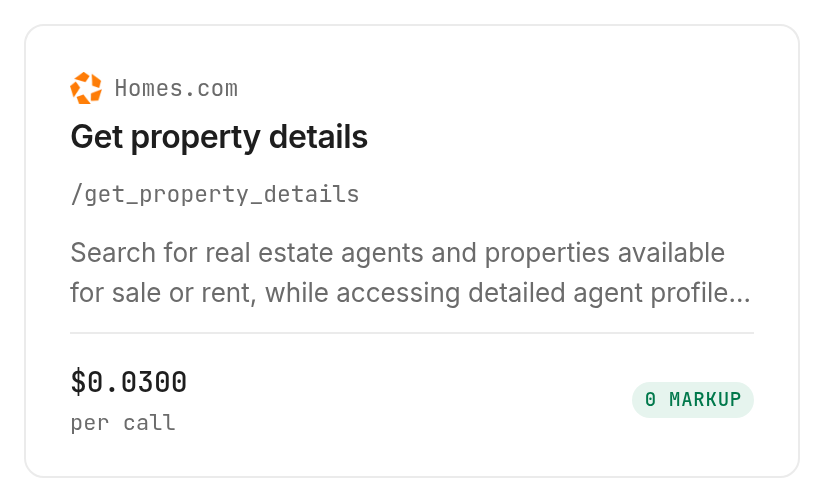
Homes.com listing details costs $0.03 per call. Verified 2026-11-12. Use it for the listing record, without relabeling its price as an independently calculated valuation.
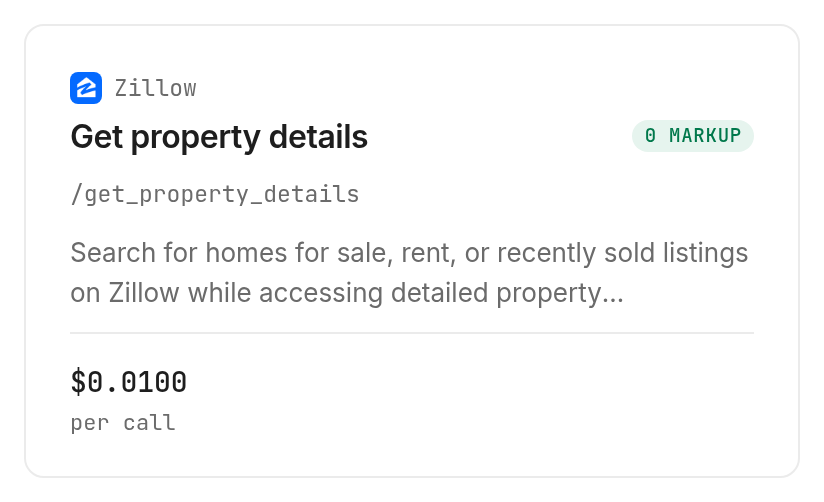
Zillow's property-details lookup costs $0.01 per call. Verified 2026-11-12. Its description includes tax assessment information; keep that information in a different column from the asking price.
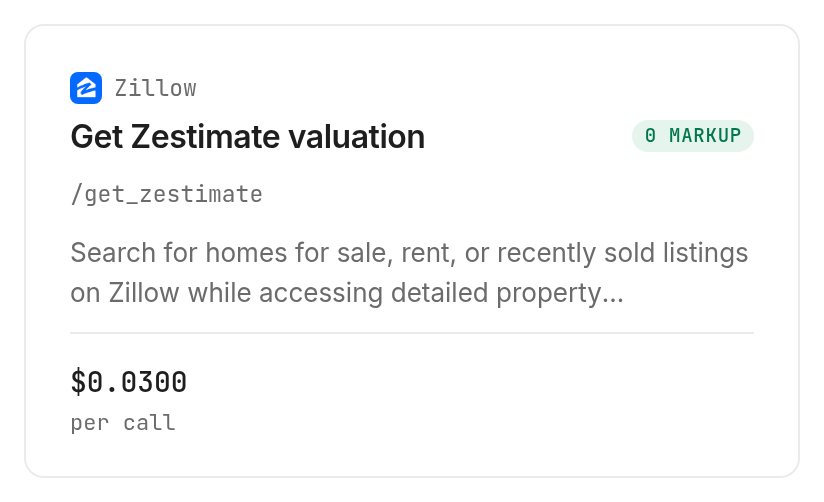
Zillow's estimate lookup costs $0.03 per call. Verified 2026-11-12. An estimate retrieval does not produce a new independent valuation.
Step 4. Keep collection bounded
Tell your agent to inspect first, name the selected property and operation, and collect only the requested evidence. Start with one confirmed identifier, then review the returned structure before mapping a list.
These GET requests put their inputs in --query, not the body flag -i. The following command examples use identifiers from the input documentation; substitute your confirmed property before execution.
monid run -p homes.com -e /get_property_details \
  --query '{"url":"https://www.homes.com/property/7621-menler-dr-austin-tx/89g2bpy6g0nf4/"}' -w
monid run -p zillow -e /get_property_details \
  --query '{"zpid":"29505949"}' -w
monid run -p zillow -e /get_zestimate \
  --query '{"zpid":"2080998636"}' -w
The Zillow property-agent guide covers the broader integration after you have chosen your inputs. Your application still handles storage, timestamps, field mapping and scheduling; retrieving information does not implement those tasks.
When should you use something else?
Use another route when your task requires human inspection, original-record interpretation or a single manual check. You are reading the Monid blog, and we provide access to these tools; buying tool access is not necessary for every property question.
Choose the source website for one manual check
Open Homes.com or Zillow directly when you want to inspect one property and read its surrounding context. An automated pipeline adds work if you have no repeatable collection or export requirement.
Use the local assessor's records when your question concerns the assessment itself. Keep the original record reference rather than relying on a shortened worksheet description.
Choose a professional for a valuation judgment
Use a local real estate professional for a review of relevant transactions and an appraiser when your task calls for an appraisal. A retrieved listing or automated estimate does not perform a physical inspection.
The collection tools cover the evidence-gathering portion of the task. They do not supply the complete reasoning needed for a purchase decision, and this guide does not recommend an offer price.
Which lookup fits each property research task?
Choose the lookup that accepts your existing identifier and describes the evidence you need. All three entries below are inspect-only, with per-call billing rather than billing per spreadsheet row.
| Use case | Best endpoint | Why? |
|---|---|---|
| Read a known Homes.com listing | homes.com /get_property_details, inspect | Full property URL input; listing facts. Verified 2026-11-12: $0.03 per call |
| Add property and assessment context | zillow /get_property_details, inspect | zpid input; described property facts. Verified 2026-11-12: $0.01 per call |
| Retrieve an existing automated estimate | zillow /get_zestimate, inspect | zpid input; described home and rent estimates. Verified 2026-11-12: $0.03 per call |
Discovery and inspection are free; execution is the paid step. Consult the property tools catalog when the task changes, rather than adding unrelated calls to every property row.
Conclusion
You now have a repeatable property evidence workflow: confirm the home, label each number, retain its source and assign the next review. Monid handles selected retrieval tasks while your sheet preserves the distinction between collected information and a valuation judgment; no setup-duration or hours-saved estimate is claimed because the workflow was inspected without timing a completed collection. Your next reviewer receives evidence they can trace and questions they can act on.
FAQ
Is a property valuation search free?
Catalog discovery and inspection through Monid are free; executing the selected tools is paid per call. The prices above are dated and linked to the corresponding tool pages. Reading a schema does not retrieve a property's value.
Can I search for a property value by address?
The three lookups here require a Homes.com property URL or a Zillow zpid. Confirm the source record first. Do not pass an address in place of a property identifier or assume the collection step resolves identity for you.
Do I need to write code to collect property information?
An agent can perform the documented collection workflow from a plain-language instruction. Give it confirmed inputs, separate evidence categories and a spending boundary. A maintained integration still needs explicit storage and field-mapping rules.
How many properties can I check at once?
Each inspected lookup accepts one property identifier per call. A shortlist requires separate requests and your own loop. Keep missing records and failed attempts distinct from successful collection; an empty cell is not a valuation of zero.
Are failed property lookups charged?
The inspected contracts specify per-call pricing, without a declared failure-refund rule. Do not assume a failed or empty lookup is free. Keep the run reference and billing record when investigating an unsuccessful request.
Is an online property estimate an appraisal?
A Zestimate is not an appraisal, as Zillow states in its linked explanation above. Keep estimates labeled by source and use a professional when the task requires an appraisal. Retrieving additional estimates does not change that distinction.
Can I store property data for my research workflow?
Rules vary by location; check the applicable rules and source terms for your intended use. Limit collection to the information your task needs. This worksheet design does not establish permission to republish source data.
Published November 2026.