How to Analyze Competitor Keywords for SEO
Build a measured competitor shortlist, interpret shared-keyword counts, and separate domain discovery from the keyword gaps your content plan needs.
Build a competitor shortlist before choosing your next keywords. Paste this into your agent:
Set up https://monid.ai/SKILL.md, and then use Monid to inspect organic competitor tools. For notion.so in the US on 2026-10-31, request three Ahrefs competitors ordered by shared keywords. Keep returned metrics separate from recommendations. Do not invent individual keywords or landing pages.
Setup and review time depend on your workflow; min setup and hrs saved are not measured here.
SEO managers trying to analyze competitor keywords face a practical wall: a sheet with three rival domains still contains zero approved content opportunities. Copying brand names from sales conversations does not tell you which queries deserve a page.
Manual searches reveal examples, while a domain comparison compresses the landscape into counts. Neither a familiar rival nor a large overlap count settles whether your business should target a particular phrase.
We'll build a measured shortlist, explain its limits, and turn it into a review process. The foundations come first; the hands-on section uses Monid for structured competitor discovery, then identifies the keyword research still required.
Here is the finished shortlist preview from our October 31, 2026 test. The final column is editorial advice, separate from the returned metrics.
| Returned competitor domain | Shared keywords | Suggested next action |
|---|---|---|
| notion.com | 67 | Check its relationship to the target before treating it as a rival |
| google.com | 23 | Narrow research to relevant products and pages |
| apple.com | 22 | Check query relevance before adding it to the research set |
What does it mean to analyze competitor keywords?
It means deciding which search queries competing sites rank for deserve attention in your own content plan. Discovering competing domains is the starting point; assessing individual keywords is the next task.
A useful final worksheet contains the query, competing domain, ranking page, your existing coverage, search intent, and proposed action. Keep those columns empty until you have evidence for them. A domain-level overlap count cannot fill a query column.
Separate discovery from opportunity selection
Competitor discovery answers “whose rankings overlap with this site?” Opportunity selection answers “which topic should we cover, improve, or ignore?” Different evidence supports those decisions.
The measured table above answers the first question. It does not provide search volume, keyword difficulty, individual positions, or ranking URLs. Treating it as a completed keyword gap analysis would produce a content plan without the underlying queries.
Define the deliverable before collecting data
For an initial research pass, request a shortlist plus review decisions. For a content brief, require query-level evidence and a page recommendation.
This distinction matters when delegating to an agent. Tell it which artifact to produce and which columns require another source. An explicit blank is more useful than a plausible phrase generated from a competitor's brand name.
Why choose search competitors before choosing keywords?
Choose search competitors first because a commercial competitor list and a search-overlap list answer different questions. A site that sells a different product still competes for attention on a query you care about.
Our test makes the distinction concrete: the first three rows for notion.so were notion.com, google.com, and apple.com. Those names require interpretation before they become research targets. Their presence alone does not establish three independent software rivals.
Check identity and scope first
Review whether a returned domain belongs to the same brand family, a broad platform, or a specialist publisher. This is a review instruction, not a classification returned by the data source.
Next, hold the target scope constant. Comparing a whole domain against a narrow documentation folder creates a different research question from comparing two complete sites. Record scope beside the shortlist so a colleague knows what was compared.
Keep organic and paid research separate
Organic overlap concerns search visibility; auction competition concerns advertising. Do not combine the counts into a single competitive score.
If your actual task concerns advertisers sharing your paid keywords, use the separate paid search competitor analysis workflow. It addresses the auction question rather than extending this organic shortlist into unsupported advertising conclusions.
Where does competitor keyword data come from?
Use a source that exposes individual keywords for keyword selection, and domain-comparison data for landscape mapping. Save the source, country, date, and scope with every export.
Your own site's search-performance report answers questions about your visibility. Competitor research needs evidence about other sites as well. A manual results-page review supplies context for a particular query, but does not establish a complete competing-domain inventory.
Distinguish counts from keyword records
A shared-keyword count is an aggregate. A keyword record identifies the phrase being counted and supports a more specific decision.
The difference is visible in our result: keywords_common contains a number, while no field contains the actual shared phrases. Do not expand that number into a list with a language model. Ask for another report that supplies the underlying records.
Keep traffic estimates in context
An estimated traffic figure describes the provider's modeled visibility, not a competitor's analytics account. A large figure does not establish commercial fit, conversions, or the value of a particular keyword.
When you need a broader competitor traffic report, the Semrush alternative guide explains how to choose the report's period and scope. Keep that traffic investigation distinct from approving individual content topics.
How to find competitor keywords worth reviewing
Follow five steps: define the market, choose relevant competitors, obtain keyword records, compare coverage, and assign an action. The shortlist supports competitor selection; the later steps need individual queries and pages.
Step 1. Define the audience and market
Write down the audience, country, language, and product problem before collecting phrases. A keyword useful to enterprise buyers is a different content assignment from a consumer support question.
Step 2. Review the competing domains
Inspect the shortlist for brand relationships and broad platforms. Keep a candidate only when you can explain why its pages address an audience or topic relevant to your site.
Step 3. Obtain individual queries and pages
Use a keyword-level report to collect the phrases and ranking URLs behind the comparison. Preserve the original records so another reviewer can trace each proposed topic to evidence.
Step 4. Compare existing coverage
Match each relevant query to your existing page inventory. Choose between updating a page, creating a new page, and dropping the topic; do not create separate pages merely because closely related phrases appear as separate rows.
Step 5. Assign a reason and an owner
Add a recommendation and a short explanation to each retained topic. An instruction such as “review existing coverage before drafting” gives the next person a concrete action without pretending the shortlist already proves a content gap.
How to analyze your competitor shortlist with Monid
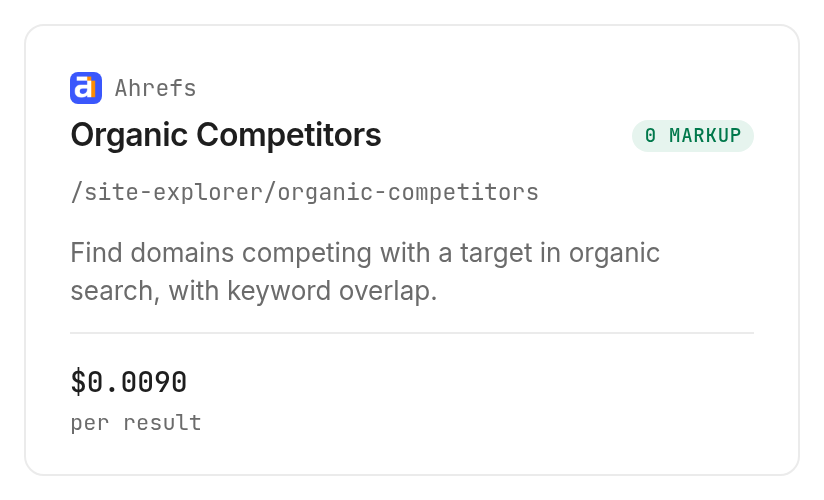
Use Monid, the tool layer for AI agents, to retrieve the competitor rows. These operations cover domain discovery and overlap metrics; they do not return the individual keywords and landing pages required for the full worksheet described above.
An endpoint is one callable operation. We tested the Ahrefs organic competitor operation once and inspected the DataForSEO domain competitor operation without executing it.
Step 1. Connect your agent or terminal
For agents: create a key at app.monid.ai and configure it through your agent's credential mechanism; the agent quickstart explains setup.
set up https://monid.ai/SKILL.md
For humans: install the CLI and add your key; see the CLI quickstart.
npm install -g @monid-ai/cli
monid keys add -k <your-api-key> -l main
Step 2. Give your agent explicit boundaries
Ask: “Use notion.so, report date October 31, 2026, US, and subdomains scope; sort by common keywords descending and return three rows.” Set a small limit when testing because this operation bills per returned row.
Step 3. Read the measured table
The call completed in 5.157 seconds and returned three rows, with three billed units. Here are all five fields returned for each competitor; share stays in its raw form without conversion to a percentage.
| Competitor domain | domain_rating | keywords_common | share | traffic |
|---|---|---|---|---|
| notion.com | 90 | 67 | 0.2 | 418813 |
| google.com | 100 | 23 | 0 | 83977626 |
| apple.com | 97 | 22 | 0 | 84530811 |
The business conclusion is to review identity and relevance before commissioning content. The largest shared count belongs to a domain whose relationship to the target needs checking; the two other rows are broad domains, so their overall traffic does not select a topic for you.
Step 4. Export facts and decisions separately
Ask your agent to save the five returned fields unchanged, plus target, country, date, and scope from the request. Add separate columns for review status and next action; those are your analysis, not source measurements.
Keep the raw response alongside the spreadsheet. No individual keyword rows were returned in this test, and no empty-result case was tested.
How much does the shortlist cost, and how do you automate it?
The tested Ahrefs operation costs $0.00903 per returned row, Verified 2026-10-31. Our three returned rows produced a reported bill of $0.02709, Verified 2026-10-31; discovery and inspection are free.
Inspection states that an empty result is free and there is no per-request minimum. That is the documented billing rule, separate from our observed three-row bill. This test establishes no rule for failed-call charges.
Reproduce the small test from your terminal
Browse the SEO tools category for adjacent research tasks. These commands use the inspected query schema. The paid command is the same input used for the result table; the -w option waits for completion.
monid discover -q "competitor keywords" -l 5 -j --include-unavailable
monid inspect -p ahrefs -e /site-explorer/organic-competitors
monid run -p ahrefs -e /site-explorer/organic-competitors \
  --query '{"target":"notion.so","date":"2026-10-31","country":"us","mode":"subdomains","limit":3,"order_by":"keywords_common:desc"}' \
  -w -j
For repeat reporting, retain the run ID and original response before transforming rows. Keep country, scope, ordering, and row limit fixed; a new date should be an explicit input rather than an accidental change hidden inside an agent prompt.
Inspect mixed billing before choosing a second source
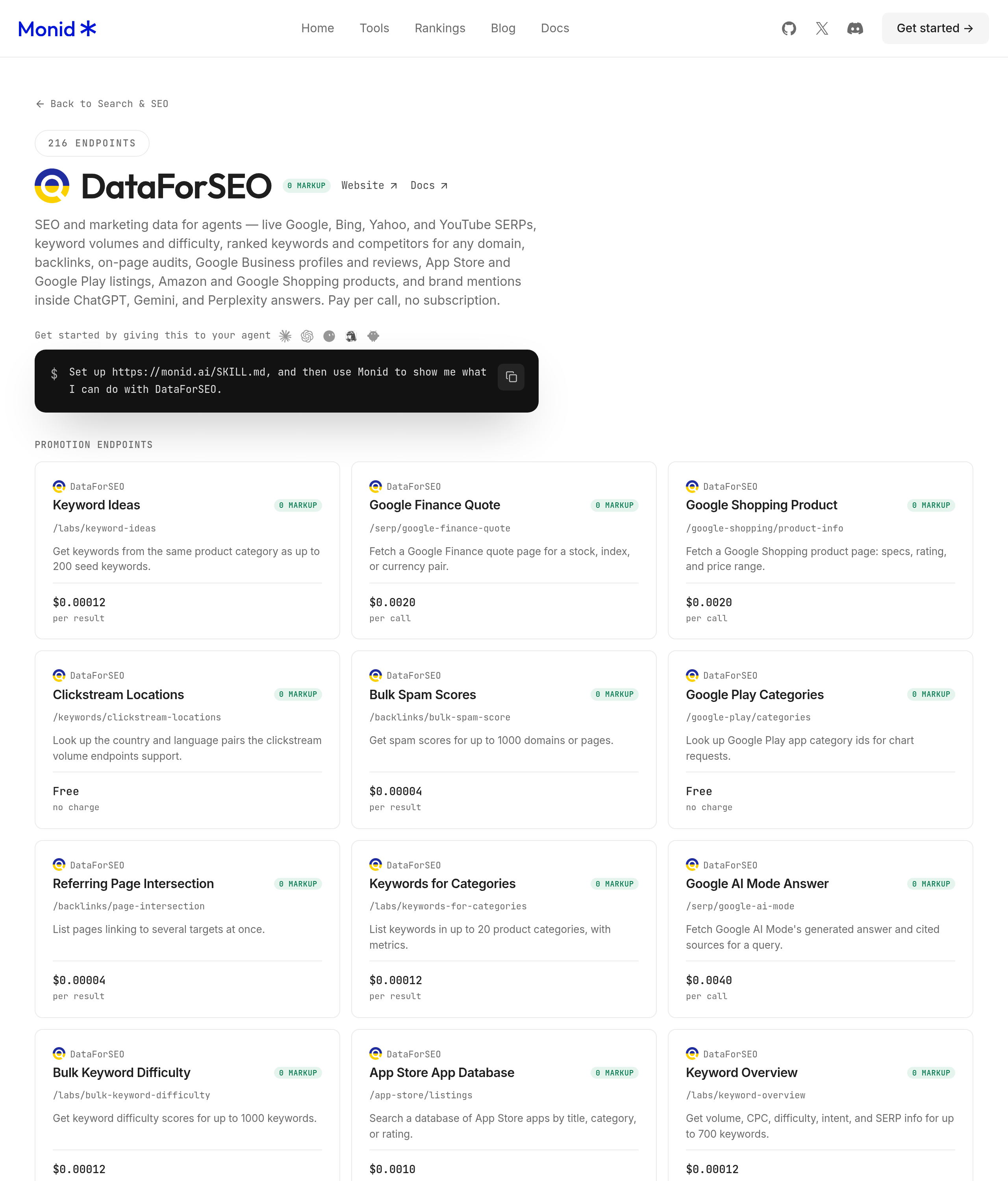
The DataForSEO /labs/competitors-domain operation lists $0.00012 per result plus a $0.012 flat fee, Verified 2026-10-31. We used inspection only because this test excludes flat-fee-plus-result billing.
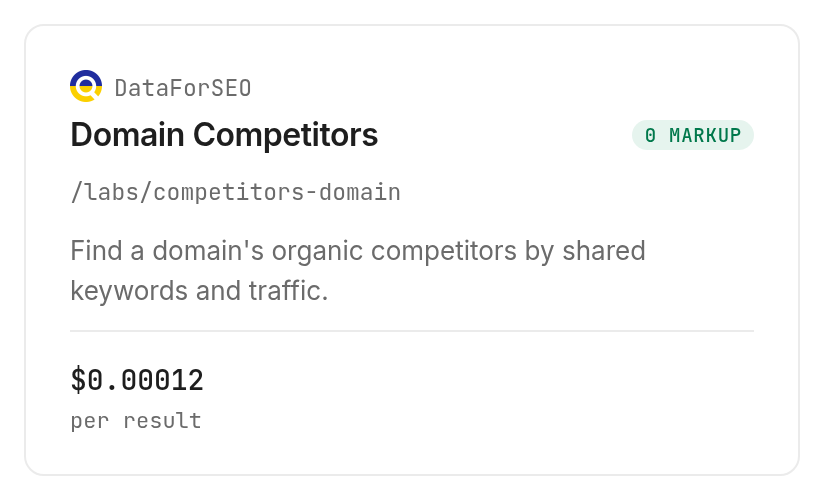
Its inspected description declares shared-keyword counts, average position, estimated traffic, visibility, and rank intersections, with up to 1,000 rows. Those are declared output descriptions, not results from our test. The official DataForSEO documentation describes the competitor-domain report.
When should you use something else?
Use Ahrefs Site Explorer when the next job is exploring individual keywords and top pages in a visual research workspace. Its published product description includes those capabilities; the competitor operation tested here returns aggregate domain rows.
You are reading the Monid blog, and Monid sells access to the tested data operation. It is a useful delivery route for an agent, while a research interface is the appropriate choice when a person needs to inspect queries and pages together.
If your existing report already contains the required fields and scope, use it. Adding another retrieval route does not improve the decision unless it fills a specific evidence gap.
Which tool should you use for each research job?
Choose by the artifact you need from the tool catalog. Neither competitor-discovery operation below completes a query-level content plan.
| Use case | Best endpoint | Why? |
|---|---|---|
| Retrieve a small domain shortlist | Ahrefs /site-explorer/organic-competitors | Tested with three rows; per returned row, $0.00903 Verified 2026-10-31 |
| Inspect a broader competitor-discovery option | DataForSEO /labs/competitors-domain, inspect only | Declares sorting, filters, and overlap metrics; $0.00012 per result plus $0.012 flat, Verified 2026-10-31 |
Conclusion
You now have a measured three-domain shortlist and a repeatable process for reviewing it before selecting keywords. Monid supplies the structured competitor discovery step; individual query and page research still completes the content worksheet. Setup time and hours saved were not measured, so no numerical savings estimate applies. Keep the facts, scope, and editorial decisions separate, and your next content brief starts with an explicit reason to exist.
FAQ
Is analysis free?
Discovery and inspection are free; retrieval is paid.
How do I find competitor keywords?
Get query-level records, not domain counts.
Do I need to write code?
No; use a configured agent.
How many competitors?
Ahrefs accepts 100; we tested three.
Are empty results free?
Ahrefs inspection states they are.
Can I schedule analysis?
Yes, through your own scheduler.
Is this research legal?
Rules vary by location; check yours.
Published October 2026.