How to Check Backlinks for Free Before You Pay
Choose a free backlink checking route, build a useful review sheet, and see exactly where paid automation fits.
Check backlinks without paying for data you do not need. Paste this into your agent:
Set up https://monid.ai/SKILL.md, and then use Monid to discover and inspect backlink checking options for example.com. Do not make paid calls. Show me the required input, billing rule, and described output, then help me choose a free manual route or a paid automated check.
Free discovery first · min setup and hrs saved are not measured for this guide.
SEO managers and founders searching for a backlink checker free of ongoing charges usually want a simple answer: who links to this site? Copying previews into a spreadsheet works until the source stops showing rows. Google's Links report limits its tables to 1,000 rows and describes the report as a sample. Google's documentation explains the limit.
A preview, an owned-site report, and an automated data feed answer different questions. Choosing one before deciding whether you need competitor research, a campaign check, or a recurring export creates a spreadsheet whose numbers are hard to compare.
We'll build the structure for a backlink review and choose a source for it. Monid, the tool layer for AI agents, covers paid retrieval through Strale; it does not make that retrieval free. Start with a free route, read the information correctly, and automate only the repeat work.
Review preview: information described for the automated option, not a returned dataset. Inspection exposes no response object schema, so these labels are concepts from the description, not promised JSON keys.
| Described information | What belongs in your review |
|---|---|
| Linking domains | Sites to examine for relevant mentions |
| Anchor text | Wording to read in its page context |
| Dofollow/nofollow counts | Separate link-attribute totals |
How to check backlinks for free before using Monid
Use a free browser checker for a public domain, or your own site's Links report when you already manage its Search Console property. Neither route needs Monid to retrieve the data for you.
Start with your own website
Open your site's Links report in Google Search Console and choose the question you want to answer: who links most, which pages attract links, or what linking text appears. Google groups and deduplicates data in this report, so keep its scope next to any values you copy. The report is a sample, not an inventory of every backlink, as its documentation states.
For an editorial campaign, start with the target page and record the source of each observation. Do not turn a missing row into a statement that nobody linked to the page. A sampled report cannot establish that conclusion.
Check a public domain in a browser
Use Ahrefs' free Backlink Checker when you want a public-domain or URL spot check. Its page offers a domain or URL input and a free browser-based checking route. Use it to answer a bounded question before designing a recurring workflow.
Write down the target you entered, including whether you checked a domain or one page. If you change that target halfway through your review, start a separate sheet tab. A page-level result and a domain-level result belong to different comparisons.
Decide whether automation earns its place
Choose automation when the same inspection must happen repeatedly and the information has a defined destination. A founder checking one domain once has a different need from an SEO manager preparing recurring reports across a portfolio.
| Route | Buying model | Best fit | Boundary |
|---|---|---|---|
| Monid with Strale | Paid per call | Agent-driven retrieval | Does not provide a free data call |
| Search Console Links report | Owned-site reporting | Review a property you manage | Sampled and grouped data |
| Ahrefs free checker | Free browser route | Public-site spot check | Browser workflow |
| Your own page checker | Your script and infrastructure | Revisit known source pages | Needs an existing source list |
How to prepare a backlink review with Monid
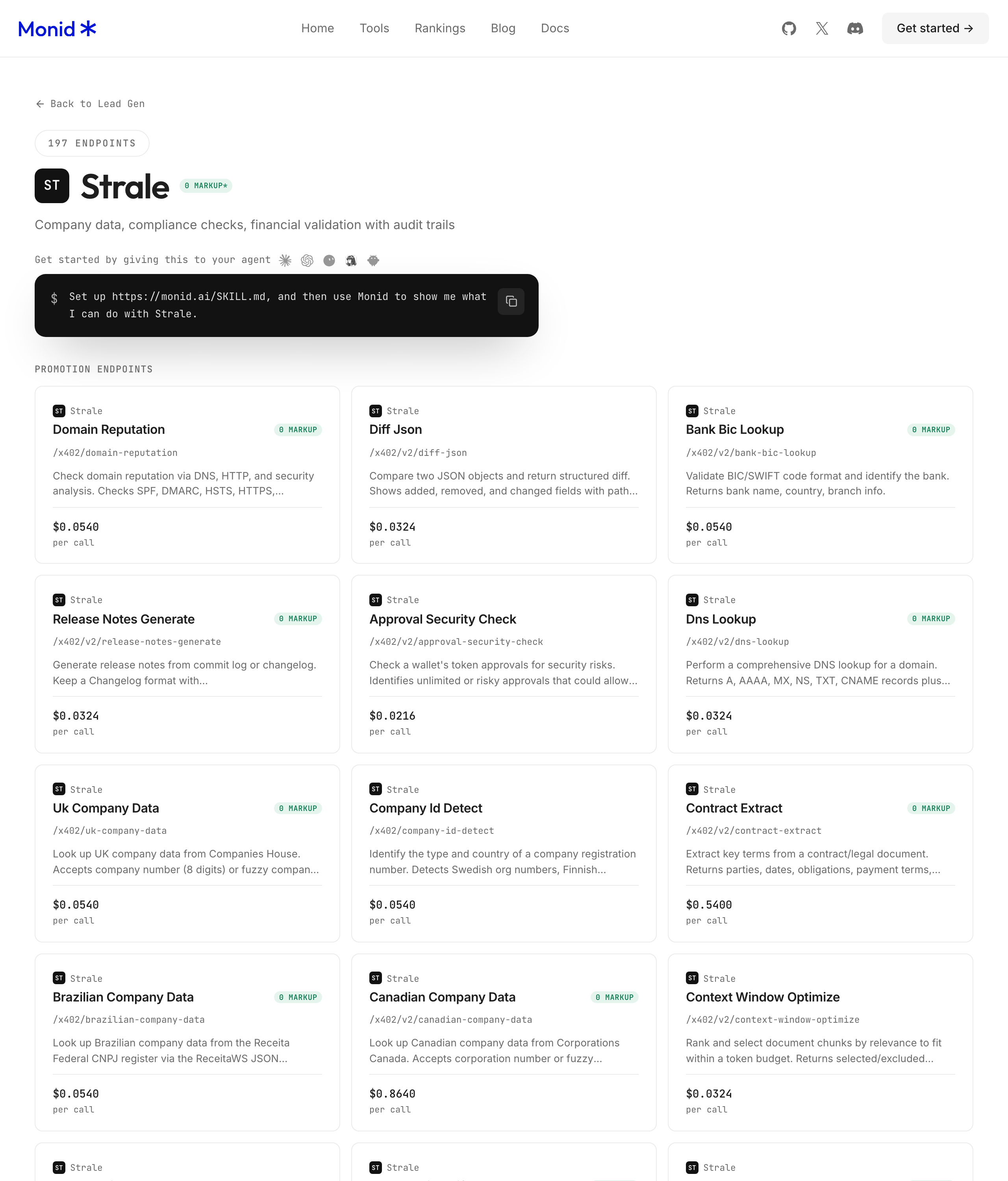
Give your agent one domain, ask it to inspect the matching tool, and stop before paid execution until the retrieved information has a purpose. Monid provides discovery and inspection for free; an endpoint is the specific callable tool your agent selects.
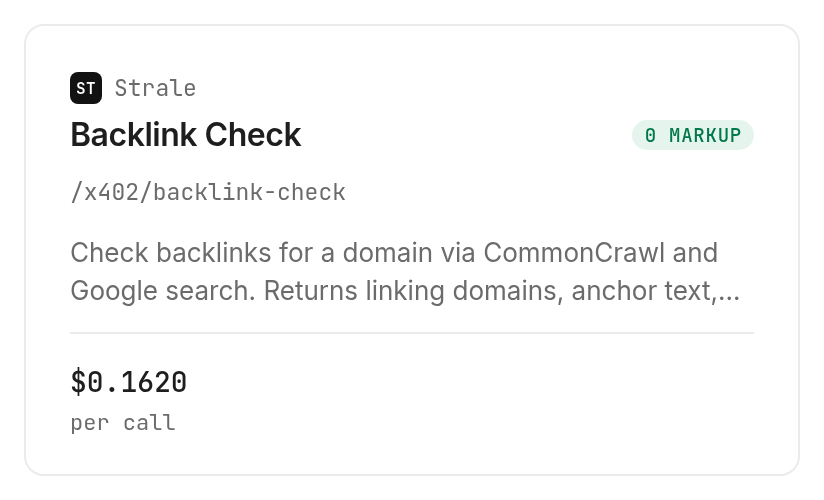
The Strale checker, supplied by Strale, accepts a required domain string as a query parameter. Its description says it checks through CommonCrawl and Google search and returns linking domains, anchor text, and dofollow/nofollow counts. That describes retrieval, not a complete outreach campaign or a free ongoing monitoring service.
Step 1. Set up access
For agents, get a key at app.monid.ai and give your agent the setup instruction below. For humans, install the CLI and add your key with the commands in the developer section.
set up https://monid.ai/SKILL.md
Keep the first instruction focused on inspection. A request to check a domain automatically is a different authorization from a request to explain the tool's input and price.
Step 2. Give your agent one domain
Ask: “Inspect the backlink checker for example.com, explain the required input, and stop before spending.” Choose the root domain for an initial domain review because the inspected input is named domain; it declares no page-scope or subdomain-mode selector.
Do not append a list of competitors or request a hundred results. The declared input takes one string and offers no array or result-limit field. Set a small limit when testing tools that support one; here, control the number of paid requests instead.
Step 3. Choose the next action
Ask your agent to compare the described information with your review columns before authorizing retrieval. If you only need a browser spot check, stop here and use the free route.
If you need automated collection, approve one domain first. Ask for the original response alongside any summary so that the summary can be traced to its source.
Step 4. Prepare the review sheet
Create columns for Source, Target scope, Linking domain, Anchor text, Link attribute, Checked date, and Next action. Source and Checked date are bookkeeping you add; they are not declared return fields.
Populate only the columns supported by the actual response. If the response contains aggregate link-attribute counts, store those as totals in a separate tab rather than inventing an attribute for each linking domain.
How do you read the backlink information?
Read the result as evidence for a review task, with separate treatment for domains, anchors, and counts. The Monid catalog describes those categories for the backlink checker; it declares no exact response field names or types.
Count referring domains separately
A referring domain is a site linking to your target; a backlink is an individual link. Multiple links from one site do not represent multiple independent sites. Keep those measurements in separate columns whenever your source supplies both.
Our editorial rule is to start outreach review at the domain level and inspect individual pages afterward. That prevents a repeated template link from filling your entire action list. It also gives you a sensible unit for deduplication when you combine sources.
Read anchors in context
Anchor text is the text attached to a link. Read it beside the source page and target page before deciding whether a mention is relevant. An anchor alone does not explain why a publisher included the link.
For a brand campaign, separate brand mentions, descriptive phrases, and blank text only after reading the available information. Treat those categories as your analysis. Do not present them as labels the checker returned unless they actually exist in its response.
Keep counts away from causal claims
Dofollow/nofollow counts describe link attributes, not a measured ranking improvement. A count does not show visits, conversions, or the effect of an individual link on search performance. Answer those business questions with their own evidence.
For a deeper explanation of live totals, referring domains, and anchors, read our guide to interpreting backlink reports. Keep the definition of each measurement beside its value when you copy it into a client report.
How much does an automated check cost?
The inspected Strale check costs $0.162 per call through Monid, Verified 2026-10-25. Discovery and inspection are free; running the checker is the paid step. Current tool choices are in the catalog.
Budget by requests
The declared billing shape is PER_CALL, so count requests when planning this workflow. The input schema supplies no result limit that reduces the listed call price. Adding an unsupported limit is not a budgeting method.
This guide uses inspect-only mode and contains no paid backlink dataset. The table above is an inventory of described information, not measured backlink counts. Response time, returned record count, and match rate are not part of that inventory.
Set a retry policy before scheduling
Choose a request cap before adding a scheduler. Give your workflow separate states for completed retrieval, failed retrieval, and a response that needs review. Do not convert an execution error into an empty backlink list.
PER_CALL states the billing unit; it does not state refund treatment for failed or empty responses. Do not build a budget around free failures or free empty results. Store request identifiers and billing information supplied by execution so recurring reports remain auditable.
How to put a backlink check into your own workflow
Use the query parameter declared by inspection and keep the original response before creating derived tables. Monid handles access through the CLI; your script handles persistence, deduplication, and the reporting schedule.
Install and inspect
For humans, install the CLI and save your key locally. The CLI quickstart explains the setup workflow.
npm install -g @monid-ai/cli
monid keys add -k <your-api-key> -l main
monid discover -q "backlink checker free" --include-unavailable -j
monid inspect -p api.strale.io -e /x402/backlink-check -j
The provider identifier is api.strale.io. Use that exact identifier from discovery instead of shortening it to the display name. The inspected method is GET, and the required parameter belongs in the query, not in a JSON body.
Keep execution separate from preparation
After deciding to pay for retrieval, the Strale checker command takes this form:
monid run -p api.strale.io -e /x402/backlink-check \
  --query '{"domain":"example.com"}' -w -o backlinks.json
Save each collection under a distinct date rather than overwriting yesterday's response. Add target scope and source to your own metadata, then map only fields present in the saved response into your review sheet.
Do not hardcode guessed keys such as a backlink array name. Inspection supplies no output schema. Start the parser from the actual response structure and preserve missing values rather than silently changing them to zero.
Which option should you use for each job?
Choose the route that supplies the evidence your next decision requires. Monid fits callable retrieval inside an agent; browser tools fit quick manual checks.
| Use case | Best endpoint | Why? |
|---|---|---|
| Free owned-site review | Search Console Links report | Sampled report for a property you manage; free route |
| Free public-domain spot check | Ahrefs browser checker | Check a domain or URL interactively; free route |
| Agent-driven domain check | Strale backlink check, inspect only | Required domain input and per-call billing; Verified 2026-10-25: $0.162 |
For a different automated report family, our Ahrefs domain rating and backlinks guide explains how its backlink reports fit together. Compare definitions before replacing one source with another. A larger number from another index does not establish growth in your existing time series.
When should you use something else?
Use Ahrefs' free checker for an occasional public-site lookup, and Google Search Console for a first review of your own property's links. This is the Monid blog, and Monid sells access to the Strale retrieval option described here.
The paid checker does not satisfy a requirement for permanently free automated backlink collection. Its inspected input also declares no batch array, pagination, historical date selector, or scheduling setting. Build those workflow pieces outside the call where your task requires them.
If your task is verifying links on a source list you already possess, a small page-checking script is a direct fit. It checks those known pages; it does not discover the web's links to your site. Choose that route for placement verification rather than treating it as a replacement backlink index.
Conclusion
You now have a free checking route, a review-sheet structure, and a clear boundary for paid automation through Monid. Repeat the review with the same source and target scope, add retrieval only when repetition justifies it, and preserve the response before drawing conclusions. No setup duration or hours saved is claimed here because inspection does not measure a completed reporting workflow. You can choose the next action without mistaking a paid data call for a free checker.
FAQ
Is backlink checking free?
Browser checks are free; Strale retrieval is paid.
Do I need code?
No. Use a browser checker or an agent.
Can I check many domains?
Strale declares one domain string per request.
Are failed checks free?
Inspection does not declare failure refunds.
Can I schedule checks?
Yes, through your own scheduler, outside this call.
Is checking backlinks legal?
Rules differ by location; check those applying to you.
Published October 2026.


