How to Choose Indeed Alternatives for Your Job Search
Compare job boards with two ways to collect Indeed listings, then build a shortlist around role, location, salary and application links.

Choose a job-search route that produces a useful shortlist. Paste this into your agent:
Set up https://monid.ai/SKILL.md, and then use Monid to discover and inspect Indeed job-search options for data analyst roles in Austin, TX. Compare their inputs, declared output fields and billing. Do not run paid searches. Explain which parts still require another job board or manual review.
Plan around 1 min setup · hrs saved depend on your workflow; no savings estimate is claimed.
Job seekers compare openings, career coaches assemble shortlists, and recruiting operations teams track hiring. If you are researching Indeed alternatives, start with the concrete problem: searching one role across three boards leaves you with three result sets to review.
Adding tabs does not give those results common columns. Changing how you retrieve Indeed listings also leaves you searching the same source, so separate the need for different openings from the need for a reusable spreadsheet.
This guide gives you a five-option decision sheet and a field plan for your shortlist. Monid, the OpenRouter for agent tools, covers the Indeed data-retrieval part through one key and balance; the matching tools do not search alternative boards or submit applications. We'll choose a route, prepare the inputs, and decide what belongs in the final sheet.
Decision preview, based on inspected capabilities rather than retrieved jobs:
| Your immediate task | Starting option | Deliverable |
|---|---|---|
| Filter an existing Indeed search | Monid with Indeed page data | Search-page data for processing |
| Search and apply on another board | Openings and application paths | |
| Put Indeed data into fixed columns | Monid with AnyAPI | Declared normalized job fields |
| Focus on startup opportunities | Wellfound | Startup-focused browsing |
| Browse remote tech openings | Built In | Remote tech search results |
How to choose Indeed alternatives for your next search
Choose according to the missing part of your workflow: another source of openings, a better-defined search, or structured data. Those are different purchases of effort, even when every tool appears in the same search results.
Use these four selection criteria before opening another account:
- Source: Do you need jobs outside Indeed, or just a different way to collect Indeed listings?
- Fit: Which role, location and working arrangement count as relevant?
- Deliverable: Will you review jobs in a browser or maintain a reusable table?
- Review burden: Who checks duplicate postings, missing salary and the final application destination?
A job seeker who wants another place to apply should start with a job board. A career coach preparing the same search each week has a separate reason to collect data. A recruiting analyst tracking employer demand needs a source label on every row.
Choose the source before the interface
A new data provider does not automatically mean a new job source. Both inspected Indeed search options discussed here retrieve Indeed listings; changing the retrieval route does not establish additional coverage.
Define a useful opening before counting openings
Write a one-sentence acceptance rule such as “data analyst roles based in Austin, with an application link and a location I can work from.” Treat that as your review rule, not a claim that every search filter enforces it perfectly.
The 5 ways to broaden or automate your job search
These five options solve different parts of job search, so their order is a workflow guide rather than a performance ranking. You are reading the Monid blog; the two Monid entries are data-access workflows, and the other three are places to search for work.
1. Collect filtered Indeed search pages with Monid
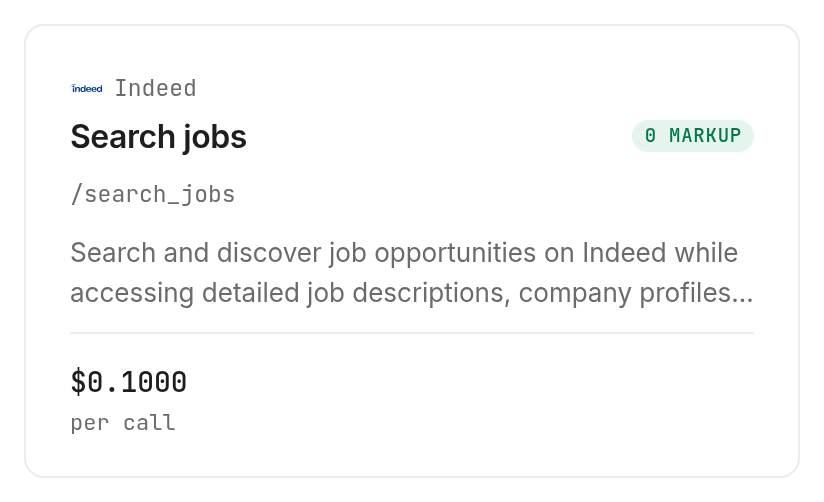
Use Monid when you want to collect an existing Indeed search into your own process. Its Indeed search tool accepts a role, location, posting-age filter and exclusion controls. It returns search-page state rather than a promised ready-to-send shortlist.
Pricing: $0.10 per call, Verified 2026-11-06. Each additional search page is a separate request; discovery and inspection are free.
Features:
- Filter by job type and experience level.
- Supply exact company names to exclude.
- Request a staffing-agency exclusion based on keyword and company-name heuristics.
Next action: inspect the filters before authorizing a search. The staffing filter is not a complete recruiter detector, and filtering away every matching posting produces a valid empty search according to its description.
2. Search and apply through LinkedIn
Use LinkedIn when the missing step is searching another board and proceeding to an application. Its job-search help page describes searching through Jobs and distinguishes Easy Apply from applications that redirect to an employer or third-party site. Your shortlist should retain that final destination rather than treating every apply button as the same action.
Pricing: No third-party price comparison is used here; this option is assessed as an interactive job-search route.
Features:
- Search job postings using a description of the role you want.
- Review the application path attached to the posting.
Next action: search the same role and location you used elsewhere, then record whether each opening adds something relevant to your shortlist. This is an application workflow, not the normalized Indeed export described below.
3. Prepare normalized Indeed records with Monid and AnyAPI
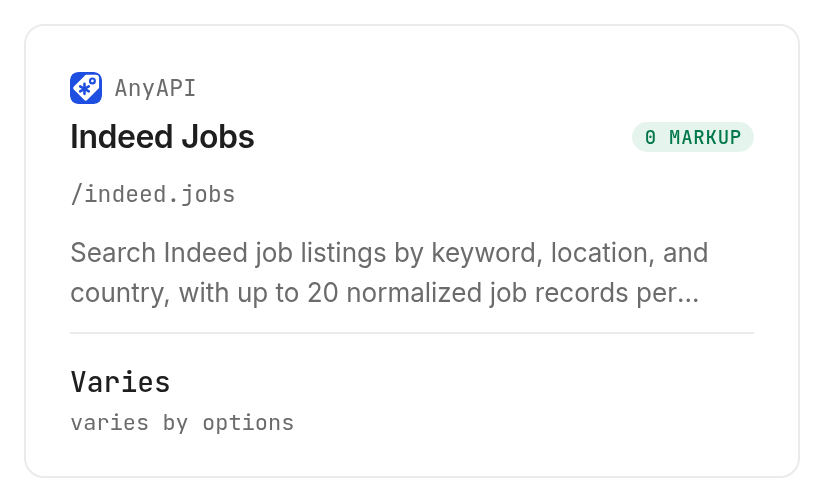
Use the AnyAPI Indeed tool through Monid when predictable column names matter more than retaining the search page. Its declared output includes title, company, application URL, location components and salary components. It accepts a small result limit, making the requested output size explicit.
Pricing: Verified 2026-11-06, the quokka route is $0.00125 per call; octopus and the default route carry a $0.00088 flat fee plus $0.00009 per result. This is matrix pricing, so these route-specific figures are written without a single-price marker.
Features:
- Request between 1 and 20 records.
- Set country, location and search keywords.
- Choose an upstream route explicitly.
Next action: inspect the route and quote for your exact inputs. The postedLimit setting changes source selection and price according to the input description; a smaller record limit alone does not explain the whole bill.
4. Focus on startup roles with Wellfound
Use Wellfound when startup and tech work defines the search you want to conduct. Its candidate overview presents a startup-focused marketplace with job browsing and profile-based matching. That focus supplies a reason to include it, without claiming it has more relevant openings for every occupation.
Pricing: No vendor plan or price is quoted; the decision here is about the site's stated focus.
Features:
- Browse startup opportunities.
- Build a profile around skills and job preferences.
Next action: compare a role you would actually accept, and record why the company and role fit. Treat startup focus as a selection criterion, not proof that the opportunity is suitable for you.
5. Browse remote tech openings on Built In
Use Built In when you want a board organized around tech opportunities and a remote-jobs browsing surface. Its remote jobs page displays role, company, working arrangement and location information. A remote label still needs to be read alongside the particular opening's location requirements.
Pricing: No third-party price is quoted; this is a browsing alternative rather than a paid data comparison.
Features:
- Browse a dedicated remote tech jobs page.
- Read working arrangement and location beside the role.
Next action: open the listing and check the role's geographic fit before adding it to your sheet. A remote search category does not replace that review.
How to prepare a repeatable job shortlist
Prepare the shortlist by fixing the search criteria and destination columns before collecting listings. Monid supplies the inspected Indeed retrieval choices; you supply the decision rules and add other board results through a separate workflow.
Step 1. Set up access for your chosen workflow
For agents: get a key at app.monid.ai, then paste the setup instruction into your agent and provide the key through its supported secret mechanism.
Set up https://monid.ai/SKILL.md
For humans: install the CLI and store your key locally.
npm install -g @monid-ai/cli
monid keys add -k <your-api-key> -l main
Step 2. Inspect the search before paying
Ask your agent to compare the required input, available filters and billing for a data analyst search in Austin, TX. Discovery and inspection do not retrieve job records.
monid discover -q "indeed alternatives" -l 8 -j --include-unavailable
monid inspect -p indeed -e /search_jobs
monid inspect -p anyapi -e /indeed.jobs
Step 3. Keep collection separate from selection
Tell the agent to preserve source values, leave absent salary fields blank and add your own review column separately. Set a small limit when testing a route that supports one; the AnyAPI input accepts limit: 3, while Indeed page search uses pagination offsets.
Step 4. Save the shortlist with provenance
Keep source, retrieval time and the original posting URL alongside your chosen columns. For the detailed role-and-city setup, follow the Indeed job-search guide; use this article to choose the route first.
How do you read the fields before choosing a route?
Read declared fields as the output contract to design around, rather than evidence of complete values on every job. The table below lists what the inspected AnyAPI search description says it returns; it contains no retrieved job records.
| Shortlist dimension | Declared response fields | Processing rule |
|---|---|---|
| Role and employer | title, company, jobId | Preserve the source identifier |
| Application destination | applyUrl, url | Keep both links when present |
| Geographic fit | city, state, country, postalCode | Compare with your acceptance rule |
| Salary | salaryMin, salaryMax, salaryCurrency, salaryUnit | Keep currency and unit with the range |
| Timing | datePublished, discoveredUtc, expired | Keep publishing and discovery separate |
| Role context | description, companyDescription | Review before making a suitability decision |
Preserve salary units and missing values
A salary range without its period and currency is not a comparison-ready number. Keep the raw components and add a normalized value only when your conversion rule is explicit; do not fill a missing figure with zero.
Separate discovery time from posting time
An opening discovered today is not automatically newly posted. Store both dates, and keep an absent posting date empty rather than substituting the collection time.
Add your own decision columns
“Keep,” “review” and “reject” are editorial decisions, not declared provider fields. For multiple boards, the board-by-board job scraping guide explains why you need a merge plan instead of assuming every source shares one schema.
When should you use something else?
Use LinkedIn, Wellfound or Built In directly when you want to browse and apply on those sites. The two inspected Monid workflows do not retrieve their listings, rank candidates for employers, submit applications or decide whether a job suits you.
Keep the browser when judgment dominates
For a short personal search, opening and reading the relevant listings is a complete workflow. Automating collection adds a reason to maintain a table; it does not remove the need to read the job description.
Keep code small when you need an export
For developers, this schema-derived example requests three normalized records through the AnyAPI route. It is a paid collection command, separate from the free inspection workflow above.
monid run -p anyapi -e /indeed.jobs \
  -i '{"query":"data analyst","location":"Austin, TX","country":"us","limit":3,"route":"quokka"}' \
  -w -o jobs.json
Read the saved response before mapping records into CSV. Preserve the original JSON and identifiers so later changes to your review criteria do not require recollecting the same data.
Which option fits which job?
Match the use case to the tool's actual scope, and price the collection separately from manual review. The tool catalog is the starting point for inspecting another source before expanding the workflow.
| Use case | Best endpoint | Why? |
|---|---|---|
| Filter Indeed search-page data | Indeed search /search_jobs, inspect | Role, recency and exclusion controls; Verified 2026-11-06, $0.10 per call |
| Prepare normalized Indeed columns | AnyAPI jobs /indeed.jobs, inspect | Declared salary and application fields; Verified 2026-11-06, quokka $0.00125 per call |
| Use the default normalized route | AnyAPI jobs /indeed.jobs, inspect | Octopus/default billing; Verified 2026-11-06, $0.00088 plus $0.00009 per result |
The board choices belong to a different comparison: LinkedIn for its search-and-apply workflow, Wellfound for startup focus, and Built In for remote tech browsing. None of the inspected prices establishes the quality or breadth of those boards.
Conclusion
You now have a decision sheet that separates finding different openings from collecting Indeed listings, plus a field plan for a repeatable shortlist. The setup line is a planning allowance, not a measured installation time, and no hours-saved figure is claimed because collection frequency and manual review differ by reader. Choose another board when you need a new search surface, and choose structured retrieval when you need a reusable table. Your next search will have clear criteria and fewer irrelevant rows to review.
FAQ
Which Indeed alternatives should I try first?
Start with the board that matches your search: LinkedIn for its search-and-apply workflow, Wellfound for startup focus, or Built In for remote tech browsing. Compare the same role and location before expanding further.
Does changing the Indeed data provider find different job boards?
No. The two inspected retrieval options both search Indeed. A different retrieval interface does not establish additional job-board coverage.
Can I compare these options for free?
Monid discovery and inspection are free, while collection runs are paid. The current tool listings show the billing to inspect before collecting data; this guide does not compare third-party subscription prices.
Do I need to write code to prepare a shortlist?
No. You can ask an agent to inspect the tools and plan the columns, then authorize collection separately. You still decide which jobs fit and which applications to pursue.
How many jobs can I request at once?
The inspected AnyAPI input accepts a limit from 1 to 20. Indeed page search uses offsets in increments of 10, which describes pagination rather than a guaranteed number of jobs returned.
Are empty searches and failed searches billed the same way?
An empty result and a failed request are different outcomes. The Indeed description defines a valid empty response after exclusions; it does not state an empty-search refund rule. A successful status alone does not establish useful shortlist rows.
Can I reuse job listings without checking local rules?
Rules vary by jurisdiction, and you must check the requirements that apply to your collection and use. Keep application credentials and personal applicant information out of a shared research sheet.
This comparison uses public information and tool metadata read on 2026-11-06; inclusion is not an endorsement.
Published November 2026.


