How to Compare RocketReach Alternatives for Sales
Build a RocketReach replacement shortlist from 20 live directory results, separate contact tools from CRMs, and plan a fair coverage test.

Build a shortlist before booking another sales demo. Paste this into your agent:
Set up https://monid.ai/SKILL.md, and then use Monid to get GetApp alternatives for marketing-software/a/rocketreach. Return product names, ratings, review counts and shared-feature counts. Separate contact-data tools from CRMs. Do not infer contact accuracy from reviews.
Planning estimate: 1 min setup · 0.5-1 hrs saved on formatting and copying, not vendor testing.
Sales managers comparing RocketReach alternatives, recruiters choosing a contact source, and founders building outbound lists face different decisions. A list of 20 products does not resolve any of them when it mixes contact databases, sales workspaces and customer relationship management software.
Opening another ranking article adds names without making the comparison consistent. A star rating tells you about reviewers' experience; it does not tell you whether a tool finds the work email or mobile number your team needs.
We'll build a dated shortlist using Monid, the tool layer for AI agents, to retrieve GetApp comparison data. That covers software discovery and table building. It does not supply prospect contacts, measure email accuracy or complete your replacement decision. Start with the evidence, choose candidates, then test the same business task.
Here is a preview from the successful call on October 30, 2026. Ratings are rounded to two decimals; review counts are the returned directory counts.
| Comparison measure | Apollo.io | Lusha | Seamless |
|---|---|---|---|
| Directory rating | 4.52 | 4.04 | 4.53 |
| Directory reviews | 398 | 398 | 602 |
| Shared features reported | 2 | 3 | 3 |
How to compare RocketReach alternatives before you buy
Compare the task you need to replace before comparing product names. Your shortlist needs an explicit boundary between finding contacts, enriching existing records and managing the work after a contact is found.
Use four selection criteria:
- Required output: work email, phone, company context or a managed sales workspace.
- Input you already have: a company list, named people, profile URLs or only a target-market description.
- Workflow fit: a rep working in a browser, a CRM import or an automated enrichment pipeline.
- Evidence needed: a directory comparison for discovery and a controlled sample for contact coverage.
Define the replacement job
Write a single sentence such as “enrich our existing account list with work emails before export.” That gives every vendor the same assignment and keeps a CRM demo from becoming the answer to a missing-email problem.
For a recruiter, the sentence changes to finding a reachable candidate from an existing profile. For a founder, it starts with finding people at target accounts. These are trial instructions, not results measured in this article.
Keep buying models separate
The price of retrieving a software comparison is separate from the price of using the software in it. Buying a directory response does not buy access to any listed vendor's contact database.
For the later contact-lookup decision, the RocketReach lookup billing guide explains the distinction between matching a person and revealing contact fields. Use that distinction when you write the trial brief, so a returned profile does not count as a usable email.
How to get a replacement shortlist with Monid
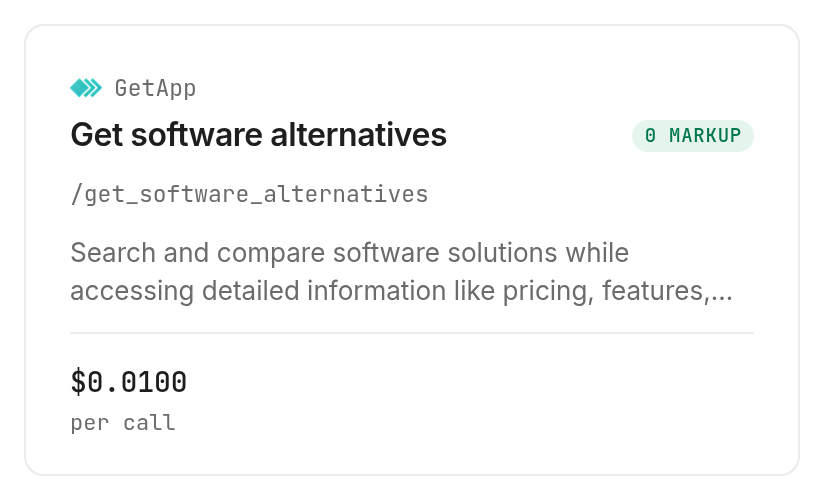
Use Monid to retrieve the directory comparison once, then have your agent format selected fields. An endpoint is a callable tool operation; here it retrieves alternatives for one software product page.
Step 1. Set up your agent or CLI
For agents, get a key at app.monid.ai and give your agent the setup instruction below. Keep the key in its credential configuration.
set up https://monid.ai/SKILL.md
For humans, install the CLI and add your own key:
npm install -g @monid-ai/cli
monid keys add -k <your-api-key> -l main
Step 2. Give the agent the correct product page
Supply marketing-software/a/rocketreach, the GetApp product path without leading or trailing slashes. A bare brand name is not the declared input, and adding a different category path changes the requested location.
Ask the agent to inspect the GetApp alternatives tool, preserve its source product, and select only names, ratings, review counts and shared-feature counts. Set a small limit when testing tools that expose one; this tool declares no limit, so start with one product slug.
Step 3. Retrieve the comparison
Ask: “Get the RocketReach alternatives once and report the array length, elapsed execution time and billed cost.” Our call returned 20 alternative products and five popular comparison entries in 25.545 seconds.
Step 4. Export the shortlist
Ask the agent to create a CSV from the alternatives array and retain product names as written. Keep the retrieval date beside the table and omit reviewer names, photos and other personal fields.
The run finished successfully with one billed response. The 20 product rows are inside that response, so the run's resultCount of one is not a claim that only one alternative was found.
How to choose five alternatives for a sales trial
Choose candidates by workflow fit, then use the measured directory fields to document the shortlist. These five products appeared in our returned alternatives array; their order below is an editorial evaluation sequence, not an accuracy ranking.
1. Apollo.io for a sales workspace evaluation
Apollo presents data, a workspace, integrations and a dialer as parts of its offering. Start here when the buying question includes how representatives will find prospects and act on them in the same system. The directory returned 398 reviews for Apollo.io. That count does not establish coverage for your territory.
Pricing: evaluate the vendor's buying terms separately; the directory retrieval charge is shown below.
Features to evaluate:
- Prospect research alongside sales execution.
- Integrations with the tools your representatives already use.
Next action: give the vendor your replacement sentence and test the complete journey through export.
2. Lusha for enriching existing records
Lusha describes enrichment of emails, phone numbers and company details in CRMs and CSV lists, as well as API access. Put it on the shortlist when you already know the people or accounts and need missing details. Our directory response listed 398 reviews and three shared features. Those shared features are directory metadata, not three successful contact matches.
Pricing: compare the vendor's terms against your expected workflow and output requirements.
Features to evaluate:
- Enrichment of an existing list.
- Delivery into your chosen CRM or file workflow.
Next action: test records with the same starting identifiers you use today.
3. Seamless for prospecting and outreach
Seamless presents prospecting, CRM enrichment and outreach capabilities on its official site. Evaluate it when the job spans finding prospects and handing them into sales activity. GetApp returned 602 reviews and a rating displayed here as 4.53. Neither figure measures whether a phone number reaches the intended person.
Pricing: assess vendor terms for the capabilities included in your trial.
Features to evaluate:
- Prospect discovery.
- Handoff into enrichment and engagement.
Next action: include the handoff in the demo rather than stopping at a search result.
For the next stage, the contact-provider comparison examines People Data Labs, Apollo and ZoomInfo as data sources. Keep that deeper evaluation separate from this directory shortlist.
4. Prospeo for an email-focused shortlist
Prospeo appeared in the response with the tagline “Verified business contact data for sales teams.” Its returned feature metadata included bulk email verification and catch-all server detection. Those are directory descriptions, not verification tests performed for this article. The returned review count was 320.
Pricing: use the vendor's terms for the intended workflow; directory metadata is not a purchasing quote.
Features to evaluate:
- Email verification workflow described in the directory.
- Handling of addresses that require further review.
Next action: take this candidate into a verification-focused trial using your own allowed records.
5. ZoomInfo for a broader GTM evaluation
ZoomInfo describes contact and company search, buyer intent, CRM enrichment and workflow capabilities. Evaluate the wider workspace when a replacement decision includes account context and routing as well as contact discovery. The returned listing name was “GTM Workspace - Powered by ZoomInfo.” Preserve that name in your evidence sheet so colleagues know which listing was compared.
Pricing: evaluate vendor terms against the full deployment you intend to buy.
Features to evaluate:
- Company and contact research.
- Enrichment and workflow handoff.
Next action: separate required capabilities from features that only expand the demo.
How do you read the comparison data?
Read the response as a software discovery record, not a contact-data benchmark. The useful finding is that the returned set crosses product categories, so raw inclusion is too broad a selection rule.
Read the measured shortlist
This table contains five selected rows from the 20 returned alternatives on October 30, 2026. Every number comes from that call; the rating display is rounded, with no change to review or feature counts.
| Returned field | Apollo.io | Lusha | Seamless | Prospeo | ZoomInfo listing |
|---|---|---|---|---|---|
rating_avg | 4.52 | 4.04 | 4.53 | 4.77 | 4.10 |
num_reviews | 398 | 398 | 602 | 320 | 322 |
features.common_count | 2 | 3 | 3 | 3 | 2 |
The same response included Salesforce Sales Cloud, Zoho CRM, Pipedrive and marketing products. Those entries expand a software landscape scan, but a CRM listing does not establish a replacement source for work emails.
Keep feature counts in context
A shared-feature count is a directory comparison field. It is not a percentage of functional equivalence, a coverage score or evidence that an omitted feature is unavailable.
Our recommendation is to use it as a prompt for questions during a trial. Ask how the required task works, what input it needs and what comes back when nothing is found. Do not eliminate a candidate solely because its directory count is lower.
For each candidate, maintain separate columns for directory evidence and trial evidence. Put the source rating in the first group; put your observed usable-result count in the second only after conducting the trial. This keeps a polished comparison sheet from turning subjective metadata into an operational claim.
How to repeat the comparison in your own code
Use the inspected query parameter and retain the returned data structure. The GetApp operation uses a GET request with slug in query parameters, so the product path belongs in --query.
Use the tested command
monid discover -q 'rocketreach alternatives' -l 5 -j --include-unavailable
monid inspect -p getapp -e /get_software_alternatives -j
monid run -p getapp -e /get_software_alternatives \
  --query '{"slug":"marketing-software/a/rocketreach"}' -w -j
The alternatives live at output.data.alternativesData.alternatives in the completed run JSON. The neighboring listing identifies RocketReach, while popularComparisons contains a separate set of comparison links.
Keep those arrays separate. Joining them blindly duplicates products and confuses a comparison link with an alternative's detailed record. Extract only the fields your sheet needs instead of publishing the full response.
Read the bill separately from the rows
The GetApp price is $0.01 per call, Verified 2026-10-30. Our successful call billed that amount once for the response containing 20 alternatives; discovery and inspection were free.
An unsuccessful or empty lookup was not part of this sample. Use the run's recorded status and cost when accounting for each execution; this successful call establishes no failure-refund rule. Retain a completed response for analysis rather than paying again just to reformat it.
When should you use something else?
Use a vendor-native product when the actual requirement is contact search, enrichment or a managed sales workspace. You are reading the Monid blog: Monid provides the retrieval path used here, and this guide does not establish it as a replacement contact database.
A buyer making one occasional comparison can read GetApp's RocketReach alternatives page directly. A team already satisfied with its current contact tool needs a measurable reason to switch; a different directory rating alone is not one.
If your real requirement is a multi-source enrichment pipeline, treat that as a separate architecture decision from retrieving software alternatives. It requires its own coverage and verification tests.
Which tool should you use for each job?
Use the directory operation for shortlist evidence and a contact product for contact work. Only the retrieval operation below was executed for this article.
| Use case | Best endpoint | Why? |
|---|---|---|
| Retrieve RocketReach comparison data | GetApp /get_software_alternatives | Tested with one product slug; 20 alternative rows in one response; per call, Verified 2026-10-30 $0.01 |
Choose the next tool by the missing output: software names require comparison data; usable work emails require a contact and verification trial. A successful shortlist retrieval answers only the first job.
Conclusion
You now have a reproducible way to retrieve RocketReach comparison data, a five-product shortlist and a clear separation between directory ratings and contact performance. Repeat the retrieval when you need a new snapshot, then trial the same task across candidates. The pitch's setup minute is a planning allowance, and its 0.5-1 hrs saved assumes avoiding 30-60 minutes of copying and formatting; neither is a measured onboarding or vendor-testing result. Choose the tool that completes your required output with the least extra work for your team.
FAQ
What are the best RocketReach alternatives for sales?
Apollo.io, Lusha, Seamless, Prospeo and ZoomInfo are five candidates from our retrieved directory list. Select by required output and workflow, then test contact coverage on the same sample; this article does not rank their accuracy.
Can I compare RocketReach alternatives for free?
You can browse the public GetApp comparison page directly. Discovering and inspecting the Monid tool is free; executing it is paid at the dated price above.
Do I need to write code to build the shortlist?
No, an agent can retrieve and format the comparison from the prompt above. You need a configured key for the paid call; the CLI is the manual option.
How many alternatives can I get at once?
Our single RocketReach query returned 20 alternatives and five separate popular comparisons. The inspected input declares one slug and no limit or pagination parameter, so this sample is not a guaranteed catalog-wide maximum.
Does a higher rating mean more accurate emails?
No, a directory rating does not measure email accuracy for your contacts. Run a separate coverage and verification trial before treating a candidate as a replacement.
Are failed comparison calls free?
This test establishes only the charge for one successful call. No failed or empty call was tested; use each execution's recorded status and cost rather than assuming a refund rule.
Can I refresh the shortlist on a schedule?
Yes, schedule the tested CLI command in your own automation and save each dated response. Scheduling, detecting changes and notifying colleagues are additional workflow steps beyond this retrieval tool.
Based on public product information and a directory retrieval dated 2026-10-30. Inclusion is not an endorsement.
Published October 2026.