How to Use an SMS Messages API in Your Agent
Check owned numbers, choose an SMS history reader, and give your agent a clear stop rule before it tries to fetch messages.
Check whether your agent has an SMS inbox before asking it to read replies. Paste this into your agent:
Set up https://monid.ai/SKILL.md, then use Monid to list my owned Saperly and AgentLine numbers. If both lists are empty, stop and report that no SMS inbox is available. Do not buy a number or send a text.
Budget 1 min setup after obtaining a key · 0 hrs saved measured in this test.
If you're a developer connecting an SMS messages API to an agent, copying replies from a phone dashboard leaves the agent dependent on you. Start with one concrete requirement: one owned number identifier before the first history request. In our test workspace, the number of available inboxes was zero.
A phone number typed into a prompt does not supply that identifier. Neither does a successful request to list owned numbers establish that messages exist. Your integration needs a separate answer to each question before asking the model to summarize anything.
We'll use Monid, the OpenRouter for agent tools, to produce an inbox readiness table and inspect the next read operation. The tested portion covers number inventory; message retrieval requires an owned number that this workspace does not have. We'll check ownership, choose a reader, then define how to preserve its actual response.
| Readiness check | Saperly | AgentLine |
|---|---|---|
| Owned-number rows returned | 0 | 0 |
| Request outcome | Completed | Completed |
| Ready to fetch SMS history | No | No |
This preview is the real outcome of two read-only calls on October 30, 2026. It is not a sample message export.
How to use an SMS messages API with Monid
Start by listing the numbers owned by your workspace. Monid gives your agent discovery, schema inspection, and execution through one key; an endpoint is the specific operation the agent calls. Let's start with the prerequisite that determines whether a message read has valid input.
For agents
Get a key at app.monid.ai, give your agent the key through its credential setup, then paste:
set up https://monid.ai/SKILL.md
The agent quickstart explains the discover, inspect, run workflow.
For humans
Install the CLI and save your key locally:
npm install -g @monid-ai/cli
monid keys add -k <your-api-key> -l main
The CLI quickstart covers that setup.
Step 1. Find the SMS readers
Discover the task, then inspect the selected reader before executing anything:
monid discover -q "sms messages api" -l 8 --include-unavailable -j
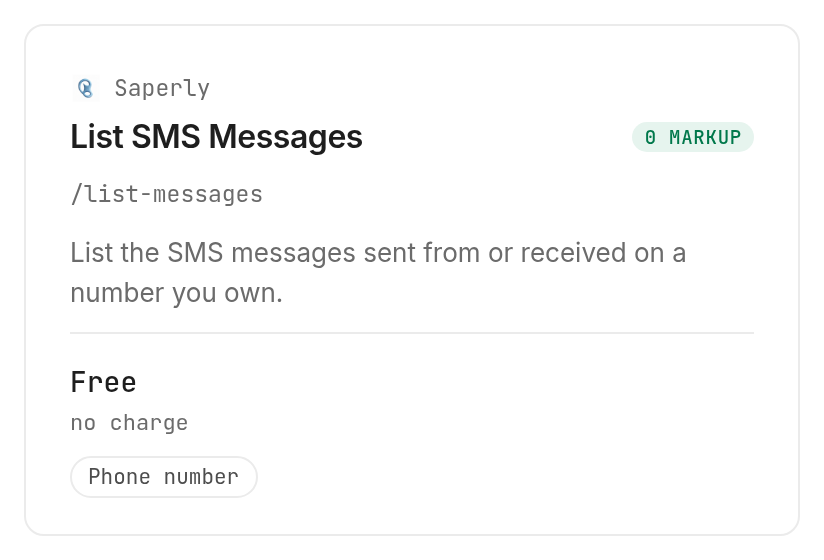
monid inspect -p saperly -e /list-messages -j
The Saperly history reader requires numberId. Its inspected input accepts no extra properties, so do not add a guessed date filter or pagination limit.
Step 2. Check your owned numbers
Inspect and call the Saperly number inventory, which takes no input:
monid inspect -p saperly -e /list-numbers -j
monid run -p saperly -e /list-numbers -w -j
We also inspected and called the AgentLine number inventory with the same no-input pattern:
monid inspect -p agentline -e /list-numbers -j
monid run -p agentline -e /list-numbers -w -j
Step 3. Read the readiness table
Both calls completed with HTTP 200 and an empty output array. These elapsed times are completion time minus creation time from the returned execution records, excluding installation and discovery.
| Measured property | Saperly inventory | AgentLine inventory |
|---|---|---|
| Execution status | COMPLETED | COMPLETED |
| HTTP status | 200 | 200 |
| Actual output | [] | [] |
| Returned inventory rows | 0 | 0 |
| Elapsed time | 0.780 seconds | 0.888 seconds |
The combined reported charge was $0.00 for these tests, Verified 2026-10-30. The AgentLine inventory read also listed $0.00 per call, Verified 2026-10-30.
Step 4. Stop when no inbox exists
Stop here if the inventory is empty. Report “no owned SMS number available” to the calling application, and keep the execution record for troubleshooting.
Do not substitute an arbitrary telephone number, create a resource automatically, or label this outcome “no new messages.” You have established that the workspace has no returned number to read, not that a particular inbox contains no texts.
Why check ownership before reading SMS?
Ownership supplies the required identifier and defines the inbox your application is reading. A shared tool key does not turn an arbitrary person's phone into an accessible message source.
Separate readiness from message content
Treat these as distinct application states: no owned number, an owned number awaiting its first history read, and a completed history read. Only the last state supports a statement about message contents.
For an appointment assistant, that distinction controls the next action. “No number configured” belongs in a setup queue; an actual incoming reply belongs in the appointment workflow. Sending either state into the same summary prompt produces an answer without supporting evidence.
Store a readiness decision beside the execution status rather than compressing both into a single success flag. A successful inventory request and an unavailable inbox are compatible results, exactly as today's table shows.
Keep voice and text tasks separate
An SMS history read is a specific action, not a general phone automation session. If your agent's next job involves speaking rather than reading, the Saperly phone-call introduction covers that separate workflow.
Keep a distinct permission boundary around those actions. A request to inspect an inbox should not implicitly authorize buying a number, placing a call, or sending a message. That makes the workflow's cost and side effects easier to review.
The 3 ways to add SMS history to an agent
Choose the route based on where your existing inbox lives. These are implementation choices, not a comparison of vendor plans or delivery performance.
| Route | Billing approach | Best fit | Boundary |
|---|---|---|---|
| Monid tool calls | Per-operation catalog pricing | Agent using a tool layer | Requires a compatible owned number |
| Existing inbox handoff | Your existing arrangement | Human reviewing a small inbox | Agent depends on a handoff |
| Your application adapter | Existing service arrangement plus your code | Application with an inbox integration | You maintain parsing and orchestration |
Let the agent use a tool layer
Use Monid when the model needs an external action through the same discovery and execution workflow as other tools. Keep the result outside the model until your application checks execution status and extracts the relevant data.
Keep the current inbox handoff
Keep a human handoff when reviewing the inbox is already the intended process. Give the agent only the approved excerpt it needs for a specific task.
This route is useful during development: settle what an acceptable summary looks like before giving the agent inbox access. It does not demonstrate automated retrieval, so label the source as a manual handoff in your application.
Maintain your own adapter
Use your existing adapter when it already reads the right inbox. Have it return the real response, preserve source identifiers, and handle errors before involving the model.
Adding a second tool layer solely to repeat a working read adds another integration to maintain. Choose the route that reaches the actual number you control and preserves the information your downstream task needs.
How to connect the model and the SMS reader
Keep model inference separate from tool execution
Give your AI agent two connections: a model gateway for reasoning and agent tools for external actions. A tool catalogue is not a model catalogue. You need both the language model connection and the permission to call a tool before an assistant can fetch live SMS context on its own.
If you're wiring this alongside a model gateway, the guide to adding agent tools beside the model connection explains that division. The model decides what to do with a reply; the SMS tool supplies that reply only after the resource and request are valid.
A model gateway routes prompts to language models. A tool layer handles the external work those models request. Keep those two integrations distinct in your agent: model credentials belong to the inference connection, while the Monid key belongs to tool execution. An SMS reply enters the model context after the tool returns it, rather than becoming part of the model gateway configuration.
For an MCP client, the same distinction applies. The MCP server exposes callable tools; it does not replace the model provider. A skill teaches the agent the discovery and execution workflow, while your application chooses the model and decides what data to send to it. This separation lets you change the summarizing model without changing which owned inbox the SMS reader accesses.
How to read messages after a number is available
Select the reader belonging to the owned number's provider. The following choices come from inspected inputs; today's workspace did not progress to message retrieval.
Step 5. Choose the matching reader
The Saperly SMS history operation takes one required numberId. Its inspected price is $0.00 per call, Verified 2026-10-30.
The AgentLine message reader takes numberId and accepts conversationId, limit, and offset. Its inspected price is $0.00 per call, Verified 2026-10-30.
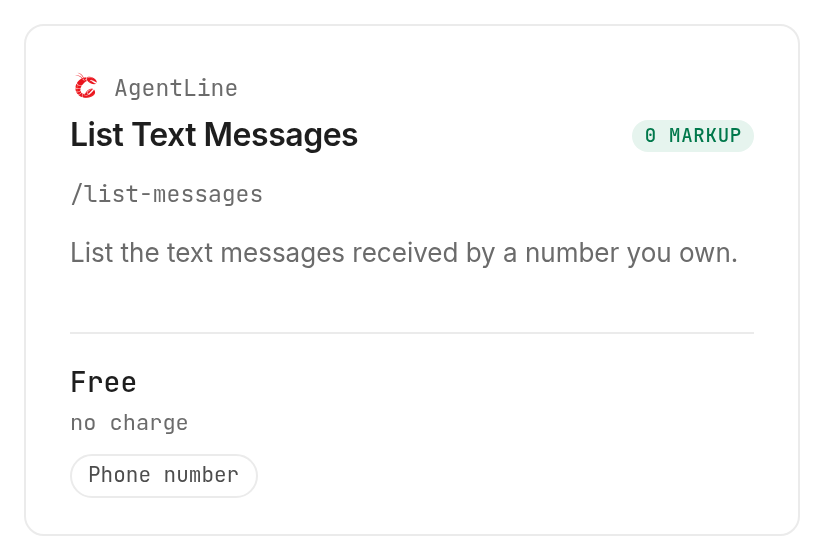
These prices describe the listed read operations. Number ownership and message activity are separate from reading history; a zero-price read is not a promise of free phone service.
Step 6. Start with a small page
For AgentLine, set a small limit when testing: limit accepts integers from 1 to 200, with a documented default of 50. offset starts at zero, and conversationId selects one conversation instead of the whole number's history.
Have your agent obtain the owned identifier before constructing the request. A schema-based template for that later step is:
monid run -p agentline -e /list-messages -w -j \
  -i "{\"numberId\":\"$SMS_NUMBER_ID\",\"limit\":1,\"offset\":0}"
SMS_NUMBER_ID must hold your owned AgentLine identifier. The inspected schema places these fields in body, so the CLI uses -i even though the operation is described as GET.
Step 7. Select a conversation when needed
The AgentLine conversation list requires numberId and lists an inspected read price of $0.00 per call, Verified 2026-10-30. Inspect it before choosing a thread:
monid inspect -p agentline -e /list-conversations -j
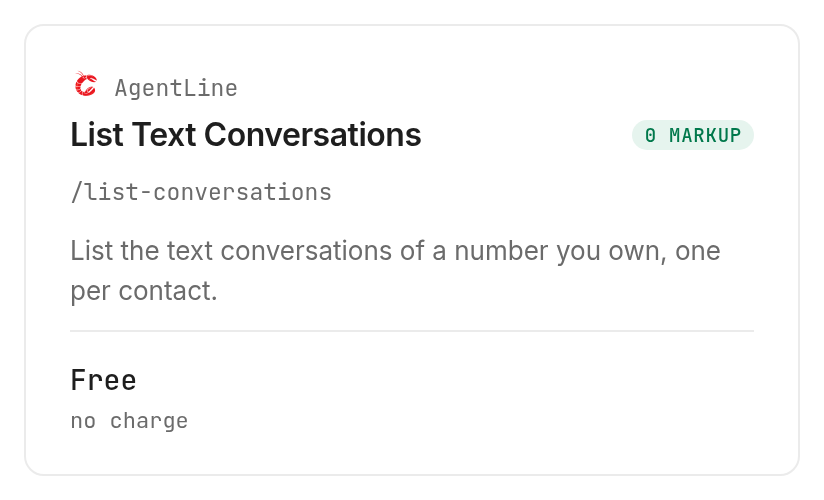
Select an identifier from the actual returned response, then use the accepted conversationId input on the AgentLine message reader. Do not manufacture a conversation identifier from a contact name.
How do you store and refresh the results?
Preserve the actual response first, then build your message table from fields it contains. The tested inventories returned empty arrays, so this guide includes no populated message export or claimed message response field names.
Preserve execution evidence
Keep the run identifier, provider, operation, status, and returned output together. These execution fields appeared in today's tests and distinguish a completed empty inventory from an incomplete request.
Add your collection timestamp and readiness decision as application metadata. Keep those labels separate from provider data so a future maintainer can identify what the source returned and what your code inferred.
When you have message records, inspect the first real response before designing export columns. Preserve original identifiers and values, then create a derived view for summaries or routing decisions. Prose in a tool description does not establish that a particular response field was present.
Refresh without repeating actions
A scheduler can invoke your reader, but scheduling belongs to your application. These calls do not install a schedule, subscribe to inbound events, or create a background process.
Before repeated reads feed another action, define how your application recognizes already processed records. Keep a checkpoint only after the next stage succeeds. If the response lacks a stable identifier, resolve that design question before allowing automated follow-up.
For an empty inventory, disable the message-reading branch and surface a configuration task. Repeatedly asking the model to interpret that same inventory adds no evidence about SMS activity.
Which tool should you choose for each job?
Choose an inventory read first, then a history read for the same provider. The labels below describe exactly how far this walkthrough reached.
| Use case | Best endpoint | Why? |
|---|---|---|
| Check Saperly readiness | Saperly /list-numbers | Tested; empty inventory. Verified 2026-10-30, $0.00 |
| Check AgentLine readiness | AgentLine /list-numbers | Tested; empty inventory. Verified 2026-10-30, $0.00 |
| Read Saperly history | Saperly /list-messages | Inspect only; requires owned number. Verified 2026-10-30, $0.00 |
| Page through AgentLine texts | AgentLine /list-messages | Inspect only; accepts limit and offset. Verified 2026-10-30, $0.00 |
| Choose an AgentLine thread | AgentLine /list-conversations | Inspect only; requires owned number. Verified 2026-10-30, $0.00 |
The tool catalog (monid.ai/tools) is the place to inspect the current operation and billing shape before execution. Today's inventory results establish only what these two successful reads cost.
When should you use something else?
Use your existing phone integration when it already reaches the inbox you need. This is the Monid blog, and the limitation is concrete: the inspected readers require provider-owned identifiers, not arbitrary mobile numbers or access to your handset's inbox.
Saperly fits the Saperly number you own; AgentLine fits the AgentLine number you own. Neither inspected history input transfers a number between providers, provisions an inbox, or sends a reply.
Choose a separate workflow for instant notification, sending, or number setup. Those are different jobs from listing history. Establish resource and permission requirements before connecting that job to a summarizing agent.
Conclusion
You have a repeatable readiness check and a choice of SMS reader once an owned number exists. Our inventory reads returned no numbers, so the correct outcome was to stop before message retrieval; no time saving was measured, and the pitch's one-minute setup budget assumes a key is already available. Use Monid for compatible tool calls, preserve the response, and let your agent act only on messages your application has retrieved. Your next decision rests on an identified inbox rather than an invented reply.
FAQ
Are reads free?
Listed reads cost zero, Verified 2026-10-30. Phone service is separate.
What do I install?
The CLI or the agent setup skill.
Is code required?
An agent can check inventory from the prompt.
How many messages?
AgentLine accepts limits from 1 to 200.
Are failures billed?
These successful tests do not establish failed-read billing.
Can I schedule reads?
Yes, with your application's scheduler.
What rules apply?
Rules vary by location. Check your requirements; process authorized inboxes only.
Published October 2026.