How to Use a Google Maps Scraper for Clean Tables
Collect local listings, preserve place identifiers, and export a checked table with ratings, website coverage, and opening hours.
Get a checked local-listing table before collecting a larger area. Paste this into your agent:
Set up https://monid.ai/SKILL.md, and then use Monid to find three public libraries in Austin, TX, USA. Inspect the Google Maps listing tool first. Return position, category, rating, review count, website presence and Sunday hours. Preserve place identifiers in the export, flag missing fields, and do not invent values or collect review text.
Planning estimate: 1 min setup · 1-2 hrs saved across repeated batches; assumptions below.
Operations analysts using a Google Maps scraper need more than a column of business names. Start with a three-location pilot: copying a rating is easy, but keeping its review count, location identifier and opening hours attached to the same row takes a deliberate structure.
A pasted list loses that structure when a name repeats or a field is absent. A successful search also does not establish that you collected every location in a city, or that a listing's hours match the hours posted at the door.
We'll use Monid, the OpenRouter for agent tools, to retrieve structured listings, then ask an agent to check and export them. Monid covers retrieval and billing; your agent or script handles the table checks and CSV export. The finished artifact is a small, inspectable dataset, not a complete city census.
- Define one category and location.
- Check the returned fields before expanding the search.
- Export identifiers alongside the columns your team reads.
The preview below comes from our November 9 test. Row labels replace listing names; no contact details appear.
| Returned position | Rating | Review count | Website present | Sunday hours |
|---|---|---|---|---|
| 1 | 4.7 | 1,826 | Yes | 12 to 5 PM |
| 2 | 4.3 | 165 | Yes | 12 to 5 PM |
| 3 | 4.6 | 114 | Yes | Closed |
How to use a Google Maps scraper with Monid
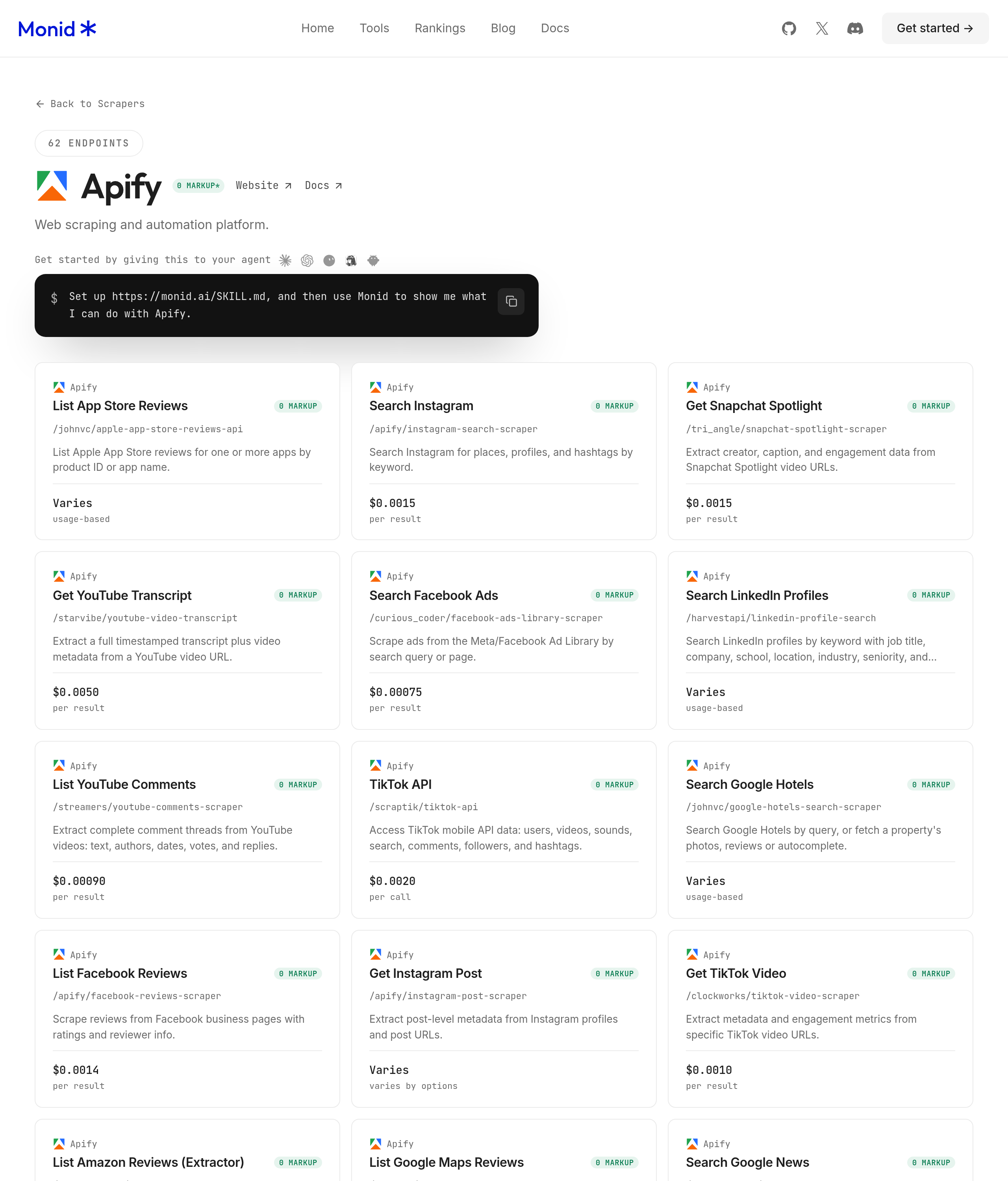
Start with a narrow query and a small result cap. Monid gives your agent the discover, inspect and execute workflow under one key and balance; an endpoint is the individual callable tool that performs the search.
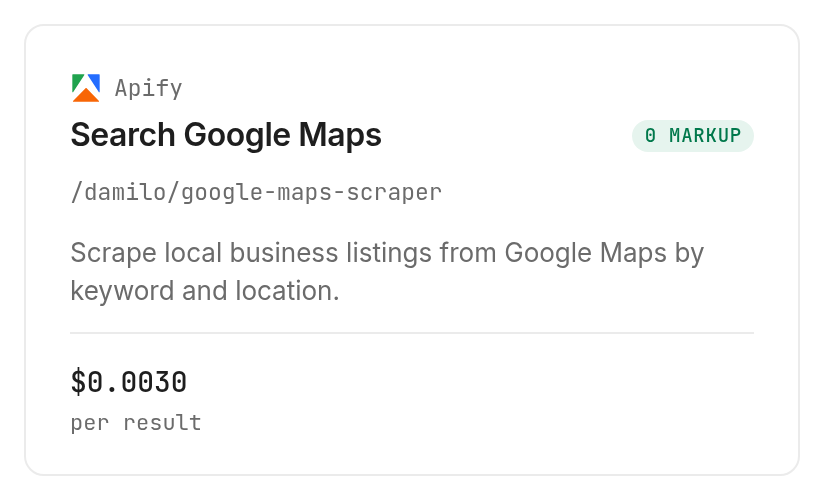
We used Apify's listing scraper through Monid, specifically /damilo/google-maps-scraper. Its provider documentation describes keyword-and-location listing collection. The instructions below use the fields accepted by the live input schema.
Step 1. Install and add your key
Set up the connection once, then give the agent the task rather than manually copying individual listings. Keep your key in the agent's credential configuration, outside exported spreadsheets.
For agents
Get an API key at app.monid.ai, then paste this into your agent and provide the key through its credential flow:
set up https://monid.ai/SKILL.md
The agent quickstart explains the setup.
For humans
Install the CLI and store your key locally:
npm install -g @monid-ai/cli
monid keys add -k <your-api-key> -l main
The CLI quickstart covers terminal setup.
Step 2. Give your agent a bounded search
Use query: public library, location: Austin, TX, USA, language: en and max_results: 3 for the pilot. The category defines the task, the full location removes ambiguity, English keeps labels consistent, and the cap limits both inspection work and per-result spend.
Search public library in Austin, TX, USA, in English, with max_results set to 3. Keep the original ordering. For every result, check whether website, placeId, cid, ratingCount and openingHours are present. Report absent fields separately from fields whose value is zero.
Step 3. Collect the small sample
Ask the agent to execute the inspected listing tool once and wait for completion. Our call returned three records with a completed status and HTTP 200; execution took 5.599 seconds from the recorded start to completion timestamps.
Step 4. Read and export the table
Ask for the preview columns above plus a private export containing title, placeId, cid, latitude, longitude and the original openingHours object. Keep source identifiers as text so spreadsheet software does not round a long numeric-looking identifier.
The three returned records all had category Public library, a website, coordinates, opening hours and both identifiers. Only one had a description field: leave that cell blank for the other two rather than generating descriptions from their names.
This guide stops at a checked table you can inspect before scaling collection.
How do you read the results?
Read these rows as a search snapshot, with explicit missing values and stable source identifiers. The sample establishes what came back for this query; it does not establish city coverage, listing accuracy or a ranking benchmark.
Keep search position separate from quality
Position one had rating 4.7 and 1,826 reviews; position two had 4.3 and 165; position three had 4.6 and 114. This sample was not ordered by descending rating, so keep position and rating as separate columns.
If you later sort by review count, label that view as your own sort. Preserve the original position in the underlying dataset, because otherwise a teammate cannot distinguish source order from your ranking rule.
Treat missing data as a review queue
A missing description is a missing description, not evidence that the library lacks services. Likewise, website presence describes the returned field; it is not a test of whether the site loads, belongs to the listing or accepts enquiries.
Our editorial recommendation is to separate collection from verification. First check whether each field exists, then perform the additional checks required by your business decision. Do not silently substitute a guessed website or a summary generated by an AI model.
Use hours for screening, then confirm the visit
The returned Sunday hours split the sample into two open listings and one closed listing. That is useful for a preliminary Sunday shortlist, while the original weekly object preserves the other days for a different view.
Before arranging a visit, confirm the selected location's current hours with the institution. This workflow retrieves a listing snapshot; it does not contact the location or confirm holiday exceptions.
Ratings and review counts also do not contain the reviews themselves. Keep the listing table separate from qualitative research.
How much does it cost?
The tested listing tool costs $0.003 per returned result, Verified 2026-11-09. Discover and inspect are free; executing a tool is the paid step. The Monid tools catalog is the current selection surface.
Read the successful charge by returned rows
Our three-result call billed three units. The recorded total was $0.009, Verified 2026-11-09, with no additional charge shown in that run record. We made one paid call for this guide.
Keep a separate ledger for raw rows collected and unique rows retained after cleaning. Deduplication happens after retrieval, so a repeated place across two paid searches still represents collected output rather than a new free search.
Match the billing shape to the collection plan
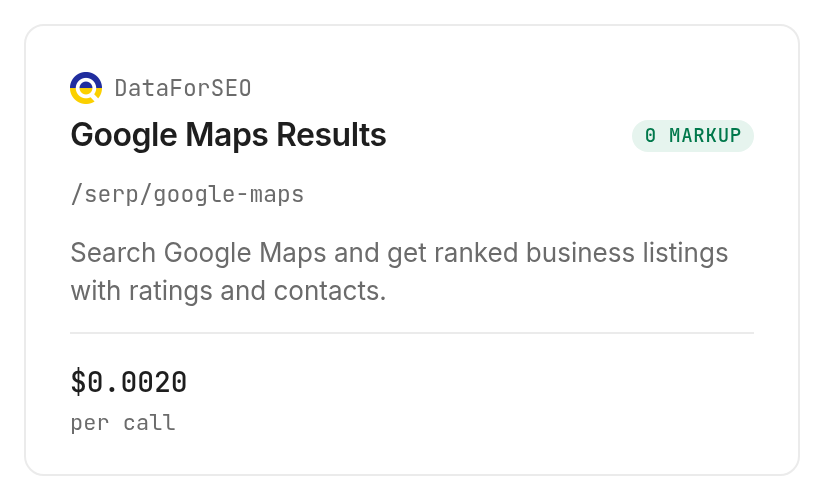
The inspected DataForSEO Maps search, /serp/google-maps, lists $0.002 per call, Verified 2026-11-09. Its pricing notes specify billing per page of 100 results, with each further page adding the same price.
That route is inspect-only in this guide because it has a page billing unit. Its schema accepts a keyword, location targeting and depth; we do not present its declared output as measured data or combine it with the tested result table.
A small depth is not a promise of proportional per-row billing. Design the search plan around the stated billing unit, then record the charge from each completed execution before expanding the next batch.
How do you export the results in your own code?
Use the same bounded input, retain the returned JSON, and create a separate CSV view. The CLI command below reproduces the tested request; it does not require you to implement browser scraping.
Discover and inspect before executing
The free checks establish availability, input names and billing before you spend. Use the schema's max_results field for the tested Apify listing tool.
monid discover -q "google maps scraper" -l 5 -j --include-unavailable
monid inspect -p apify -e /damilo/google-maps-scraper
Execute the bounded request
Pass the JSON body with -i, and use -w to wait for the completed result. Save the response after completion if you need to build a repeatable export.
monid run -p apify -e /damilo/google-maps-scraper \
  -i '{"query":"public library","location":"Austin, TX, USA","language":"en","max_results":3}' \
  -w -j
Our completed response had output as an array, with resultCount: 3 and billedUnits: 3. Read those separately: one describes returned volume, the other billing.
For an asynchronous job, retrieve its existing result rather than submitting the search again:
monid runs get -r 01M70HC7JJ66WTQBFP81B15WC8
That identifier belongs to this test and requires access to its workspace. Use your own returned identifier when retrieving your execution.
Flatten a readable view without losing the source
Build CSV columns from position, title, type, rating, ratingCount, website, placeId and cid. Add a derived website_present boolean and a Sunday column read from openingHours.Sunday; label these derived columns in your data dictionary.
Keep the raw weekly-hours object in JSON rather than stuffing every day into one ambiguous text cell. When exporting strings, use a CSV library that quotes delimiters and line breaks, and import identifiers as text.
Before combining searches, compare placeId values and flag repeated identifiers. Keep category, location and collection timestamp as your own job metadata so a later user can trace each row back to the query that produced it.
Which tool should you choose for each job?
Choose the tested listing route for this table and inspect a different search shape only when the task requires it. The table distinguishes measured output from schema-only selection.
| Use case | Best endpoint | Why? |
|---|---|---|
| Small keyword-and-city listing table | Apify listing search, /damilo/google-maps-scraper | Tested with three records and identifier coverage; per result, $0.003, Verified 2026-11-09 |
| Coordinate-targeted Maps search | DataForSEO Maps search, /serp/google-maps | Inspect only; schema accepts coordinates and depth, billed per page of 100, $0.002, Verified 2026-11-09 |
Neither row is an endorsement of complete coverage. Choose by required input shape, fields, billing unit and the result of your own bounded pilot.
When should you use something else?
Use Google Maps itself when your task is choosing a destination or navigating to it. A listing export does not provide interactive route guidance, and this collection workflow does not replace a navigation app.
You are reading the Monid blog, and Monid sells access to the provider tools discussed here. Choose direct Apify access when your team wants to operate specifically inside that provider's environment; choose the intermediary when the task belongs in an agent workflow sharing a key and balance with other tools.
For a Google Maps scraper alternative focused on lead generation, compare the browser extension, Python script and marketplace routes in our local business lead-list guide. Its job is collecting business phone, website and address columns for prospecting; this pilot checks a smaller table before choosing a larger collection workflow.
Separate Google Maps listings from review history
A different task is pulling Google Maps reviews for sentiment analysis. Business listings contain ratings and review counts, while review history contains the text needed to analyse complaints. Our explanation of why listing searches and review collection need separate tools covers that split. Do not treat a listing scraper as a full review-history scraper. A restaurant research project needs one table of businesses and a separate collection of reviews attached to the selected places. A gym directory needs location discovery first; a complaint analysis needs review text instead. Choosing the wrong tool leaves you with a star rating when the task calls for actual customer comments.
Keep that boundary in your agent prompt: collect listings now, exclude review text, and stop after the requested maximum. If you later add review analysis, discover and inspect a tool for that separate job, set its own budget, and join its output through the place identifier. A successful listing search alone supplies no full review history.
Use the institution's own website or direct contact for final visit arrangements. Our measured limitation is concrete: a three-record search gives three listing snapshots, not confirmation of current opening hours or proof that every library was collected.
Conclusion
You now have a repeatable way to collect a small listing table, retain its identifiers and separate missing fields from real values. The planning estimate of 1-2 hours saved assumes ten repeated batches that each avoid 6-12 minutes of manual copying; the one-minute setup allowance excludes account creation and is not a measured onboarding result. Start with three rows, inspect the export, and increase collection only after the table answers your actual research question. You get a traceable dataset your team can check and reuse.
FAQ
Is a Google Maps scraper free?
Discovery and inspection are free through Monid; the tested listing collection is paid per result. The listing price on the tools page shows $0.003 per result, Verified 2026-11-09. Set a small cap before collecting.
Do I need to install software or write code?
You can give the task to an agent using the setup prompt. Terminal users install the CLI and add an API key. CSV formatting and checks remain part of your agent or script's workflow.
How many listings can I collect at once?
The tested tool accepts max_results, and our request for three returned three. Its schema defaults to 100 and specifies a minimum of one; this test establishes no larger successful batch size or complete-city guarantee.
Does a failed search or an empty result cost money?
This test establishes billing only for a successful nonempty search: three returned rows and three billed units. Read your completed execution's status, result count and cost separately. Do not infer a refund or an empty-result charge from this sample.
Can I schedule the same search?
You can arrange repeated CLI calls with your own scheduler. Scheduling, deduplication and CSV delivery belong to your automation; each execution is a fresh collection job. Keep timestamps and source identifiers so repeated snapshots remain distinguishable.
Is a google maps alternative the same as a scraper?
A navigation alternative and a listing scraper serve different tasks. This guide exports structured listings; it does not replace maps, directions or route planning. Define the artifact you need before selecting software.
Which google maps alternatives help with listing research?
For this research workflow, compare keyword-and-location retrieval with coordinate-targeted retrieval. The first was tested here; the second was inspected only. Neither replaces a consumer mapping application. Rules vary by location, so check the rules that apply to your collection and use.
Published November 2026.


