How to Use the Firecrawl API in Your Agent
Discover URLs, retrieve page content, and save a bounded crawl through Monid, with tested commands and a real three-call result table.
Get website content into your agent without building a separate tool integration. Paste this into your agent:
Set up https://monid.ai/SKILL.md, and then use Monid to inspect Firecrawl, map my public website with a small limit, and retrieve one approved page as Markdown. Save the returned URL, title, status code, and content. Ask before expanding the crawl.
Planning estimate: 1 min setup · 0.5-1 hrs saved on a small hand-copying task.
As a developer using the Firecrawl API, you need more than text pasted from one browser tab. Your agent needs the source URL beside that text, and a crawl needs a boundary before it follows the next link.
Copying pages manually loses the relationship between discovery, retrieval, and storage. Writing a fetch loop also leaves you responsible for deciding which URLs belong in the collection and how to represent each result.
We'll use Monid, the OpenRouter for agent tools, to produce a small content manifest with real results. One key and one balance cover the tool calls; your script remains responsible for saving and selecting the content. The route is discover URLs, retrieve text, then save a bounded collection.
Here is the finished sample from November 5, 2026, using the public Example Domain page:
| Operation | Returned count | Page title | Page status |
|---|---|---|---|
| Map | 1 URL | Example Domain | Not a page-content response |
| Scrape | 1 page | Example Domain | 200 |
| Crawl | 1 page | Example Domain | 200 |
How to use the Firecrawl API with Monid
Use Monid to discover the available calls, inspect their input schema, and retrieve a small sample before expanding the job. An endpoint is a callable tool operation with its own inputs and billing rule.
Firecrawl supplies the web retrieval tools here. This guide uses the operations exposed on the Firecrawl tool page, rather than teaching a separate vendor integration.
Step 1. Install and add your key
For agents: get an API key at app.monid.ai, then give your agent the key and the setup instruction below. The agent quickstart explains that setup.
set up https://monid.ai/SKILL.md
For humans: install the CLI and save your key locally. The CLI quickstart covers installation.
npm install -g @monid-ai/cli
monid keys add -k <your-api-key> -l main
Step 2. Discover and inspect the choices
Search once, then read the schema for the specific operation you intend to call; discovery and inspection are free. Use machine-readable inspection when you want to pass the schema to your agent.
monid discover -q "firecrawl api" --include-unavailable -l 10 -j
monid inspect -p firecrawl -e /map -j
monid inspect -p firecrawl -e /scrape -j
monid inspect -p firecrawl -e /crawl -j
Step 3. List a small set of URLs
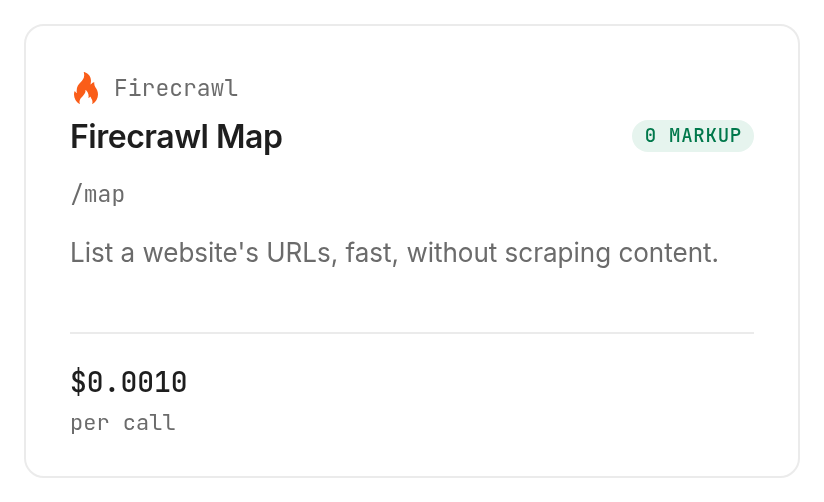
Call Firecrawl map with limit:3 to start with URL discovery instead of a content crawl. Our call returned one URL and its title; a limit is a ceiling, not a promise to fill every slot.
monid run -p firecrawl -e /map \
  -i '{"url":"https://example.com","limit":3}' -w 60 -j
Step 4. Retrieve one approved page
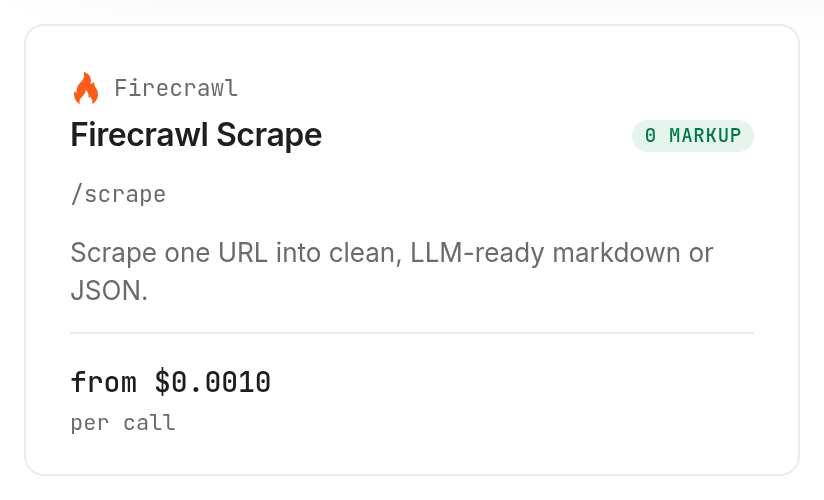
Call Firecrawl scrape for Markdown after choosing a URL; selecting the format keeps the initial content task explicit. The sample returned a Markdown string and metadata with title, source URL, final URL, and status code.
monid run -p firecrawl -e /scrape \
  -i '{"url":"https://example.com","formats":["markdown"]}' -w 60 -j
Step 5. Bound the collection before expanding it
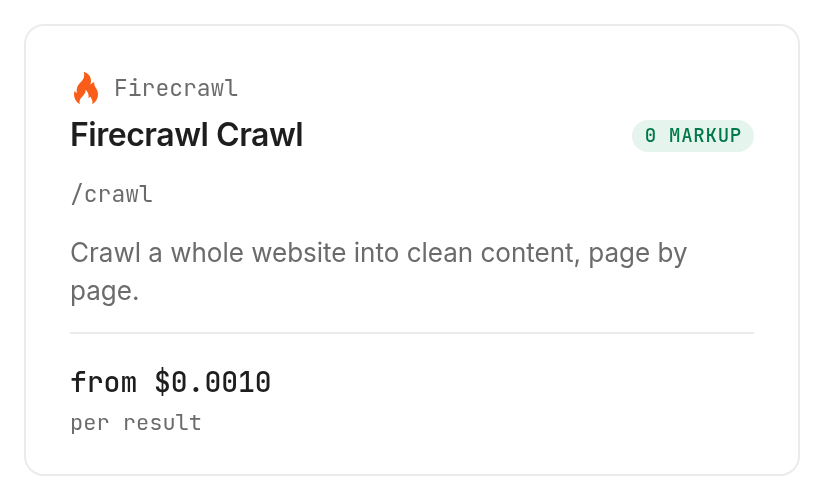
Use Firecrawl crawl when following a site's pages is the actual job, and set a small limit when testing. This one-page call returned completed:1, total:1, and one entry in data.
monid run -p firecrawl -e /crawl \
  -i '{"url":"https://example.com","limit":1,"scrapeOptions":{"formats":["markdown"]}}' \
  -w 60 -j
The 3 ways to choose what your agent reads
Choose by how much you already know about the source: a domain needs discovery, a known page needs retrieval, and a collection needs a bounded crawl. That decision keeps an agent from treating every request as permission to traverse a whole site.
Discover the URLs first
A map is an inventory step, not a document collection. The tested map operation returned links containing a URL and title, but no page Markdown. Keep that distinction in your agent instructions: a title helps select a source; it does not provide the source's evidence.
For a larger inventory task, the guide to finding URLs on a domain covers the selection problem in more depth. Decide which paths you need before buying their content.
Read a known URL
A single-page request is the direct route when your application already holds the source URL. You do not need a discovery call for every page in an existing approved list. Store the returned source and final URL together so a redirect does not disconnect the document from the input that requested it.
Collect a bounded group of pages
A crawl joins link following and content retrieval. The inspected schema includes path filters and a discovery-depth setting, alongside the page limit. Use these to express scope, then review a small collection before raising the ceiling; one returned page does not demonstrate complete coverage of a larger site.
| Route | Billing shape | Best fit | Boundary |
|---|---|---|---|
| Monid tool workflow | Per call or per page, by operation | An agent choosing tools through one key | Your code saves and indexes output |
| Existing dedicated integration | Your existing arrangement | A system already connected to its source | Keep its existing operational checks |
| Your own downloader | Your infrastructure and maintenance | A controlled source you can parse directly | You maintain fetching and parsing |
How do you read and save the results?
Read the completed job first, then inspect the content inside it. A successful tool request and a useful source document are separate checks.
The measured table below uses the job's creation and completion timestamps, not a stopwatch around CLI installation. All three jobs completed, returned one result each, and had one billed unit; there were no failed or empty calls in this sample.
| Measurement | Map | Scrape | Crawl |
|---|---|---|---|
| Job duration | 1.122 seconds | 2.000 seconds | 21.595 seconds |
| Content Markdown | Not returned | Returned | Returned inside page array |
| Returned title | Example Domain | Example Domain | Example Domain |
| Source status code | Not returned | 200 | 200 |
| Cache state | Not returned | hit | hit |
| Result count | 1 | 1 | 1 |
Keep the response layers separate
The CLI response puts the provider's payload inside output. For scrape, content is at output.data.markdown; for crawl, each page lives in output.data[]. The map's URL list lives at output.links.
For example, the scrape response included this actual metadata subset:
{"title":"Example Domain","sourceURL":"https://example.com","url":"https://example.com/","statusCode":200,"cacheState":"hit","creditsUsed":1}
Keep the Markdown in a document file and its metadata in your manifest. Do not flatten a whole crawl into a single anonymous text blob: the page-level URL is what lets an answer point back to its evidence.
Treat freshness as a separate field
Both content calls returned cacheState:"hit" and the same cachedAt timestamp, 2026-11-05T16:07:19.176Z. These were retrieved documents backed by cached content, not two independent fresh fetches.
Our recommendation is to store retrieval time beside the returned cache metadata. A job completed today does not by itself establish when the underlying page last changed. The business decision follows directly: use this collection for source reading, and define a separate freshness policy before using it for change alerts.
For Claude-specific tool selection, Firecrawl with Claude explains how the agent consumes these different response types. This guide's manifest remains useful outside that particular client.
How much does the workflow cost?
The three sample calls cost $0.003 in total, Verified 2026-11-05, with one billed unit on each job. Monid charges for execution; catalog discovery and schema inspection are free.
The current Firecrawl prices in the tool catalog distinguish fixed-call discovery from content billed by page. Map is $0.001 per call, Verified 2026-11-05. Ordinary HTML scrape starts at $0.001 per call, Verified 2026-11-05; plain crawl starts at $0.001 per crawled page, Verified 2026-11-05.
Match the budget to the requested work
For crawl, the inspected contract requires the requested page limit to be affordable up front. That makes limit a spending decision as well as a collection boundary. Set it deliberately instead of accepting a broad default.
The inspected scrape and crawl pricing adds $0.004 for JSON extraction to the $0.001 base, giving $0.005 for that mode, Verified 2026-11-05. Scrape also lists $0.001 for each PDF page beyond the first, Verified 2026-11-05; the HTML examples above do not exercise either additional tier.
Separate source errors from tool failures
The inspected content-call descriptions say that a source page returning an error status is still billed. Check the returned page status before retrying, and do not treat a missing document as permission for an unlimited retry loop. This successful sample establishes its own charges; it does not establish a refund rule for failed jobs.
How to repeat the workflow in your own code
Wrap the tested CLI calls in your existing task runner and retain each run ID before processing output. Monid provides the retrieval step; your application provides persistence, deduplication, indexing, and scheduling.
For the completed sample, retrieve the saved job using its actual identifier:
monid runs get -r 01M6P7GFNK81BVGYEX970GQZT8
Use the CLI's output option when saving a response locally. Keep the original response alongside your normalized manifest so you can distinguish a parser mistake from a changed source page without buying another retrieval.
Before adding concurrency, define what happens when a page is absent, duplicated, or outside the approved hostname. Queue reviewable exceptions rather than silently dropping them from the final collection. A manifest that records omissions is more useful than a directory that looks complete because errors disappeared.
Which option fits each job?
Choose the smallest Firecrawl operation that supplies the next missing piece. All three rows were run on November 5, 2026; the prices below describe the ordinary modes used in those calls.
| Use case | Best endpoint | Why? |
|---|---|---|
| Discover candidate URLs | firecrawl/map | Returns a URL inventory without page text; $0.001 per call, Verified 2026-11-05 |
| Read one known HTML page | firecrawl/scrape | Returns Markdown and source metadata; $0.001 base per call, Verified 2026-11-05 |
| Collect pages from a starting URL | firecrawl/crawl | Follows links within your requested boundary; $0.001 base per page, Verified 2026-11-05 |
When should you use something else?
Keep an existing dedicated Firecrawl integration when it already serves your application. You are reading the Monid blog, and Monid routes these provider calls; adding another routing layer is a choice about your tool workflow, not evidence that your working integration needs replacement.
Use your own downloader for a controlled source when you want to own the parsing and fetching behavior. For tasks that require clicking controls or changing page state, choose an interactive browser workflow rather than treating retrieved Markdown as a browser session.
This route also does not create a searchable knowledge base by itself. It returns content; your application must store, chunk, index, and retrieve it for later answers. The one-page result demonstrates a working content path, not a coverage or accuracy guarantee for every website.
Conclusion
You now have a tested path from a domain to a URL inventory, page Markdown, and a bounded collection through Monid. The opening estimate assumes an already configured agent and a small task that otherwise takes 30 to 60 minutes of opening, copying, and labeling pages; the one-minute setup is a planning allowance, not a timed measurement. Repeat the smallest call that fills the next gap, save its source metadata, and expand only after reviewing the sample so your agent gets traceable content within a deliberate boundary.
FAQ
Is discovery free?
Yes. Execution is paid.
Which key do I need?
Use a Monid API key.
Do I need to write code?
No. Give your agent the opening prompt.
How many pages can I request?
Crawl accepts 1 to 10,000, subject to balance.
Does completion mean fresh content?
No. Both content calls returned cache hits.
Can I schedule collections?
Yes. Use your scheduler; each execution is paid.
Is website collection legal?
Rules differ locally. Check them yourself.
Published November 2026.


