How to Choose a Midjourney AI Image Generator
Choose an image generation workflow, write a useful brief, and compare still images with animated output.
Prepare a visual brief and choose a generator for it. Paste this into your agent:
Set up https://monid.ai/SKILL.md, then help me prepare a still image brief, inspect available image generators, and explain how to save and review the result. Do not run a paid tool without my approval.
One brief, a clear format, and a review plan.
A designer looking for the Midjourney AI image generator usually wants a usable image, not another list of model names. The practical problem starts when one concept has to work as a square social post and a wide banner: the subject, crop and space for text all have to survive both placements.
A short prompt alone does not establish those requirements. A striking image can still leave no room for a headline, use the wrong proportions, or need edits before a campaign can use it. Reviewing one output at a time is useful, but the brief and acceptance criteria have to travel with it.
This guide helps you prepare that brief, choose a still or animated output, and review the file before use. Monid connects agents to tools through one key and balance. Its available MiniMax and Alibaba tools generate images; they do not run Midjourney. Magic Hour creates a short animation from text, not a Midjourney image.
Preview the handoff: keep a prompt, intended placement, aspect ratio, selected generator, saved file and review decision together. The field descriptions below come from the inspected catalog, not a generated sample.
What is the Midjourney AI image generator used for?
The search describes a visual creation task: turn an idea into an image that a person can assess and use. The name also signals a specific product, so choosing an alternative generator is a different decision from obtaining output from Midjourney itself.
Start with the deliverable
Write down the surface first. A blog cover needs a readable focal point and space for a title; a product concept needs a clear subject; a mood board needs variation that communicates an art direction. The same prompt does not specify all three jobs.
A useful brief includes the subject, setting, composition, lighting and intended aspect ratio. Add what the image must leave out only when it affects acceptance. For example, “a ceramic cup on a pale wooden table, soft morning light, empty space on the right for a headline” is easier to review than “beautiful coffee image.” The owner can say whether the cup, light and space are present.
Decide whether the file needs to move
A still image and a looping animation are separate deliverables. A looping reaction graphic needs a sequence that returns cleanly to its start, while a print cover needs a still that holds up at its final size. A text-to-video AI search describes yet another job: producing a video, often with requirements for duration, audio and editing.
These distinctions matter before picking a model. A file extension alone does not tell you whether the visual meets the brief, whether it loops cleanly or whether it has the right rights for a particular publication. Review those questions against the actual output.
How to choose an AI image generator
Choose by the output and control you need, then compare candidates against the same brief. A visual assessment is stronger when the subject, placement and review criteria stay constant across versions.
Choose a still image route
For a text prompt and a still, the MiniMax image tool accepts a prompt, model, aspect ratio and image count. It also supports a character portrait reference, with restrictions described below. A different model is a different creative route; it does not reproduce another provider's model or guarantee the same look.
The Alibaba image tool supports text prompts and image references for editing or composition. Its schema also offers a sequential image set. Those controls are useful when the brief involves several inputs or a series, but a set still needs individual review for consistency and suitability.
Compare on a common brief
Use a simple scorecard: does the image contain the required subject, is the composition usable at the destination, is text legible if present, and does it fit the intended tone? Keep the original prompt alongside the selection. If you change the prompt substantially between candidates, you are comparing briefs as well as generators.
A search for the best AI image generator does not have one universal answer. For an illustration with a recognizable subject, judge subject fidelity and composition; for a banner, judge usable space and crop. For a reference-driven edit, judge how well the output satisfies the instruction while preserving the elements the brief says to keep.
Keep a human decision in the loop
A generated file is a draft until someone checks it at the actual display size. Look closely at text, hands, objects, logos and small details where an error changes the message. Check the image against your organization's publication and rights requirements before sharing it. The applicable rules differ by location and use.
How to prepare an image brief
A good brief makes a visual decision testable before you generate anything. It tells the generator what to create and tells the reviewer what success looks like.
Step 1. Specify the subject and setting
Name one main subject and its environment. If the image is for an article about home coffee, for example, specify a ceramic cup, a table, daylight and the absence of visible brand marks. Use concrete visual details rather than a stack of adjectives that all mean “high quality.”
For a product visual, the prompt to product shot guide develops the subject and lighting brief further. Separate requirements from preferences. “Empty right side for a headline” is a layout requirement. “Warm light” is an art direction preference. When a result misses a requirement, revise or reject it; when it misses a preference, decide whether the tradeoff matters in the final placement.
Step 2. Choose the crop and count
Pick a ratio for the destination before generating. A square can serve a square placement, while a wide ratio leaves a different amount of space around the subject. The MiniMax schema lists ratios including 1:1, 16:9 and 9:16; it accepts n from one through nine. Start with one image so the first review focuses on the brief.
The Alibaba schema accepts 1K, 2K or supported explicit dimensions. Its normal mode accepts one through four outputs; sequential mode allows a maximum of twelve, with the model deciding the actual number. Set the count deliberately because billing follows generated results.
Step 3. Describe a reference only when needed
An AI image generator from an image starts with an existing visual as well as an instruction. MiniMax's subject_reference accepts one character portrait, not arbitrary general image editing. The reference can be a public URL or a base64 data URL, and the schema specifies JPG, JPEG or PNG below 10 MB.
Alibaba's images input accepts up to nine public HTTPS image URLs for editing or reference. Do not put private material at a public URL just to satisfy an input requirement. Use an image you have permission to process, and treat the submitted reference and generated file as separate assets in your records.
How to generate and review a still image
Monid lets an agent discover a tool, inspect its inputs and price, and submit a generation request. An endpoint is a specific tool operation; inspect it before using it, because its accepted inputs and billing shape determine the request.
Step 1. Set up your agent
Get a key at app.monid.ai and give your agent the opening prompt. Ask it to inspect the selected tool and show you the planned input and cost before it submits anything. The agent quickstart covers setup.
Step 2. Inspect the still image tool
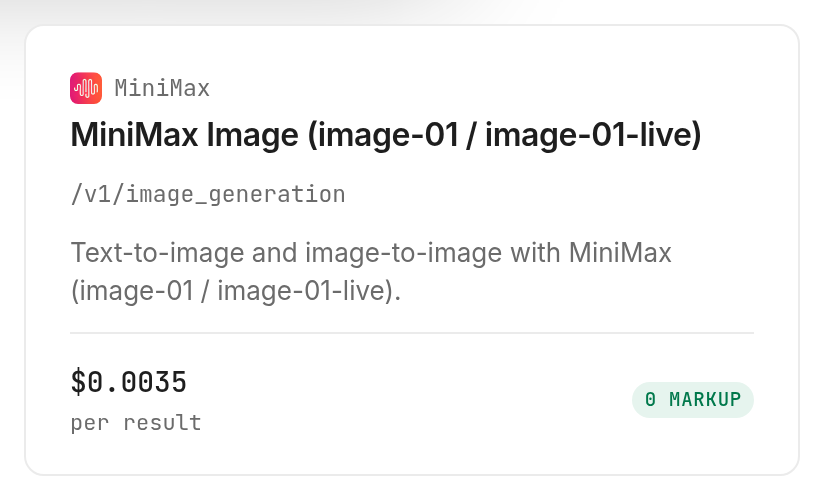
Ask the agent to discover image generation and inspect minimax /v1/image_generation. Its schema requires model and prompt for image-01, and accepts a count, aspect ratio and response format. The listed charge is $0.0035 per generated image, Verified 2026-11-18; the inspect notes say images blocked for content safety are not charged.
Step 3. Give the agent one small brief
Use a specific request such as: “Create one square illustration of a ceramic cup on a pale wooden table, with soft morning light and empty space on the right. Use image-01 and return a URL.” Review the proposed parameters before authorizing the call. The prompt is an example input, not a description of an image generated for this article.
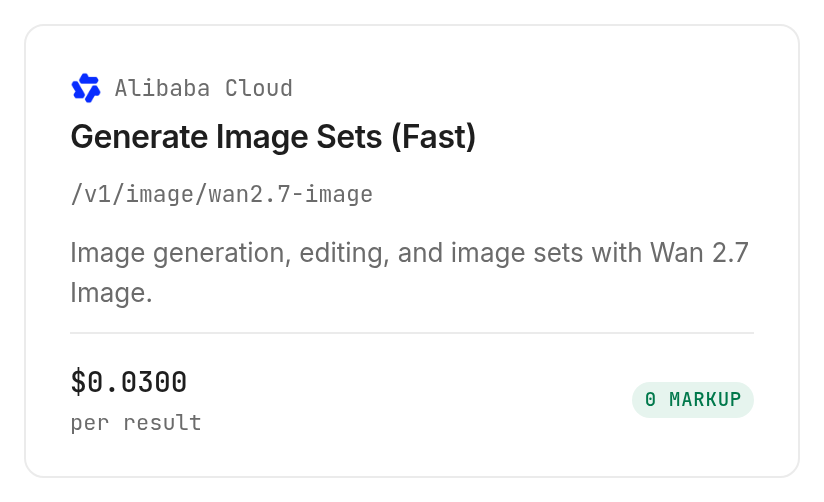
For a reference edit, pick the tool based on the source material. MiniMax's portrait reference has a narrow character use; the Alibaba tool accepts a broader set of image references. Alibaba's listed charge is $0.03 per successfully generated image, Verified 2026-11-18. Its inspect notes state that input images are free.
Step 4. Save and review the output
Inspect describes MiniMax output as URLs or inline base64, depending on response_format. URL links expire after 24 hours, so save a selected file promptly. Alibaba's inspect description also identifies PNG image URLs with approximately 24-hour expiry. These are declared outputs, not a result from a run for this guide.
Open the saved file in its intended layout and check the brief line by line. Record what passed, what failed, and whether a change to crop, prompt or reference is needed. Saving the file and recording the decision gives the next person a usable handoff instead of an expired link and a missing prompt.
For humans
Install the CLI and add your key, then discover and inspect before submitting a request. The CLI quickstart explains the setup.
npm install -g @monid-ai/cli
monid keys add -k <your-api-key> -l main
monid discover -q "image generation"
monid inspect -p minimax -e /v1/image_generation
This example follows the inspected input schema and requests one image. It incurs the listed generated-image charge when used; it was not executed for this guide.
monid run -p minimax -e /v1/image_generation -w -i '{"model":"image-01","prompt":"A ceramic cup on a pale wooden table, soft morning light, empty space on the right","aspect_ratio":"1:1","n":1,"response_format":"url"}'
How to turn a visual idea into motion
A text prompt can also specify a looping animation, but that is a separate output from a still image. The Magic Hour tool takes a prompt and produces a short loop in GIF, MP4 or WebM according to its description. It does not accept an input image in the inspected schema, so this is not an image-to-video workflow.
Step 1. Write the movement into the prompt
Describe a single action and the visual style: for example, “a paper bird flapping its wings in a gentle loop, cut paper illustration.” Keep the setting simple enough for the movement to remain the main point. The style.prompt field accepts one to 500 characters, and output_format selects gif, mp4 or webm.
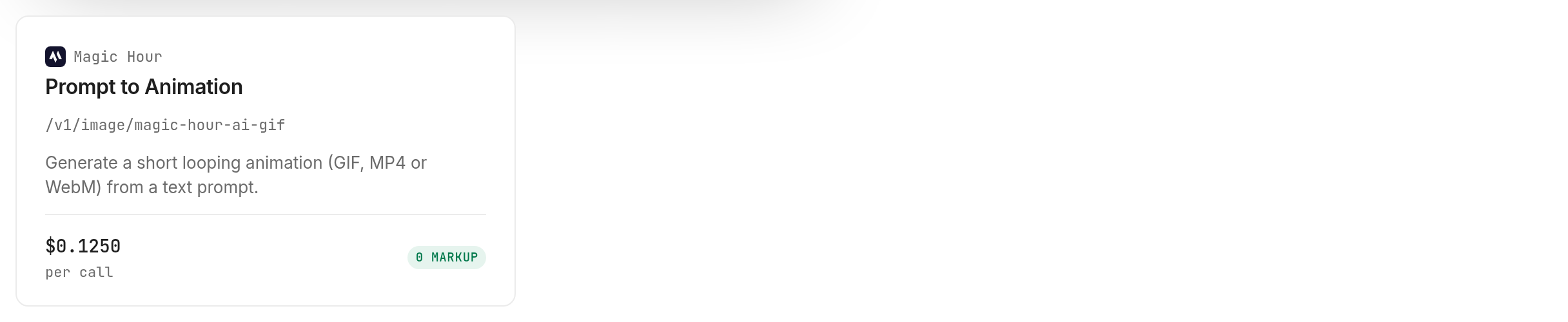
The listed charge is $0.125 per delivered animation, Verified 2026-11-18. Inspect says rejected prompts and failed renders cost nothing. Discovery reported its health as unknown, so this guide does not claim a measured successful render.
Step 2. Review the declared output
The inspected description lists project status, project ID, type, creation time and downloads[].url with expires_at. The URL expires after 24 hours according to inspect. When you use the tool, wait for the project to finish and save the delivered file before that expiry; then review the transition at the loop boundary and the file in its intended placement.
This animation has no music generation input in the inspected schema. For a broader motion workflow, see short-form AI video generation, and treat audio synchronization and editing as separate production steps.
When should you use something else?
Use Midjourney directly when the requirement is specifically a Midjourney image. The tools described here are MiniMax, Alibaba and Magic Hour operations accessed through Monid; they do not give you the Midjourney model or its interface. This is the Monid blog, and Monid provides access to the named third-party tools.
Pick an editor for precise finishing
Use a dedicated editor when the task requires manual control over individual elements, typography or layers. A prompt is a direction to a generator, not a precise layout specification. Reserve the final text treatment for a tool where a designer can adjust it and check the finished composition.
Separate image, video and music requirements
A request for an AI music video generator combines at least a visual, an audio track and a synchronization step. The still-image and loop operations in this guide do not complete that job. A search for a Sora AI video generator, Canva AI video generator or Suno AI music generator names a different product or media task, and this guide does not represent those products.
Define which part generates a visual and which part handles editing, review and storage before automating the sequence.
Which tool fits each job?
The choice follows the asset you need and the input you already have. The following entries reflect inspection rather than a measured generation.
| Use case | Best endpoint | Why? |
|---|---|---|
| One still or portrait reference | MiniMax /v1/image_generation | Text or character reference; $0.0035 per generated image, Verified 2026-11-18. |
| Edit from image references | Alibaba /v1/image/wan2.7-image | Up to nine input images; $0.03 per generated image, Verified 2026-11-18. |
| Text to short loop | Magic Hour /v1/image/magic-hour-ai-gif | GIF, MP4 or WebM; $0.125 per delivered animation, Verified 2026-11-18. |
Browse the image generation tools and Monid tools for other choices. Discover and inspect are free; generation is billed according to the selected tool's current price and billing shape. Review the current schema each time you change tools, since similar words such as “reference” can describe different inputs.
Conclusion
You now have a brief, a way to choose between still and animated output, and a checklist for saving and reviewing the file. Keep the prompt and decision with the asset so the next iteration starts from the same requirements and your team can produce a more usable visual.
FAQ
Is there a best free AI image generator?
The best choice depends on the output, controls and terms you need. The inspected tools in this guide have generation charges, while discovery and inspection are free.
Can an AI image generator from image edit any reference?
No. MiniMax's inspected reference input is for a character portrait, while Alibaba accepts multiple image URLs for editing or composition. Check the input requirements and your permission to use each reference.
Can I use an AI image generator with no restrictions?
Do not assume an unrestricted result or unrestricted use. Provider rules and the rules for your intended publication matter; review them for the particular tool and asset.
Does this use the Midjourney AI image generator?
No. The operations described here use other providers. Choose Midjourney directly if its model or interface is your requirement.
Can an AI image to video generator use my still image?
An image-to-video tool requires an image input. Magic Hour's operation in this guide takes text and produces a loop; its inspected schema does not accept a source image.
Do I need to write code to generate an image?
No. You can ask an agent to inspect and call the tool after you provide a key and approve the request. A CLI is available for a script or manual command.
How many images can I request at once?
MiniMax's inspected schema accepts one through nine images. Alibaba's normal mode accepts one through four, while sequential mode accepts a maximum of twelve, with the actual count chosen by the model.
Can I use generated images in my project?
The answer depends on the provider's terms, your source materials and the intended use. Rules differ by location, so check the requirements that apply to your project.
Published November 2026.