How to Search the TikTok Ads Library for Ideas
Build a TikTok ad research sheet with library dates, audience bands, creative details, and clear limits on what the results prove.
Build an ad research sheet without copying every field by hand. Paste this into your agent:
Set up https://monid.ai/SKILL.md, and then use Monid to search the TikTok ads library for spotify in DE. Keep library results separate from Creative Center results. Return ad IDs, audience bands, first and last shown dates, and source links. Stop after one page. Never infer spend or profitability.
1 min setup target · hrs saved not estimated for this small sample.
Growth marketers searching the TikTok ads library need more than another folder of screenshots. If you start in Top Ads without logging in, TikTok's dashboard help says you see only five ads.
A screenshot also loses the query, region and date that explain why an ad appeared. Copying a popular creative into a brief without that context turns a useful reference into an unsupported performance claim.
We'll build a research sheet that separates library evidence from creative inspiration. First choose the source, then collect a small sample, and finally turn the returned fields into review decisions.
Here is the finished sample's shape, measured on November 9, 2026. These are separate searches, not a comparison of the same advertisers.
| Research slice | Actual records retrieved | Useful evidence |
|---|---|---|
Library keyword spotify, region DE | 12 ads | Audience bands, first and last shown dates, library links |
Creative Center keyword cat toy, country US | 2 ads | Video duration, likes, creative titles |
| One selected Creative Center ad | 1 detail, checked through two tools | Landing page, comments, shares, objectives |
What is the TikTok ads library?
The TikTok ads library is a place to research commercial content; choose between the Commercial Content Library and Creative Center's Top Ads according to the question you need answered.
Choose the archive for advertiser evidence
TikTok directs readers to its Commercial Content Library for ads and other commercial content. Start there when your brief asks which advertiser appeared, what the creative said, and which dates the record reports.
Treat each row as evidence about that record. A library entry does not tell you whether the advertiser made money, whether a customer completed a purchase, or whether the same message worked for a different audience.
Choose Top Ads for creative inspiration
Top Ads is a collection of high-performing creatives, according to the dashboard help linked above. Its filters and relative performance graphs serve creative exploration, which differs from establishing a complete advertiser history.
Keep those sources in separate tabs. Calling both tabs “competitor ads” erases the distinction between an archive search and a selected collection of examples.
For organic video ideas alongside paid-ad research, use the separate guide to finding TikTok videos by keyword. An organic video result belongs in a different evidence bucket from an ad-library record.
Why do source and region change your research?
Source and region define what your search can answer, so record both before interpreting an empty result or comparing advertisers.
A country filter is part of the question
The library search used here accepts a region and describes EU and EEA coverage in its input schema. Our test selected DE explicitly; it did not test a global advertiser inventory.
The separate Creative Center search selected US and a 180-day period. Those inputs belong beside the result, even when the detail response lists additional countries for an individual creative.
Our selected detail contained 34 country codes. That is a field on one ad, not proof that the search crawled 34 separate national libraries.
A total is different from downloaded rows
The DE library response reported total: 5000 while returning 12 ads and a continuation cursor. The Creative Center response reported total_count: 296 while returning two ads.
Your research sheet contains the downloaded rows. Report the totals separately as source-reported counts; neither number means you have inspected that many creatives.
Dates support a narrow conclusion
First and last shown dates describe an observation window. They do not establish uninterrupted delivery, daily budget, or purchase volume between those dates.
If your next task is collecting a comparable archive from Meta, the guide to a Meta ad-library JSON feed covers that separate source. Preserve each advertiser, creative and platform label rather than merging records into a single unsupported “winning ads” score.
How to build an ad research sheet in five steps
Build the sheet around a question, a source and a stopping rule before collecting more examples.
Step 1. Write one decision question
Use a question such as “Which messages should our subscription team review?” or “Which pet-toy demonstrations deserve a closer look?” A decision question gives the researcher a reason to keep or discard each row.
Avoid “find winning ads.” Winning requires a defined outcome and evidence that a public creative search does not supply.
Step 2. Choose the source and geography
Use the library for advertiser and date evidence, or Top Ads for selected creative examples. Specify the country or region instead of relying on a default.
Keep keyword searches separate from advertiser searches. A keyword appearing in a creative is not the same evidence as a match to the advertiser's identity.
Step 3. Fix the collection boundary
Start with one page and a small limit wherever the interface supports it. Stop before following a cursor or requesting additional detail until the first page answers the right question.
Write the boundary in the sheet: source, query, geography, period where supplied, page, and collection date. This makes a future refresh comparable to the original collection.
Step 4. Preserve facts before adding labels
Store the source ad ID and returned fields before writing creative judgments. Keep timestamps as timestamps, audience bands as bands, and missing values as blanks.
Then add editorial columns such as hook, offer, demonstration and review decision. Those columns are your analysis, not facts supplied by the source.
Step 5. Review a shortlist before expanding
Read the creative and inspect its destination before adding it to a brief. Mark a specific reason to keep it, such as a clear product demonstration or a relevant subscription message.
The practical output is a smaller review queue with traceable evidence. More pages are useful only after you know what makes a row worth reviewing.
How to search TikTok ads with Monid
Monid retrieves the research records into your agent through a tool layer with one key and one balance. It covers collection and structured output; it does not deliver a complete competitor census, private campaign economics, or your creative judgment.
You are reading the Monid blog. The examples below use its available tools, and the next sections explain when the original TikTok interfaces serve the task better.
Step 1. Connect your agent or CLI
For agents: get a key at app.monid.ai, hand it to your agent securely, and paste the setup instruction.
set up https://monid.ai/SKILL.md
For humans: install the CLI and save your key locally.
npm install -g @monid-ai/cli
monid keys add -k <your-api-key> -l main
Step 2. Search one library page
Ask your agent to search spotify in DE, retain audience bands and dates, and stop after the first response. The AnyAPI library search tool, /tiktok.ad_library_search, accepts either query or advertiserName, never both; it has no input limit field.
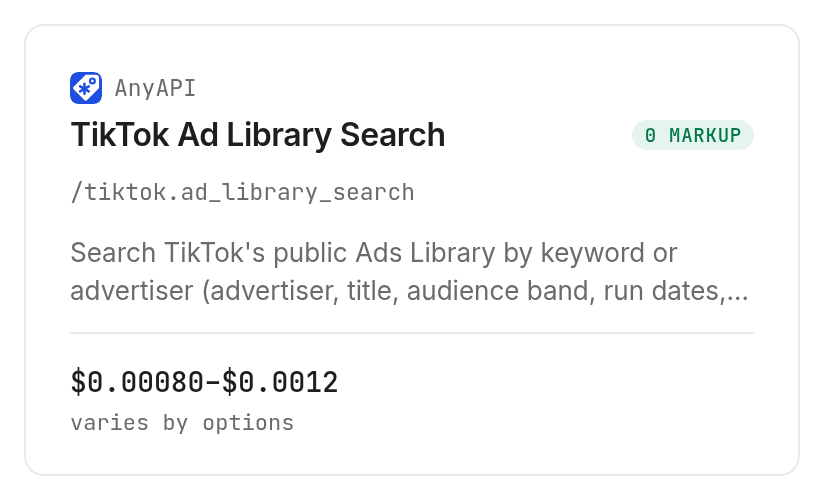
The selected badger route costs $0.0008 per call; giraffe costs $0.0012 per call, Verified 2026-11-09. These are route choices with fixed call prices, not charges for each downloaded ad.
Step 3. Add creative detail from the correct source
For the separate inspiration sample, the TikHub tools supplied /api/v1/tiktok/ads/search_ads with keyword cat toy, US, 180 days and a limit of two. We passed one returned material ID to its /api/v1/tiktok/ads/get_ads_detail tool.
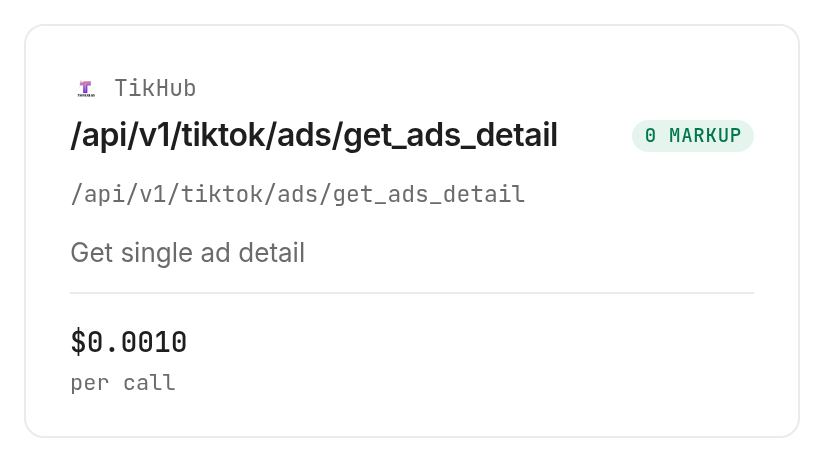
Both TikHub calls cost $0.001 each, Verified 2026-11-09. Search and detail are separate paid requests; collecting two search rows did not require two search charges.
We also checked that same Top Ads material through AnyAPI's normalized detail tool, /tiktok.ad_library_ad. Despite its name, its input requires a Top Ads material ID or URL; do not assume the library search's IDs are interchangeable.
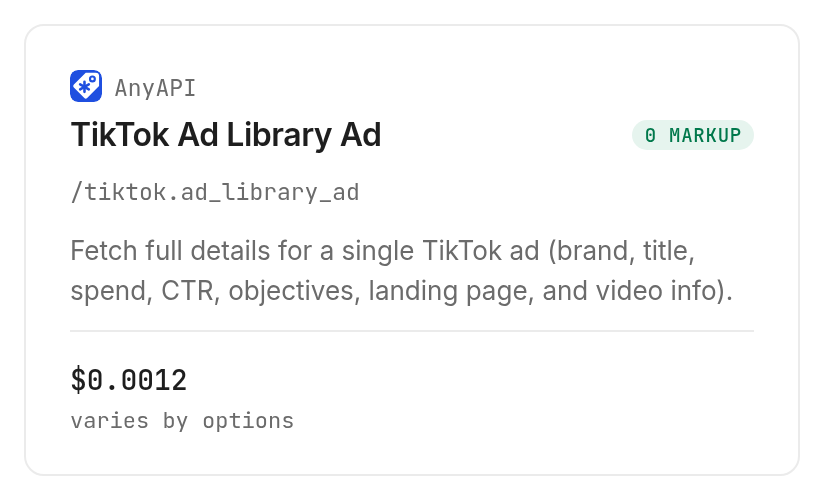
That selected tiger route costs $0.0012 per call, Verified 2026-11-09. Use one detail tool in a routine workflow; the duplicate here checked the normalized fields against the direct response.
Step 4. Export the measured sheet
Ask the agent for CSV with anonymous row labels for sharing, while retaining source IDs privately for refreshes. This excerpt contains real values and no personal data.
| Record label | Audience band | Duration seconds | Likes | Comments | Shares | Landing page present |
|---|---|---|---|---|---|---|
| Library row 1 | 100K-200K | Not returned | Not returned | Not returned | Not returned | Not returned |
| Library row 2 | 1K-10K | Not returned | Not returned | Not returned | Not returned | Not returned |
| Creative row 1, detail checked | Not returned | 30.6 | 298 | 4 | 11 | Yes |
| Creative row 2, search only | Not returned | 18.1 | 36 | Not returned | Not returned | Not returned |
All four requests succeeded. Provider execution took 5.320 seconds for library search, 2.432 for Creative Center search, 1.438 for TikHub detail and 3.426 for normalized detail. Total measured spend was $0.004, Verified 2026-11-09; these execution times exclude setup and review.
For developers
These commands reproduce the tested inputs. An endpoint is one callable tool address; inspect it before sending the paid request.
monid discover -q "tiktok ads library" --include-unavailable -l 8
monid inspect -p anyapi -e /tiktok.ad_library_search
monid run -p anyapi -e /tiktok.ad_library_search \
  -i '{"query":"spotify","region":"DE","route":"badger"}' -w -o library.json

monid inspect -p tikhub -e /api/v1/tiktok/ads/search_ads
monid run -p tikhub -e /api/v1/tiktok/ads/search_ads \
  -i '{"keyword":"cat toy","country_code":"US","period":180,"limit":2,"page":1}' \
  -w -o creatives.json

monid inspect -p tikhub -e /api/v1/tiktok/ads/get_ads_detail
monid run -p tikhub -e /api/v1/tiktok/ads/get_ads_detail \
  -i '{"ads_id":"7303018663502282753"}' -w -o detail.json

monid inspect -p anyapi -e /tiktok.ad_library_ad
monid run -p anyapi -e /tiktok.ad_library_ad \
  -i '{"adId":"7303018663502282753","route":"tiger"}' -w -o normalized-detail.json
How do you turn these results into creative decisions?
Use the rows to choose what to review, then base campaign decisions on your own tests.
The first creative had more likes than the second, but the search supplies neither a controlled experiment nor your acquisition economics. Our editorial recommendation is to compare the product demonstration, offer and destination before deciding which idea deserves a test.
Keep estimatedAudience as a range. Retain the returned ctr value as supplied rather than converting it into an invented percentage interpretation, and never turn the ordinal cost field into dollar spend.
For cross-platform reporting, preserve separate source IDs and collection boundaries. Put Meta and TikTok records in separate tabs before comparing creative themes.
Which tool should you use for each job?
Choose by source and required fields, using the TikTok tool catalog to inspect the current options.
| Use case | Best endpoint | Why? |
|---|---|---|
| Regional library research | AnyAPI /tiktok.ad_library_search | Tested dates and audience bands; badger $0.0008, giraffe $0.0012 per call, Verified 2026-11-09. |
| Small creative inspiration search | TikHub /api/v1/tiktok/ads/search_ads | Tested keyword, country and two-row limit; $0.001 per call, Verified 2026-11-09. |
| Detail for a Top Ads material | TikHub /api/v1/tiktok/ads/get_ads_detail | Tested engagement and destination fields; $0.001 per call, Verified 2026-11-09. |
| Normalized Top Ads detail | AnyAPI /tiktok.ad_library_ad | Tested camelCase fields; tiger and giraffe $0.0012 per call, Verified 2026-11-09. |
When should you use something else?
Use TikTok's Commercial Content Library for direct visual inspection and Creative Center for its interactive relative-performance graphs. Use your own campaign reporting when the question is actual spend, conversions or return on ad spend.
Monid routes third-party tools; it does not replace the underlying source or extend the library search's geographic coverage. A successful response establishes that the request completed, not that every relevant advertiser appeared.
Conclusion
You now have a repeatable research sheet with source boundaries, measured fields and review decisions. The pitch's one-minute setup is a target, not a measured onboarding result, and this small sample supports no hours-saved estimate. Choose the archive for evidence, Top Ads for inspiration, and your own campaign data for economics, so your next creative brief rests on facts you can trace.
FAQ
Is searching the TikTok ads library free?
Discovery and inspection through Monid are free; the tested collection calls are paid. Current tool prices are in the catalog. The sample's four calls cost $0.004, Verified 2026-11-09.
Do I need to write code to export TikTok ads?
No. Give your agent the source, query, region and stopping rule, then request CSV. The CLI commands above serve readers who want a scripted workflow.
How many ads can I retrieve at once?
Our library call returned 12 ads, while the Creative Center call returned the requested two. The library schema offers a cursor but no limit field; follow pagination only after reviewing the first response.
Can I use this library search for US ads?
The tested library tool describes regional EU and EEA coverage and does not serve US library searches. The separate Creative Center search accepted US for selected creative examples, which is a different dataset.
Are empty results or failed requests charged?
The four successful requests were charged per call. We tested neither an empty response nor a failed request; use the returned run status and cost record to reconcile those cases instead of assuming a refund rule.
Can I schedule the same search every week?
Yes, schedule the CLI workflow in your own task runner. Preserve the query and geography, record each collection date, and deduplicate within each source by ad ID.
Is collecting TikTok ad data legal?
Rules vary by location; check the requirements that apply to your use and the source's terms. Access to a creative does not establish permission to reuse it.
Published November 2026.


