How to Search Twitter Without an Account
Search public tweets without logging in: give your agent a phrase and get a table of recent posts with author, date and engagement counts.

Turn a search phrase into a table of recent public tweets, with no Twitter account and no login. Paste this into your agent:
Set up https://monid.ai/SKILL.md, and then use Monid to search Twitter for "<your phrase>" in English, without replies. Give me one table of 20 recent public posts: a text snippet, the author's public account name, the date and time, and likes, replies, reposts and views. Add the date range the posts cover and what the search cost.
One prompt turns a phrase into a table of tweets. 1 min setup · 1-2 hrs saved.
If you are a marketer checking how a launch landed, a journalist watching a story or a researcher collecting posts on a topic, you probably want to search Twitter without an account: you do not have one, or you do not want to sign in with a personal one for work. So you scroll, copy the text, the handle, the date and the counts into a sheet, and for 20 posts on one topic that takes 5 to 10 minutes.
The usual alternatives each leave something out. A search page you read by eye gives you no table. A free tool that shows a few results does not give you the date, the view count or a way to ask for more. And an account of your own means sign-ups, keys and a separate bill before you have read a single post.
This guide gets you the table. It uses Monid, the OpenRouter for agent tools: one key, one balance, every tool priced per call, run from inside your agent. Below are three real searches we ran on 2026-10-23, and what to do with each row. One limit up front: you get the recent public posts that the search returns, not a full archive of everything ever said on a topic. The short version:
| Search phrase | Posts returned | Date range of the posts (UTC) | Cost (Verified 2026-10-23) |
|---|---|---|---|
| "product launch" | 20 | 2026-10-23 22:45 to 2026-10-24 05:20 | $0.0006 |
| "World Series" | 20 | 2026-10-24 05:38 to 05:45 | $0.0006 |
| "Black Friday sale" | 20 | 2026-10-23 21:53 to 2026-10-24 05:38 | $0.0006 |
| Total | 60 | $0.0018 |
You will:
- Give your agent a phrase and, if you like, a few filters such as a date or a minimum number of likes.
- Get one table back: the post, who wrote it, when, and how much attention it got.
- Know the limits: how many posts a call returns and how far back they reach.
How to search Twitter without an account with Monid
Monid is a catalogue of data tools your agent can call, billed per call. Here the agent calls a Twitter search tool, which returns public posts as rows, and writes them into a table. You never open Twitter or log in.
Step 1. Install and add your key
Get a key at app.monid.ai, then paste this to your agent and hand it the key:
set up https://monid.ai/SKILL.md
It learns the discover, inspect and run steps itself. More in the agent quickstart.
Or install the command line tool by hand:
npm install -g @monid-ai/cli
monid keys add -k <your-api-key> -l main
Setup takes about a minute once you have a key. Looking at a tool before you use it is free.
Step 2. Give your agent your search phrase
Write the phrase the way you would type it into a search box, then tell the agent what you want back. Use a prompt like this one:
Give this to your agent
Set up https://monid.ai/SKILL.md, and then use Monid to search Twitter for 'Black Friday sale' in English without replies, return 20 recent public posts as one table with a text snippet, the public account name, the date and time, likes, replies, reposts and views, and tell me the date range the posts cover and what the search cost.A few choices are worth making on purpose:
- Use one short phrase. A search returns only posts that contain every word, so a long list of keywords can return nothing. Join alternatives with OR instead.
- Put quotes around a phrase you need exactly. We searched for "product launch" in quotes so the two words stayed together.
- Ask for English and no replies. We added
lang:enand-filter:repliesso the table holds original posts. - Add filters when you want them. The search accepts
since:anduntil:dates,from:an account, andmin_faves:for a minimum number of likes, written straight into the phrase. - Test with one call first. A call returns about 20 posts, so run one, read it, then ask for more.
For these searches the agent used the AnyAPI tool called X / Twitter Search. This is its card on the Monid tool page, with its name and path:
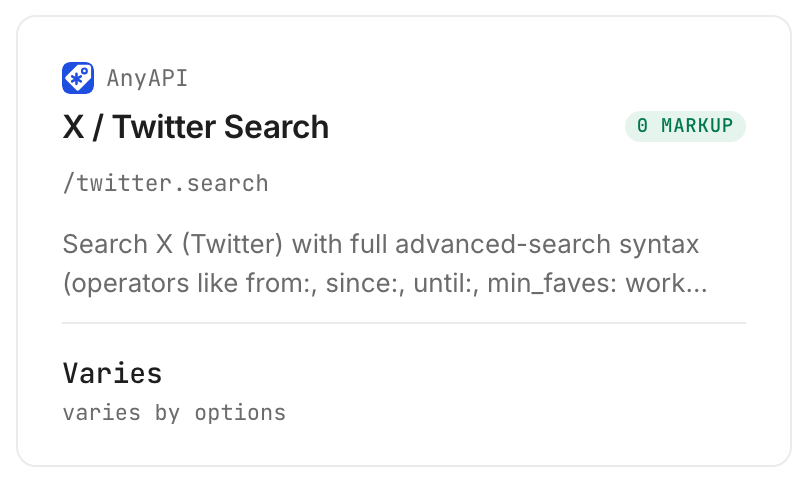
The card says Varies because the price depends on which route the tool runs on. We come back to that in the cost section.
Step 3. Run it
The agent makes one call per search. Each of our three calls returned 20 posts, newest first, and took a few seconds. The three searches billed $0.0006 each, $0.0018 in total (Verified 2026-10-23).
Step 4. Read and export the table
Here is the summary the agent handed back for the "World Series" search, with the fields that came back for every post:
| Field | What it holds |
|---|---|
text | The words of the post |
authorUsername, authorName | The public account name and display name |
createdUtc | When it was posted, in Unix seconds |
likeCount, replyCount, retweetCount, quoteCount | Engagement counts |
viewCount, bookmarkCount | Views and saves |
url | A link to the post |
The rows are not printed here, because most posts come from private individuals. This is the shape of the sheet you get, with invented placeholder rows shown for shape only:
| Snippet | Account | Posted (UTC) | Likes | Replies | Reposts | Views |
|---|---|---|---|---|---|---|
| Sample post text about the topic | @example_brand | 2026-10-24 05:40 | 12 | 3 | 1 | 4,200 |
| Another sample post | @example_news | 2026-10-24 05:38 | 0 | 0 | 0 | 31 |
Ask for a CSV and you get a file for your spreadsheet. Ask the agent to turn the Unix seconds into a readable date.
How do you read the results?
Read the table in three passes: how far back it goes, who wrote the posts, and how much attention they got. The advice in the last list is our editorial reading, not a measured effect.
How far back do the results go?
Only as far as the 20 posts reach, and that depends on how busy the topic is. The "World Series" search, a topic in the news that hour, covered 7 minutes of posts. "Black Friday sale" covered about 7.75 hours. "Product launch" covered about 6.5 hours. A quiet phrase reaches back further and a busy one reaches back less.
To go further back, ask for the next page. We followed the cursor on the "Black Friday sale" search and got 20 more posts, from 2026-10-23 18:02 to 21:10 UTC, for another $0.0006 (Verified 2026-10-23). Each page is a new call and a new charge.
Which posts does the search put first?
By default the newest. A second mode returns the most popular. We ran "World Series" with a minimum of 200 likes and a start date of 2026-10-17 in the popular mode, and got 20 posts from 2026-10-20 to 2026-10-24 with 210 to 8,796 likes. Nine of those 20 came from the league's own account. That is a useful result for a journalist who wants the posts people reacted to, and a poor one if you wanted a spread of voices.
What should you do with each row?
- A post from a brand or news account with real engagement. Keep it. This is the row the table was for: a public statement and the response to it.
- A post with no likes and a handful of views. It is real but new. Check it again tomorrow before you count it as reaction.
- A post with an empty view count. One of our 20 "product launch" posts had a
viewCountof null. Leave that cell blank, and do not read it as zero. - Posts from private individuals. Quote them as a number ("14 of 20 posts were complaints") rather than by name, unless you have permission.
Can you search for accounts instead of posts?
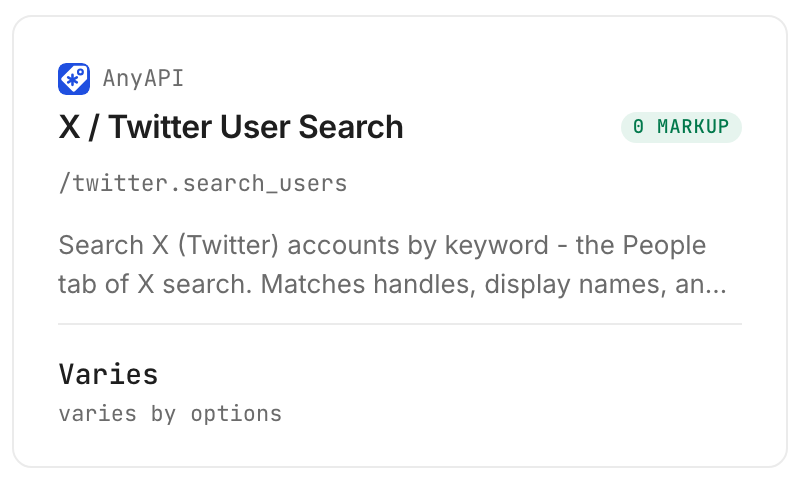
Yes. A second tool searches accounts, like the People tab of a search. We searched "Milwaukee Brewers" and got 20 accounts, with the club's official account first at 722,685 followers, followed by fan and news-feed accounts. The call cost $0.0007 (Verified 2026-10-23). It is the quick way to find the official account to use in a from: search.
How much does it cost to search Twitter without an account?
On the route we used, a search costs $0.0006 per call and returns about 20 posts, so 100 searches cost $0.06 (Verified 2026-10-23). There is no monthly plan and no minimum top-up. Our six calls, five post searches and one account search, cost $0.0037 in total.
What does the route setting change?
The price. The search tool can run on four routes, and the agent picks one if you do not. Two are billed per call: $0.0006 on the route we used, called lynx, and $0.00075 on capybara. The default route, badger, is billed at $0.0001 plus $0.0001 per result, up to $0.0051, and the fourth, octopus, adds a flat $0.0044 to a per-result charge (all Verified 2026-10-23). We set lynx on every call so the bill was one flat number. Ask your agent to name the route it uses, and to tell you the cost of each search.
Inspecting a tool is free and shows the price before you run anything.
How do you do this in your own code?
Send one JSON body per search, read data.items, and store a row per post. The table above needs none of this.
Inspecting is free:
monid inspect -p anyapi -e /twitter.search
Run a search on the flat-price route:
monid run -p anyapi -e /twitter.search -i '{"query":"\"product launch\" -filter:replies lang:en","route":"lynx","limit":20}' -w
A result comes back as {"data": {"items": [...], "nextCursor": "..."}, "found": true}. To get the next page, pass the nextCursor value back as cursor in the same body. For the most popular posts, add "queryType":"Top":
monid run -p anyapi -e /twitter.search -i '{"query":"World Series min_faves:200 since:2026-10-17 -filter:replies lang:en","route":"lynx","queryType":"Top","limit":20}' -w
Accounts use the second endpoint:
monid run -p anyapi -e /twitter.search_users -i '{"query":"Milwaukee Brewers","route":"lynx"}' -w
Three things from our runs matter:
- Dates are Unix seconds.
createdUtcof 1792819233 is 2026-10-24 05:20 UTC. Convert before you sort or chart. - Some counts can be null.
viewCountwas null on 1 of 20 posts in one search. Read each field with a default. - The route sets the bill. Without
route, the default is billed per result. Set it explicitly.
If you are comparing tools, a second Twitter search endpoint is tikhub/api/v1/twitter/web/fetch_search_timeline, billed at $0.001 per call (Verified 2026-10-23). We inspected it and did not run it. Its notes say the Latest setting is not honoured and that results are ranked by engagement, so use a date operator such as within_time:1d to keep results recent. Our write-up of a social selling search on X shows what that endpoint returned for a buying-intent phrase.
Which endpoint for which job?
| Use case | Best endpoint | Why? (prices Verified 2026-10-23) |
|---|---|---|
| Recent public posts for a phrase | anyapi/twitter.search | Returns about 20 posts a call with text, account, date and counts, ran in this guide on the flat route. $0.0006 per call on lynx |
| The most popular posts for a phrase | anyapi/twitter.search with queryType Top | Same endpoint, ranked by popularity, ran in this guide. $0.0006 per call on lynx |
| Find the official account for a brand or topic | anyapi/twitter.search_users | Matches handles, names and bios and returns follower counts, ran in this guide. $0.0007 per call on lynx |
| Compare with a second search source | tikhub/fetch_search_timeline | Engagement-ranked results, inspected only. $0.001 per call |
All Twitter endpoints are listed at monid.ai/tools/twitter. If you need the same kind of search on a different network, our comparison of social media scraping APIs covers the options.
When should you use something else?
You need every post ever written on a topic. A call returns about 20 recent posts and a cursor for the next page. That is a sample of recent activity, not an archive, and paging far back means many calls. A full historical export is a job for a data vendor or an official programme.
You want to read a live feed. This returns a table at the moment you ask. It does not stream, and it does not alert you. Run it again on a schedule.
You need private or protected accounts. A search like this returns public posts only.
One limit of ours: each search is a call with a charge, and the posts you get depend on what the search returns that minute. And the disclosure: we resell these endpoints. Whoever you use, keep the date range next to the table so a reader knows what the numbers cover.
Conclusion
You now have a way to search Twitter without an account and get a table of recent public posts back: one call per search through Monid, $0.0006 for each call on the route we ran, one key for this and every other tool, about a minute to set up and ready inside your agent whenever a topic needs checking (Verified 2026-10-23). In our three searches each call returned 20 posts and covered between 7 minutes and about 7.75 hours of posts, and the six calls we made cost $0.0037 together. How we estimated the time saved: by hand, copying 20 posts into a sheet takes about 5 to 10 minutes, so checking 10 topics each morning is 50 to 100 minutes, or 1 to 2 hours, while the 1 minute is the install, key and first call. Keep the date range next to every table, and you can tell your team exactly which hours of conversation it shows.
FAQ
Can you search Twitter without an account?
Yes, through a data tool. Monid lets your agent run anyapi/twitter.search and return recent public posts as a table, with no Twitter account and no login. In our run each search returned 20 posts for $0.0006 (Verified 2026-10-23).
Is there a free way to search Twitter without an account?
Reading a search page by eye costs nothing but gives you no table. A search through Monid costs $0.0006 per call on the route we used, with no monthly plan and no minimum top-up (Verified 2026-10-23).
Do I need to write code?
No. Paste your phrase and the prompt into your agent and it builds the table. The code section is for people who want the search inside their own script.
How many tweets does one search return?
About 20 per call in our runs: all three searches returned exactly 20 posts. To get more, the agent asks for the next page with the cursor, which is another call and another charge.
How far back do the results go?
As far as the 20 posts reach. A busy topic covered 7 minutes in our run, and a slower one covered about 7.75 hours. Add since: and until: dates to the phrase to aim at a period.
Can I search by a person's name?
Yes, with the account search. It matches handles, names and bios and returns follower counts. In our run, searching for a team name returned the team's official account first, followed by fan accounts.
Does it work for any language?
The search takes a lang: filter inside the phrase. We used lang:en on every call and did not test other languages.
Does a failed or empty search cost anything?
Every call we made billed its listed price, and none came back empty. Read the billing note from inspect before you build a loop, because the default route bills per result.
Is it legal to collect tweets this way?
Rules on collecting and reusing public posts differ by country, by platform terms and by how you use them. Check the rules that apply to you before you store or publish what you collect.
Published October 2026.


