How to Set Up a Walmart Price Tracker for Your Products
Give your agent the Walmart products you watch, get a table of today's prices, and re-run it each week to see which ones dropped.
Get a table of today's prices for the Walmart products you watch, then run the same prompt next week and compare. Paste this into your agent:
Set up https://monid.ai/SKILL.md, and then use Monid to look up the current Walmart price for each product on my list. Give me one table with the product, its price, the previous price if Walmart shows one, whether it is in stock if that comes back, and what each check cost. Append the rows with today's date to my price sheet.
One prompt turns a watchlist into a dated row of prices. 1 min setup · 1-2 hrs saved.
If you buy for your household, resell, or run a small shop, you probably keep an eye on a few Walmart products by opening each page and writing the price in a note. For 5 products that is 5 page visits a week, and by Friday you cannot say whether the number you see is lower than Monday's, because nothing kept Monday's.
A Walmart price tracker app or browser extension is meant to fix that, but most of them work on the page you have open, and a history site only knows the products it already follows. Neither gives you a table of exactly your products with a date on every row that you own and can compare next week.
This guide builds that table. It uses Monid, the OpenRouter for agent tools: one key, one balance, every tool priced per call, run from inside your agent. One honest limit first: each run reads the current price. It does not remember last week and it does not send alerts. Tracking over time means you run it again on a schedule and keep the rows, and we show how. You will:
- Name your products and let your agent look up each price.
- Get one table back with the price, any previous price Walmart shows, and the cost of the check.
- Keep the rows so next week's run has something to be compared with.
Here is a real run from 2026-10-23, one search with six rows back for $0.015 (Verified 2026-10-23):
| Product | Price returned | Cost of the check (Verified 2026-10-23) |
|---|---|---|
| Great Value Everyday Strong Paper Towels, 6 Triple Rolls | $8.12 | $0.015 for the search that returned all six rows |
| Great Value Ultra Strong Paper Towels, 12 Triple Rolls | $19.97, was $22.56 | same search |
The full six-row table is in Step 4.
How to set up a Walmart price tracker with Monid
Monid is a catalogue of data tools your agent can call, billed per call. For this job the agent calls Walmart's search once per product name and writes the answer into one row.
Step 1. Install and add your key
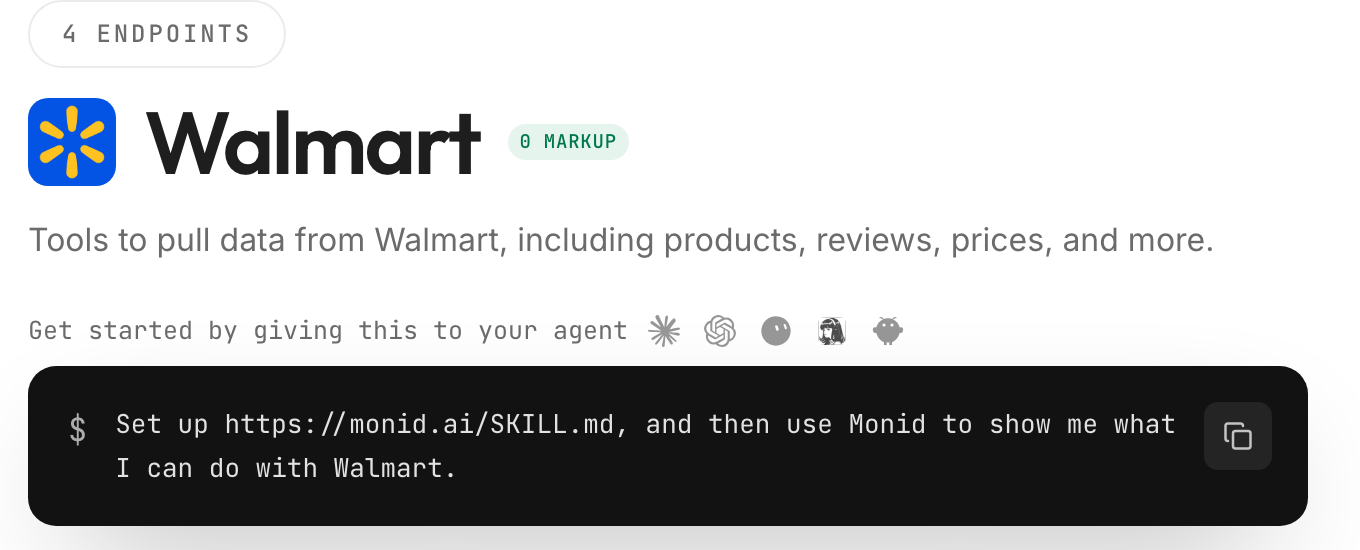
Get a key at app.monid.ai, then paste this to your agent and hand it the key:
set up https://monid.ai/SKILL.md
It learns the discover, inspect and run steps itself. More in the agent quickstart.
Or install the command line tool by hand:
npm install -g @monid-ai/cli
monid keys add -k <your-api-key> -l main
Setup takes about a minute once you have a key. Only a run bills.
Step 2. Give your agent the products
Paste your watchlist into the chat, one product per line, written the way you would type it into the Walmart search box: brand, product, size or count. For example Great Value Ultra Strong Paper Towels 12 Triple Rolls. Then use a prompt like this one:
Give this to your agent
Set up https://monid.ai/SKILL.md, and then use Monid to look up the current Walmart price for each product on my list, show the price, the previous price if Walmart lists one, whether it is in stock if that comes back, and the cost of each check, and give me one table I can paste into a spreadsheet.A few choices are worth making on purpose:
- Write the full product name with the size. The pack size decides which row is yours: a 2-roll pack and a 12-roll pack of the same towel are different rows at different prices.
- Ask the agent to keep the product ID. Every row carries a
product_id. Write it down on week one and match on it afterward, so a re-ordered result list does not swap one product for another. - Test with two products first, check that each row is the item you meant, then add the rest.
- Ask for every product, so a name that matches nothing shows up as a row, not a silent gap.
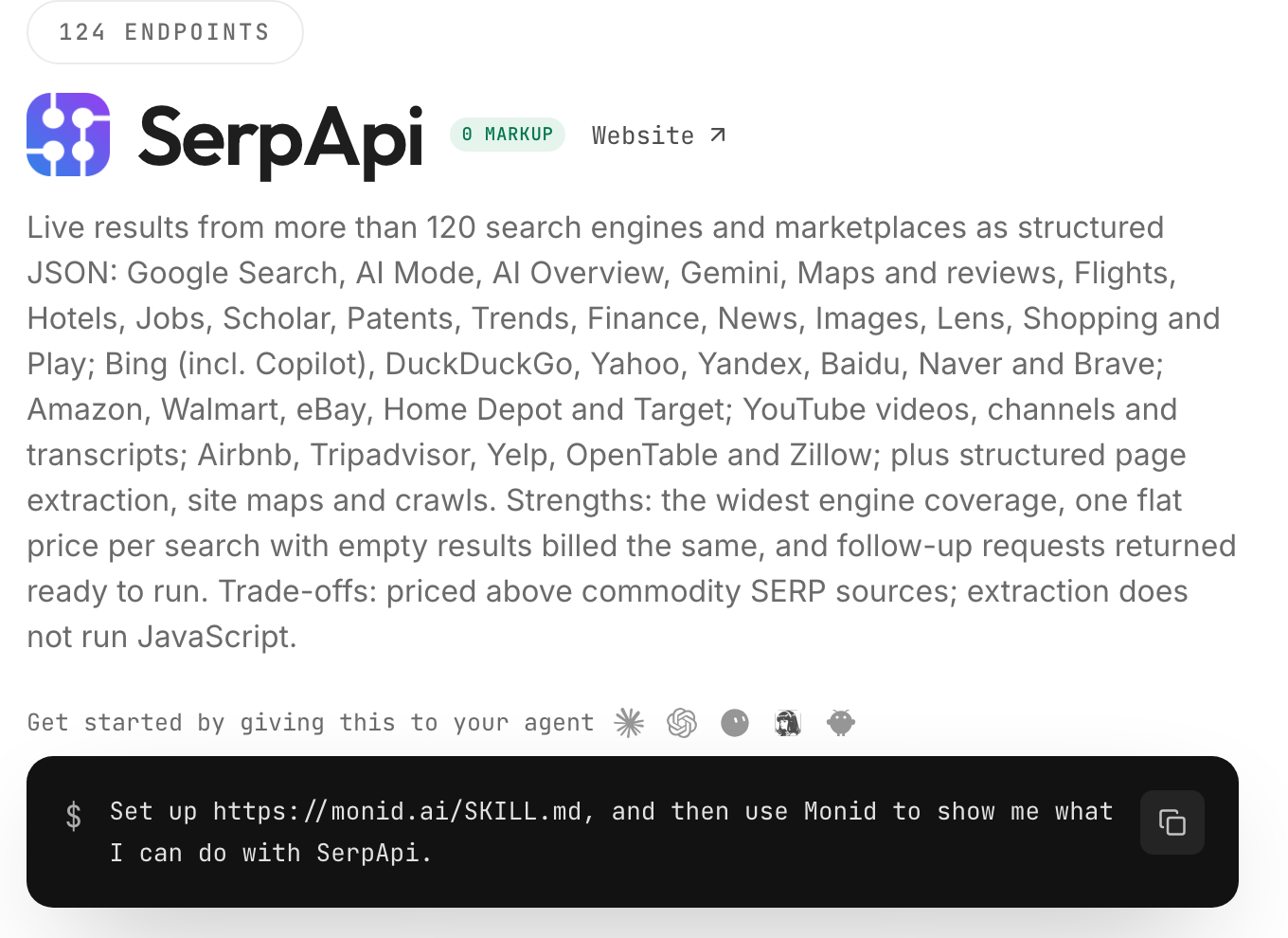
The agent used SerpApi's Walmart search, listed on Monid as Search Walmart Products. This is its card:
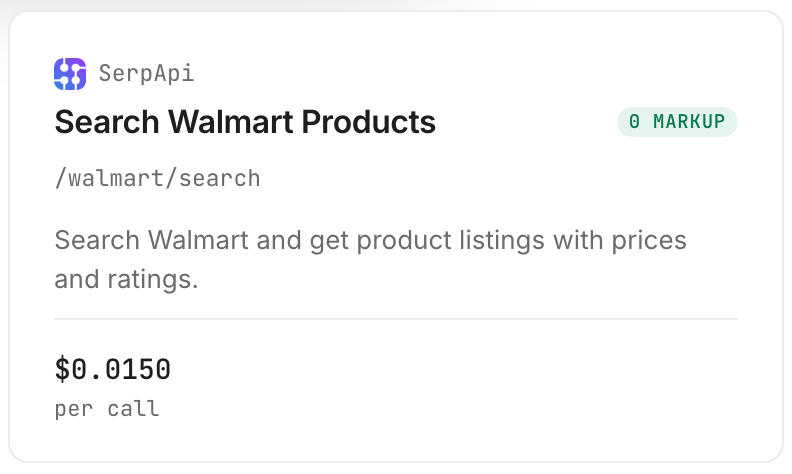
The price is $0.015 per search (Verified 2026-10-23). The listing says it bills once per successful search whatever the number of rows, and bills an empty result like any other search. So a search that returns six rows costs the same as one that returns one.
Step 3. Run it
The agent runs one search per product name. Our run was a single search for Great Value paper towels. It returned six rows in about 4 seconds and billed $0.015 (Verified 2026-10-23).
One search feeds several rows when products share a name: five towel sizes came back from that one search. Products with different names need one search each.
Step 4. Read and export the table
Here is what the agent handed back. These are public store listings, with no personal data:
| # | Product | Price returned | Previous price shown | In stock | Rating | Cost (Verified 2026-10-23) |
|---|---|---|---|---|---|---|
| 1 | Great Value Everyday Strong Paper Towels, 6 Triple Rolls, Split Sheets | $8.12 | none | not returned | 4.6 | $0.015 for the search |
| 2 | Great Value Ultra Strong Paper Towels, 12 Triple Rolls | $19.97 | $22.56 | not returned | 4.7 | same search |
| 3 | Great Value Ultra Strong Paper Towels, 2 Double Rolls | $3.98 (range $3.98 to $16.48) | none | not returned | 4.7 | same search |
| 4 | Great Value Everyday Strong Paper Towels, 2 Double Rolls | $2.96 | none | not returned | 4.5 | same search |
| 5 | Great Value Everyday Strong Paper Towels, 12 Double Rolls | $10.92 | none | not returned | 4.6 | same search |
| 6 | Great Value Soft & Strong Premium Toilet Paper, 36 Mega Rolls | $19.67 | $22.96 | not returned | 4.6 | same search |
Rows 2 and 6 carry a previous price, so Walmart showed them as marked down on the day we ran. Row 3 returned a range as well as a price, so that listing covers more than one variant. Row 6 is toilet paper: a name search gives you the nearest matches, not a guarantee that every row is your product.
The in-stock column says "not returned" because no row in our run came back with a stock field, so we did not fill it in.
Ask for a CSV or a row appended to your sheet and the agent keeps the file for you. This is the shape of a sheet after two weekly runs, with invented placeholder values shown for shape only:
| Date | Product ID | Product | Price | Previous price shown | Change since last run |
|---|---|---|---|---|---|
| Week 1 | SAMPLE-A | Example Brand Towels, 12 pack | 10.00 | none | first run |
| Week 2 | SAMPLE-A | Example Brand Towels, 12 pack | 9.00 | 10.00 | down 1.00 |
How do you keep the rows so you can compare next week?
Append each run to one sheet or file, with a date on every row, and give the agent the same list each time. Monid supplies today's number, and your sheet supplies the history.
How do you store and re-run it?
If your agent is connected to a spreadsheet, ask it to append a dated row per product to a named sheet. If not, ask it to add to one CSV file on every run. Keep the date in its own column and the product_id beside it. If your agent can run a task on a schedule, ask for every Monday morning; if it cannot, paste the prompt again on the same day each week, which takes 30 seconds.
Will you get an alert when a price drops?
Not from Monid. Each run answers what the price is now, and nothing watches between runs. Ask your agent to read last week's row from your sheet and list every product whose price went down, and you see the drop when you run it, not the moment it happens.
How do you read the results?
Read the table for three things: what changed since last week, whether each row is really your product, and whether a price is a range. The advice below is our editorial reading, not a measured effect.
What counts as a price drop?
A lower number than last week's for the same product_id. A row that now shows a previous price it did not show before, such as rows 2 and 6 above, is Walmart marking the item down, so note both numbers.
What do you do with a range or a wrong product?
Track the low and high ends of a range separately. Row 3 returned $3.98 with a range of $3.98 to $16.48 (Verified 2026-10-23), so a move in the low end can mean a different variant is now the cheapest. For a row that is not your product, like the toilet paper in row 6, write a more specific name and run again.
What should you do with each kind of row?
- Same product ID, lower price. A drop. Buy, or note it.
- Same product ID, same price. Nothing changed.
- Previous price newly shown. A markdown. Compare it with last week's price.
- Product ID missing this week. Search again by name and look at the page by hand once.
How much does a Walmart price tracker cost with Monid?
A check is $0.015 per search, with no monthly plan and no minimum top-up (Verified 2026-10-23). A watchlist of 5 products with different names is 5 searches, so $0.075 a week, $0.30 for four weeks and $3.90 for a year (Verified 2026-10-23). If your products share a name, one search covers them all and the weekly cost is $0.015 (Verified 2026-10-23).
Is there a free way, and can you build it yourself?
For a few products, yes: a free extension or the Walmart app shows the price on the page you have open. They do not hand you a table of your list that you own. Our post on monitoring competitor prices automatically covers the same weekly pattern for a store owner watching rivals on Amazon. A script that fetches the page works until the page changes or the site refuses the request.
How do you build a Walmart price tracker into your own code?
Call the search once per product name, read organic_results, and write one dated row per product to a file. The table above needs none of this.
Inspecting is free:
monid inspect -p serpapi -e /walmart/search
Run one search. The endpoint takes query, and optional store_id, min_price, max_price and sort:
monid run -p serpapi -e /walmart/search --query '{"query":"Great Value paper towels"}' -w
The json_restrictor parameter trims the response to the fields you want. This is the one we ran:
monid run -p serpapi -e /walmart/search -w --query '{"query":"Great Value paper towels","json_restrictor":"organic_results[0:6].{product_id,title,primary_offer,rating,seller_name}"}'
Each row in organic_results came back with product_id, title, primary_offer and rating, and primary_offer held offer_price and currency, plus was_price on two rows and min_price with max_price on one. The listing also says rows carry us_item_id, seller and shipping badges; we read only the fields above.
Loop it over a file with one product name per line, and write each result with a date:
mkdir -p out
d=$(date +%F)
i=0
while read -r name; do
  i=$((i+1))
  monid run -p serpapi -e /walmart/search -w --query "{\"query\":\"$name\"}" > "out/$d-$i.json"
done < products.txt
import json, csv, glob, datetime

today = datetime.date.today().isoformat()
with open("prices.csv", "a", newline="") as f:
    w = csv.writer(f)
    for path in sorted(glob.glob(f"out/{today}-*.json")):
        run = json.load(open(path))
        for r in run["output"]["organic_results"][:5]:
            o = r["primary_offer"]
            w.writerow([today, r["product_id"], r["title"],
                        o["offer_price"], o.get("was_price"),
                        o.get("min_price"), o.get("max_price")])
Use .get on was_price, min_price and max_price: they were present on only some rows. A field you list in the restrictor that the row does not have, such as a stock flag in our run, is simply absent, so read each key with a default.
Which endpoint for which job?
| Use case | Best endpoint | Why? (Verified 2026-10-23) |
|---|---|---|
| Look up today's price for a product by name | serpapi/walmart/search | Returns price, previous price on marked-down rows, rating and product ID; billed once per search whatever the row count, ran in this guide. $0.015 |
| Compare one product across stores | serpapi/google/shopping | Listed as a Google Shopping search across stores, not run here. $0.015 per call (Verified 2026-10-23) |
Prices are Verified 2026-10-23. Use the first row for the weekly table. We did not run the second one for this guide. Every endpoint is listed at monid.ai/tools.
When should you use something else?
You want past prices today. A price history site or extension that has followed a product for months already holds weeks of past prices. A first run here gives you one number, and your own history starts from the day you begin keeping rows.
You want an alert the moment a price drops. Nothing here watches between runs. An extension or app with a built-in alert fits that, and so does a scheduled run of this prompt checked by you.
You check one product, once. The Walmart page shows the price in two seconds.
You compare across stores. This guide reads Walmart only. For rivals on other stores, see the Google Shopping lowest-price guide.
One limit of ours: the search matches names, so some rows are not your product, as row 6 showed, and you check each one. And the disclosure: we resell these endpoints. Whichever tool you use, keep a dated row for every product.
Conclusion
You now have a Walmart price tracker you own: a prompt that reads today's price for each product on your list through Monid, a table with the price, the previous price when Walmart shows one and the cost, and a sheet that grows by one dated row per product each week. A check is $0.015 a search with one key, no monthly plan and about a minute of setup (Verified 2026-10-23), so 5 products cost $0.075 a week. How we estimated the time saved: 5 products by hand at about 2 minutes each, with a note to write, is about 10 minutes a week, and over a 10 to 12 week watch that is 1 to 2 hours, while the 1 minute is the install, key and first call. Run the same prompt every Monday and keep the dated rows, and you will see which products dropped without opening a single Walmart page.
FAQ
Is there a free Walmart price tracker?
Free extensions and the Walmart app show a price on the page you have open. With Monid, a Walmart price check costs $0.015 per search with no monthly plan and no minimum top-up (Verified 2026-10-23).
Does it keep a Walmart price history?
No. Each run reads the current price only. You build the history by running it again each week and appending the rows to a sheet or file with a date on every row.
Will I get an alert when a Walmart price drops?
Not from Monid. Nothing watches between runs. Ask your agent to compare this week's rows with last week's and list the products that went down, and you see the drop when you run it.
How many products can I track?
As many as you list, one search per product name. Our run took about 4 seconds for a search, so 20 products with different names take about a minute and a half and cost $0.30 (Verified 2026-10-23).
Does a check cost anything if nothing is found?
Yes. The listing says an empty result bills like any search, and failed searches are free.
Can I paste a Walmart product link instead of a name?
Not in this guide. The path we ran takes a search phrase, so write each product the way you would type it into Walmart's search box and keep the product ID the first run returns.
Is it legal to track Walmart prices this way?
Rules differ by country and by how you use the data. Check the ones that apply to you.
Published October 2026.