How to Use the Airbnb API in Your Travel Agent
Get Airbnb search results into your travel agent with dates, stay prices, ratings and a repeatable table from a tested search.

Give your travel agent a dated Airbnb shortlist it can read. Paste this into your agent:
Set up https://monid.ai/SKILL.md, and then use Monid to search Airbnb in Austin, TX for two adults from December 1 to December 4, 2026. Inspect the search schema and price, fetch one page, and return listing counts, stay-price qualifiers, ratings and bedroom counts. Do not book anything.
1 min setup allowance · 0 hrs saved claimed; search timing below.
Travel-data developers searching for an Airbnb API need listing data their assistant can actually compare. Copying cards into a spreadsheet leaves a numerical trap: our test returned 18 listings while the search reported 6,085 matches. Those are different quantities, and your assistant needs to keep them separate.
A screenshot cannot preserve the query alongside every field your script reads. A bare price also loses its meaning when the stay length disappears. Before ranking accommodation, you need the dates, party size, currency and price qualifier together.
We'll build a dated search snapshot through Monid, the OpenRouter for agent tools: one key and one balance for tool calls. You'll inspect the search, fetch one page and turn its returned fields into a shortlist. This guide covers search data through Monid, with booking handled separately.
| Preview dimension | Observed result on October 27, 2026 |
|---|---|
| Destination | Austin, TX |
| Stay | December 1 to December 4, 2026 |
| Party | 2 adults |
| Returned listings | 18 |
| Reported matches | 6,085 |
| Search outcome | Success, HTTP 200 |
How to use the Airbnb API with Monid
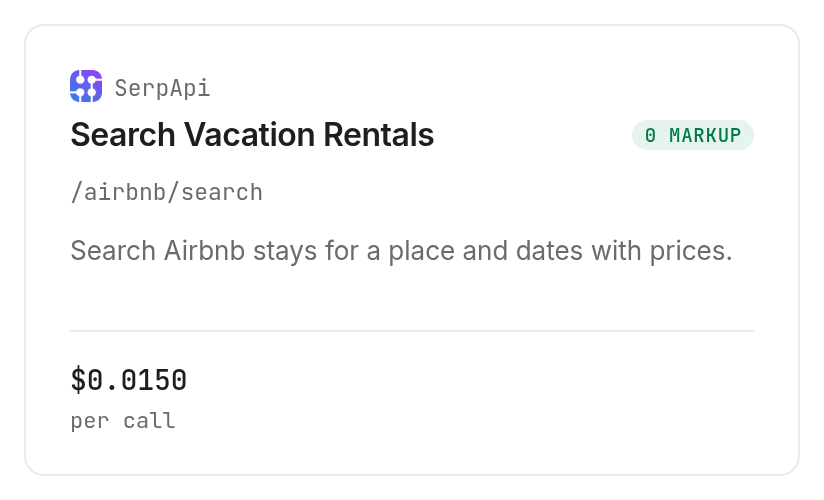
Use Monid to discover a search tool, inspect its input contract and request one page with explicit dates. An endpoint is the callable operation that accepts that input and returns structured data; here we use the SerpApi Airbnb search.
Step 1. Install and add your key
For agents, get a key at app.monid.ai and give your agent this setup instruction; the agent quickstart describes the workflow.
set up https://monid.ai/SKILL.md
For humans, install the CLI and save your key locally using the commands below; the CLI quickstart covers setup.
npm install -g @monid-ai/cli
monid keys add -k <your-api-key> -l main
Step 2. Inspect the search before choosing filters
Discover related searches, then inspect the selected operation so your script uses its actual parameter names.
monid discover -q "airbnb" -l 5 -j --include-unavailable
monid inspect -p serpapi -e /airbnb/search
Step 3. Fetch one dated page
Send these values as query parameters with --query, because that is where this search accepts them; start with page 1 to keep the test small.
monid run -p serpapi -e /airbnb/search \
  --query '{"q":"Austin, TX","check_in_date":"2026-12-01","check_out_date":"2026-12-04","adults":2,"currency":"USD","page":1}' -w
Step 4. Retrieve the completed response
The test completed as run 01M5Z23F5SY1R6MDKCBTZE57K2; retrieving that saved run returns its response without purchasing another search.
monid runs get -r 01M5Z23F5SY1R6MDKCBTZE57K2 -j
The completed response contains an output object, with listing rows in output.organic_results. Keep the original JSON before transforming it so a reviewer can trace the shortlist back to its input.
Why dates matter before you compare stays
Dates define the meaning of the returned price. Our request specified a three-night stay, and the returned rows used price_qualifier: "for 3 nights". Store that text beside the amount rather than renaming every amount to nightly price.
Keep the search context attached
Save destination, check-in, check-out, adults, currency and page with every snapshot. The test echoed these in search_parameters, which gives your application an input record alongside the results.
Two snapshots with different party sizes answer different questions. Compare them only after deciding that the change is intentional. For a monitoring job, a fixed search definition makes a changed result interpretable.
Separate trip budgets from nightly budgets
The inspected search defines min_price and max_price as trip-price filters. Do not send a nightly budget into those fields. Convert your requirement into the expected unit before making the call, and preserve the returned qualifier when displaying the result.
Bedrooms and beds also express different requirements. The response has both fields; a party that needs separate sleeping rooms should filter on bedrooms rather than counting beds alone. Missing values belong in a review queue, not in a zero-bedroom bucket.
The 3 ways to feed a travel assistant
Choose the route by how often you need a fresh, structured search. For a repeating agent workflow, Monid handles tool access and billing while your application owns storage and selection rules.
| Route | Billing or work model | Best fit | Limitation |
|---|---|---|---|
| Monid tool call | Per successful search | Agent needs structured search on demand | Returned pages need selection and storage logic |
| Manual shortlist | Human review time | A single trip with few options | Repeated copying and inconsistent columns |
| Existing provider integration | Existing provider arrangement | Team already maintains that connection | Your code still manages query context and output |
Use a tool call for repeated searches
A stable input contract lets your assistant request the same city and dates again without rebuilding a spreadsheet. Save the query before the response, then attach the completion timestamp. That produces a dated snapshot your application can compare with another snapshot later.
Use manual review for the final choice
A human shortlist works when you are deciding among a few stays once. The structured response supports narrowing the options; a traveler still needs to review the actual listing before committing. Keep this review as a named stage so an assistant never mistakes ranking for approval.
Keep an existing provider connection
If you already maintain a SerpApi integration, keep using that connection when it meets the job. This is the Monid blog, and we resell access to the selected search tool. The reason to add a shared tool layer is the workflow across tools, not a claim that a second connection improves the same data.
How do you read and export the results?
Read organic_results as the returned page, and read search_information.total_results as the reported match count. Our successful call returned 18 records; it did not download 6,085 listings.
Read the measured shortlist
These are the first five rows from the October 27 test, reduced to numeric fields. Position identifies order within this response; it is not a durable listing identifier. Names, photos, host information and coordinates are omitted.
| Response position | Rating | Review count | Bedrooms |
|---|---|---|---|
| 1 | 4.99 | 177 | 1 |
| 2 | 4.95 | 122 | 1 |
| 3 | 4.95 | 38 | 2 |
| 4 | 4.97 | 379 | 1 |
| 5 | 4.9 | 92 | 1 |
The practical decision is clear: a two-bedroom requirement excludes four of these five sample rows. That is an editorial screening rule applied to returned bedroom counts, not an extra score supplied by the search. Rating alone would miss that requirement.
Preserve fields before adding labels
The response includes listing_id, link, rating, reviews, price, extracted_price, price_qualifier, dates and room details. Use the listing identifier for deduplication across pages. Keep the original display price alongside the numeric amount so later code retains the source wording.
For a CSV export, choose one row per listing and separate columns for amount, qualifier and currency. Add your own retrieved_at and search identifier as application metadata. Label derived decisions, such as “needs review” or “meets bedroom requirement,” as your application's rules.
Stop pagination deliberately
The response included serpapi_pagination.next for page 2. Our test stopped after page 1. Every additional successful search is another paid call, so stop when you have enough candidates for the reader's task.
Do not interpret the existence of another page as a command to fetch it. Set a page budget before the first request, deduplicate rows, and retain the page number for provenance. A shortlist task and a market inventory project require different stopping rules.
Keep monthly rent and a three-night stay price in separate comparisons. A shared destination name does not make those amounts interchangeable.
How much does a search cost?
The tested SerpApi search costs $0.015 per successful search, Verified 2026-10-27. Monid billed one unit for the call, although the page contained 18 listings.
Distinguish charge count from listing count
The run envelope reported resultCount: 1 and billedUnits: 1. The listing array contained 18 entries. Count the array for data coverage and use the billing envelope for spend; substituting one for the other produces a broken report.
The run took 3.514 seconds from creation to completion. The provider's total_time_taken was 1.86 seconds. These measure different spans, so use the full creation-to-completion interval when reporting the observed wait for this job.
For another worked example of reading the completed run ledger, see the guide to Google Maps API fees. It separates request charges from the listing and review counts your application processes.
Read the empty-search policy
The current inspection notes say successful empty searches are billed, while HTTP errors and failed searches are free. Our test was successful and nonempty. Build error handling around the completed run status and cost fields rather than treating an empty listing array as a failed request.
Discovery and inspection are free; execution is the paid step. The monid.ai/tools catalog is the place to inspect the current operation before changing a scheduled job's volume.
Inspect result-based alternatives separately
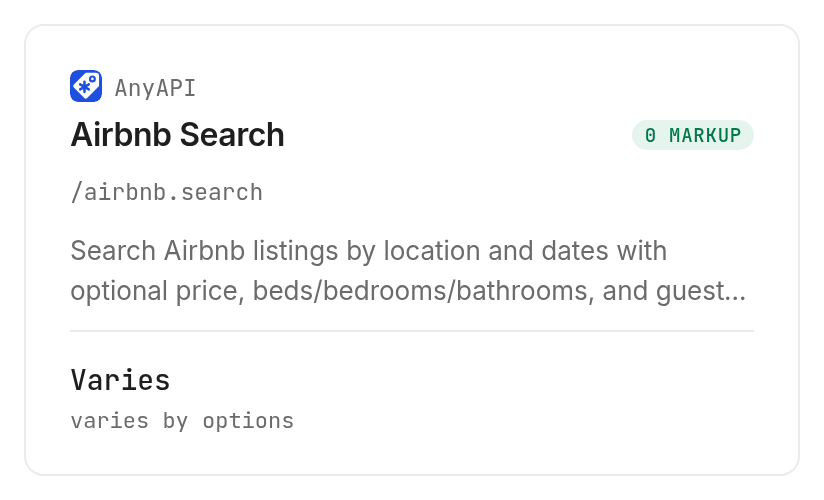
The AnyAPI Airbnb search was inspected only. Its octopus route declares a flat fee plus per-result billing, so it is a separate cost model. Its body schema accepts location, checkIn, checkOut, adults, currency and limit; these names are not interchangeable with the tested search's query names.
The declared route price is $0.00009 plus $0.00165 per returned result, Verified 2026-10-27. No AnyAPI output is included in our measured table. Select it only after evaluating that billing model against the number of results your application requests.
When should you use something else?
Use Airbnb itself when the next action is reviewing and completing a reservation. The tested search returns listing data; it does not create a reservation, send a message or update a host calendar. Monid supplies the search stage of this workflow.
Use historical data for historical questions
A dated search snapshot does not establish occupancy, booked nights or realized revenue. Build a history by storing repeated observations if observations answer your question. Use a dataset designed for historical analysis when your required columns describe past operations that this search never returned.
Use another source for guest-review text
Our response returned rating values and review counts, not a full guest-review corpus. If your task becomes analyzing hotel feedback, the Booking.com hotel-review guide covers a separate workflow. Keep search ranking and review analysis as distinct stages with their own inputs.
Which search should you choose for each job?
Choose the tested search for a fixed-cost page, and treat the inspected alternative as a separate integration decision.
| Use case | Best endpoint | Why? |
|---|---|---|
| Dated shortlist with ratings and room details | SerpApi /airbnb/search | Tested 18-row page; PER_CALL, Verified 2026-10-27, $0.015 |
| Evaluate a body-based normalized search | AnyAPI /airbnb.search, inspect only | Declared route adds flat fee and per-result billing; Verified 2026-10-27, $0.00009 plus $0.00165 per result |
Conclusion
You now have a reproducible search definition, a measured 18-row page and a numeric shortlist that preserves the difference between listings returned and matches reported. Use Monid for another search when fresh observations serve the task, and keep booking as a separate action. The one-minute setup line is a planning allowance for an existing agent environment; no hours-saved estimate is claimed because this test measured a search rather than a manual workflow. Your assistant can now compare stays against the traveler's actual dates and room requirements.
FAQ
Is the Airbnb API free through Monid?
Discovery and inspection are free; the tested search is paid. Its current per-search price is listed on the SerpApi tool page, and the test billed one successful call.
What do I need to install?
Install @monid-ai/cli for the command-line workflow and add your key. An agent can follow the setup skill instead. Keep credentials out of shared scripts and exported result files.
Can I use the Airbnb API without writing code?
Yes, give an agent the destination, dates, party size and desired columns. Ask it to inspect the tool before executing, preserve price qualifiers and stop after the agreed page budget.
How many Airbnb listings does one search return?
Our tested first page returned 18 listings. The reported 6,085 matches were a separate field, and the response included pagination. Count returned rows directly instead of using the match count as your export size.
Are failed Airbnb searches charged?
The inspected billing notes say failed searches and HTTP errors are free, while successful empty searches are billed. Use the completed run's status and cost to reconcile each scheduled request.
Can I schedule Airbnb searches?
Yes, your scheduler can invoke the same search command with a defined page budget. Save the request, completion time and raw response each time. Repeated searches create observations; they do not supply historical occupancy records.
Can this search book a stay, and is my use permitted?
This search does not book stays. Rules vary by location and use; review the requirements that apply to your project. Keep a traveler review step before any separate reservation action.
Published October 2026.


