How to Use a Google SERP Checker for Your Keywords
Build a repeatable Google search check with fixed query settings, declared response fields, and clear rules for recording missing results.

Check the same keywords with the same search settings. Paste this into your agent:
Set up https://monid.ai/SKILL.md, and then use Monid to inspect Google search tools for my keyword list. Start with MrScraper, region us, language en, page 1. Show me the schema and price before any paid call. After I approve retrieval, save the returned titles and URLs with the query settings and observation time. Compare target hostnames exactly. Keep missing results separate from failed requests.
Plan for 1 min setup; no measured hrs saved estimate is attached to this schema walkthrough.
An SEO manager using a Google SERP checker needs a repeatable record, not another browser tab. Take a planning example: 20 keywords across two markets means 40 checks before you compare anything. A sheet full of URLs loses its meaning when nobody records which settings produced them.
Manual copying also mixes observations with conclusions. An absent domain becomes “lost ranking,” and a different results page becomes “competitor movement.” Neither conclusion follows from a list without its search context.
We'll use Monid, the OpenRouter for agent tools, to select a Google search source and define a consistent check. It covers search retrieval; your agent or code supplies domain matching, exports, historical storage and scheduling. This walkthrough uses declared response fields rather than a table of live search results.
- Fix the query, region, language and page before collecting results.
- Preserve returned evidence separately from your interpretation.
- Compare only snapshots collected under the same settings.
Response preview: what the inspected tool declares it returns, not measured search output.
| Declared response content | What you use it for |
|---|---|
| Organic result title and URL | Identify the returned page and match its hostname |
| Description and relevance | Review the result's subject; keep relevance separate from rank |
| Query metadata: result count, search time, page title | Retain context about the search response |
| Navigation tabs | Preserve search navigation context rather than treating tabs as organic results |
The MrScraper Google search listing describes these response concepts. Inspection does not expose an exact output-key schema, so this guide does not invent JSON paths or sample ranking rows.
How to use a Google SERP checker with Monid
Use Monid to discover the search tool, inspect its inputs and price, and then request one controlled search at a time. An endpoint is a callable tool operation; the one used here takes a search query and optional region, language and page settings.
Step 1. Install and add your key
For agents: get an API key at app.monid.ai, then give your agent the setup instruction below and provide the key through its credential flow.
set up https://monid.ai/SKILL.md
For humans: install the CLI and add your key, keeping the real credential out of shared scripts and exported reports.
npm install -g @monid-ai/cli
monid keys add -k <your-api-key> -l main
Step 2. Give your agent a bounded brief
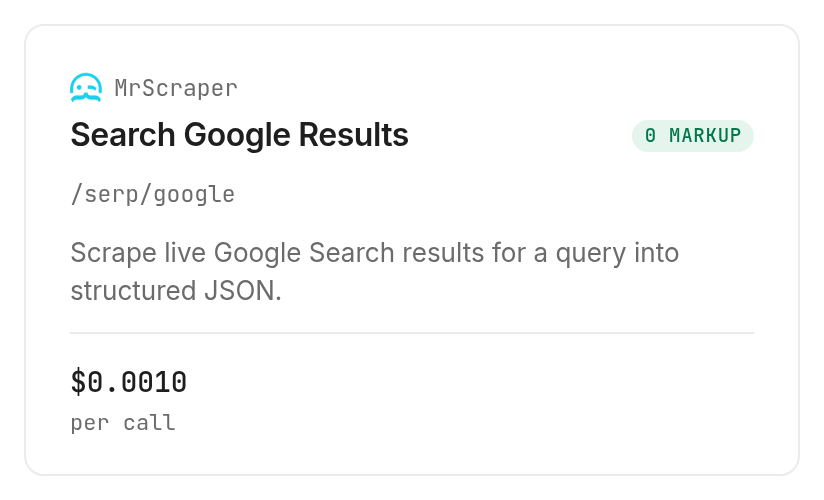
Start with one query, one region, one language and page 1; a small initial scope makes the first response easier to review. Use the MrScraper /serp/google card to identify the tool rather than choosing whichever search result discovery ranks first.
Prepare a Google check for "project management software", region us, language en, page 1. Track example.com as an exact hostname. Do not add city, device, depth or date-filter inputs. Inspect the price and stop before retrieval until the paid call is approved.
Step 3. Keep the inputs explicit
The required input is query; region and language accept two-letter strings, and page starts at 1. Set all four explicitly so your saved request explains the observation without relying on defaults.
The inspected body rejects additional properties. A prompt requesting Austin-specific mobile results does not create supported city or device controls; choose a different source when those controls are necessary.
Step 4. Save evidence before interpreting it
After retrieval, ask your agent to retain the original response and create a separate export containing the query settings, observation time, result title, URL and target-match decision. Those audit columns are your workflow's additions, not fields this guide claims the provider returns.
Keep the original response unchanged. Export each returned organic result with its title and URL, and attach the request settings and collection time. Match the parsed hostname against example.com. Report absence only within the pages collected; report request failures separately.
That's the handoff: retrieval supplies the evidence, and your saved table makes it reviewable. If your actual task is checking an AI-generated answer rather than ordinary organic results, use the AI Overview checker guide to define that separate observation.
How do you read the results?
Treat the returned URLs as evidence for one search snapshot, and keep every conclusion tied to the scope of that snapshot. The useful business outcome is a review queue: pages to inspect, competitor pages to read, and missing observations to investigate.
Separate a page match from a domain match
An exact URL check answers whether a particular landing page appeared. A hostname check answers whether the domain appeared through any returned URL; these are different questions, especially when a blog post appears instead of the commercial page you expected.
Decide whether subdomains count before comparing snapshots. Parse hostnames rather than looking for a domain string anywhere in the URL, since the same text also appears in paths and query parameters.
Keep the original URL alongside any normalized comparison value. Removing a tracking parameter helps deduplicate links, but deleting meaningful path segments merges separate pages and hides the evidence you need for an SEO decision.
Keep relevance separate from position
Relevance is among the output concepts declared for the MrScraper search tool; it is not a documented rank field. Do not turn a relevance value into an organic position or describe it as a measured accuracy score.
Likewise, result-count metadata does not tell you how many organic rows were returned in your collected page. Count the actual records after retrieval, and attach that count to the saved response rather than filling in an expected page length.
Editorial decision rule: flag a landing-page change for review before recommending a rewrite. A different URL from your own domain represents a different situation from complete absence in the collected results, and those situations deserve different follow-up work.
How much does a Google search check cost?
The MrScraper Google search tool lists $0.001 per call, Verified 2026-11-02. Discovery and inspection are free; executing a search is the paid step through Monid.
Budget for searches and pages
Treat each requested page as another planned call. A keyword list, region list and page list form a workload together; adding a second market changes the request count even when the keywords stay the same.
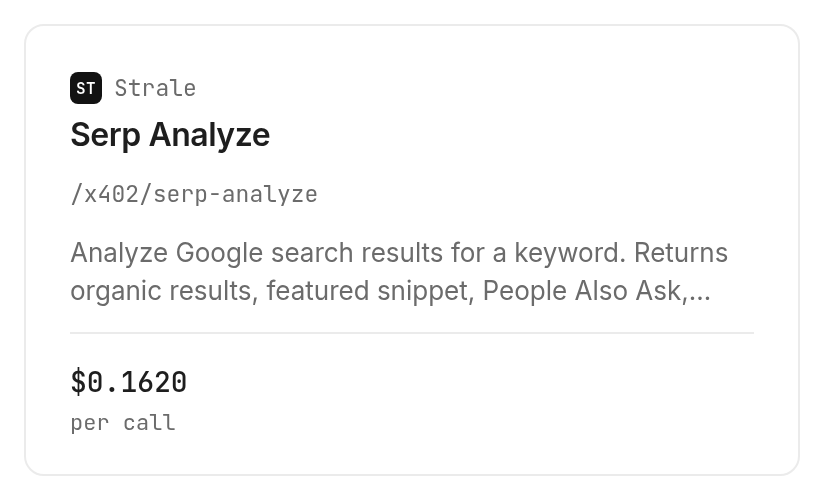
The Strale /x402/serp-analyze listing is an optional feature-analysis route at $0.162 per call, Verified 2026-11-02. Its declared response includes organic results, a featured snippet, People Also Ask and SERP features; use it when those categories are the question you need to answer.
Put a boundary around retries
Set a maximum number of attempts and keep an attempt log. A retry is another request, so an unattended agent needs a stopping rule as well as a keyword list.
A per-call listing is not a promise that empty results or failed requests are free. Record the run status and charge for each execution; don't infer a refund rule from the billing label on the monid.ai/tools catalog.
How to automate the same check in your own code
Keep collection, interpretation and storage as separate operations so a parsing mistake does not destroy the original evidence. The CLI accepts JSON bodies through -i; query-string inputs go through --query.
Inspect before enabling collection
These free commands locate the tool and show its current contract:
monid discover -q "google serp checker" -l 10 -j --include-unavailable
monid inspect -p mrscraper -e /serp/google
For a paid search, the body matching the inspected MrScraper Google operation is:
monid run -p mrscraper -e /serp/google -w \
  -i '{"query":"project management software","region":"us","language":"en","page":1}'
Do not add limit or device to this body. Its declared properties are query, region, language and page; a short keyword list and a single page provide the initial scope.
For optional feature analysis, inspect Strale's analysis operation first. It uses a GET request with query parameters, so its payload belongs in --query, rather than the JSON body used above.
monid inspect -p api.strale.io -e /x402/serp-analyze
monid run -p api.strale.io -e /x402/serp-analyze -w \
  --query '{"keyword":"project management software","country":"us","language":"en"}'
Save comparable snapshots
Use a storage key made from the query, settings and collection time. Keep the provider identity too; changing sources creates a new measurement series rather than a seamless continuation of the old one.
Only compare completed observations with the same scope. If yesterday covered one page and today covered two, a newly found domain is not automatically a ranking gain; it is first a change in collection coverage.
Add scheduling only after you have defined how this checker records evidence and absence. A daily collection process needs a persistent file or database, a comparison rule and an owner for alerts; repeating the search call supplies none of those by itself.
Which search tool fits which job?
Choose the response content that answers your question, then add only the workflow pieces you need. These entries are inspection-based choices, not a ranking of measured accuracy or a benchmark of completed searches.
| Use case | Best endpoint | Why? |
|---|---|---|
| Google titles, URLs and descriptions with region and language controls | MrScraper /serp/google, inspect | Declared search results and pagination; per call, Verified 2026-11-02, $0.001 |
| Organic results alongside featured snippet, People Also Ask and SERP features | Strale /x402/serp-analyze, inspect | Declared feature-analysis categories; per call, Verified 2026-11-02, $0.162 |
The SERP API guide for AI agents expands the structured-search workflow when you need to integrate the returned evidence into agent research. Neither choice creates your historical report by itself. Keep the response contract and the reporting contract separate: the first describes what retrieval supplies, and the second describes what your team saves and decides.
When should you use something else?
Use another route when you need a finished reporting application or controls absent from the selected tool. This is the Monid blog, and it provides access to these providers; your team's reporting requirements still determine the right choice.
A one-off browser check fits a single question when you do not need a reusable export. An existing SEO reporting tool fits an established dashboard process; keeping that process also avoids rebuilding its history and notifications in your agent.
Choose MrScraper as the provider to evaluate when the central job is structured search retrieval. Choose Strale to evaluate its declared feature-analysis output when the question concerns the surrounding result types; neither selection is evidence that a scheduler or reporting dashboard is included in the callable operation.
For city or mobile-specific observations, the selected MrScraper input schema does not provide those controls. Find a tool that explicitly accepts them before collecting that series, and resist labelling country-level output as a local mobile ranking report.
Conclusion
You now have a repeatable checking brief, a declared response-field map and a storage rule that separates search evidence from SEO interpretation. Repeat the same settings, preserve the raw response and compare matching scopes; Monid covers retrieval while your workflow handles history and decisions. The pitch's setup line is a planning allowance, and no hours-saved estimate is claimed because this walkthrough measures neither setup nor manual work. Your next review can distinguish a changed landing page, an absent match and an incomplete check.
FAQ
Is a Google SERP checker free?
Catalog discovery and inspection through Monid are free; search execution is paid. The search tool listing shows the current per-call billing, and extra page requests add calls to your workload.
What do I need to install?
Install the Monid CLI for the terminal workflow, or give the setup instruction to your agent. Add your API key through the credential flow and keep it out of the exported search table.
Do I need to write code to check my keywords?
You can give an agent the keyword list and fixed search settings in plain English. Domain matching, exports and historical comparisons still need instructions; retrieval alone does not define those decisions.
How many keywords can I check at once?
The selected MrScraper body accepts one query string per request, rather than a keyword array. Process a list as separate requests, beginning with one keyword and page 1 before expanding the workload.
Are failed searches free?
The per-call label does not establish a failed-request refund rule. Keep each attempt's status and charge in your audit record, and stop retries at the limit you set for the job.
Can I schedule Google SERP checks?
Your agent or scheduler can issue repeated requests and store snapshots. Scheduling, historical storage and change alerts are separate from the search retrieval operation described here.
How accurate is a Google SERP checker?
A useful check preserves its query settings and the returned evidence. Match hostnames explicitly, retain collection scope and compare equivalent snapshots; a relevance score is not a rank or an accuracy measurement.
Published November 2026.