How to Do a Reverse Email Lookup With Evidence
Build an email lookup worksheet that separates profile matches, domain evidence, missing results, and the checks needed before trusting a sender.
Find the evidence behind an inbound email without guessing its owner. Paste this into your agent:
Set up https://monid.ai/SKILL.md, and then use Monid to look up one email I provide. Separate person-profile evidence from domain records, keep missing results, and export a review worksheet. Do not label a sender verified from a database match.
Planning allowance: 1 min setup after getting a key · 0 hrs saved measured.
Sales and support operations teams use reverse email lookup when an inbound address needs context before a reply, a CRM update, or a referral. One address creates two questions: who a database associates with it, and who actually sent the message. Copying a search result into your contact record answers only the first.
A name in the address does not settle identity. A company domain does not settle an employee's role. Combining those clues into a confident label hides the gap between a profile match and confirmation from the sender.
This guide builds a review worksheet with match status, domain evidence, and a next action. We'll define the evidence, walk through five checks, then show a small automated example with real results. The finished worksheet keeps an unresolved case visible instead of filling it with a guess.
Result preview from November 5, 2026:
| Check | Observed result | Review decision |
|---|---|---|
| Work-email profile lookup | 1 profile returned | Review the match |
| Synthetic address lookup | 0 profiles returned | Leave unresolved |
| stripe.com domain lookup | 5 mail-exchange records returned | Record domain infrastructure separately |
| Synthetic name-to-email control | 0 addresses returned | Do not create a contact |
What does reverse email lookup tell you?
Reverse email lookup starts with an address and searches for records associated with it. The useful output is evidence about an existing contact, including which fields are present and which questions remain unanswered.
Separate the input from the claim
An email address is the input, not a verified identity. Keep the exact address in your private worksheet and use a case label in shared reports. That lets a reviewer discuss a match without copying personal contact information into every document.
A profile attached to the address is a separate claim. Record where that claim came from and when you retrieved it. If another source disagrees, preserve both observations rather than overwriting the first with whichever result looks more complete.
Define the result you actually need
For inbound sales routing, a useful worksheet contains a case label, profile-found status, company-match status, missing fields, and next action. For a support escalation, the next action is often confirmation through the customer's established account channel.
Neither task needs a complete biography. Decide which fields change your decision before searching. A location, social handle, or phone number adds no value when your only question is whether to route the request to the existing account owner.
Why separate identity from mailbox checks?
Identity, delivery, and sender control require separate evidence. Treating them as a single green check creates a contact record that claims more than its sources establish.
A profile match answers a database question
A returned record says the source associates a profile with your query. Review the company and role against the context you already hold, then mark the record as a candidate match. Do not promote it to confirmed sender identity automatically.
For example, a message claiming to discuss a current contract needs a check against your contract records. The presence of a company name in an enrichment response does not establish authority to change that contract.
A working domain answers an infrastructure question
Mail-exchange records describe where a domain receives email. They do not identify a particular employee, confirm a specific mailbox exists, or authenticate the message in your inbox.
Keep domain observations in their own columns. A domain check remains useful when a person lookup is empty, but it must not turn the empty lookup into a successful identity match. The honest business outcome is a routed review task, not an invented contact.
Deliverability belongs to another decision
A decision to contact someone requires a separate assessment from a decision to associate a profile with an address. Keep those workflows separate in your spreadsheet and in downstream CRM rules.
Keep a separate deliverability column when your task changes from understanding an inbound contact to preparing an outbound list. A candidate identity and a send decision must remain separately reviewable.
How to choose evidence before searching
Choose the source by the information you already have. Starting in the wrong direction wastes a lookup and encourages the agent to manufacture missing inputs.
Start with the address you received
If you have an address, choose an email-to-profile search. If you have a known person and company but no address, choose a name-to-email finder. Those are different jobs even when both tools use the word email.
The distinction matters for an unfamiliar sender. Guessing a person's name from the address, finding an address from that guess, and treating the result as independent confirmation creates a circular check. Keep the original input and each additional assumption visible.
Prefer evidence that changes an action
Use your own customer or account records first when they contain the context you need. A prior verified interaction is directly relevant to deciding which established channel should handle a request.
Use an external profile search to add missing context. Use a domain lookup to understand infrastructure. Stop when the next lookup adds detail without changing routing, review, or confirmation. A longer record is not automatically a more useful record.
Set a stop rule before expanding the search
A practical stop rule is one profile lookup followed by review. An empty response stays empty; a conflicting response goes to manual review; a suitable candidate gets checked against existing context.
For a list, deduplicate addresses and domains before buying repeated lookups. This is especially useful when several contacts share one company domain and you only need one domain-level observation. If you start with a known person rather than an address, the Apollo email finder guide covers that forward-search workflow.
How to do reverse email lookup in five steps
Build the worksheet before you call a tool. These five steps apply whether you work manually, use a provider dashboard, or ask an agent to prepare the evidence.
Step 1. State the decision
Write the action the lookup should support: route an inbound request, complete a contact record, or ask for confirmation. Exclude any field that does not help make that decision.
Step 2. Preserve the original input
Save the address privately and assign a case label for reporting. Keep the original input separate from names, companies, or roles suggested by later searches.
Step 3. Search in the right direction
Pass the address to a person-profile lookup and record found or not found. Do not substitute a name-to-email tool unless you have independently obtained the person's name and company.
Step 4. Add domain context once
Extract the domain and record its mail infrastructure separately from the person result. Reuse that domain observation across cases from the same batch instead of presenting it as independent identity evidence for every contact.
Step 5. Export an explicit next action
Save a CSV with case label, profile status, company comparison, domain status, retrieval date, and next action. Use review, unresolved, or confirm through existing channel as explicit values, so another person can continue without repeating your reasoning.
This process does not require a numerical confidence score. A score without a defined meaning gives the spreadsheet a false sense of precision. Preserve a provider's returned score when it exists, but do not invent one to combine unrelated evidence.
How to check one address with Monid
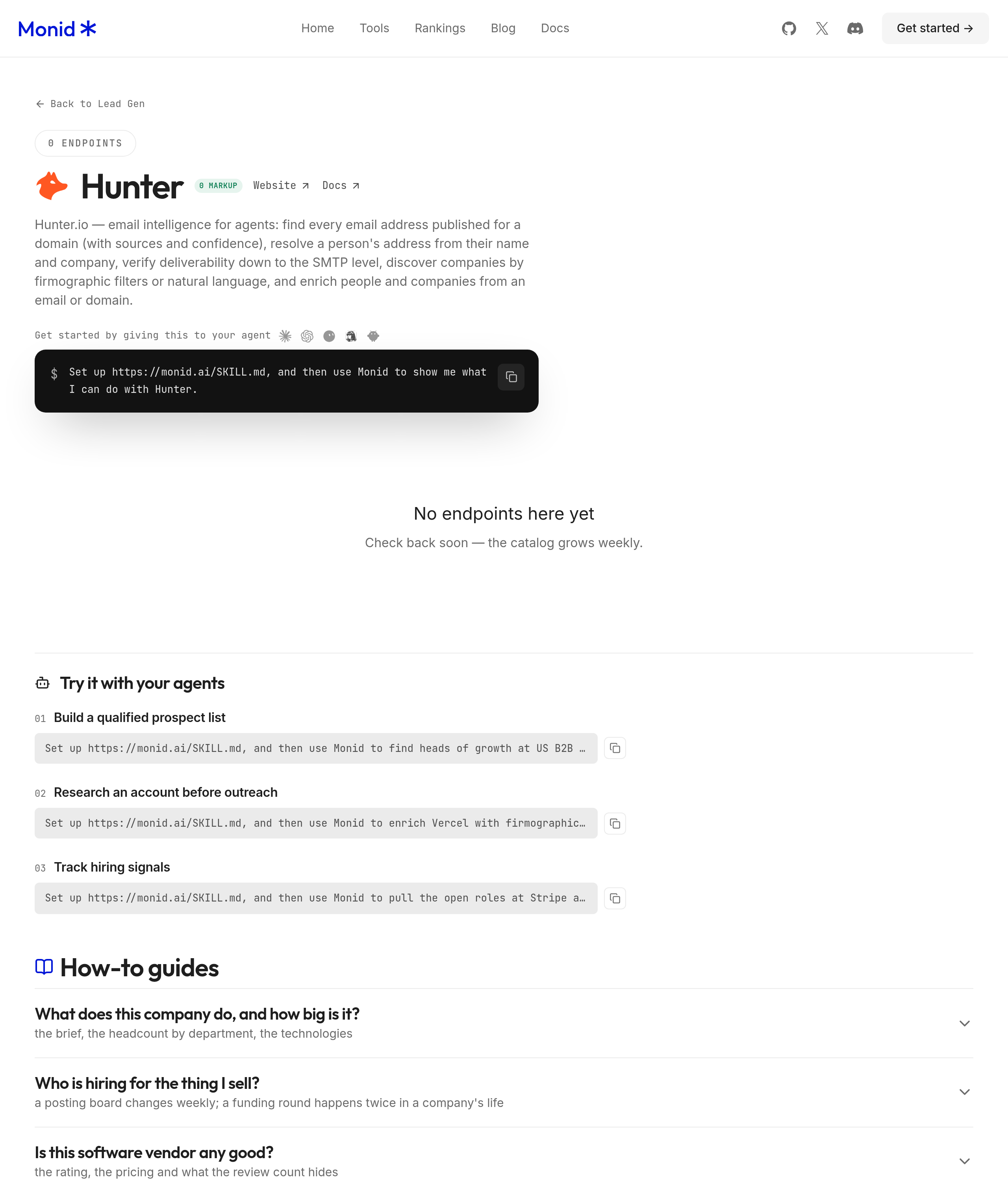
Monid supplies the lookup calls in this example, using one key and balance across providers. It is the OpenRouter for agent tools: the tool layer that an agent uses to discover, inspect, and call a service. An endpoint is one callable operation with its own input requirements and billing rule.
The tested tools cover profile retrieval and domain records. They do not confirm mailbox ownership, message authorship, or a sender's authority to act for a company. That is why the worksheet ends in a review decision.
For agents
Get an API key at app.monid.ai, then give your agent the setup instruction and key through its secure configuration. Ask it to start with one address and retain empty results.
set up https://monid.ai/SKILL.md
For humans
Install the CLI and save your key before calling a lookup. Keep credentials out of shared command histories and exported reports.
npm install -g @monid-ai/cli
monid keys add -k <your-api-key> -l main
Step 1. Retrieve the candidate profile
Use Hunter's person lookup, hunterio /people/find, with an email query. The positive test returned one record with populated name, employment, and LinkedIn-handle fields; biography, website, and avatar were null.
The command below uses a shell variable containing the address you are reviewing. Keep that value private; the worksheet shown here reports counts and labels only.
monid discover -q "reverse email lookup" -l 8 --include-unavailable
monid inspect -p hunterio -e /people/find
monid run -p hunterio -e /people/find \
  --query "{\"email\":\"${LOOKUP_EMAIL}\"}" -w
Step 2. Check the domain separately
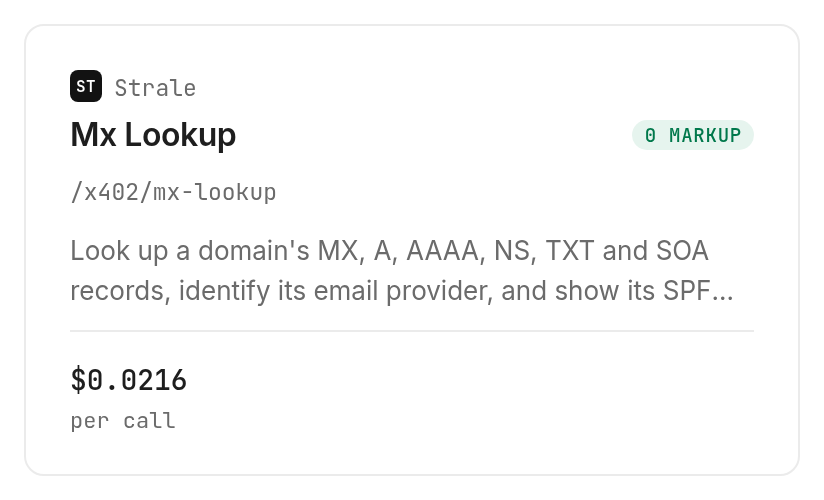
Use Strale's MX lookup, api.strale.io /x402/mx-lookup, for the domain observation. Our stripe.com test returned five mx_records, email_provider: "Google Workspace", and has_mx: true.
monid inspect -p api.strale.io -e /x402/mx-lookup
monid run -p api.strale.io -e /x402/mx-lookup \
  --query '{"domain":"stripe.com"}' -w
Step 3. Keep the opposite direction optional
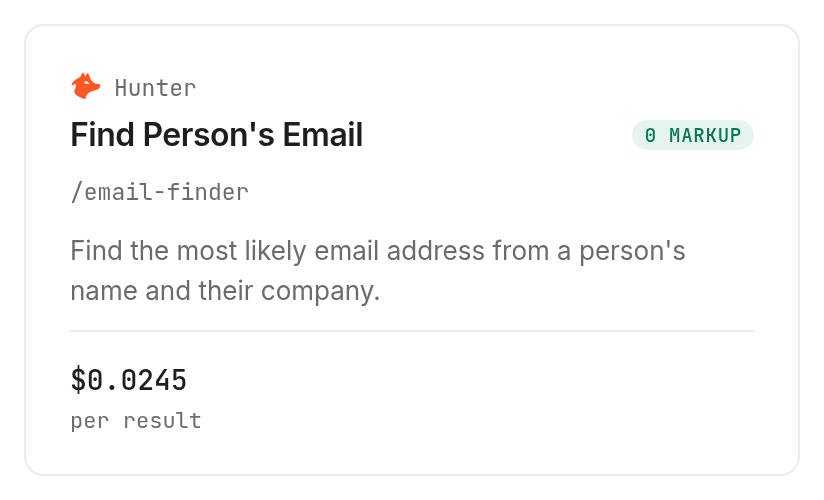
Hunter's email finder, hunterio /email-finder, takes a person and company as inputs. Hunter's documentation describes that direction; it does not accept an unknown email as its identity-search input.
We tested a synthetic name at stripe.com as an empty-result control. The response contained email: null, score: null, sources: [], and a null verification status, so the worksheet contains no discovered address.
monid inspect -p hunterio -e /email-finder
monid run -p hunterio -e /email-finder \
  --query '{"domain":"stripe.com","full_name":"Zzxqv Synthetic Lookup Control","max_duration":3}' -w
For application integration after the review process is defined, read the email-to-profile API walkthrough. That companion focuses on programmatic retrieval; this guide focuses on the decision each observation supports.
How do you read the results and costs?
Read a match as a candidate, a miss as unresolved, and domain records as infrastructure evidence. The November 5 tests produced the following audit table, with durations measured from run creation to completion.
| Test case | Records returned | Measured duration | Billed units | Decision |
|---|---|---|---|---|
| Existing work-email fixture | 1 person profile | 1.143 seconds | 1 | Review candidate |
| Synthetic address control | 0 profiles | 0.719 seconds | 0 | Leave unresolved |
| stripe.com infrastructure | 1 domain record with 5 MX entries | 1.810 seconds | 1 | Keep as domain evidence |
| Synthetic name control | 0 addresses | 4.432 seconds | 0 | Keep empty result |
Monid billed a total of $0.0265 for these four tests, Verified 2026-11-05. That is the observed test total, not a forecast for an arbitrary list. The sample establishes these four outcomes, not a general match rate or accuracy benchmark.
Read missing values literally
A null biography means this response supplied no biography. It does not establish that the person has none. Likewise, the domain response returned dmarc_record: null and has_dmarc: false; retain those as lookup observations rather than a conclusion about the sender.
The synthetic-address test completed with a provider 404 and zero billed units. That means no profile was found in this lookup, not that the mailbox cannot receive email.
Keep unit prices separate from sample totals
The person lookup is $0.0049 per call, Verified 2026-11-05; its documented no-match 404 was free in our test.
The domain lookup is $0.0216 per call, Verified 2026-11-05. We tested one successful domain response, so the sample does not establish its failure-billing behavior.
The name-to-email finder is $0.0245 per found result, Verified 2026-11-05. Our empty result had no charge. Set a small limit when testing lists, and inspect each tool's billing shape before scheduling repeated work.
Which lookup should you choose?
Choose by input direction and the question being answered. These are the three tested operations, available through Monid; the tools directory and provider pages contain their current prices.
| Use case | Best endpoint | Why? |
|---|---|---|
| Existing email needs profile context | hunterio /people/find | Email in, candidate profile out; per call, Verified 2026-11-05, $0.0049 |
| Domain needs mail-infrastructure context | api.strale.io /x402/mx-lookup | Domain records without an identity claim; per call, Verified 2026-11-05, $0.0216 |
| Known person needs an address | hunterio /email-finder | Opposite-direction search; per found result, Verified 2026-11-05, $0.0245 |
When should you use something else?
You are reading the Monid blog, and these calls use underlying providers. Use Hunter directly when you want to work in Hunter's own interface rather than send calls through another tool layer. Use an existing DNS utility when domain records are your whole task.
For proof that a message came from an authorized contact, use your established account channel and confirmation process. None of the tested lookups provides that proof. An agent should also stop short of updating a trusted customer identity solely from a returned profile.
Once your review rules are settled, automate the retrieval and routing rules while preserving the point where a person must confirm the relationship. Keep the original evidence attached to each CRM update so a later reviewer can reconstruct the decision.
Conclusion
You now have a repeatable worksheet that separates a candidate profile, an unresolved lookup, domain evidence, and the next review action. Monid handles the tested retrieval steps; confirmation stays with your established communication process. The opening's one-minute setup is a planning allowance after obtaining a key, and zero hours saved means this test measured no productivity gain. Reuse the worksheet so your next decision rests on recorded evidence rather than an address-shaped guess.
FAQ
Is reverse email lookup free?
Discovery is free; a matched person lookup is paid.
Does lookup prove sender identity?
No. A profile match does not establish message authorship.
Do I need code?
No. An agent can execute the lookup with your key.
Can I process a list?
Yes. The tested person lookup takes one address per request.
Are missing profiles charged?
The tested person-lookup miss had zero billed units.
Is reverse email lookup legal?
Rules differ by region; check requirements for your use.
Published November 2026.


