How to Use a Domain Rating Checker for SEO
Build a dated domain comparison table with Ahrefs Domain Rating, global rank and monthly history, then decide which sites need closer review.
Compare domain ratings without copying scores between browser tabs. Paste this into your agent:
Set up https://monid.ai/SKILL.md, and then use Monid to check the Ahrefs Domain Rating of ahrefs.com and wikipedia.org for 2026-11-02. Return domain, report date, Domain Rating and Ahrefs rank. Also get monthly Domain Rating for ahrefs.com from 2026-10-01 through 2026-11-01. Keep measurements separate from outreach recommendations.
Allow 1 min setup · 1-2 hrs saved on a repeated 60-domain review under the assumptions below.
SEO managers using a domain rating checker need a comparison they can return to, rather than another number copied into a spreadsheet. Even a two-domain comparison becomes confusing when one score has a report date and the other does not.
A browser lookup answers a single question quickly. A reusable shortlist also needs consistent dates, the same scoring system and a record of which domain each result belongs to. Mixing a security score with a backlink score creates a table that looks comparable but answers different questions.
We'll build a dated rating table through Monid, the tool layer for AI agents, using Ahrefs data. The matching tools cover Domain Rating, global rank and rating history; they do not assess topical relevance, traffic, link quality or whether to approve an outreach prospect.
- Check two domains using the same report date.
- Read the scores as a comparison signal.
- Add monthly history before deciding what to investigate.
Here is the finished snapshot from our November 2 checks. Domain and report date are retained inputs; the two numeric columns came back from the service.
| Domain | Report date | Domain Rating | Ahrefs rank |
|---|---|---|---|
| ahrefs.com | 2026-11-02 | 91 | 602 |
| wikipedia.org | 2026-11-02 | 97 | 16 |
How to use a domain rating checker with Monid
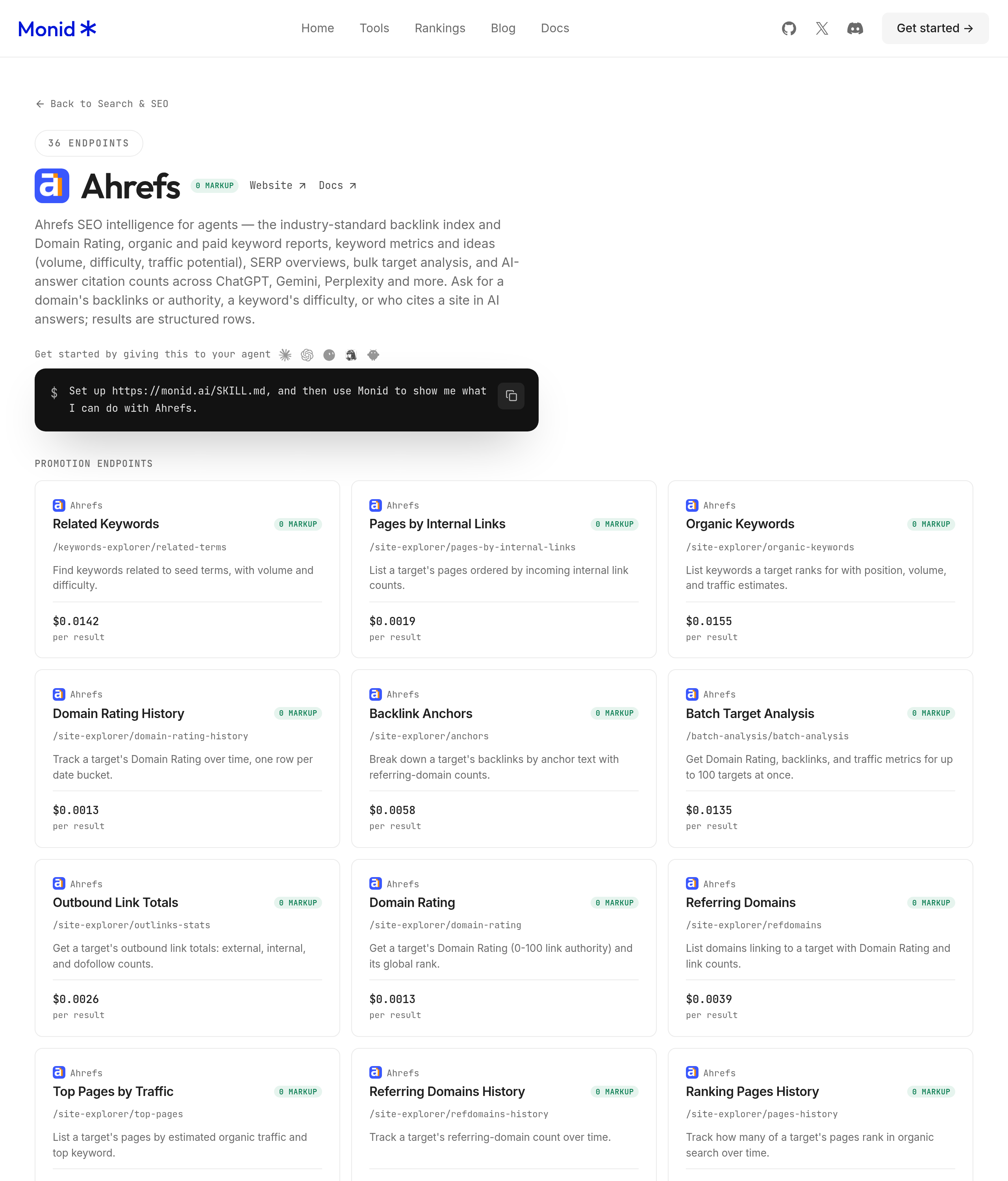
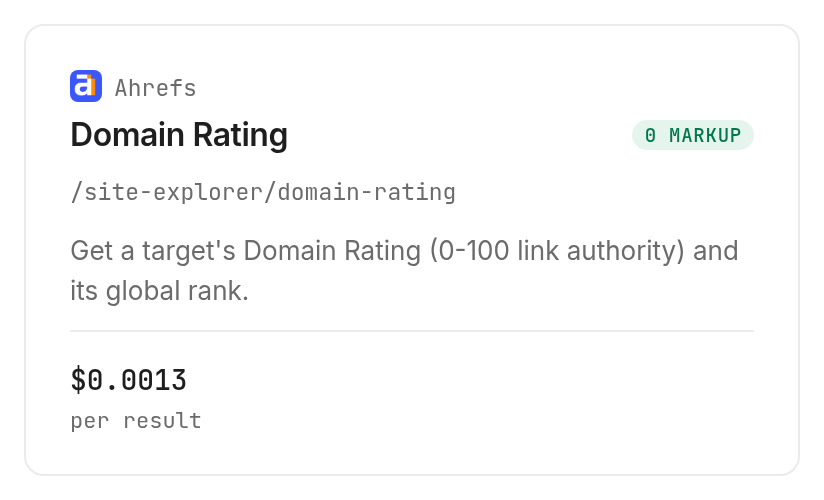
Give Monid a short domain list and a report date, then ask for one row per domain. An endpoint is a specific callable report; here the Ahrefs Domain Rating report supplies the score and global rank.
Step 1. Connect your agent
For agents, create an API key at app.monid.ai, then give your agent the setup instruction below and provide the key through its secure configuration. The agent quickstart explains the connection.
set up https://monid.ai/SKILL.md
For humans, install the CLI and save your key with the documented commands. The CLI quickstart covers the terminal workflow.
npm install -g @monid-ai/cli
monid keys add -k <your-api-key> -l main
Step 2. Give your agent a small domain list
Start with ahrefs.com and wikipedia.org, and specify the same report date for both so the table records a consistent reporting basis. Ask for the input domain to be retained alongside returned values because the snapshot response contains score and rank rather than an echoed domain.
Check only ahrefs.com and wikipedia.org for 2026-11-02. Use the Ahrefs Domain Rating report, retain the input domain and date, and leave any missing score blank. Do not replace missing values with zero or infer traffic from the rating.
Step 3. Check the scores
Ask the agent to inspect the report, confirm its billing and make one lookup per domain. Our two requests both returned HTTP 200 and one numeric score row each; neither returned a missing result.
Step 4. Export a dated comparison
Save the table as CSV and retain the original responses beside it, with a file name that includes the report date. Keep your review notes in separate columns so readers can distinguish returned measurements from editorial decisions.
Use this table as a first review queue. Neither public domain in our test represents a recommended outreach target, a customer example or a typical score for your niche.
How do you read domain rating results?
Read Domain Rating as Ahrefs' backlink-based domain score, then compare it with similar sites. Ahrefs explains its calculation using linking domains and their strength; the metric does not include traffic, domain age or link spam.
Compare like with like
Use one source, one report date and a consistent target convention for your shortlist. A domain score and a page-specific score belong in separate columns because they describe different targets.
Our snapshot ranks wikipedia.org above ahrefs.com on both returned measures: DR 97 versus 91, and global rank 16 versus 602. The useful conclusion is limited to this source's comparison; it says nothing about which site fits a particular campaign.
For an industry review, choose peers that publish on the same subject and serve the same audience. A local specialist and a global reference site are poor benchmarks for deciding whether your own niche site needs better coverage.
Keep approval separate from the score
Treat a high rating as a reason to investigate, rather than an approval rule. Your review still needs to establish whether the publication covers your subject and whether the actual linking page is useful.
A lower score alone does not justify deleting a relevant prospect. Record your selection rule before reviewing the list, and keep a written reason when you override it; that makes the process repeatable without pretending the score supplies the entire decision.
When you need the links behind the number, the link-audit alternatives guide compares routes for investigating referring domains, link totals and anchor text. Those are follow-up investigations, separate from the score-only checks measured here.
How to compare domain rating over time
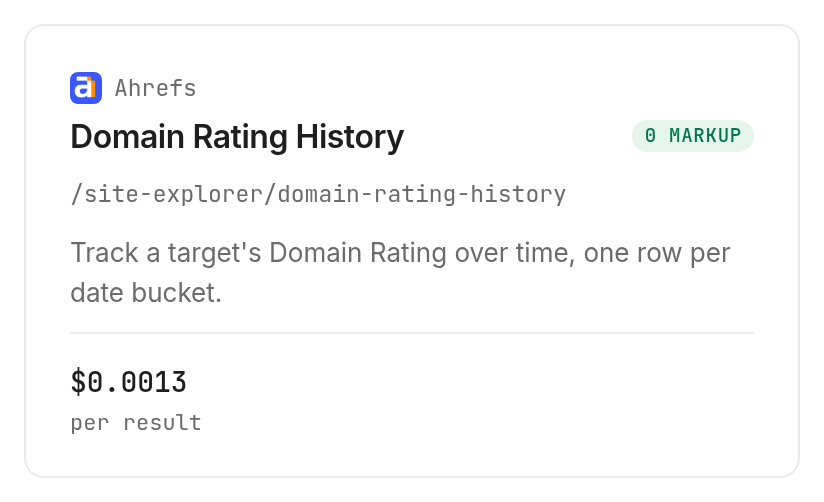
Request monthly history for one shortlisted domain to see ratings at dated intervals. The Ahrefs history report accepts a start date, an end date and a grouping of daily, weekly or monthly.
Step 5. Choose a short comparison window
Use monthly grouping for a compact review and daily grouping when the task explicitly requires daily observations. Start with a small range when testing: our request covered October 1 through November 1 and returned two monthly buckets.
For ahrefs.com, get monthly Domain Rating from 2026-10-01 through 2026-11-01. Return the exact bucket timestamps and ratings. Describe only the change between those returned observations.
Step 6. Read the dated observations
The real history response contained these two rows. The domain is our retained input, while timestamps and ratings came from the response.
| Domain | Returned bucket timestamp | Domain Rating |
|---|---|---|
| ahrefs.com | 2026-10-01T00:00:00Z | 91 |
| ahrefs.com | 2026-11-01T00:00:00Z | 91 |
The rating is equal at both sampled dates. That does not establish that every day between them had the same rating, or that the underlying backlink profile stayed unchanged.
Keep bucket timestamps in the export rather than replacing them with the retrieval date. A retrieval date tells you when you asked; a bucket timestamp tells you which observation you are comparing.
How much does a domain rating check cost?
The Ahrefs reports on Monid at monid.ai/tools bill per returned row, including each history bucket. Snapshot pricing is $0.00129 per result and history pricing is $0.00129 per result, Verified 2026-11-02.
Count rows across both reports
Our test used three calls and returned four rows: two snapshot rows and two history rows. The measured total was $0.00516, Verified 2026-11-02, obtained by adding the three completed runs' recorded charges.
Created-to-completed durations were 1.925 seconds for ahrefs.com, 1.521 seconds for wikipedia.org and 2.118 seconds for history. These are individual run durations, not an end-to-end setup measurement or a performance guarantee for a larger list.
Separate empty results from failures
The inspected billing notes specify no per-request minimum and no charge for an empty result. Our successful checks contained data; they do not establish the billing behavior of every failure condition.
Discovery and inspection are free. Before expanding a list, count domains and history buckets separately, inspect current prices and set a total budget; one history request is not necessarily one billed row.
How do you check domain ratings in your own code?
Use query parameters for these two reports, exactly as the live schemas declare. Monid handles the tool call; your script remains responsible for keeping input domains attached to returned records.
Discover and inspect first
These free commands find the reports and show their required inputs. The snapshot requires target and date; history requires target and date_from.
monid discover -q "domain rating checker" -l 8 -j --include-unavailable
monid inspect -p ahrefs -e /site-explorer/domain-rating
monid inspect -p ahrefs -e /site-explorer/domain-rating-history
Request and save one snapshot
This is the same snapshot query used in our test, with a documented output-file flag added to save the response. Read the completed result before turning it into a spreadsheet row.
monid run -p ahrefs -e /site-explorer/domain-rating \
  --query '{"target":"ahrefs.com","date":"2026-11-02"}' \
  -w -o rating.json
The returned payload was:
{"type":"domain_rating","data":{"domain_rating":91,"ahrefs_rank":602}}
Request a bounded history
This query produced the two dated rows shown above. Inspection specifies at most 60 buckets per request; plan longer histories as bounded windows and remove duplicate boundary observations when joining them.
monid run -p ahrefs -e /site-explorer/domain-rating-history \
  --query '{"target":"ahrefs.com","date_from":"2026-10-01","date_to":"2026-11-01","history_grouping":"monthly"}' \
  -w -o history.json
For a recurring script, preserve run IDs and response status alongside exported records. Keep absent data blank, retain numeric zero when actually returned, and avoid automatically repeating a completed paid call because a local export failed.
The Ahrefs integration guide expands this into referring-domain analysis. Use that route once you need to investigate the score instead of collecting another copy of it.
Which report should you choose for each job?
Choose the Monid Ahrefs report that answers the next decision, rather than requesting every report for every domain. These are the two reports used here.
| Use case | Best endpoint | Why? |
|---|---|---|
| Dated shortlist comparison | Ahrefs domain-rating | Returns rating and global rank; per result, Verified 2026-11-02: $0.00129 |
| Review rating movement | Ahrefs domain-rating-history | Returns dated score buckets; per result, Verified 2026-11-02: $0.00129 |
Start with snapshots for the domains you are comparing. Add history where the direction matters, and request link-level evidence separately to understand why it moved.
When should you use something else?
Use Ahrefs' browser authority checker when you want to inspect a domain on screen and do not need a saved agent workflow. It provides the source's own interface for a quick lookup.
You are reading the Monid blog, and Monid supplies access to Ahrefs reports rather than calculating its own replacement DR. An existing Ahrefs workflow fits when your team already conducts its link investigation there.
The score-only path accepts one target per snapshot request and does not provide a full backlink audit. Choose a dedicated investigation when the question is which links changed or whether a publication fits your audience.
Conclusion
You now have a dated two-domain comparison and two monthly history observations, plus a repeatable way to collect the same fields for your shortlist through Monid. The time estimate assumes a recurring 60-domain review takes one to two minutes of manual lookup and copying per domain, yielding 1-2 hours of work avoided; the one-minute setup allowance excludes account creation and is not a measured result. Keep scores, dates and editorial decisions separate so your next review starts with comparable evidence.
FAQ
Is a domain rating checker free?
Browser checks are available; these calls are paid.
What must I install?
Connect an agent or install the CLI.
Must I write code?
No. Use the agent prompt.
Can I check many domains?
Yes. Make one snapshot request per domain.
What is a good rating?
Compare relevant peers.
Can I schedule checks?
Yes. Use your own scheduler.
Are failed requests billed?
Inspect states empty results are free. Read each run's cost before retrying.
Published November 2026.


