How to Use a LinkedIn Scraper for Profile Lists
Build a reviewable table from LinkedIn profile URLs, with work-history counts, missing-field checks and a small paid test.
Turn your existing LinkedIn profile list into a table you can review. Paste this into your agent:
Set up https://monid.ai/SKILL.md, and then use Monid to inspect the LinkedIn profile scraper from Apify. Start with one profile URL from my list. Return a private review table with source URL, role and company presence, experience count, education count, contact-field presence and missing fields. Do not infer missing values or treat a returned email as validated. Show the price before the paid call and wait for my approval before processing the rest.
1 min setup allowance · 1.7-3.3 hrs saved in the illustrative 50-profile scenario below.
Recruiters comparing 50 LinkedIn profiles need a consistent review sheet, not 50 browser tabs and a collection of copied paragraphs. A LinkedIn scraper helps with extraction, but the useful question is which fields reach your table and which still need a human decision.
Copying the visible headline leaves out work-history structure. Copying the whole page creates another document to read. Neither approach tells you whether a blank cell means missing information, an empty list or an extraction that never completed.
We'll use Monid, the tool layer for AI agents, to retrieve an existing profile URL and turn its response into a completeness table. It covers extracting supplied profiles; it does not discover your initial candidate list, validate contact deliverability or make recruiting decisions.
- Start with one URL and read the billing shape.
- Separate populated fields, nulls and empty arrays.
- Export a private review sheet before widening the batch.
Here is the privacy-safe preview from our November 6 test. These counts describe one returned profile, not an accuracy benchmark.
| Review dimension | Observed result |
|---|---|
| Input profiles | 1 |
| Returned profile records | 1 |
| Work-history entries | 3 |
| Education entries | 2 |
| Skill entries | 0 |
| Updates | 0 |
| Contact fields populated | Email and mobile-number fields |
| Contact validation result | No validation result returned |
How to use a LinkedIn scraper with Monid
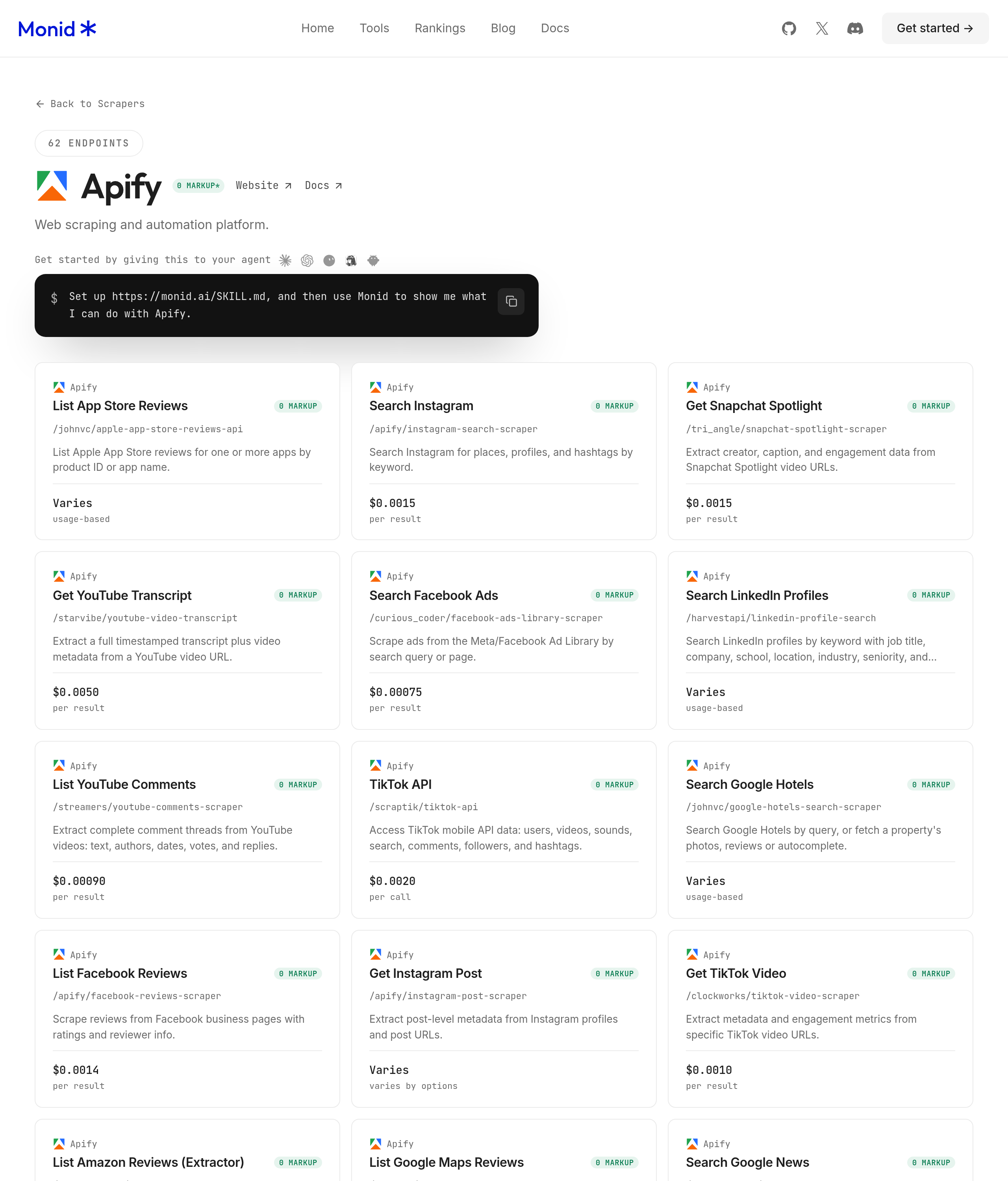
Use an existing list of individual profile URLs, test one URL, then ask your agent to produce the same columns for every returned record. Monid provides discovery, schema inspection and paid execution under one key and balance; the selected data provider is Apify.
An endpoint is one callable tool with its own input and billing rules. Here we use the Apify profile scraper, whose input is a required array called profileUrls.
Step 1. Install and add your key
For agents: get an API key at app.monid.ai and give it to your agent through your normal secret-handling mechanism; paste the setup instruction below. The agent quickstart explains the connection.
set up https://monid.ai/SKILL.md
For humans: install the CLI and store your key with a label. The CLI quickstart covers setup.
npm install -g @monid-ai/cli
monid keys add -k <your-api-key> -l main
Step 2. Give your agent one profile URL
Supply an individual profile URL from your existing recruiting list, and say explicitly that the first batch contains one URL. This tool has no limit parameter: a small input array is the way to keep the test small.
Ask for a private table with source URL, role presence, company presence, experience count, education count and review notes. Keep contact values out of shared previews; presence flags answer the completeness question without circulating addresses or phone numbers.
Step 3. Retrieve the profile
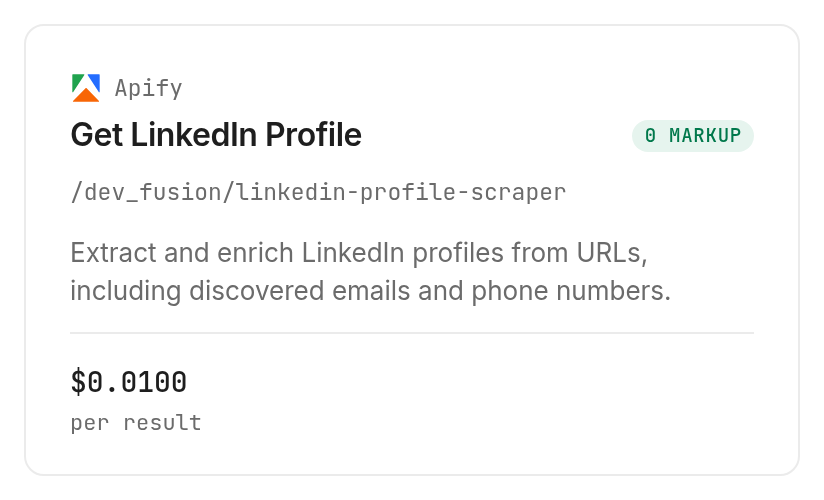
Tell your agent to inspect the selected scraper's card, confirm the per-result price and submit the one-element array. Our test completed with HTTP 200, one returned record and one billed unit in 8.984 seconds from creation to completion.
Step 4. Read and export the table
Export one profile row per returned object, with separate sheets for work history and education if you need those details. The following table shows aggregate checks from the actual response; it contains no personal values.
| Check | Returned value or count | Review action |
|---|---|---|
| Profile objects | 1 | Reconcile against one submitted URL |
experiencesCount | 3 | Compare with the nested array |
experiences length | 3 | Preserve each role separately |
educations length | 2 | Keep institution records separate |
skills length | 0 | Leave skill evidence blank |
updates length | 0 | Do not treat this as an activity feed |
jobLocation | null | Flag missing job-location detail |
companyFoundedIn | null | Leave company founding year blank |
email, mobileNumber | Both populated | Separate contact review from extraction |
Keep the raw response in restricted storage and share the smaller review sheet. A summary row is useful for triage; the original JSON preserves the detail behind each count.
How do you read the results?
Read the response as extracted information with different levels of completeness, not a finished candidate assessment. Our single result contained several work-history records and contact values alongside null fields and empty arrays.
Separate missing values from negative findings
A null jobLocation does not mean the person has no location. The same response included populated address fields, so the missing item was specifically the job-location field.
Likewise, an empty skills array means this result supplied no skill entries. It does not establish that the person lacks skills. Mark the cell as missing evidence rather than assigning a negative score.
Preserve multiple current roles
The test returned three experience entries with jobStillWorking set to true. A single headline or top-level job title does not describe that full structure.
For recruiting review, retain each experience entry before choosing a display role. Treat the display role as your editorial selection, not an extra fact returned by the scraper. This prevents a spreadsheet transformation from silently discarding concurrent work.
Keep contact discovery separate from validation
A populated email field is a discovered contact value; this response included no mailbox-validation result. Do not label that column “verified email” or start outreach merely because it is nonempty.
Contact discovery and contact validation are separate jobs. For this workflow, the business conclusion is narrower: the result supports profile review, while outreach readiness requires another decision and validation step.
How much does it cost?
The selected Apify scraper costs $0.01 per result, Verified 2026-11-06. Inspection describes one result per input query, so the number of submitted profile URLs determines the intended batch size.
Count inputs before buying the batch
Our one-URL test returned one result and billed $0.01 total, Verified 2026-11-06. The run had one billed unit; no additional flat fee appeared in inspection or the successful run record.
Deduplicate your URL list before submitting it. Repeated URLs add work without improving coverage, and a rerun is another paid execution. Keep an explicit approved batch size so an agent does not expand a test into the whole spreadsheet.
Separate free inspection from paid execution
Discovery and inspection are free; execution is the paid step. Monid exposes the billing shape before execution, and the tools catalog is the place to review current tool prices.
This successful test does not establish how failed or empty results are billed. Keep those cases separate in your operational records and read the actual charge on each run instead of assuming that an empty table means no charge.
How do you do this in your own code?
Keep the automation small: inspect the input, submit your prepared URL array, retrieve the completed response and transform only the fields your review needs. With Monid, the same CLI handles the discovery and execution steps.
Inspect the required input
These free commands locate and inspect the profile scraper. The required property is profileUrls; the schema does not offer a separate result limit.
monid discover -q "linkedin scraper" -l 10 --include-unavailable -j
monid inspect -p apify -e /dev_fusion/linkedin-profile-scraper
Create a local reader-profiles.json file containing an object with a profileUrls array and one of your own source URLs. Keep the file and its returned contact details out of public repositories.
monid run -p apify -e /dev_fusion/linkedin-profile-scraper \
  -f reader-profiles.json -w
Retrieve a completed response
The command below retrieves our completed test rather than buying another scrape. The CLI's JSON output can be redirected to a local file for processing.
monid runs get -r 01M6RSHDNQBJAER6HE63FJTCXA -j
In your own script, retain your own run ID, source reference, completion state and actual cost beside the exported rows. A completed execution and a complete profile are separate checks: the first is operational, while the second depends on the fields returned.
For repeated batches, reconcile input URLs against returned profile references before importing anything into a recruiting system. Add a review timestamp in your own export metadata, without presenting it as a provider-supplied freshness timestamp.
Which scraper fits each job?
Use the tested profile tool when you already have individual URLs and need structured profile records. Broader company research and activity collection are different jobs, so do not send those inputs to the same tool merely because every page is on LinkedIn.
| Use case | Best endpoint | Why? |
|---|---|---|
| Review existing individual profile URLs | Apify /dev_fusion/linkedin-profile-scraper | Tested with one URL; returns profile details and nested history; $0.01 per result, Verified 2026-11-06 |
For the contact-enrichment decision, the LinkedIn scraper email comparison separates discovered addresses from validated mailboxes.
For company profiles, employee lists and jobs, the broader LinkedIn data guide explains the separate workflow. This article's measured result belongs to individual-profile extraction only.
When should you use something else?
Use another route when the missing part is discovery, interpretation or activity collection. You are reading the Monid blog, and Monid resells access to the Apify tool used here; this guide is not a neutral comparison of every scraper.
Choose Apify directly when you want to work inside the provider's own workspace and manage the scraper there. Choose manual profile review when a hiring decision depends on interpreting overlapping roles or resolving contradictory descriptions.
For post text and engagement, choose a dedicated post-collection tool. Our profile response had an empty updates array, so this test supplies no post dataset.
The tested input also requires URLs you already possess. If you begin with “find recruiters in Austin,” source-list discovery comes first; this scraper alone does not turn that instruction into a candidate list. Browse the LinkedIn tools for the appropriate next job instead of filling an array with guessed profile addresses.
Conclusion
You now have a repeatable way to turn existing profile URLs into a review sheet while preserving missing values and nested work history. Start with one URL through Monid, inspect the charge, then widen only after the columns answer your recruiting question. The opening time allowance is illustrative: assuming two to four minutes of copying per profile, a 50-profile list represents 100 to 200 minutes, or 1.7 to 3.3 hours, before review; setup was not timed in this test. Keep extraction separate from judgment so your next candidate review starts with organized evidence.
FAQ
Is a LinkedIn scraper free?
Discovery and inspection are free through Monid; this profile scraper's execution is paid. The tested Apify tool is $0.01 per result, Verified 2026-11-06. Budget for returned records rather than treating access to the catalog as free extraction.
What do I need to install?
Install the Monid CLI for terminal use, or give your agent the setup instruction above. You need an API key and an existing list of profile URLs. The tested input required no browser cookies or LinkedIn password.
Can I use a LinkedIn scraper without coding?
Yes, an agent can inspect the tool, submit your URLs and format the output. Specify your columns and ask it to stop after one profile. You still decide which data belongs in your private review sheet.
How many profiles can I scrape at once?
The input accepts an array of profile URLs, but inspection declares no numeric batch ceiling. This guide tested one URL. Use a one-element array first and approve a larger batch explicitly rather than assuming an unlimited capacity.
Does a failed scrape cost money?
This guide's test establishes only the charge for one successful result. It does not establish failed-run billing. Read the execution record's status and actual cost separately, and do not infer a refund policy from a blank exported cell.
Can I schedule LinkedIn scraping?
Scheduling requires your own scheduler or automation outside this scraper's input. The inspected schema contains profile URLs and no scheduling field. Keep each scheduled batch small and reconcile its completed records before updating your sheet.
Are scraped email addresses verified?
A populated email field is not a mailbox-validation result. Our response returned contact fields without a validation outcome. Keep discovered contact information separate from any later deliverability check and from approval to contact someone.
Is LinkedIn scraping legal?
Rules vary by jurisdiction; check the rules that apply to your use. Decide what you collect, retain and share before expanding the batch. This tutorial provides an extraction workflow, not a legal conclusion.
Published November 2026.


