How to Use the Zillow API in Your Property Agent
Connect property lookups and rental searches to your agent with the right inputs, declared response fields and a bounded request workflow.

Give your property agent the right lookup for each question. Paste this into your agent:
Set up https://monid.ai/SKILL.md, then use Monid to inspect Zillow property lookups and rental search. Match my task to the required input, show the schema and price, and wait before making a paid request. Keep property estimates separate from asking prices.
Inspect inputs before spending. No 1 min setup or hrs saved measurement is claimed.
Property software developers searching for the Zillow API need a repeatable way to put property data into an agent. Once your shortlist reaches 10 saved homes, copying values between browser tabs and a script becomes a bookkeeping task. That is an illustrative workload, not an access limit.
A location and a property ID solve different problems. Sending a city to a single-property lookup does not identify a home, and a rental search does not make every returned item an individual unit.
We'll build the request plan through Monid, the OpenRouter for agent tools: one key and one balance for discovering and calling tools. You'll get commands for three property tasks, a declared-output reference and rules for storing responses. The lookups retrieve data; your application owns persistence, scheduling and review.
Output reference preview, from inspection descriptions rather than executed results:
| Task | Required input | What the tool description says it returns |
|---|---|---|
| Property estimate | Numeric property ID as a string | Automated home-value estimate and rent Zestimate |
| Property facts | Numeric property ID as a string | Price, address, lot size, tax assessment and listing metadata |
| Rental discovery | Location string | Paginated building and individual rental listings |
How to use the Zillow API with Monid
Start with free discovery and inspection, then choose one request matching the input you already have. An endpoint is a named operation with its own input contract and price; the Zillow tool page lists those operations.
Step 1. Install and add your key
For agents, get an API key at app.monid.ai and supply it through your agent's credential setup, then paste the setup instruction:
set up https://monid.ai/SKILL.md
For humans, install the CLI and save your key locally; keep the key out of source code and shared transcripts:
npm install -g @monid-ai/cli
monid keys add -k <your-api-key> -l main
Step 2. Find the operation that matches your input
Use discovery to find property tools, including availability information, then inspect the required fields before building a paid request:
monid discover -q "zillow" -l 10 --include-unavailable -j
monid inspect -p zillow -e /get_zestimate -j
monid inspect -p zillow -e /get_property_details -j
monid inspect -p zillow -e /search_homes_for_rent -j
The three selected tools are listed as stable in discovery. Both single-property lookups require zpid, a numeric property identifier represented as a string; rental search requires location and accepts optional page and furnished values.
Step 3. Request an estimate for one property
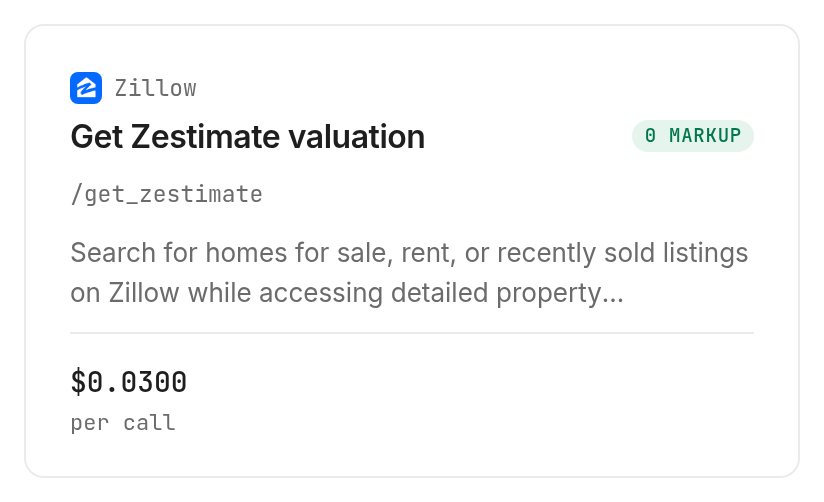
For a property you have already identified, get_zestimate accepts the property reference in query parameters; replace the schema's example ID with your intended property:
monid run -p zillow -e /get_zestimate \
  --query '{"zpid":"2080998636"}' -w
The lookup costs $0.03 per call, Verified 2026-11-02. Its description covers home-value and rent estimates, so route questions about property facts to the separate facts lookup.
Step 4. Add facts or search a location
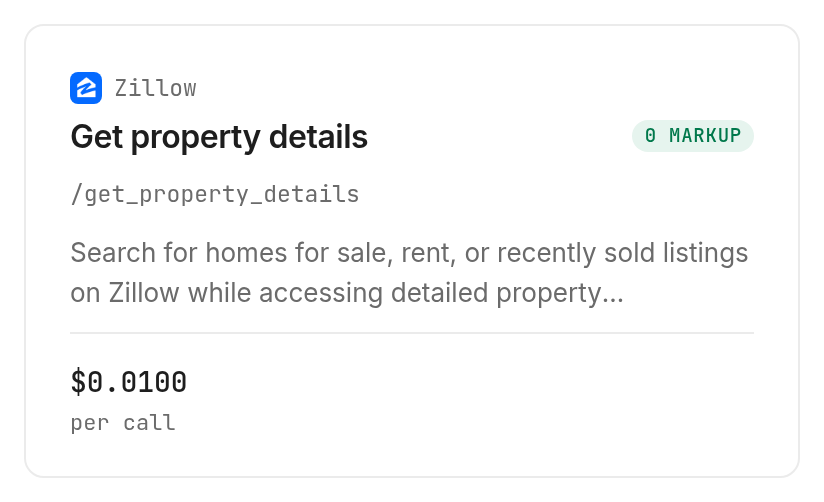
Use get_property_details when the next question concerns the property's address, price, lot size or listing information; it takes the same kind of ID:
monid run -p zillow -e /get_property_details \
  --query '{"zpid":"29505949"}' -w
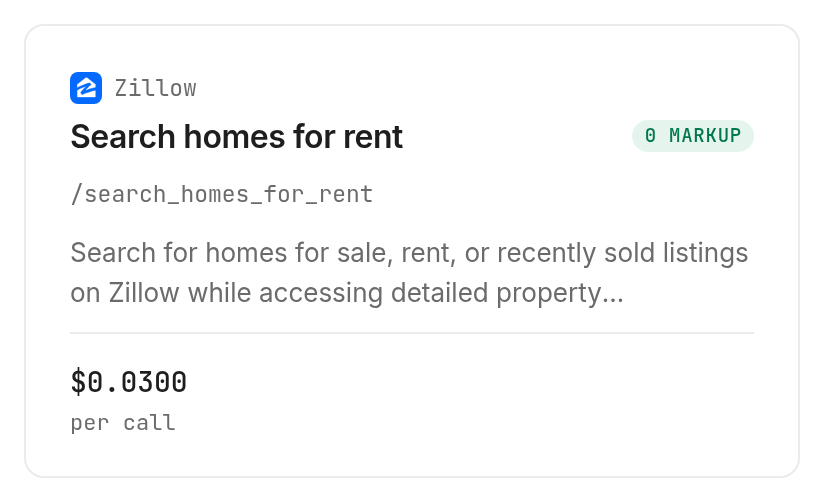
That lookup costs $0.01 per call, Verified 2026-11-02. For a location-based shortlist, use search_homes_for_rent, beginning with one page to bound the request count:
monid run -p zillow -e /search_homes_for_rent \
  --query '{"location":"Austin, TX","page":1}' -w
Rental search costs $0.03 per call, Verified 2026-11-02. Add "furnished":true only when furnished housing is part of the actual requirement, since that option narrows the search.
For the broader listing and sold-property context beyond these three requests, see the Zillow listing-data guide. Keep that discovery workflow separate from the adapter you build here.
Why choose the property question before writing code?
Choose the question first because an estimate, a listing price and a rental search result belong in different parts of your application. A successful request does not make those values interchangeable.
Separate property identity from location
A location starts a search; a zpid identifies a property for the inspected single-property operations. Preserve the original identifier alongside the response instead of rebuilding identity from a formatted address.
For example, an agent asked to inspect one saved home should ask for its property reference rather than quietly substituting a city search. If the input lacks the required reference, return a needs-input state before making a paid request.
Separate value estimates from listing facts
Keep estimated value, rent estimate and asking price in separate application fields. An agent that collapses them into one generic price column loses the distinction needed to explain its answer.
For the interpretation side of that decision, read how to check a Zestimate before comparing homes. This guide handles the integration contract; that guide handles the comparison task.
The 3 ways to feed property data into an agent
Choose live retrieval for a fresh question, stored responses for repeat processing, and manual input for a small human-reviewed job. These are application choices, not competing claims about data accuracy.
| Route | Billing approach | Best fit | Limitation |
|---|---|---|---|
| Monid live lookup | Per requested operation | Agent needs described property data | Requires the operation's exact input |
| Stored response | Your application's storage and processing | Reformatting or testing an existing answer | Does not retrieve a newer response |
| Manual input | Human work | One property already open for review | Requires another person to repeat the process |
Retrieve when the question needs another observation
Use Monid when the agent needs to fetch data for its current task. Make retrieval an explicit action so a request to summarize an existing record does not automatically trigger another purchase.
Ask the agent to state which operation it plans to use and why. That creates a readable boundary between reasoning about saved data and requesting another observation.
Replay when the data is already in your application
Use saved responses to develop formatting, extraction and explanation logic. Preserve the original payload so a changed display rule does not require the same property to be fetched again.
Give test fixtures an application retrieval timestamp and a clear stored-data label. This makes replay useful without presenting an old response as a new observation.
Review manually when automation adds no value
Use the Zillow website when a person is inspecting one home and does not need an automated export. A human review is also a useful checkpoint when the property's identity needs confirmation.
How to prepare the returned data for your script
Preserve the response first, then map its contents into application fields that match your task. The inspection descriptions declare the following output concepts; this table is an output reference, not a table of property observations.
| Output concept or declared key | Described source | Application treatment |
|---|---|---|
| Home-value estimate and rent Zestimate | Estimate lookup description | Keep separate and preserve missing values |
| Price, address, lot size, tax assessment, listing metadata | Property lookup description | Map after examining the response structure |
listings, zpid | Rental search description | Preserve each item's identity and original item |
isBuilding, units | Rental search description | Distinguish buildings from individual rentals |
availabilityDate | Individual rental description | Preserve absence when no date is supplied |
hdpData | Individual rental description | Retain nested information before extracting fields |
The estimate and property inspections describe outputs without declaring a formal response schema or exact field paths. Keep those concepts as mapping requirements until your adapter receives the response structure; do not hardcode a guessed JSON path into production logic.
Keep buildings separate from individual homes
Rental search describes two record types: individual rentals with numeric property IDs, and apartment buildings with coordinate-style IDs. The building representation includes isBuilding and a units array of floor-plan price ranges.
Do not count every building card as one available home, and do not convert its ID into an integer. Save the record type so later processing selects the correct path.
Store provenance beside the payload
Use application-owned columns such as requested task, input reference, retrieval timestamp, original response and review state. These names describe your storage design, not promised response keys.
Keep retrieval time separate from any source timestamp. Your request time records when your application collected the response; it does not establish when the underlying listing last changed.
For missing numeric values, preserve null or absence rather than writing zero. Zero has a numeric meaning and changes sorting, comparisons and summaries.
How much does the property workflow cost?
Cost follows the operations requested, because all three selected tools use per-call billing. Free discovery and inspection let you choose the request before using the balance; current operation prices live on the tool catalog.
Bound pages and enrichment separately
Rental search declares up to 41 listings per page and one-based pagination. That is a described page capacity, not a guarantee that a request returns 41 usable properties.
Set a page budget and an enrichment budget independently. For example, collect the first page, deduplicate your selected records and request facts only for the properties needed to answer the question.
Do not add a limit parameter to this search: its inspected query schema allows location, page and furnished, with additional properties disabled. A one-page test bounds requests through page, not through an invented row-limit field.
Prevent accidental repeat purchases
Give each queued task an application identity built from the operation, normalized input and intended observation window. Consult your task log before resubmitting a request after a worker restart.
The per-call price alone does not establish failure refunds or empty-result charging. Treat those as separate billing requirements, and do not design a retry loop around an assumed free failure.
Which lookup fits each property job?
Choose the narrowest operation that answers the question, rather than fetching every kind of property data by default. All entries below are inspected operations with the prices shown on their cards.
| Use case | Best endpoint | Why? |
|---|---|---|
| Estimate one identified home | zillow/get_zestimate, inspect | Home and rent estimates; Verified 2026-11-02; per call $0.03 |
| Retrieve facts for one property | zillow/get_property_details, inspect | Address, price and property facts; Verified 2026-11-02; per call $0.01 |
| Discover rentals in a location | zillow/search_homes_for_rent, inspect | Paginated rental discovery; Verified 2026-11-02; per call $0.03 |
The real-estate tools collection is the next stop when the job changes. Expanding the task should trigger another discovery and inspection step, rather than extra unsupported options on an existing request.
When should you use something else?
Use the Zillow website for a manual review, your stored dataset for replay, or a direct data-source agreement when the project requires a defined delivery contract. You are reading the Monid blog; this guide covers tools exposed through its catalog, not Zillow's own API setup.
The selected lookups do not implement your database, recurring scheduler, quality review or complete market coverage. The single-property input schemas also do not accept an array of IDs, so bulk processing belongs in your application's queue.
Choose a direct source relationship when required fields, delivery terms or coverage commitments are part of procurement. A convenient request interface does not replace those requirements.
Conclusion
You now have a request plan that separates one-property estimates, property facts and location-based rental discovery, plus a storage design that retains each response's identity and context. Use free inspection to confirm inputs, authorize retrieval deliberately and repeat only the observations your task needs. No setup-time or hours-saved estimate is assigned to this workflow. Your agent can then explain which property data it requested and preserve the distinctions your decisions depend on.
FAQ
Can I use the Zillow API through Monid for free?
Discovery and inspection are free; execution uses the selected tool's per-call price. Read the Zillow operation cards for the current prices before authorizing retrieval.
What do I need to install for a property script?
Install the Monid CLI and add your API key for the command workflow shown here. An agent can instead follow the setup skill and manage discovery and inspection through its supported tools.
Do property lookups accept a street address?
The inspected single-property operations require a string named zpid, not an address. Rental search accepts a location string, so keep location discovery separate from requesting facts for one identified property.
How many rental listings can one request return?
The rental search description declares up to 41 listings per page. Its page parameter is one-based, and results include both building records and individual rentals; page capacity is not a count of distinct available homes.
Can I send a list of property IDs at once?
The inspected property lookup inputs accept one zpid string each. Queue separate requests in your application and deduplicate the input list before submission so repeated IDs do not trigger accidental repeat work.
Can I schedule property checks every day?
Your application must provide the recurring scheduler for these lookup commands. Save each retrieval timestamp and its input reference so daily observations stay distinguishable from a replay of a stored response.
Does a missing estimate mean the property is worth zero?
A missing estimate does not mean zero. Preserve the missing state and route the property for review rather than giving the agent a fabricated numeric value to compare or summarize.
Published November 2026.