How to Find Trending Hashtags on TikTok for Your Posts
Build a dated TikTok hashtag shortlist from ranked tags, popularity curves and video samples, then choose tags that fit your content.
Find hashtag candidates and keep the evidence behind each choice. Paste this into your agent:
Set up https://monid.ai/SKILL.md, and then use Monid to collect three US TikTok hashtag candidates for a seven-day request. Keep the actual source dates. Flag stale curves, separate tag totals from trend ranks, and export a shortlist without creator identities.
1 min setup target · 1-2 hrs saved per month in the planning example below.
Social media managers looking for trending hashtags on TikTok need more than three tags copied from another video's caption. Those three candidates still need a date, a market and a reason to belong beside your next post.
A screenshot loses the settings behind the chart. A huge view count answers a different question from whether interest is rising, and a fresh download does not establish that its underlying trend data is fresh.
We'll build a dated shortlist, read its limits and add a separate video sample. The preview below comes from calls collected on November 1, 2026; its source curves cover October 9 through October 15, so these are research examples rather than recommendations for today's captions.
| Returned rank | Hashtag candidate | Source curve dates | Initial decision |
|---|---|---|---|
| 1 | #tiktokscaryhorrorcontest | October 9 to 15 | Historical reference |
| 2 | #marvelrivalsavengers | October 9 to 15 | Historical reference |
| 3 | #livecanbeeasy | October 9 to 15 | Historical reference |
The route is simple: define your brief, collect a small board, then separate evidence from the editorial decision.
What are trending hashtags on TikTok?
Trending hashtags are tags appearing in a popularity ranking for a stated context, such as a country and time window. A useful shortlist keeps that context attached to every row instead of treating the hashtag alone as the finding.
Distinguish a ranking from a tag total
A ranking answers where a tag sits on the returned board. A hashtag summary answers what counts the source reports for that named tag. Neither establishes that adding the tag improves your video's performance.
In our sample, the first ranked tag had 73,462 in publishCnt and 312,182,870 in vv. The second had more posts, 110,088, but fewer views, 24,120,743. Rank therefore cannot be reconstructed by sorting either visible count alone.
Keep those fields under their original labels until you have a documented definition of their scope. Do not rename vv to unique viewers or publishCnt to new posts today: the response does not establish either meaning.
If your hashtag research leads to a creator partnership, use a TikTok user finder to check the account separately. A hashtag ranking does not establish a creator's identity or fit, and creator review belongs outside this anonymized shortlist.
Keep collection time and source time separate
Collection time is when your workflow received the response. Source time is the date represented by the records inside it. This distinction determines whether a row belongs in a current brief or an archive.
Our collection happened on November 1, but every returned popularity curve ended on October 15. A report that uses only the collection date would conceal the gap. Display both dates and route historical rows away from immediate publishing decisions.
Why separate popularity from a useful trend?
A useful trend fits the video you intend to make and has evidence recent enough for your decision. Popularity alone supplies neither condition, so your research needs a relevance check and a freshness check.
Match the tag to the actual video
Start with the subject, audience and format of your proposed post. For a construction-toy demonstration, a game-specific campaign hashtag needs a concrete connection before it belongs in the caption. An unrelated popular label fails the editorial brief even when its metrics look impressive.
Treat this as an editorial rule rather than a platform rule. Write one sentence describing why a viewer following that tag would want your video. If the sentence depends entirely on the tag being popular, remove the candidate from the shortlist.
Read the curve before choosing a direction
The first sampled tag's curve moved from 0 to 100 across seven returned points. The second reached 100 near the start and ended around 25.89. The third ended around 99.20 after reaching 100 at the preceding point.
Those shapes describe the supplied historical window. They do not prove a continuing rise in November. Nor does a value of 100 mean one hundred views: the curve's values are separate from the response's view-count field.
The practical payoff is a better content meeting. You can explain why a candidate needs a fresh check, why a large tag lacks a fit, or why an archived campaign belongs in a retrospective rather than the next posting slot.
Where does hashtag evidence come from?
Use a trend board to discover candidates, a named-tag lookup for context and actual videos to judge meaning. Each source answers a distinct question; combining them requires preserving their different scopes.
Browse the platform when you need visual context
TikTok's Creative Center trends page is a direct starting point for browsing. Use the source interface when your immediate task is understanding the presentation and exploring the surrounding material.
Record the settings you used alongside your notes. A screenshot without a country or window is difficult for a teammate to reproduce. A spreadsheet without a source date has the same problem, even when it contains many more rows.
Use structured records for repeatable briefs
A structured response gives you consistent field names that a spreadsheet or agent can retain. It also makes missing values visible. An empty industry list, for example, belongs in the record as empty rather than becoming a guessed category.
For video research after selecting a topic, use the guide to finding TikTok videos by keyword. That next task examines TikTok video search results and engagement; a hashtag ranking alone does not select the videos that illustrate your creative idea. Search a concrete phrase from your brief, inspect the matching video captions, and compare views, likes and comments as separate observations. Save the search phrase with your results. This gives the creative team a reproducible route from a broad hashtag topic to specific video examples, without assuming that the most viewed video caused the hashtag to trend.
How to build a dated hashtag shortlist in five steps
Build the shortlist by fixing the brief before collecting data, then keeping the collection and judgment stages separate. These five steps work with a manual spreadsheet or an automated report.
Step 1. Define the brief
Write the target country, the intended subject and the publishing decision. Our measured ranking request used US, seven days and three candidates; the small limit kept the first test easy to inspect.
Step 2. Collect the smallest useful board
Request or copy a small set before expanding the research. Keep returned rank, hashtag, counts and curve timestamps together so later sorting does not detach evidence from its row.
Step 3. Check the dates
Convert source timestamps into calendar dates and compare them with your brief's required freshness. Mark older records as historical references; do not promote them to a current recommendation because the request succeeded.
Step 4. Inspect relevant video context
Look up a tag that matches your subject and review the returned video sample. Our separate lego lookup illustrates this stage; it was a chosen research input, not a tag discovered in the three-row ranking.
Step 5. Export the decision
Save the evidence plus an editorial action such as review, reject or historical reference. Keep a short reason beside that action so another person can understand the choice without repeating the entire investigation.
How to collect a shortlist with Monid
Monid, the OpenRouter for agent tools, supplies the collection stage through one key and balance. It delivers ranked records and named-tag video samples; it does not establish current trend freshness, judge creative suitability or attribute future reach to hashtags.
For agents
Get a key at app.monid.ai, then give your agent the setup instruction below. The agent quickstart explains the workflow.
set up https://monid.ai/SKILL.md
For humans
Install the CLI and add your key as shown in the CLI quickstart. Keep the key out of shared scripts.
npm install -g @monid-ai/cli
monid keys add --label main --key <your-api-key>
Collect the ranking
An endpoint is a callable tool with a defined input. We used TikHub through its ranking tool on Monid, with the same small request shown here:
monid discover -q "tiktok trending hashtags" -l 8 -j --include-unavailable
monid inspect -p tikhub -e /api/v1/tiktok/ads/get_trends_hashtag_list
monid run -p tikhub -e /api/v1/tiktok/ads/get_trends_hashtag_list \
  -w -i '{"country_code":"US","time_range":7,"page":1,"limit":3}'
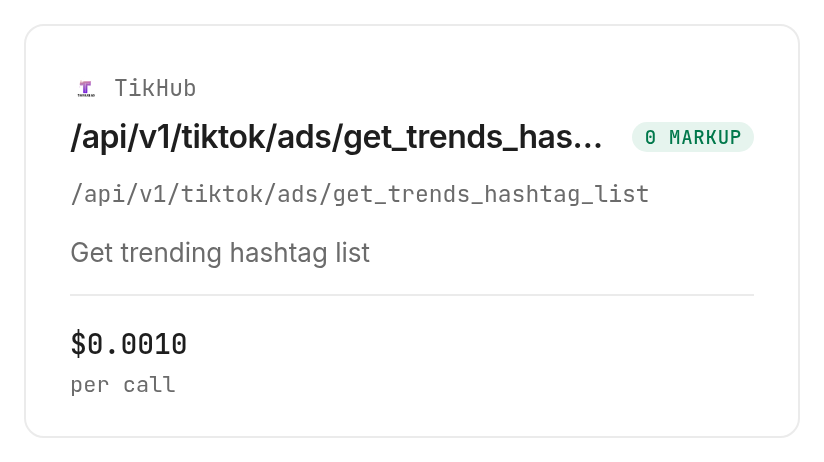
The call returned three records, reported totalCount: 100 and hasMore: true, and completed in 1.57 seconds from run creation. The reported total is pagination metadata, not a claim that we collected one hundred tags.
| Returned rank | Hashtag | publishCnt | vv | Editorial action |
|---|---|---|---|---|
| 1 | #tiktokscaryhorrorcontest | 73,462 | 312,182,870 | Historical reference |
| 2 | #marvelrivalsavengers | 110,088 | 24,120,743 | Historical reference |
| 3 | #livecanbeeasy | 21,285 | 30,155,625 | Historical reference |
These are the complete three returned rows, with creator details omitted. The business conclusion is to collect fresh evidence before assigning any of them to a November publishing brief.
Add a named-tag sample
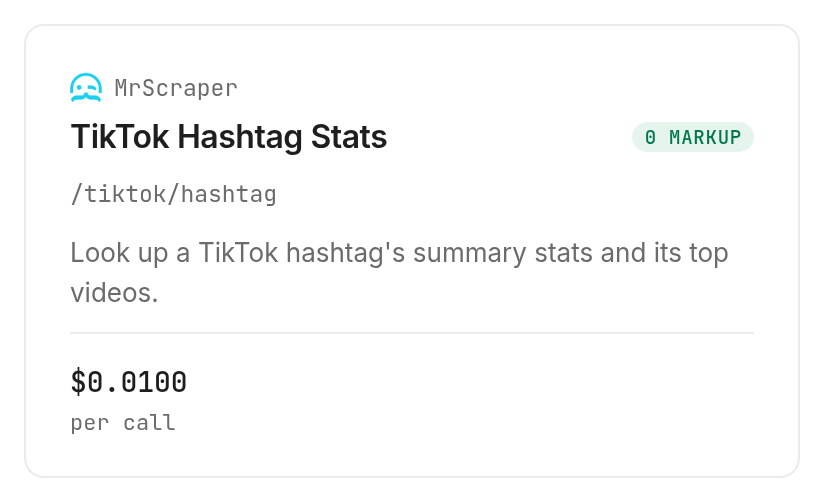
The MrScraper marketplace documentation describes its ready-made scrapers. We tested both the promotional and regular hashtag lookups with lego, without a hash sign, as required by their input schemas.
monid run -p mrscraper -e /promo/tiktok/hashtag -w -i '{"tag":"lego"}'
monid run -p mrscraper -e /tiktok/hashtag -w -i '{"tag":"lego"}'
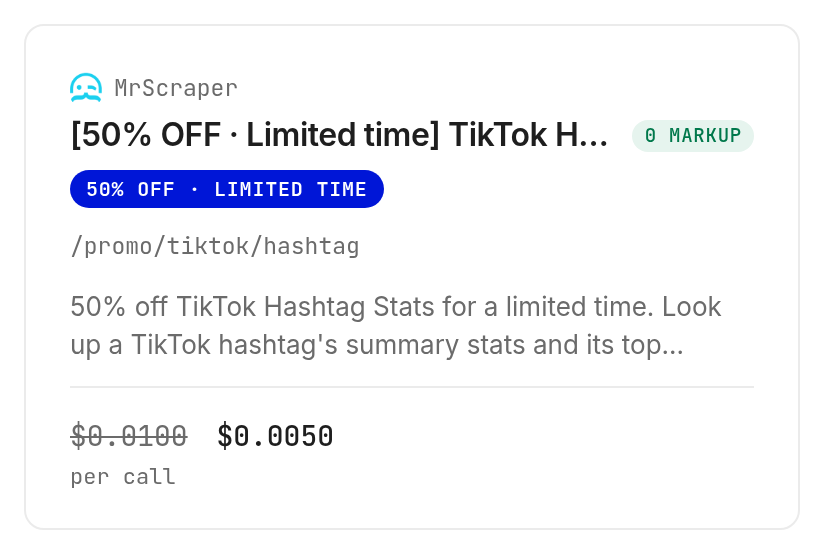
Each response supplied data.download_link, content_type, link_expires_at and file_expires_at. Fetch that JSON file before building the table; retain the file contents rather than treating its temporary URL as your permanent dataset.
| Sample measure | Promotional lookup | Regular lookup |
|---|---|---|
| Input tag | lego | lego |
| Returned video records | 21 | 28 |
| items.hasMore | false | true |
| Creation to completion | 8.99 seconds | 14.28 seconds |
| statsV2.videoCount | 7,545,753 | 7,545,744 |
| statsV2.viewCount | 126,142,159,112 | 126,332,191,624 |
The files also contained legacy stats counts that differed from statsV2, including a zero video count. Preserve both paths in your source file and label the chosen field in the export; neither value establishes recent growth. Different sample sizes and counts across these two calls are not a controlled comparison of the routes.
For repeated TikTok snapshots, keep the same market, window and field paths between snapshots before calculating changes.
Which tool should you use for each job?
Choose a ranking for discovery and a tag lookup for context. All three tested tools bill per call; discovery and inspection are free, and none of our measured calls failed or returned an empty dataset.
| Use case | Best endpoint | Why? |
|---|---|---|
| Collect ranked candidates | TikHub /api/v1/tiktok/ads/get_trends_hashtag_list | Returned rank, counts and curves; per call, Verified 2026-11-01, $0.001 |
| Inspect one named tag during the promotion | MrScraper /promo/tiktok/hashtag | Returned downloadable summary and video sample; per call, Verified 2026-11-01, $0.005 |
| Inspect one named tag through the regular route | MrScraper /tiktok/hashtag | Separate regular lookup; per call, Verified 2026-11-01, $0.01 |
The three successful calls together cost $0.016, Verified 2026-11-01. That measured total covers one ranking and two lookups; your working report needs only the lookup route you choose. Browse the TikTok tools in the monid.ai/tools catalog for the current catalog before expanding the workflow.
When should you use something else?
Use TikTok Creative Center for visual browsing and TikTok itself to review whether a tag's videos fit your creative brief. This is the Monid blog, and the tools demonstrated here resell provider access; a single billing layer does not make the underlying records more current.
Use MrScraper's own dashboard when your team already works there and wants its interactive workflow. Use your publishing analytics to judge your own results: the tested tools do not publish posts, run experiments or measure the incremental effect of adding a hashtag.
Conclusion
You now have a repeatable way to collect candidates, preserve dates and separate a tag's scale from its usefulness. Monid handles collection, while freshness checks and creative selection remain part of your editorial process. The pitch's 1 min setup is a planning target, and 1-2 hrs saved assumes replacing four monthly sessions of 15-30 minutes of copying with an automated export; neither is a measured outcome from these calls. Choose tags whose evidence is recent enough and whose audience matches the video you actually intend to publish.
FAQ
How do I find trending TikTok hashtags for my niche?
Start with your subject and market, then review ranked candidates against actual videos. Reject unrelated tags even when their counts are large.
Can I find trending hashtags on TikTok for free?
Discovery and inspection through Monid are free; running the demonstrated collection tools is paid. The dated prices above describe our tested calls.
Do I need to write code to collect hashtags?
You can give the task to an agent using the opening prompt. Specify the country, window, small candidate limit and required export fields.
How many hashtags can I collect at once?
Our ranking test collected three hashtags. Its pagination reported one hundred total records, while the separate tag lookups returned 21 and 28 video records.
Does a failed hashtag lookup cost money?
Our test contains only successful calls. It establishes their charges, not a billing rule for failed requests or empty results.
Can I check TikTok hashtags on a schedule?
Use your scheduler to repeat collection with fixed settings. Keep source dates and collection dates separate so repeated downloads of old data do not become a false trend.
Is collecting TikTok hashtag data legal?
Rules vary by location; check the requirements that apply to your use. Keep personal data out of shared research exports.
Published November 2026.


