How to Use the eBay Developers API in Your Agent
Get eBay search listings and individual product details into your agent, then export a table with item IDs, titles, condition and shipping.
Get eBay listings into your agent and export a useful comparison table. Paste this into your agent:
Set up https://monid.ai/SKILL.md, and then use Monid to search eBay for Nintendo Switch OLED console on ebay.com. Inspect the search tool first, request one page of 60 Buy It Now listings, and export item ID, title, condition, price, shipping text and link. Fetch details for one shortlisted item. Keep seller personal data out of the report and do not describe asking prices as completed sales.
Planning estimate: 1 min setup · 0.5-1 hrs saved on a 60-row copy task.
Developers searching for the eBay developers API need listings their agent can read. If you're copying search results into a spreadsheet, a page of 60 items means repeating the same title, condition and shipping checks 60 times before your script has usable input.
A pasted page also leaves interpretation to the agent. A title containing a familiar console name does not establish the model, and a price without its condition or shipping context is an incomplete comparison.
We'll use Monid, the OpenRouter for agent tools, to retrieve structured search data through SerpApi and inspect one shortlisted listing. The finished artifact is a product comparison export: get one page, preserve the returned fields, then enrich a selected item.
Here is the preview from the November 8, 2026 search. These are field-presence counts from the returned records, not a promise about every future page.
| Export column | Records with the field |
|---|---|
| Item ID | 60 of 60 |
| Title | 60 of 60 |
| Condition | 60 of 60 |
| Price | 60 of 60 |
| Shipping | 60 of 60 |
| Listing link | 60 of 60 |
How to use the eBay Developers API with Monid
Use the SerpApi eBay search tool through Monid to retrieve a page, then pass a returned item ID to the listing detail tool. An endpoint is simply the specific tool operation your command calls; these two operations read marketplace pages and return structured data.
This guide uses SerpApi through Monid. It does not connect your seller account, create listings, place orders or deliver a completed-sales dataset.
Step 1. Install and add your key
For agents: get an API key at app.monid.ai, then give your agent the key and this setup instruction. The agent quickstart explains the connection.
set up https://monid.ai/SKILL.md
For humans: install the CLI and save your key using the commands below. The CLI quickstart covers setup.
npm install -g @monid-ai/cli
monid keys add -k <your-api-key> -l main
Keep the key in your local configuration. It belongs outside exported tables, shared prompts and source files.
Step 2. Inspect the search inputs
Discover the matching tool and inspect its input schema before spending anything. Both commands are free; --include-unavailable also exposes tools currently marked unavailable so you can read their status. If your agent also needs general web results, the Bing search API guide uses the same SerpApi tool interface with a different search source.
monid discover -q "ebay" -l 5 -j --include-unavailable
monid inspect -p serpapi -e /ebay/search
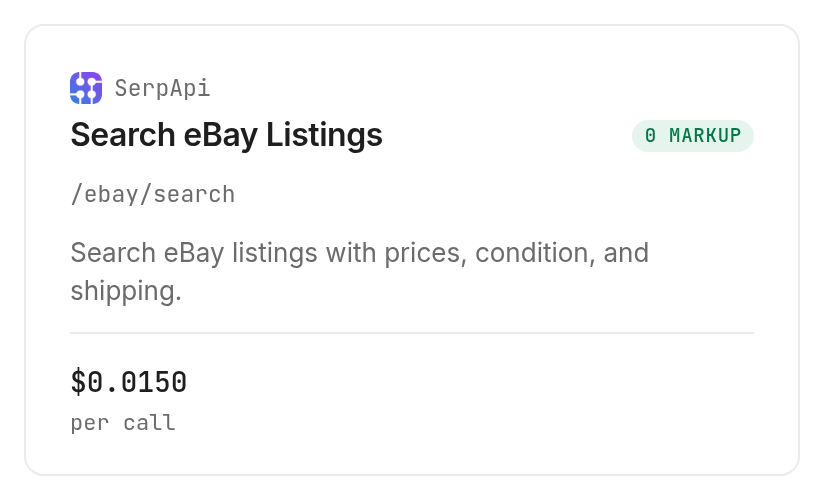
Choose one query and the smallest supported page size when testing. This search accepts _ipg values of 60, 120 or 240, so 60 is the small supported request; inventing limit: 5 does not match its schema.
Step 3. Search one page
Use the exact command below to repeat the test query, with input under --query because inspection declares query parameters. BIN selects Buy It Now listings, ebay_domain fixes the marketplace, and _pgn selects the first page.
monid run -p serpapi -e /ebay/search \
  --query '{"_nkw":"Nintendo Switch OLED console","ebay_domain":"ebay.com","_ipg":60,"_pgn":1,"buying_format":"BIN"}' \
  -w -o ebay-search.json
The measured search returned 60 organic listings and completed in 3.065 seconds between its recorded creation and completion timestamps. Its search metadata reported 8,400 total results; that number describes the search, while the exported page contains 60 rows.
Step 4. Inspect one shortlisted item
Take a product_id from the search response and retrieve its details. This example uses the first returned item; choose your own shortlisted ID after checking its title.
monid inspect -p serpapi -e /ebay/product
monid run -p serpapi -e /ebay/product \
  --query '{"product_id":"227546299694","ebay_domain":"ebay.com"}' \
  -w -o ebay-product.json
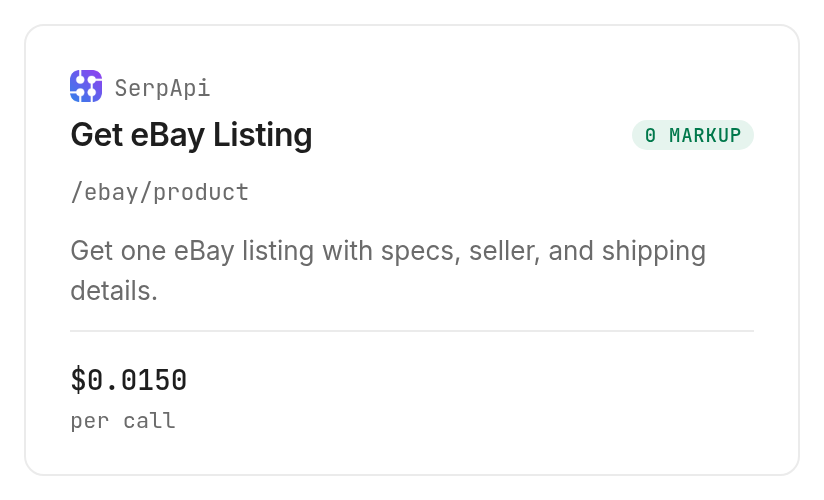
The detail call completed in 20.392 seconds and returned a product_results object, plus seller and related-product sections. Keep the product fields for your comparison and exclude seller names, handles, addresses and photos from a shared report.
Why listing identity matters before you compare prices
Check the model and condition before ranking a listing by price. In this test, the third search result's title named a Nintendo Switch handheld console without saying OLED, even though the query included OLED.
Keep the title as evidence
Preserve the original title alongside any model label your agent assigns. Our editorial rule is to put a listing without an explicit model match into a review queue before including it in an OLED comparison.
A keyword search is a candidate generator. Treating every returned row as an exact product match turns search relevance into a product identification claim the response does not establish.
Separate the comparison from the decision
The search returned condition: "Pre-Owned" for each of the first three rows. That label belongs next to the title whenever you compare offers; it does not describe battery health, included accessories or the physical state of every component.
For a store agent, give this export a narrow role: supply outside marketplace observations to a later decision. Keep competitor observations alongside your inventory information, with separate labels for source facts and your own product matching decisions.
The 3 ways to get eBay listings into a script
Choose the route according to where you want the retrieval and parsing work to live. Monid provides a common tool interface; your script still owns product matching, storage and the decision made from the data.
| Route | Billing model | Best fit | Work you retain |
|---|---|---|---|
| Monid with SerpApi | Per successful tool call | An agent using a shared tool balance | Matching products and storing snapshots |
| Manual page review | Staff time | A small, one-off shortlist | Copying and checking every row |
| Your own page-reading script | Your infrastructure and maintenance | A team that wants to own extraction | Fetching, parsing and handling page changes |
Use a common tool interface
The Monid route lets an agent discover, inspect and call the search and detail operations with one configured key. You buy the calls you use from one balance, and your application receives structured output rather than needing to interpret page markup.
SerpApi's search documentation describes the search parameters and result structure behind this operation. Keep that reference separate from your own export contract so changes in upstream fields do not silently change your database columns. For another marketplace using the same provider, the Airbnb search guide shows the same separation between listing discovery and selected detail reads.
Review a page manually
Manual review works when a person needs to inspect a few offers and make a one-time choice. It also gives you a useful audit sample: open shortlisted listings and compare what the export says with what the page shows.
The repeated work begins when the same query needs another snapshot. Write down the query and filters even for a manual comparison so your next review starts from the same scope.
Own the extraction code
A custom page-reading script gives your team responsibility for fetching and parsing the source. Keep extraction separate from product matching, because a correctly parsed title still needs interpretation. Budget maintenance whenever the page structure changes.
How do you read and export the results?
Export one record per item with the original fields intact, then add your own review labels in separate columns. The following sample contains only product information from the real search; the shortened product labels below are editorial descriptions of the returned titles.
| Search row | Product description | Returned condition | Item ID present | Shipping text present |
|---|---|---|---|---|
| 1 | OLED console with Gold and Green Zelda Edition Joycons | Pre-Owned | Yes | Yes |
| 2 | White OLED handheld console | Pre-Owned | Yes | Yes |
| 3 | Neon Red Blue Switch handheld console | Pre-Owned | Yes | Yes |
Preserve the raw and numeric fields
The search response contains price.raw and price.extracted, plus shipping.raw and shipping.extracted. Store both forms: numeric fields support arithmetic, while raw text preserves the wording that gives a number context.
Keep product_id, title, condition and link with those values. Add the retrieval timestamp and original query from the response metadata to your saved snapshot, so another developer can explain where the table came from.
For a spreadsheet, ask the agent to export these selected columns to CSV. For a database, use a snapshot identifier together with the item ID, rather than overwriting an old observation each time the same item reappears.
Attach details without flattening everything
The detail response uses product_results.buy.buy_it_now.price.amount and a currency field, rather than the search response's price.extracted structure. It also returned specifications, returns, media and watch_count for the tested item.
Map those fields deliberately. Do not point the same JSON path at both responses, and do not convert absent fields into zeroes: missing data and a numeric zero mean different things.
The product documentation is the reference for the detail structure. Keep the original response alongside your export so you can revise the mapping without buying the same observation again.
Build a repeatable snapshot
Start with one query and one page, then compare a later snapshot using the same marketplace and filters. Deduplicate item IDs within each snapshot and keep model-review labels outside the source fields.
For the next stage, compare the item IDs present in successive snapshots before calculating changes. A disappearing listing is a missing observation in your export, not evidence that the item sold. Use repeated checks after the initial table represents the products you actually intend to monitor.
How much does it cost?
The search operation costs $0.015 per successful call, Verified 2026-11-08. The detail operation costs $0.015 per successful call, Verified 2026-11-08.
Count calls rather than rows
Our measured search billed one unit for 60 listings, and the selected detail billed one unit for one listing. The two-call test total was $0.030, Verified 2026-11-08; it covered one search page and one detail request.
The inspected billing rule charges successful empty searches and does not charge HTTP errors or failed searches. That rule matters when planning a query list: a valid query with no matching listings still consumes a search call.
Set the enrichment boundary
Only enrich items that survive your title and condition review. Fetching details for every returned candidate expands the number of calls even when most candidates will never enter the comparison.
Discovery and inspection through Monid are free. Set a maximum number of pages and shortlisted detail requests before a scheduled job starts, then stop at that boundary instead of letting an agent follow every available link.
When should you use something else?
Use eBay's own site for a one-off buying decision, or keep an existing dedicated integration when it already delivers your required data. This is the Monid blog, and the workflow here resells SerpApi access; it is one route to a research table.
Search and detail reads do not provide seller account writes or purchasing actions. They also do not establish completed transaction prices, and the measured detail request took longer than the search, so selective enrichment belongs in the design.
For a team already operating directly with SerpApi, retaining that existing integration avoids moving a working retrieval path. Choose this workflow when a shared agent tool interface is useful, rather than treating a new integration as a requirement for every project.
Which tool should you use for each job?
Use search to build the candidate table and detail to enrich selected IDs. Both Monid operations below were tested on November 8, 2026; neither is a substitute for an account management integration.
| Use case | Best endpoint | Why? |
|---|---|---|
| Get a page of candidate listings | SerpApi /ebay/search | Returned 60 records with titles, conditions and shipping; per successful call, Verified 2026-11-08: $0.015 |
| Read one shortlisted listing | SerpApi /ebay/product | Returned product details and specifications for one item; per successful call, Verified 2026-11-08: $0.015 |
Conclusion
You now have a repeatable search-to-shortlist workflow: retrieve a page through Monid, preserve its original fields, check model identity and enrich selected listings. The pitch's time estimate assumes manually copying and checking 60 rows takes 30 to 60 seconds per row, or 0.5 to 1 hour; the setup minute is a planning allowance for someone who already has a key, rather than a timed installation result. Reuse the same query and export columns for your next snapshot, and your agent gets a comparison it can trace back to specific listings.
FAQ
Is the eBay API free through Monid?
Discovery and inspection are free; successful search and detail calls are paid. Read the dated prices in the cost section and the current tool catalog before choosing your request budget.
Do I need an eBay developer API key for this workflow?
This workflow uses your Monid API key. The commands call the SerpApi tools through Monid and do not ask you to supply an eBay developer key.
Do I need to write code to export eBay listings?
You can give the opening prompt to an agent and ask it to export the selected fields. Developers can use the CLI commands directly and map the JSON into their existing storage pipeline.
How many eBay listings can I request on one page?
The inspected search schema accepts page sizes of 60, 120 or 240. This test requested and received 60 listings; additional pages are separate calls, and the search's total-result count is not the number exported.
Are empty searches and failed calls charged?
The inspected billing rule charges successful empty searches and exempts failed searches and HTTP errors. Save the run ID when diagnosing a problem so you can retrieve its status instead of immediately submitting another paid request.
Can I schedule eBay searches for my agent?
Your own scheduler can invoke the same commands repeatedly. Store dated snapshots, cap the pages and detail requests, and keep the filters fixed when comparing observations over time.
Are the returned eBay prices completed sale prices?
The search prices in this guide are listing observations, not proof of completed transactions. Use them to build and review an offer shortlist, and keep product matching separate from the decision to buy or reprice.
Published November 2026.


