How to Choose a Carfax Alternative Before Buying
Compare vehicle-history reports with listing checks, then build a tested shortlist showing mileage, asking prices and the limits of valuation badges.
Choose the right history check, then compare the cars worth pursuing. Paste this into your agent:
Set up https://monid.ai/SKILL.md, and then use Monid to search for two used Toyota Camry listings near ZIP 78701. Compare mileage, listing price and reported history flags. Retrieve the value data for one active listing. Preserve missing estimates and explain that this is not an independent vehicle-history report.
Planning example: 1 min setup · 0.5-1 hrs saved across ten repeat checks; assumptions below.
Used-car buyers and fleet procurement managers looking for a carfax alternative need to separate two jobs: comparing cars for sale and checking a specific vehicle's history. Even a two-car shortlist needs separate evidence for each vehicle. A favorable price badge does not answer both questions.
Opening another listing tab solves the comparison problem only temporarily. A history report answers different questions, and copying a listing's accident summary into a spreadsheet does not turn that summary into an independent report.
We'll compare three routes and build a small shortlist through Monid, the tool layer for AI agents. Its matching tools cover active-listing searches and valuation data; they do not deliver an independent replacement for a CARFAX history report. Start with the finished comparison, then choose the evidence your purchase needs.
| Measured field | Camry A | Camry B |
|---|---|---|
| Model year and trim | 2026 LE | 2025 SE |
| Mileage | 3,970 | 27,991 |
| Asking price in USD, observed 2026-11-07 | 27,675 | 25,669 |
| Listing badge | GREAT | GREAT |
| No accidents reported flag | true | true |
| One-owner flag | true | true |
These are the two returned listings, with identifiers removed. They are a comparison starting point, not purchase recommendations.
Choose using four criteria:
- Evidence: a listing summary, an independent report or title-history records.
- Coverage: an active listing versus a VIN you already have.
- Output: a spreadsheet for repeat comparisons or a report to read once.
- Next action: contact a seller, investigate a title issue or arrange an inspection.
How to use a Carfax alternative for a shortlist
Use this route when your immediate job is to narrow active listings into a table. Monid provides access to CARFAX listing data, so this is an alternative workflow for gathering information, rather than an independent alternative source of vehicle history.
The distinction matters before you spend anything. A buyer seeking another company's report should move to the next two routes; a procurement manager comparing inventory can start here. This is the Monid blog, and that access route is our product.
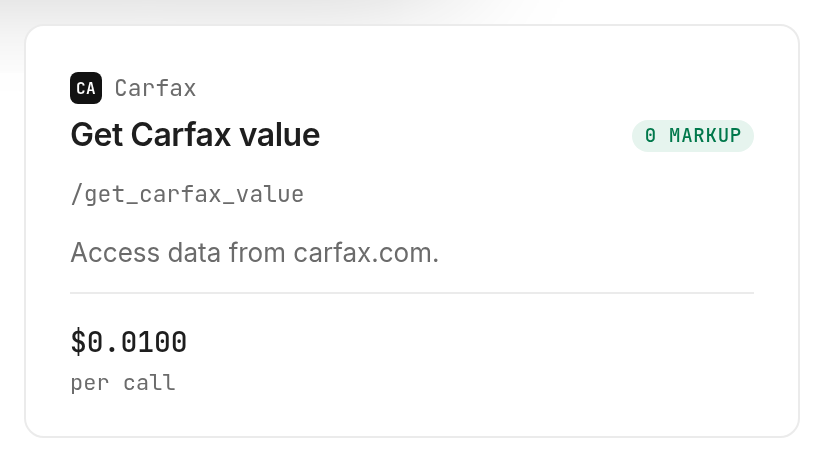
Pricing: the tested used-car search costs $0.01 per call, Verified 2026-11-07. The tested value lookup costs $0.01 per call, Verified 2026-11-07.
Features: search a location and model, compare returned asking prices and mileage, retain history indicators, and check value fields for an active listing. The output is structured data for your own table, not a report document.
Step 1. Set up access
Get a key at app.monid.ai, then give your agent the opening prompt and the key through its credential settings. The agent quickstart explains setup; discover and inspect are free, while run is the paid request.
For humans who prefer a terminal, use the CLI quickstart and these setup commands:
npm install -g @monid-ai/cli
monid keys add --label main --key <your-api-key>
An endpoint is simply a named operation you can call. Read its input requirements before sending a request, especially whether it accepts a search area or requires an active-listing VIN.
Step 2. Give your agent a narrow search
Ask for two Toyota Camry listings near ZIP 78701, then request columns for year, trim, mileage, asking price, badge and source-reported history flags. Set a small limit when testing: our request used rows: 2 and page: 1, making the first table easy to inspect.
Do not ask the agent to find the safest car or certify an accident-free vehicle. Those instructions demand conclusions the returned listing fields do not establish. Ask it to preserve the source wording and mark missing information explicitly.
Step 3. Retrieve one active listing's value data
Pass a VIN from the returned search to the CARFAX value lookup. Our call returned listPrice: 27675, badge: "GREAT", onePrice: null and onePriceArrows: null; the missing estimate stays missing.
The response also contained a monthly payment estimate of 494.37 USD, based on a 60-month term and a 10% down payment. This is a returned calculation with assumptions, not a lender's offer or a reason to accept the asking price.
Step 4. Save the comparison and its missing evidence
Export only the useful columns into your sheet, keeping the retrieval date alongside each row. Store the source identifier privately for follow-up; omit dealer contacts and owner-related details from a shared summary.
Add a separate editorial column called Next evidence needed. Both example cars still need a purchase-stage history check and inspection decision; the GREAT badge does not close either task. Keep these recommendations separate from returned fields so readers can distinguish evidence from judgment.
When to choose AutoCheck for a history report
Choose AutoCheck when you want a vehicle-history report from a different provider rather than another way to collect CARFAX listings. Its official sample report includes title-brand, accident/damage, odometer and ownership sections, plus an AutoCheck Score.
Compare report sections before brand names
Read the sample against your actual question. If your concern is a reported title problem, locate that section; if it is an odometer issue, inspect the history entries rather than treating the headline score as the whole answer.
Pricing: obtain the current report offer directly from AutoCheck; this guide does not reproduce vendor packages. Features: a readable vehicle-history report and the sections shown in its sample. Next action: review that sample before choosing a report for your VIN.
A report and a listing export serve different readers. An individual buyer checking one finalist benefits from a report they can examine; an analyst sorting changing inventory benefits from rows they can compare. Neither format removes the need to understand the records behind a summary.
Keep the comparison fair
We did not buy an AutoCheck report for the sample cars or measure its overlap with CARFAX. There is no accuracy ranking here. The practical advantage is that it offers the independent report route this tested listing workflow does not provide.
CARFAX's own report page describes accident, service, use and ownership history checks. If that is the document you need, use the report product itself rather than expecting a value lookup to reproduce it.
When to choose an NMVTIS report for title history
Choose an NMVTIS consumer report when your question centers on title and loss history. The Bureau of Justice Assistance lists five core indicators: current state of title and last title date, brand history, odometer reading, total-loss history and salvage history in its report explanation.
Match the report to the unresolved question
A title-focused check has a clear place in a buying sequence: use it to investigate the title evidence for a finalist, rather than substituting a favorable listing price for that evidence. The five indicators define its scope; they are not a promise of a complete maintenance timeline.
Pricing: obtain the offer from an approved consumer provider. Features: the title, brand, odometer, total-loss and salvage indicators described above. Next action: use the official consumer-provider directory to select a provider.
Treat inspection as a separate decision
The BJA report explanation encourages buyers to obtain an independent vehicle inspection and consult other information resources. A records check and a physical assessment answer different questions about the same vehicle.
For a procurement team, record completion of each separately: listing reviewed, history reviewed and inspection arranged. Do not collapse all three into a single green status because one source returned a clean-looking summary.
How do you read the comparison without overclaiming?
Read each field according to what it measures: asking price is the seller's listed amount, mileage is the returned listing mileage, and a source-reported flag is a summary from that source. None of these is a full inspection result.
Separate a badge from a numerical estimate
Both returned cars carried GREAT badges, but the dedicated value response for Camry A contained no numerical onePrice estimate. That means the table cannot calculate a discount against that estimate or explain a price difference through onePriceArrows.
Our editorial decision rule is to leave those derived columns blank. Never replace null with zero, the asking price or an agent-generated valuation. A zero estimate produces meaningless arithmetic; a guessed estimate creates evidence that the call never supplied.
The same separation helps teams comparing other expensive assets. The guide to interpreting a Zestimate distinguishes listed prices from property estimates; use that parallel when designing a shared vehicle-and-property research sheet.
Turn the rows into seller questions
Camry B has a lower asking price and higher mileage than Camry A in this snapshot. That is enough to prioritize questions about condition, equipment and the full transaction quote; it is not enough to declare one the better purchase.
Ask for the records behind the history summary, confirm that the vehicle is still offered and compare the exact trim. Keep the original snapshot when new information arrives so you can see which facts changed and which questions remain open.
How do you repeat the checks in your own code?
Use the same small search and a VIN returned by that search, then preserve the result before transforming it. Monid uses discover, inspect and run: find the operation, read its schema, and make the paid call.
Inspect the inputs before calling
These free commands show the operations used here:
monid discover -q "carfax alternative" -l 5 --include-unavailable -j
monid inspect -p carfax -e /search_used_car_listings
monid inspect -p carfax -e /get_carfax_value
The inspected schema places both operations' inputs in query parameters, so the calls use --query, not a JSON request body. Search accepts rows up to 100; that schema maximum is not a guarantee that every request returns that many listings.
Repeat the measured search
This is the request executed for the comparison:
monid run -p carfax -e /search_used_car_listings \
  --query '{"zip":"78701","make":"Toyota","model":"Camry","rows":2,"page":1}' -w
Use a current returned VIN for the value operation. The historical command below was executed successfully for this article; active inventory changes, so a later search supplies the appropriate replacement input.
monid run -p carfax -e /get_carfax_value \
  --query '{"vin":"4T1DAACK9TU738695"}' -w
The search completed in 11.483 seconds and the value lookup in 11.811 seconds, measured from run creation to completion on 2026-11-07. These are two observations, not a latency promise. Both returned HTTP 200; no failed or empty call was tested, so this experiment establishes no refund rule.
For teams extending this process to property inventory, the Zillow agent walkthrough shows the corresponding discover, inspect and call process for property data. Keep the two workflows separate: the vehicle calls here do not return property records.
Which service fits each buying task?
Choose by the next question you need answered, rather than by a single overall winner. The tested Monid path handles the comparison stage; the report routes handle different evidence needs.
| Use case | Best endpoint | Why? |
|---|---|---|
| Build an active-listing shortlist | CARFAX search | Tested with two results; per call $0.01, Verified 2026-11-07 |
| Read value fields for one active listing | CARFAX value lookup | Tested; numerical estimate was null; per call $0.01, Verified 2026-11-07 |
| Obtain another provider's history report | AutoCheck report product | Report route; obtain current pricing from the provider |
| Investigate title and loss indicators | Approved NMVTIS consumer provider | Title-history route; obtain current pricing from the provider |
The two successful calls together cost $0.01 plus $0.01, totaling $0.02, Verified 2026-11-07. They were billed per call, not per returned vehicle; free discovery and inspection added no run spend.
Conclusion
You now have a repeatable shortlist and a clear boundary between listing evidence and a history report. Use Monid for gathering active inventory, AutoCheck for another report provider, and an approved NMVTIS provider for title-focused evidence. The opening planning example assumes ten repeat comparisons avoid three to six minutes of copying each, totaling 0.5-1 hours; the one-minute setup allowance is an assumption, not a measured installation. Choose the route that resolves your next buying question, and keep missing evidence visible before you commit.
FAQ
Is there a free Carfax alternative?
This tested listing workflow is paid per call. Discovery and inspection are free; neither produces a history report. Current call prices are listed on monid.ai/tools. Ask the seller for available records and decide which additional evidence you need.
Does a Carfax alternative replace a full history report?
The listing workflow here does not replace a full history report. It returns active-listing data and value fields. Choose a report provider when you need the report itself.
Do I need to write code to compare cars?
No. Give an agent the opening prompt and configure its key. The command examples support readers who want to reproduce the same requests manually.
Can I look up any VIN through this workflow?
The value lookup requires a VIN corresponding to an active CARFAX listing. Start from the search results; use a vehicle-history report service for the broader report task.
How many cars can I compare at once?
The search schema accepts up to 100 rows per page. Our test requested and received two. Use a small first request and inspect the actual returned count before increasing it.
Does a GREAT badge mean the car is accident free?
No. A value badge and an accident-history flag are separate fields. Preserve the wording that no accident was reported to the source, and investigate the vehicle's condition separately.
What rules apply when I store vehicle data?
Rules vary by location; check the requirements that apply to your use. Keep private identifiers and contact details out of shared comparison tables.
Published November 2026.


