How to Do an Instagram Account Lookup by Name
Find a public Instagram account by name, check its profile details, and export a review table without confusing a search match with proof of ownership.

Find a public account, check its details, and keep the evidence in a table. Paste this into your agent:
Set up https://monid.ai/SKILL.md, and then use Monid for an Instagram account lookup for NASA. Search profiles with one result first. Return the account ID, follower and following counts, verified and private flags, website, lookup date and charge. Keep ownership confirmation as a separate review step. Do not collect personal contact details.
Allow 1 min setup · 0.5-1 hrs saved under the ten-account estimate below.
If you are a growth marketer doing an Instagram account lookup, ten brand names can leave you with zero confirmed handles. You search a name, open a candidate profile, and copy its details into a spreadsheet before deciding whether it belongs there.
That process mixes two separate jobs: discovering an account and confirming the match. A familiar display name gives you a candidate, but your spreadsheet still needs the profile's identity, website and review decision.
We'll build that review table through Monid, the tool layer for AI agents, using one keyword search and two public-profile lookups. The tools cover public search and profile retrieval; they do not establish real-world ownership, reveal private content, or identify an account from someone's email or phone number.
Here is the finished preview from our November 1 test. Each row describes the public institutional NASA account; these are three retrievals, not three different accounts.
| Retrieval | Profile rows | Followers | Verified | Private |
|---|---|---|---|---|
| Search by name | 1 | 104,419,272 | Yes | No |
| Known handle through SerpApi | 1 | 104,419,266 | Yes | No |
| Known handle through Apify | 1 | 104,419,266 | Yes | No |
We'll find a candidate, review its identity signals, and save a dated record. Start with one account before expanding your list.
How to do an Instagram account lookup with Monid
Start with a profile search when you have a name, and a direct lookup when you already have a handle. Monid connects your agent to the callable tools, also called endpoints, that perform those separate jobs.
Step 1. Set up access
Choose the agent route if you want a table without writing code. The human route prepares the command line for the optional developer section later.
For agents: Get a key at app.monid.ai, give it to your agent through its credential setup, and paste:
set up https://monid.ai/SKILL.md
The agent quickstart explains the setup.
For humans: Install the CLI and add your key locally:
npm install -g @monid-ai/cli
monid keys add --label main --key <your-api-key>
Use the CLI quickstart for the surrounding setup. Keep credentials outside exported tables.
Step 2. Search the name as a profile
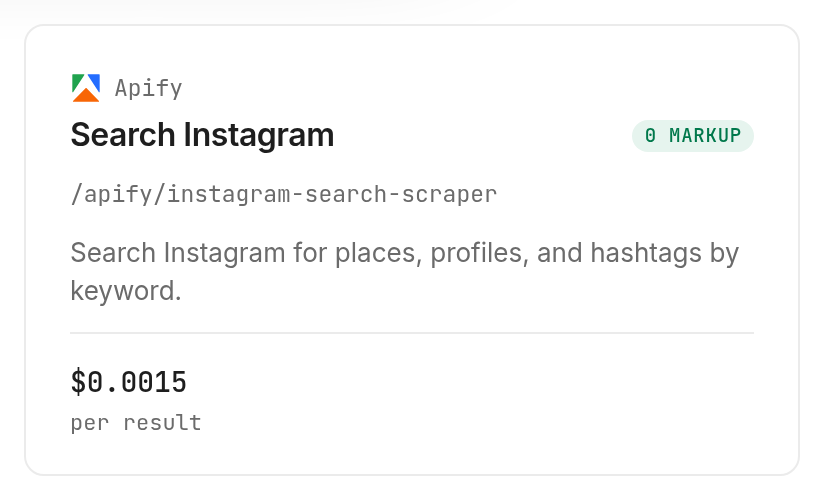
Ask for the Apify profile search tool, using search: "NASA", searchType: "user" and searchLimit: 1. Selecting user matters because the tool also searches places and hashtags, while one result keeps the first test small.
Search NASA as an Instagram profile, not a place or hashtag. Use one search term and return at most one candidate. Preserve the returned ID and website. Mark the match for review instead of calling it confirmed.
Step 3. Retrieve the candidate's profile
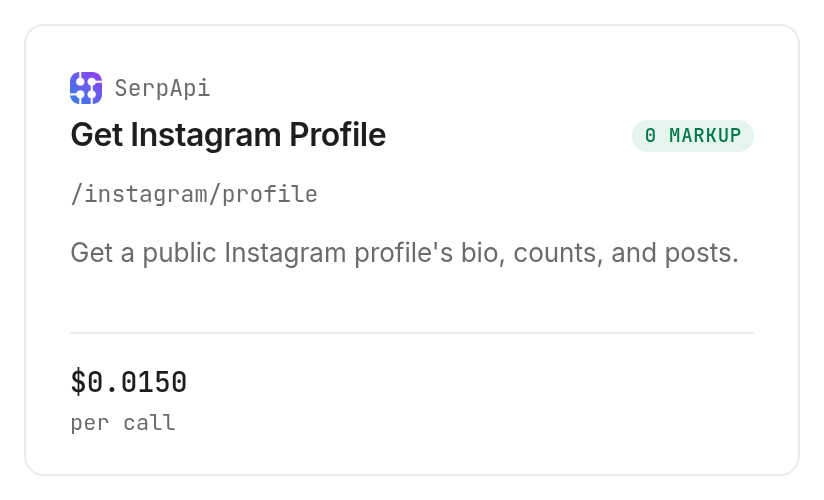
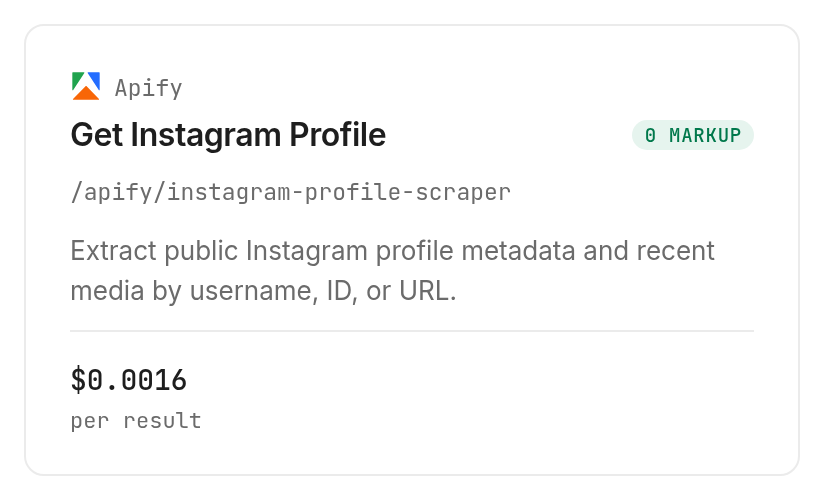
When the handle is known, ask for the SerpApi profile lookup with profile_id: "nasa", or the Apify profile lookup with usernames: ["nasa"]. Our test used both to compare the returned fields; your routine workflow needs only the profile source that supplies your required columns.
Retrieve the public NASA profile. Keep its returned account ID, counts, verified flag, private flag and website. Do not infer an email address, location or owner from the biography.
Step 4. Export the review table
Ask your agent for one CSV row per candidate, preserving the original input alongside the returned profile fields. Add your own looked_up_at and review_status columns, clearly separated from the provider's data.
Export a candidate review CSV. Keep the original search label, returned ID, followers, following, verified, private, website, lookup date and review status. Leave missing fields empty. Label review status as needs review until I approve the match.
Already have a clean handle list? The guide to viewing public Instagram profiles focuses on that narrower job, without the name-search stage.
How do you decide whether a profile is the right account?
Treat the result as a candidate until its identity signals match your source record. The ID, website and biography provide review evidence; a follower count alone does not establish ownership.
Compare identity before popularity
Our three responses contained the same account ID and the same NASA website, with a trailing slash difference between sources. They also returned 90 accounts followed, a true verified flag and a false private flag.
Those agreements support keeping the candidate in the review queue. For an actual campaign, compare its website with the organization's domain and inspect the profile before approving it. Keep a note explaining the match so another teammate can reproduce your decision.
A useful decision label is specific: candidate found, approved after review, or rejected as different organization. Avoid an automatic authentic label generated from a badge or name alone.
Preserve separate snapshots
The search response returned 104,419,272 followers; both direct profile responses returned 104,419,266. Preserve the six-follower difference as separate observations instead of silently replacing one value or averaging the three.
The profile source and retrieval date belong beside the count. That lets you compare future snapshots from the same source without confusing a source difference with audience growth.
Our full measured result table follows. Duration is the elapsed time between each run's recorded start and completion, rounded to two decimals; the calls overlapped in time.
| Retrieval | Found / not found | Following | Website returned | Duration |
|---|---|---|---|---|
| Name search | 1 / 0 | 90 | Yes | 23.27 seconds |
| SerpApi profile | 1 / 0 | 90 | Yes | 2.49 seconds |
| Apify profile | 1 / 0 | 90 | Yes | 12.55 seconds |
The business conclusion is straightforward: search produced a usable candidate, and direct lookup supplied a repeatable profile record. This one-account test does not measure how many ambiguous brands a search resolves correctly.
Keep totals separate from samples
The Apify profile response returned a total postsCount of 4,986. The SerpApi response included 12 entries in its posts array; that is a returned sample length, not the account's lifetime post total.
Use separate columns for total posts and sampled posts. Keep the original field names in your saved response so a later export can distinguish those two concepts.
How do you check the Instagram profile fields?
Check the returned profile fields against the columns your Instagram account review actually needs. A useful Instagram profile record separates username, full name, biography, external URL, follower count, following count, verified flag and recent posts instead of folding them into a single description.
The profile response checklist develops that field-by-field approach for Instagram data. For this lookup, use the checklist to identify missing information before you export a candidate record.
Keep absent fields empty
A profile picture URL is a link to an image, not an identity verdict. A biography is profile text, not a verified statement about the account owner; an external URL is a review signal, not proof of control over the linked website.
Preserve the username and account ID as separate values. Keep a missing post total blank, retain the returned recent-post sample separately, and carry the verified flag as a boolean rather than converting it into an approval decision.
How much does an account lookup cost?
The charge depends on whether you search for candidates or retrieve a known profile. Monid exposes that billing shape through free discovery and inspection before you make a paid call; the Instagram tools page is the place to compare available options.
Our Apify search cost $0.0015 for one billed result, Verified 2026-11-01. The inspected rule applies the limit per input search term, so one term with a limit of one is the cleanest first test.
Our SerpApi profile lookup cost $0.015 for one successful call, Verified 2026-11-01. Inspection states that successful empty searches are also billed and that HTTP errors and failed searches are free; our test returned a profile rather than exercising those cases.
Our Apify profile lookup cost $0.0016 for one billed result, Verified 2026-11-01. Its input is a username array, so control the first test by sending one username rather than adding an unsupported result-limit field.
The three completed runs together cost $0.0181, Verified 2026-11-01. Every call returned one profile row; there were zero empty or failed runs in this test, so it supplies no observed failure-refund result.
Do not run all three tools for every account simply because this guide compares them. Search only when the handle is missing, select one profile source for routine enrichment, and reserve a second retrieval for a specific review question.
How to repeat the lookup in your own code
Use the inspected parameter location for each request: the search and profile scraper accept JSON bodies, while the SerpApi lookup accepts query parameters. Monid uses the same discover, inspect and run workflow for all three.
Discover and inspect before paying
These commands are free and expose the current schema and price:
monid discover -q "instagram account lookup" -l 6 --include-unavailable -j
monid inspect -p apify -e /apify/instagram-search-scraper -j
monid inspect -p serpapi -e /instagram/profile -j
monid inspect -p apify -e /apify/instagram-profile-scraper -j
Send one small input
These are the inputs used in our three successful tests, shown as separate commands. Choose the command for your stage instead of copying the whole block into an automatic production loop.
monid run -p apify -e /apify/instagram-search-scraper \
  -i '{"search":"NASA","searchType":"user","searchLimit":1}' -w -j

monid run -p serpapi -e /instagram/profile \
  --query '{"profile_id":"nasa"}' -w -j

monid run -p apify -e /apify/instagram-profile-scraper \
  -i '{"usernames":["nasa"],"includeAboutSection":false}' -w -j
The search and scraper tools and known-handle lookup are different data sources. Map their output fields deliberately: followersCount corresponds to followers, followsCount to following, and verified to is_verified.
Retrieve completion before exporting
Keep the run ID when an asynchronous call remains RUNNING, then retrieve that existing run until it reaches COMPLETED. Do not submit the paid command again just to see whether the first request finished.
For example, this retrieves our completed search without initiating another search:
monid runs get -r 01M6BY31ZRS1JQQ93PAS0GYKD3 -j
In your own workflow, use your returned run ID and the CLI's -o option to save the response. Export normalized CSV columns only after preserving the original JSON, so a later field-mapping fix does not require purchasing the same lookup again.
Which lookup should you use for each job?
Choose the input you possess and the fields you need. These three Monid tools completed the small tests above; the table describes that tested scope.
| Use case | Best endpoint | Why? |
|---|---|---|
| Brand name with no handle | Apify /apify/instagram-search-scraper | Searches profiles with an explicit per-term limit; per result, Verified 2026-11-01, $0.0015 |
| Known handle with profile and recent-post sample | SerpApi /instagram/profile | Returned profile details and 12 sampled posts; per call, Verified 2026-11-01, $0.015 |
| Known handle with a total post count | Apify /apify/instagram-profile-scraper | Returned the profile and total postsCount; per result, Verified 2026-11-01, $0.0016 |
When should you use something else?
Use Instagram itself for a single visual check, and use the provider directly when its workspace is where you already organize the job. You are reading the Monid blog, and we offer access to these providers through our tool layer.
For an occasional lookup, opening the candidate profile is a sensible review step. A returned table does not replace examining whether its branding, linked website and context fit the organization you intended to find.
Apify's search product is the direct option for its own search and export workflow. SerpApi's profile documentation is the direct reference for its profile response. Choose those routes when you want to manage that provider's integration yourself.
This workflow also has a clear coverage boundary. It retrieves public account information; it is not a private-profile viewer, account-recovery service, reverse phone directory or proof of the person controlling a profile.
Conclusion
You now have a search-first process, a dated profile table and a separate ownership-review decision. Repeat the lookup with the same source and preserve each snapshot; Monid handles tool access while you decide which candidate belongs in your working list. The pitch's 0.5-1 hour estimate assumes ten manual entries taking three to six minutes each, excludes human identity review, and treats one minute as a setup allowance rather than a measured setup time. Keep automation focused on collecting comparable records so your team spends its attention on the accounts that deserve review.
FAQ
Is an Instagram account lookup free?
Discovery and inspection are free; the tested data lookups are paid. Use the tool catalog to inspect current prices and billing rules before sending an input.
Can I look up an Instagram account by name?
Yes, the tested profile search accepted NASA as a name and returned one candidate. A name search supplies candidates for review, not proof that the first account belongs to your intended organization.
Do I need to write code or log into Instagram?
You can give the task to an agent without writing code or supplying an Instagram login to these calls. You still need tool access through your configured Monid key and a balance for paid requests.
How many accounts can I look up at once?
The search schema allows a maximum searchLimit of 250 per term; our test used one. The profile scraper accepts a username array, and our test supplied one username. Expand only after checking the returned rows and charges.
Does a failed or empty lookup cost money?
The inspected SerpApi rule bills successful empty searches and excludes HTTP errors and failed searches. All three tests here returned data; they do not establish failure billing for the Apify tools.
Can an account lookup reveal a private profile or its owner?
These public-profile lookups do not reveal private content or establish real-world ownership. Keep the review decision separate from the returned verified and private flags.
Is collecting Instagram account information legal?
Rules differ by region; check the rules that apply to your use. Keep your collection limited to the public fields required for the task.
Published November 2026.


