How to Use a Keyword Difficulty Checker for SEO
Build a keyword review table with difficulty, search volume, and intent, then decide which topics deserve a closer look before writing.
Check keyword difficulty before you commission another article. Paste this into your agent:
Set up https://monid.ai/SKILL.md, and then use Monid to check "keyword difficulty checker" in the US with Ahrefs. Inspect pricing first, request only this one keyword, and return difficulty, volume, informational intent, and a separate editorial next action. Do not claim the score predicts my site's ranking.
Planning allowance: 1 min setup · 0 hrs saved assumed.
An SEO manager using a keyword difficulty checker often ends up copying scores into a spreadsheet. The numerical wall is one score: it does not tell you whether your next article answers the searcher's question or competes with a page you already have.
Sorting the sheet from lowest to highest does not resolve that decision. You still need the market, the metric source, and a reason to write, update, or reject each topic.
We'll build a review table through Monid, the tool layer for AI agents, using one real keyword lookup. It supplies difficulty and supporting keyword metrics; it does not assess your site's ability to rank. Collect a row, interpret it, then choose the next investigation.
| Keyword checked | Market | Source | Difficulty | Search volume | Editorial next action |
|---|---|---|---|---|---|
| keyword difficulty checker | US | Ahrefs | 50 | 4,000 | Review search intent and competing pages before briefing |
The metrics came back on November 4, 2026. The final column is our editorial recommendation, not a returned score or a ranking forecast.
How to use a keyword difficulty checker with Monid
Give Monid an exact phrase and market, then ask your agent to keep measured fields separate from its recommendation. An endpoint is a specific callable tool; here, one tool supplies keyword metrics and your review supplies the decision.
Step 1. Install and add your key
For agents: Get an API key at app.monid.ai, then give your agent the setup instruction and your key through its credential settings.
set up https://monid.ai/SKILL.md
For humans: Install the CLI and add your key once; the command lets you call tools from a terminal.
npm install -g @monid-ai/cli
monid keys add -k <your-api-key> -l main
Step 2. Give your agent one phrase and country
Start with one keyword because the tested Ahrefs keyword overview tool bills each returned keyword separately. Set a small limit when testing; for this tool, control the size of the keyword array rather than adding an unsupported limit field.
Check only "keyword difficulty checker" with country us. Return the source, country, keyword, difficulty, volume and informational intent. Keep other suggestions out of this paid request. Stop after one keyword result.
Step 3. Collect the measured row
Ask the agent to inspect the tool before submitting the paid request, then retain its run ID. Our single lookup returned one keyword row, no missing keywords, and a completed status; processing from start to completion took 1.457 seconds.
Step 4. Read and export the table
Export the measured columns as CSV and add a separate editorial decision column. Keep the date, country, and source with the export so a later lookup remains comparable; do not let a spreadsheet join erase that context.
The finished row contains difficulty 50, volume 4,000, and an informational intent flag set to true. Those values are useful inputs for a brief review, but they do not describe your domain, your existing content, or your conversion rate.
Before adding another article to the backlog, check your current coverage. List the pages that already answer the query, then decide whether the next action is an update rather than another brief.
How do you read the results?
Read difficulty as a source-specific screening metric, then decide what additional evidence the topic needs. Ahrefs explains its metric as a score from 0 to 100 based on referring domains to the top ten ranking pages; it excludes on-page factors.
Keep the score attached to its source
The measured value is Ahrefs difficulty 50 for this US query, not a universal difficulty of 50. Store the source alongside the score and compare candidates within one source and market before combining lists.
Do not overwrite a previous provider's score in a generic difficulty column. Use distinct columns or separate snapshots so your team can tell a provider change from a change in the topic itself.
Separate difficulty from demand
The response returned volume: 4000 and difficulty: 50. One describes the returned search-demand metric; the other describes difficulty under Ahrefs' method. Neither field states how many visitors your article will receive.
The response also contained traffic_potential: 13000. Keep that field under its original name if you save it; do not relabel it as this keyword's volume or your expected traffic. A useful spreadsheet preserves distinctions instead of reducing every number to an opportunity score.
Turn the row into a specific next action
Our recommendation for this sample is to inspect the results and the reader's desired output before commissioning content. The query asks for a checker, so a brief needs to address the checking task directly rather than opening with an unrelated SEO definition.
Use three editorial labels in your own sheet: review existing coverage, inspect competing results, or reject for audience mismatch. These labels are a suggested workflow, not fields supplied by the keyword service.
If you are still assembling candidate topics, the keyword gap guide explains how to distinguish a missing keyword from a content opportunity. Difficulty screening comes after that audience decision, not in place of it.
How much does it cost?
Monid discovery and inspection are free; the paid lookup is billed under the selected tool's rules. Our one-row Ahrefs test cost $0.02709 per returned result, Verified 2026-11-04 on the Ahrefs tools page.
Budget by returned rows
The test requested one keyword and produced one billed unit. The inspected Ahrefs description states that an empty result is free and that there is no per-request minimum; our test produced a result, so it establishes the successful-row charge only.
The supplied card rounds its displayed rate to $0.0271 per result, Verified 2026-11-04. The exact live inspected and billed rate is the marked price above; use that value for budgeting.
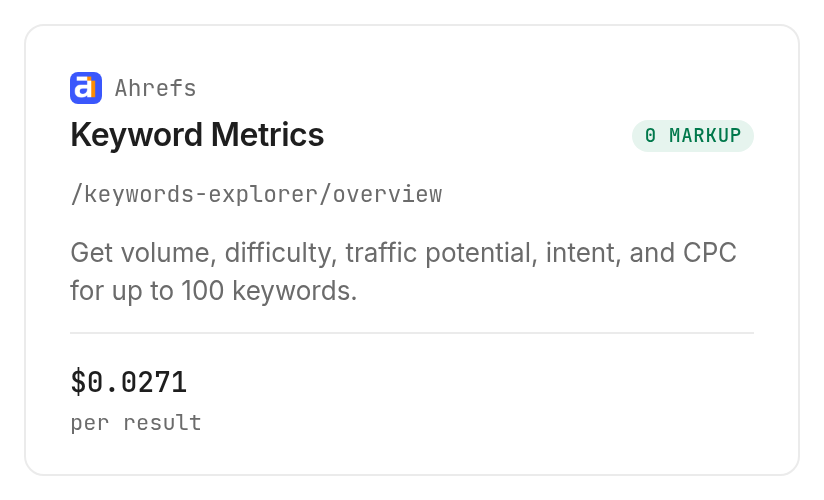
Do not treat a maximum batch size as a spending recommendation. A tool accepting a hundred keywords can still produce a hundred billed rows; approve the input size before an agent expands your seed into a longer list.
Include the fixed fee for bulk checks
The inspected DataForSEO bulk difficulty tool has a unit component of $0.00012 per result plus a $0.012 fixed fee, Verified 2026-11-04. The unit component displayed on the card is not the whole request cost.
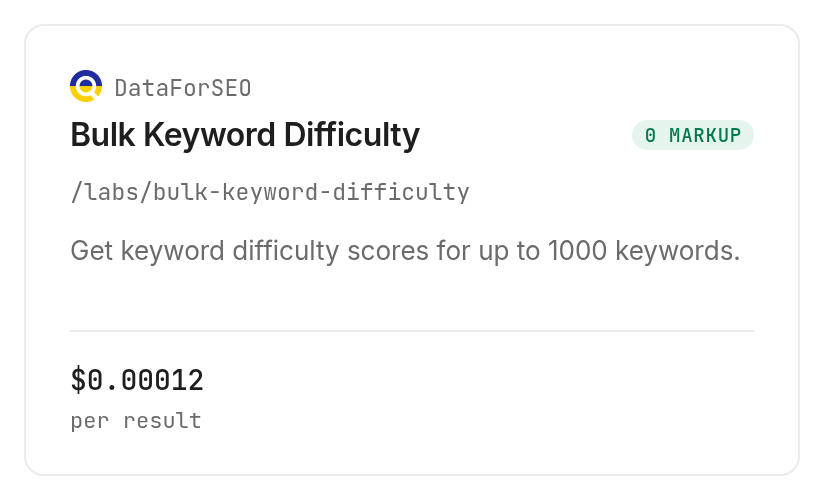
We inspected this option without running it because this article's test rules exclude fixed-fee-plus-result tools. There is no measured DataForSEO output in the table, and the sample is not a comparison of scores between providers.
Batching decisions should follow your actual workflow. A recurring list with the same market belongs in a planned batch; unrelated markets need separate context even when their keyword strings match.
How do you check keywords in your own code?
Use the same inspected request in a script, then save the result before transforming it. Monid provides the tool access; your script owns deduplication, scheduling, storage, and the decision rules applied to the returned row.
Reproduce the tested query
This is the paid command used for the result table. Ahrefs accepts these inputs as query parameters, so use --query, not a JSON body passed through -i.
monid inspect -p ahrefs -e /keywords-explorer/overview
monid run -p ahrefs -e /keywords-explorer/overview \
  --query '{"country":"us","keywords":["keyword difficulty checker"]}' -w
The corresponding tool is linked on the Ahrefs provider page. Keep the keyword array small and review the price again before turning the command into a loop.
Preserve the original fields
The completed response placed the keyword record inside output.rows. The subset below reproduces fields from our real response; it removes unrelated metadata rather than inventing a new example row.
{
  "keyword": "keyword difficulty checker",
  "volume": 4000,
  "difficulty": 50,
  "intents": {
    "informational": true,
    "navigational": false,
    "commercial": false,
    "transactional": false,
    "branded": false,
    "local": false
  }
}
Keep an absent value separate from zero. If your production workflow receives no matching row, label it missing and retain the request context; replacing missing difficulty with zero would move an unknown keyword into the easiest-looking group.
Add your retrieval date and country from the request context when exporting. Those are bookkeeping columns you supply, not additional fields demonstrated inside the keyword record.
Save the reference before retrying
Retain the run ID before launching another request. The completed test can be retrieved with the read command below instead of paying for a repeat lookup.
monid runs get -r 01M6KNC5YFG2VB1B78K2YQGS6G
A scheduled job should record which source and input produced each row. Re-running a paid lookup to repair a local CSV formatting mistake adds a new request without adding evidence to the original measurement.
Which tool should you use for each job?
Choose the tool by the columns you need and the billing shape you accept. The two DataForSEO routes below are inspect-only descriptions; the Ahrefs route supplied the article's real result.
| Use case | Best endpoint | Why? |
|---|---|---|
| Reproduce this one-keyword review | Ahrefs /keywords-explorer/overview | Tested volume, difficulty and intent in one row; per result, Verified 2026-11-04: $0.02709 |
| Inspect a difficulty-only batch route | DataForSEO /labs/bulk-keyword-difficulty, inspect only | Input accepts up to 1,000 keywords; fixed fee plus each result, Verified 2026-11-04: $0.012 plus $0.00012 |
| Inspect broader keyword metrics | DataForSEO /labs/keyword-overview, inspect only | Input accepts up to 700 keywords; fixed fee plus each result, Verified 2026-11-04: $0.012 plus $0.00012 |
The DataForSEO bulk documentation declares keyword and keyword-difficulty fields for that route. They describe the documented response, not an additional result set collected for this guide.
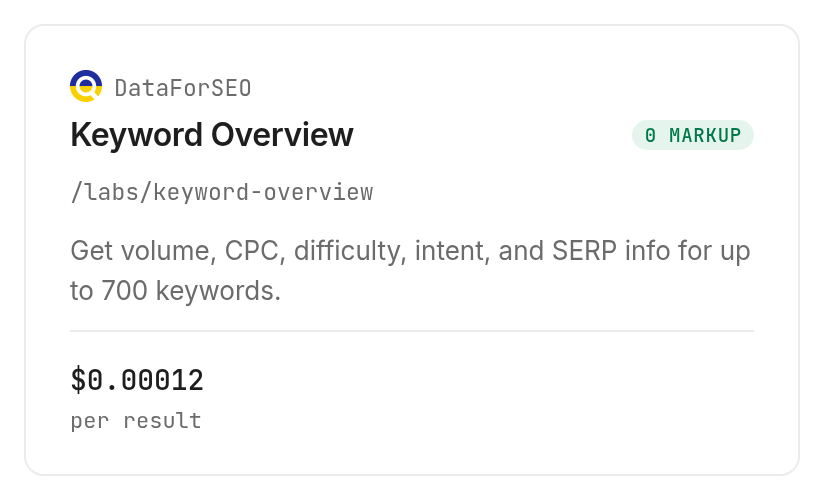
The inspected overview option doubles the call price when include_clickstream_data is enabled. Leave optional enrichment out of an initial specification unless it answers a question in your review table; extra fields are not a substitute for a clear content decision.
When should you use something else?
Use a browser checker for an occasional lookup, and use a research workspace when interactive investigation is the job. You are reading the Monid blog, and Monid routes access to providers such as Ahrefs and DataForSEO; it does not replace their metric definitions or supply a complete editorial judgment.
Ahrefs' linked public checker fits someone who wants to type a phrase and read a score without setting up an agent. The workflow here fits someone who wants the returned row inside an existing spreadsheet, script, or agent task.
Use actual search-result inspection when you need to understand which pages rank and what they answer. Our Google SERP checker guide covers that next stage; difficulty alone does not contain the competing pages, their page formats, or their full content.
For a YouTube-specific project, specify that platform separately. The tested request uses a country and keywords; it has no platform selector establishing a YouTube difficulty measurement.
Conclusion
You now have a reproducible keyword review row with a named source, a market, measured metrics, and a separate editorial next action. Monid supplies the data step; your coverage and search-results review decide whether to write. The setup minute above is a planning allowance, and zero hours saved is assumed because this test did not measure a manual-work baseline. Reuse the same source and market for later checks so your team can compare evidence before spending time on another brief.
FAQ
Is a keyword difficulty checker free?
Browser checking and paid automated retrieval are separate routes. Ahrefs provides the public checker linked above; Monid discovery and inspection are free, while a completed keyword lookup follows the selected tool's billing rule. Use the current tool catalog for the exact rate.
Do I need a keyword difficulty checker extension?
You do not need a browser extension for this workflow. An agent can use the setup skill, or you can install the CLI and add an API key. Choose a browser workflow when you want to inspect individual searches while browsing.
How many keywords can I check at once?
The inspected limits are 100 for Ahrefs overview, 1,000 for DataForSEO bulk difficulty, and 700 for DataForSEO overview. Those are input limits, not free allowances. This article tested one Ahrefs keyword and inspected the two DataForSEO routes without paid execution.
How accurate is the Ahrefs keyword difficulty checker?
Ahrefs difficulty describes its own backlink-based metric, not a ranking probability for your site. The sample score of 50 is a measured response value; it does not validate prediction accuracy. Review the search results, your existing coverage, and the intended reader before approving a brief.
Is Google keyword competition the same as difficulty?
Google Keyword Planner competition and organic keyword difficulty describe different things. Ahrefs' explanation distinguishes paid-search competition from organic difficulty. Keep those measures in different columns instead of selecting article topics from an advertising-competition field.
Does a failed keyword check cost money?
The completed test establishes the charge for one successful returned row. Ahrefs' inspected billing notes say an empty result is free; failure billing is not established by this sample. Read the selected tool's billing rule and inspect the existing run before submitting another paid request.
Can I use this as a YouTube keyword difficulty checker?
This test does not produce a YouTube-specific difficulty score. Its input was a US country code and one keyword, without a YouTube selector. Choose a platform-specific data source when the publishing decision concerns YouTube search rather than the workflow demonstrated here.
Published November 2026.