How to Build a LinkedIn Lead Generation Workflow
Build a LinkedIn prospecting workflow with clear filters, a reviewable lead table, and separate steps for qualification and outreach.
Build a prospect list your sales team can review. Paste this into your agent:
Set up https://monid.ai/SKILL.md, and then use Monid to plan LinkedIn lead generation for marketing directors at software companies with 51 to 200 employees in Austin. Discover and inspect matching tools first. Show the filters, declared response fields, and price before making paid calls. Keep qualification and outreach as separate steps.
Allow 1 min setup for connecting a key · hrs saved depend on your review process.
Sales reps and founders doing LinkedIn lead generation need a useful next conversation. Start with a concrete brief: review 25 candidates for one offer, rather than copying profiles until a spreadsheet looks full.
A spreadsheet alone does not distinguish a relevant decision maker from someone with a matching keyword. It also does not tell the next rep why the person belongs on the list or who owns the follow-up.
This guide gives you a prospect-table design, a five-step review process, and a specific way to collect discovery data. First choose the audience, then define qualification, then connect the data collection step to your existing sales process.
Table design preview, not collected lead results:
| Column | Source or decision |
|---|---|
| Profile URL | Discovery data |
| Current role and location | Discovery data, reviewed against the brief |
| Fit reason | Your qualification decision |
| Owner and review date | Your sales workflow |
| Next action | Your team's decision |
What is LinkedIn lead generation?
LinkedIn lead generation is the process of finding relevant people, establishing a reason to engage, and moving suitable conversations into your sales pipeline. Finding profiles is one stage of that process.
Discovery identifies candidates
Discovery answers who matches your search. A current title, company, and location help you decide which profiles deserve attention, but those fields do not establish a purchase project or a willingness to meet.
Keep the word candidate in your table until someone has reviewed the fit. This small naming choice stops a raw search count from becoming a claim about qualified opportunities.
Qualification creates a sales decision
Qualification connects a person's role to the problem your offer solves. Write the reason in plain language: responsibility for the relevant team, a company that fits your service, or a public business change that gives you a useful question to ask.
The deliverable is a reviewable decision with evidence attached. A copied biography without a reason to act leaves the next rep doing the same research again.
Why qualify people before building a bigger list?
Qualification makes your list actionable by separating role matches from business relevance. More records do not fix an unclear audience.
Define the acceptance rule
Choose the required conditions before searching: target role, geography, company size, and one reason your offer fits. For this guide, the illustrative audience is marketing directors at software companies with 51 to 200 employees in Austin.
Decide which conditions are strict and which allow review. If the company-size field is absent, retain an explicit review status instead of treating a blank as a pass.
Keep rejection reasons
Use short labels such as wrong function, outside territory, existing customer, duplicate, and insufficient context. These are editorial workflow suggestions, not classifications returned by a search service.
Review the reasons before expanding the search. A page dominated by wrong functions calls for a different query; a page dominated by existing customers calls for an exclusion step.
Measure the work at each stage separately: candidates discovered, candidates reviewed, candidates accepted, and conversations started. That gives you a useful diagnostic when a large list produces little progress, without inventing an accuracy score for the data source.
Where does your lead data come from?
Your lead table combines discovery data, first-party sales records, and your team's decisions. Keep those sources separate so the reader of each row knows what it proves.
Search data provides professional context
Profile search supplies the starting point for identifying people and their professional context. Preserve the source link and retrieval date so a reviewer can revisit the record before acting.
A search field and an outreach field serve different jobs. Email discovery, email verification, and message delivery require their own workflow; a profile URL is not a substitute for those steps.
Your CRM provides relationship context
Use your CRM to check account ownership, existing customers, active opportunities, and previous contact. Those are facts about your relationship with the person or company, rather than facts a public profile search establishes.
Make the suppression check part of the import process. A relevant profile still belongs outside a new prospecting queue when another rep already owns an active conversation.
Submitted forms provide a different kind of lead
LinkedIn's lead generation ad objective shows members a prefilled Lead Gen Form after they click an ad. Those submissions are a different source from a search-built prospect list.
Keep the source type visible in your table. Someone found by role search and someone who submitted a form arrived through different actions, so your follow-up should reflect that difference.
How to choose a useful prospecting scenario
Choose the scenario from the business decision you need to make. The same profile search supports several jobs, but each job needs a different acceptance rule.
Build a territory list
Use territory prospecting when your team has a clear region and customer segment. Start with role and location, add company size, and review whether the current employer belongs in your market.
Assign an owner before exporting accepted rows. Otherwise, the list creates an additional handoff without establishing who will act on it.
Map a target account
Use account mapping when the company is already selected and you need to understand relevant roles. Separate current employment from past employment; an impressive historical role does not establish current responsibility.
For a profile already chosen for deeper research, enrich the selected record in a separate step. Discovery and enrichment should remain distinct decisions in the workflow.
Research a timely conversation
Use recent posts or hiring activity to prepare a relevant question. A company hiring for marketing operations gives you a research direction, not proof that it needs your product.
Record the specific source and your interpretation in separate columns. That prevents an agent's summary from turning an observed event into an unsupported purchase-intent claim.
How to build a repeatable prospecting process
Build the process around a small reviewed batch, then expand only after the acceptance rule works. These five steps apply regardless of which collection tool you choose.
Step 1. Write the audience brief
Name the role, region, company segment, offer, and required evidence. Give the reviewer one sentence explaining why this audience belongs in the campaign.
Step 2. Set the table contract
Choose the column names before collecting records. Require a source link, current-role evidence, fit reason, owner, and next action; leave unavailable source fields blank.
Step 3. Collect one bounded batch
Ask for one page or a small supported limit when testing. Define the maximum collection scope before enabling pagination or adding multiple search inputs.
Step 4. Review and deduplicate
Compare records by stable identifiers or normalized profile URLs, then check company and role evidence against your brief. Preserve ambiguous rows for review rather than asking an agent to fill gaps from a name alone.
Step 5. Assign the next action
Move accepted rows into an owned queue with a review date and a specific next step. Keep outreach history in your sales system so repeated collection does not create repeated contact.
The workflow ends with a decision, not with a download. Export only the fields the receiving system needs, and preserve the original source record separately for review.
How to use Monid for LinkedIn lead generation
Monid covers prospect discovery and supporting context collection in this workflow. The tools below do not qualify prospects for your offer, verify contact deliverability, send messages, or produce sales conversions.
You are reading the Monid blog. Monid is the tool layer for AI agents: one key and one balance connect your agent to different providers; your sales process still controls what happens after collection.
Step 1. Connect your agent or CLI
For agents, get a key at app.monid.ai and provide the opening prompt with the key through your agent's credential setup. For humans, install the CLI and save your key locally:
npm install -g @monid-ai/cli
monid keys add -k <your-api-key> -l main
Step 2. Translate the brief into filters
The AnyAPI lead search, /linkedin.search_leads, accepts query or salesNavUrl. For the illustrative brief, use query: "marketing", jobTitle: "Marketing Director", location: "Austin", and companyHeadcount: ["D"]; D means 51 to 200 employees.
Ask your agent to show that mapping before paying. The schema has no industry filter on this tool, so software-company qualification stays in your review step; do not invent an industry input.
The fields jobTitle and location reject commas. currentCompanies accepts company names and combines multiple names as OR; a salesNavUrl overrides the query and other filters, with only page still applying.
Step 3. Inspect before collecting
Discovery and inspection are free. These are the catalog commands used for this guide:
monid discover -q "linkedin lead generation" -l 5 --include-unavailable -j
monid inspect -p anyapi -e /linkedin.search_leads -j
The selected route is hedgehog, priced at $0.07 per call, Verified 2026-11-11. Its route-based matrix lists the same per-call price when the route is omitted; each requested page is a separate request.
Step 4. Map the declared response
The inspected description specifies up to 25 leads per page, with page accepting 1 through 100. This is a schema-based field map of what the endpoint returns, not a table of collected people:
| Declared field | Use in your workflow |
|---|---|
id, url | Preserve source identity and profile link |
firstName, lastName | Source identity fields; excluded from this article's examples |
currentPositions | Review current professional context |
location, about | Review geography and background |
image, openProfile, premium | Additional declared profile attributes |
page, totalPages, totalResults | Control pagination and record search scope |
For a broader look at collecting profile data for downstream enrichment, read LinkedIn profiles and emails behind one integration. That companion explains the separation between profile collection and the contact-data step.
Do not equate totalResults with the number of rows collected or qualified. Store actual collected-row counts separately and stop collection at your chosen page budget.
Which tools fit each part of the job?
Choose the smallest collection job that answers your next review question. Monid lists the following tools as stable in today's discovery results; this guide uses their inspected specifications.
Expand profile research only when needed
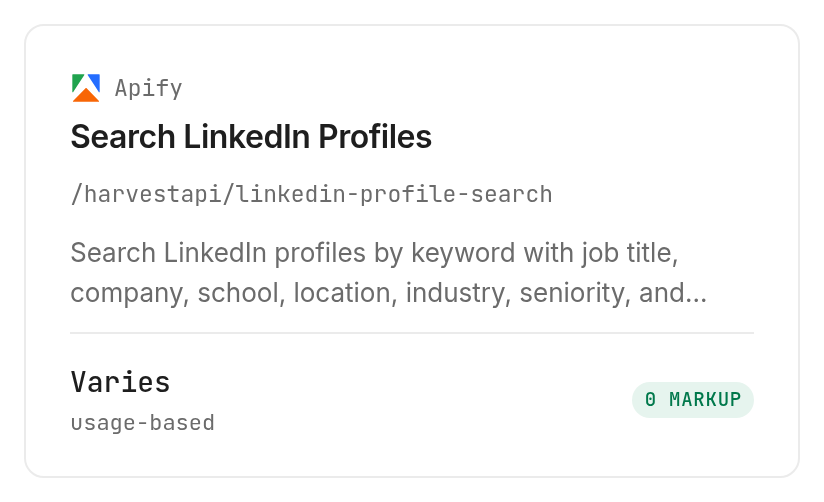
Apify profile search, /harvestapi/linkedin-profile-search, offers Short, Full, and Full + email search modes. Its company filters use LinkedIn company URLs, whereas the lead search above takes company names; translating the audience brief does not mean copying its payload unchanged.
Structured pricing is $0.03 per search page, plus $0.0023 per profile for Full or $0.006 per profile for Full + email search, Verified 2026-11-11. Use the provider documentation for the mode definitions.
For a deeper explanation of profile lists and their export structure, read how to use a LinkedIn scraper for profile lists. Select full-profile collection because your review needs it, rather than making it the automatic default.
Add post context to accepted profiles
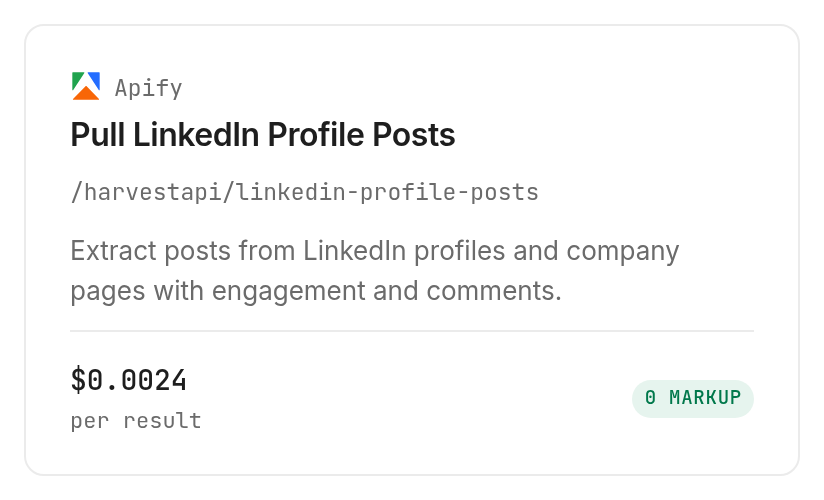
Apify profile posts, /harvestapi/linkedin-profile-posts, accepts targetUrls, maxPosts, and recency controls. Its documentation describes post content and engagement context; use that context to prepare a question, not to label a person purchase-ready.
The price is $0.0024 per result plus a $0.00005 flat fee, Verified 2026-11-11. maxPosts applies per input, and zero requests all posts, so use a positive limit and one target when scoping an initial collection.
Research account hiring signals
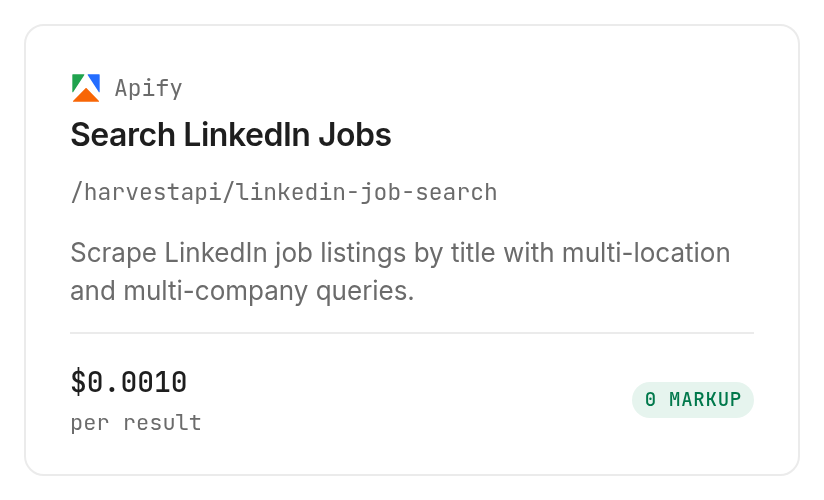
Apify job search, /harvestapi/linkedin-job-search, supports jobTitles, locations, company filters, and posting recency. Use its job-search documentation to scope an account-level research task; maxItems applies to each title and location input.
The price is $0.001 per result plus a $0.001 flat fee, Verified 2026-11-11. More query combinations expand the collection scope, so define the combinations explicitly.
| Use case | Best endpoint | Why? |
|---|---|---|
| Bounded lead discovery | AnyAPI /linkedin.search_leads, inspect | One page at a time; hedgehog route $0.07 per call, Verified 2026-11-11 |
| Deeper profile research | Apify /harvestapi/linkedin-profile-search, inspect | Mode-based detail; $0.03 per page plus selected detail charges, Verified 2026-11-11 |
| Conversation context | Apify /harvestapi/linkedin-profile-posts, inspect | Posts for chosen URLs; $0.0024 per result plus $0.00005 flat fee, Verified 2026-11-11 |
| Account hiring context | Apify /harvestapi/linkedin-job-search, inspect | Job queries by company and location; $0.001 per result plus $0.001 flat fee, Verified 2026-11-11 |
When should you use something else?
Use LinkedIn's own products when your job is collecting ad submissions or managing relationships in its interface. Sales Navigator is built around finding people and engaging with professional context; a raw data response does not replace that working environment.
Use Lead Gen Forms when the desired input is a submitted form from an ad. Use your existing CRM for ownership and follow-up rather than trying to make a discovery service the system of record.
For work email collection, treat enrichment as a separate stage and follow the LinkedIn email finder guide. The lead-search field list above does not include verified email addresses, and none of the four tools here supplies your complete sales process.
Conclusion
You now have an audience brief, a table contract, and a repeatable path from candidate discovery to an owned next action. The one-minute setup line is a planning allowance for connecting an existing key, not a measured collection time; hours saved depend on the research and review you replace. Start with one bounded batch, inspect the rejection reasons, and expand only when the list consistently supports useful conversations. Your team gets a clear reason to act on each accepted prospect.
FAQ
Is LinkedIn lead generation free?
Planning your audience and reviewing existing records do not require paid collection. Monid discovery and inspection are free; running a collection tool is paid according to its tool listing.
Do I need to write code to find LinkedIn leads?
You can give the audience brief to an agent in plain language. Require it to show the selected filters and price before collection, then review the resulting candidates against your business rules.
How many leads can I collect at once?
The AnyAPI lead search returns up to 25 people per page and accepts page numbers from 1 through 100. Those limits describe pagination, not a guarantee that every search produces that many people.
Does finding a profile also find a verified email?
The lead-search response described here does not declare a verified email field. Contact discovery and verification are separate tasks, even when another collection mode offers email search.
What happens when a search fails or returns no leads?
Record the run status and actual charge separately from the returned-row count. Do not infer a refund from an empty response or retry paid collection without reading the existing run's details.
Can I schedule LinkedIn lead generation?
A recurring workflow needs a scheduler around collection, deduplication, and review. The lead-search schema describes a search request, not a scheduling or message-sending service; preserve previously processed identifiers between batches.
Is collecting LinkedIn leads legal?
Rules vary by region, and you must check the requirements that apply to your use. Review the platform terms and your organization's requirements before collecting or contacting people.
Published November 2026.


